 Fastero Dev Team
People rarely leave Jupyter Notebook because of the notebook itself. They leave because something around it gets in the way: installing Python on a work laptop, needing a GPU, sharing results with someone who doesn't run Jupyter, running the notebook every morning, or reviewing a notebook's changes in git. The right alternative depends on which of those it is.
The short answer: for free hosted notebooks with a GPU, use Google Colab or Kaggle, and Kaggle can still run notebooks on a schedule, which consumer Colab stopped doing in March 2026. For a better editor on your own machine, use VS Code, Positron or PyCharm. For notebooks that diff cleanly in git and never run out of order, use marimo. For a team that shares results and runs notebooks on a schedule against its databases, use Deepnote (schedules are on its paid Team plan) or Fastero (notebooks and schedules are on the Free plan). For Spark, use Databricks Free Edition, which is for non-commercial use only. For JavaScript, use Observable.
Fastero
Jupyter notebooks for your team, with nothing to install.
Start a notebook or bring your .ipynb files. SQL cells query your databases with no password in the code, and a notebook runs now or on a schedule. Colleagues open it with their own login; viewers are free.
Try free →Jupyter Notebook alternatives compared
| Tool | Runs where | Free tier | Schedules runs | Sharing | File format |
|---|---|---|---|---|---|
| JupyterLab | Your machine or server | Open source | With the jupyter-scheduler extension | Real-time with an extension | .ipynb |
| VS Code | Your machine or a remote one | Free | No | Live Share | .ipynb |
| Google Colab | Google's cloud | Yes; sessions up to 12 hours, limits not published | No, since 27 March 2026 | Share like a Google Doc | .ipynb |
| Kaggle Notebooks | Kaggle's cloud | Yes, with GPU and TPU | Daily, weekly, monthly or when a dataset updates | Public or private | .ipynb |
| Deepnote | Deepnote's cloud, or locally | Up to 3 editors and 5 projects | Team plan | Real-time | .deepnote, imports .ipynb |
| Fastero | Fastero's cloud | Notebooks and schedules included | Yes, on a cron schedule | Colleagues sign in; viewers are free | .ipynb |
| marimo | Your machine, the browser or molab | Open source | Runs as a script | Share the .py file or an app |
.py |
| Positron | Your machine | Free | No | Through Posit Workbench | .ipynb |
| PyCharm | Your machine | Free core includes Jupyter | No | Share the file | .ipynb |
| Databricks Free Edition | Databricks | Yes, quota-limited, non-commercial | Jobs | Real-time | Databricks notebooks |
| Observable | Observable's cloud or a Mac app | Free plan | No | Team workspaces | HTML notebook files |
| Apache Zeppelin | Your server | Open source | No | Multi-user with LDAP | Zeppelin notes |
Jupyter notebooks for your team.
Start free →If you want to keep using Jupyter: JupyterLab
JupyterLab is the newer interface from the same project, and it may be all you need: tabs, a file browser, a terminal and extensions in one window. Install it with pip install jupyterlab and start it with jupyter lab. Collaboration and scheduling need extensions: "Editors are not collaborative by default; to activate it, install the extension jupyter_collaboration." The jupyter-scheduler extension adds scheduled runs while your server is running.
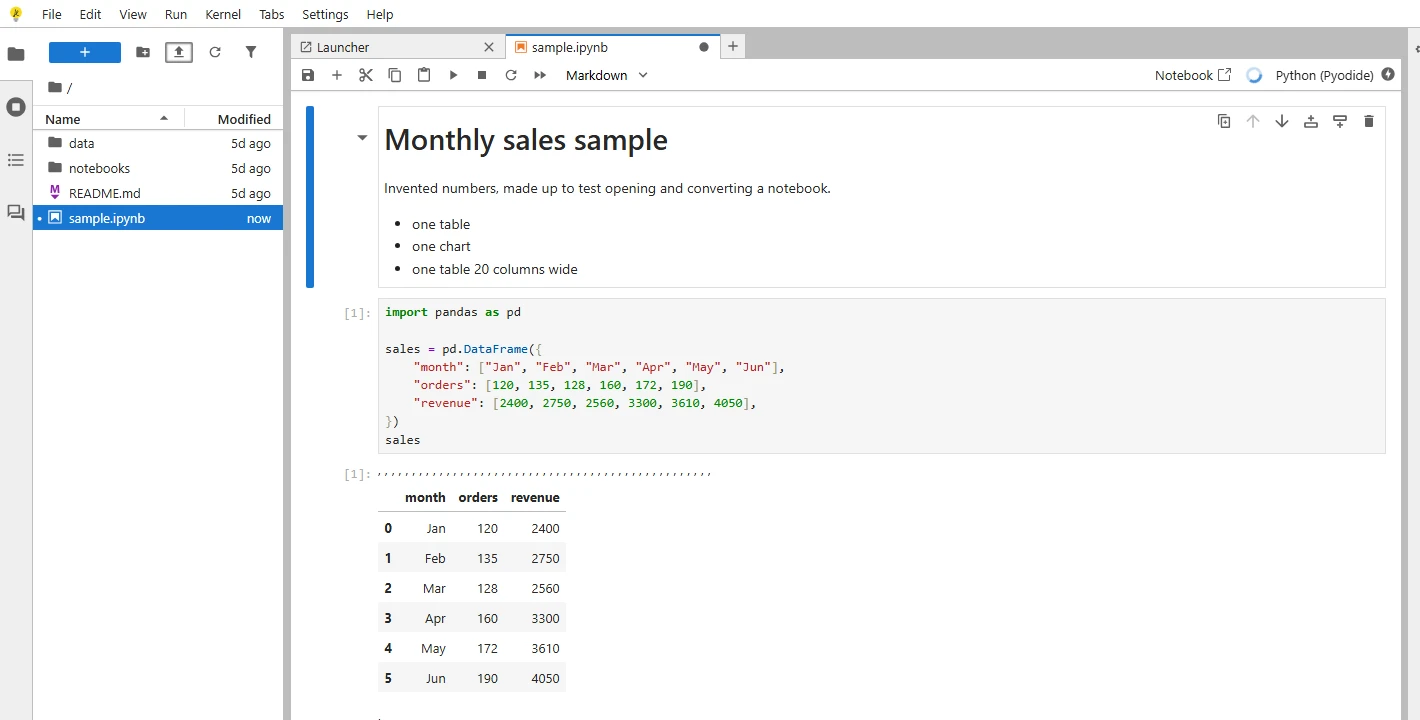
The JupyterLab interface, here in JupyterLite, which runs entirely in the browser.
Free notebooks with a GPU: Google Colab and Kaggle
Google Colab gives you a hosted Jupyter notebook with free GPUs and nothing to install. The free tier has limits Google doesn't publish: "In the version of Colab that is free of charge notebooks can run for at most 12 hours, depending on availability and your usage patterns." One change matters if you used Colab to run reports: Google switched off scheduled notebooks in consumer Colab, saying "we're turning this feature off starting today, Friday March 27th, 2026." Colab Enterprise on Google Cloud still schedules runs. More options in our Google Colab alternatives guide.
Kaggle Notebooks are free too, with a P100 GPU or two T4s, and a TPU v3-8. Sessions run "12 hours execution time for CPU and GPU notebook sessions and 9 hours for TPU notebook sessions", and interactive sessions stop after 20 minutes idle. Kaggle is now the free hosted option that still schedules: "Time-based (Frequency): set the notebook to run daily, weekly, or monthly," or whenever a dataset it uses updates. Kaggle's docs don't state a weekly GPU quota, so treat the "30 hours a week" figure you'll see quoted as unofficial. Our Kaggle notebooks guide has the details.
A better editor on your own machine: VS Code, Positron and PyCharm
VS Code opens .ipynb files with the Jupyter extension, adds variable viewers and debugging, and with GitHub Copilot an agent can create notebooks and run their cells. It's the most common step from the classic interface.
Positron, from Posit (the company behind RStudio), is a free desktop IDE for Python and R whose notebook editor is the default for .ipynb files. In Posit's words: "Positron is a free IDE purpose-built for data science, with transparent AI assistance, interactive data exploration, and everything you need to go from question to insight to application."
PyCharm has had Jupyter support in its free version since 2025: "Its core functionality, including Jupyter Notebook support, will be free, and a Pro subscription will be available with additional features." SQL cells in notebooks are a Pro feature. If you used DataSpell, JetBrains' separate data science IDE, it is being retired: "After careful consideration, we have made the difficult decision to sunset DataSpell as a standalone product." New subscriptions ended on 28 May 2026, and users move to PyCharm.
Notebooks that work with git: marimo
The classic notebook's two biggest headaches are hidden state, where cells run out of order and the notebook only works on your machine, and JSON files that are hard to review in git. marimo fixes both. It is a reactive notebook: change a cell and every cell that depends on it reruns. And "marimo notebooks are stored as pure Python (with first-class SQL support), executable as scripts," so a pull request shows real code changes. It is open source under Apache 2.0, runs as an app or a script, and has a free online version called molab. CoreWeave bought the company behind it in October 2025 and kept it open source. Try it with pip install marimo && marimo tutorial intro.
For a team: Deepnote and Fastero
Once a notebook's results matter to people who don't write Python, you need three things local Jupyter doesn't give you: a link colleagues can open, credentials kept out of the code, and runs on a schedule.
Deepnote is a collaborative cloud notebook for Python, SQL and R, and calls itself "a drop-in replacement for Jupyter." Its Free plan allows up to 3 editors, 5 projects and a machine with 5 GB of RAM and 2 vCPUs, with a 15-minute inactivity limit. Scheduled notebooks and background runs are on the Team plan at $39 per editor per month, billed yearly. Deepnote has also open-sourced its notebook format so projects can run locally.
Fastero keeps notebooks as standard .ipynb files, so you can upload the ones you have or import them from a Git repository, and runs them in a hosted workspace next to your team's database connections. Its SQL cells run on a connected database such as Postgres, SQL Server, MySQL or BigQuery, with the credentials stored in the workspace, and hand the rows to Python as a pandas DataFrame. Secrets reach the code as environment variables. A notebook can run on a cron schedule, a cell's result can be pinned to a dashboard that updates with each run, and the notebook can be published as an app behind your team's login. Colleagues sign in to read results, viewers are free, and notebooks and schedules are on the Free plan. Claude can also write and run notebooks there through Fastero's connector.
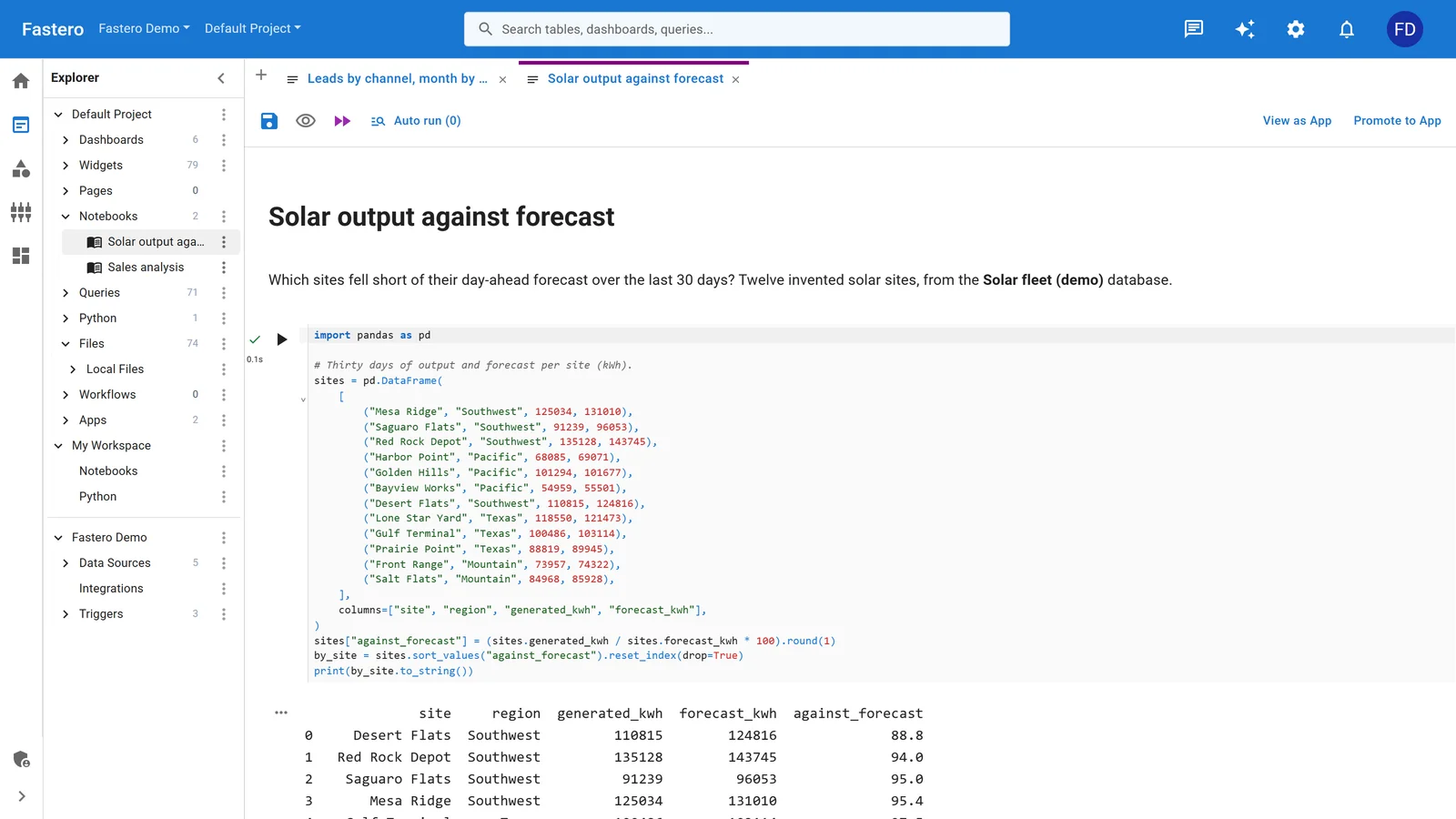
A notebook in a Fastero workspace. Sample data.
Fastero is built for analysis and reporting on your data, on a small server per workspace. For training models on a GPU, Colab or Kaggle is the better fit.
For Spark: Databricks Free Edition
"Free Edition replaced the legacy Databricks Community Edition, which was retired in 2025." It gives you serverless notebooks with real-time collaboration, a small SQL warehouse and jobs, inside quotas that pause compute for the day when you go over. Note the licence: "Free Edition accounts may not be used for commercial purposes." Our Databricks Community Edition guide covers what changed.
For JavaScript: Observable
Observable notebooks are written in JavaScript rather than Python, and are excellent for interactive charts and data stories. The current version, Notebooks 2.0, saves notebooks as HTML files, comes with an open-source Notebook Kit for publishing static sites, and has "Observable Desktop - A macOS desktop application for editing notebooks as local files, and with a radical new approach to AI". SQL cells query DuckDB, Postgres, Snowflake, BigQuery and others. There is a Free plan; Pro is $22 a month and Team $40 per editor per month, billed yearly.
Still going: Apache Zeppelin and nteract
Apache Zeppelin, a web notebook for Spark, SQL and Python with more than 20 interpreters, is self-hosted and still maintained: "The latest release of Apache Zeppelin is 0.12.1," released in June 2026. nteract was relaunched as version 2 in 2026, as "A local-first notebook environment for writing and running code, exploring data, and working with rich outputs."
What closed or changed in 2026
- Amazon SageMaker Studio Lab: "Amazon SageMaker Studio Lab is no longer open to new customers." Existing users can carry on.
- JetBrains DataSpell: being retired in favour of PyCharm.
- Consumer Google Colab: no more scheduled notebooks since 27 March 2026.
- Polyglot Notebooks in VS Code: deprecated in March 2026. If you used it to replace Azure Data Studio's SQL notebooks, see our SQL notebooks guide.
- Databricks Community Edition: replaced by Free Edition.
FAQ
What is the best free alternative to Jupyter Notebook?
It depends on what you're missing. For free GPUs, Google Colab or Kaggle. For a better editor on your machine, VS Code or Positron. For git-friendly, reproducible notebooks, marimo. For sharing and scheduling with a team, Fastero's Free plan includes notebooks and schedules.
Is JupyterLab an alternative to Jupyter Notebook?
It is the newer interface from the same project, with tabs, a file browser and extensions, and it opens the same .ipynb files. If your problem is the interface rather than hosting or sharing, start there.
Which notebook tools can schedule runs for free?
Kaggle schedules notebooks daily, weekly, monthly or when a dataset updates. Fastero's Free plan runs notebooks on a cron schedule. Consumer Google Colab no longer schedules, and Deepnote's schedules are on its Team plan.
Can I open my existing .ipynb files in these tools?
In VS Code, Positron, PyCharm, Colab, Kaggle and Fastero, yes: they all use the .ipynb format. Deepnote imports them, and marimo converts them to Python files.
Is SageMaker Studio Lab still free?
It no longer accepts new customers. Existing users can keep using it, but no new features are planned.
Related reading:
- Google Colab alternatives
- Best notebook platforms in 2026
- Run a Jupyter notebook online
- Jupyter AI in 2026
- Binder alternatives
- Marimo vs Jupyter
Sources: Jupyter install, Jupyter real-time collaboration, Colab FAQ, Colab scheduled notebooks announcement, Kaggle notebooks docs, Deepnote pricing, Deepnote open source, marimo, Positron, PyCharm 2025.1, DataSpell sunset, Databricks Free Edition, Observable Notebook Kit, Observable pricing, Apache Zeppelin downloads, nteract, SageMaker Studio Lab availability. Checked 5 November 2026.
Try Fastero free — upload your notebooks, run them on your team's databases and on a schedule, and share results with free viewers. No credit card required.