 Fastero Dev Team
Databricks Community Edition no longer exists. Databricks retired it at the end of 2025 and replaced it with Databricks Free Edition, which runs on serverless compute with a daily quota instead of a small cluster of your own.
The short answer: to keep learning Databricks, sign up for Free Edition. It's free for non-commercial use and runs Python and SQL notebooks, a small SQL warehouse, jobs and apps, but not Scala, R or the Spark UI. Work left in Community Edition can't be moved any more. To practise PySpark without Databricks, Google Colab lists PySpark among its installed packages, and a local install needs Java 17 or later. If what you used Community Edition for was free Python notebooks on your team's own data, a hosted workspace such as Fastero runs those on a schedule and shares them with colleagues.
Fastero
Jupyter notebooks for your team, with nothing to install.
Start a notebook or bring your .ipynb files. SQL cells query your databases with no password in the code, and a notebook runs now or on a schedule. Colleagues open it with their own login; viewers are free.
Try free →What happened to Community Edition
- 11 June 2025: Databricks launched Free Edition at its Data + AI Summit, "designed for students, educators, hobbyists, and anyone interested in learning or experimenting with data and AI".
- 15 December 2025: a Databricks post announced "Community Edition retires on January 1, 2026", adding that "Community Edition accounts will no longer be accessible" and "You can migrate your work to Free Edition in one click."
- 9 January 2026: Databricks' community manager confirmed in the same thread that "Community Edition has been retired."
Databricks' documentation now says "Free Edition replaced the legacy Databricks Community Edition, which was retired in 2025. If you previously used Community Edition, sign up for Free Edition to continue your work." The one-click move ended with Community Edition, and the old migration page now opens Free Edition's sign-up form.
Databricks Free Edition at a glance
| Free Edition | |
|---|---|
| Price | Free |
| Who it's for | Personal learning and experimenting. "Free Edition accounts may not be used for commercial purposes." |
| Sign-in | "email OTP, Sign in with Google, and Sign in with Microsoft" |
| Compute | "a serverless-only, quota-limited environment"; no custom clusters |
| Languages | Python and SQL; "Scala and R are not supported in notebooks" |
| SQL warehouse | "One SQL warehouse, limited to a 2X-Small cluster size" |
| Jobs | "Max of 5 concurrent job tasks per account" |
| Apps | "Up to 3 Databricks Apps per account", each running "for up to 24 hours after being started" |
| Workspaces | "One workspace and one metastore per account" |
| Internet access | "restricted to a limited set of trusted domains" |
| Support | No guaranteed reliability, support or service-level agreement |
The quota. Databricks doesn't publish the numbers. "If you exceed your quota, your workspace's compute resources will be shut down" and stay "unavailable for the rest of the day (and in extreme cases, the rest of the month)". Your data and settings are kept. Databricks may also delete Free Edition accounts that sit unused for a long time.
Notebooks. New notebooks are .ipynb by default. You can export one as .ipynb, source, HTML or a DBC archive, and a whole folder as a zip, so your work can leave with you.
What Free Edition can't do that Community Edition could
Community Edition gave you one small classic cluster of your own. Free Edition runs everything on serverless compute, so some things are gone:
- Scala and R notebooks. Only Python and SQL run.
- RDD APIs. "Spark RDD APIs are not supported" and "Only Spark Connect APIs are supported", so DataFrame and SQL code works and
sc.parallelizedoesn't. - The Spark UI. "The Spark UI is not available" for checking jobs, stages and query plans.
- Cluster settings and init scripts. Install libraries per notebook instead, with
%pip install.
A course written for Community Edition will mostly still run if it uses PySpark DataFrames or SQL. Lessons built on Scala, RDDs or the Spark UI need another place.
Databricks' 14-day trial
For work, Databricks offers a trial instead: "free Databricks usage credits valid for 14 days", up to $400, aimed at evaluating Databricks for a business with a work email. Express setup starts a serverless workspace without a card. A trial started with a card "will automatically be converted to a pay-as-you-go account after you exhaust your trial credits."
Other free places to practise Spark
| Option | What you get | Good to know |
|---|---|---|
| Google Colab | Google's published list of installed packages includes PySpark 4.0.5 and Java 21 | Free sessions run up to 12 hours; Colab doesn't publish its free limits |
| Your own computer | pip install pyspark, Spark 4.3 |
Needs Python 3.11 or later and Java 17 or later |
| Docker | Spark's official image, or Jupyter's PySpark notebook image | Needs Docker installed |
| Microsoft Fabric trial | 60 days of Fabric capacity with Spark notebooks and 1 TB of storage | A personal email needs an Azure account first |
| Databricks Free Edition | Serverless Spark through Python and SQL | Non-commercial; daily quota |
PySpark on your own computer
We installed PySpark on a Windows laptop on 4 November 2026. The package is a 456 MB download, and installing took just over a minute:
python -m venv spark-venv
spark-venv/Scripts/python -m pip install pyspark
The first Spark job then failed, because the laptop had no Java:
Java not found and JAVA_HOME environment variable is not set.
Install Java and set JAVA_HOME to point to the Java installation directory.
...
[JAVA_GATEWAY_EXITED] Java gateway process exited before sending its port number.
PySpark's documentation says it "requires Java 17 or later with JAVA_HOME properly set". Install a Java 17 or 21 JDK, set JAVA_HOME to its folder, and this job runs:
from pyspark.sql import SparkSession

spark = SparkSession.builder.master("local[*]").appName("practice").getOrCreate()
df = spark.createDataFrame([("a", 1), ("b", 2), ("a", 3)], ["key", "value"])
df.groupBy("key").sum("value").show()
spark.stop()
PySpark in Docker
Docker skips the Java setup. Spark's own image opens a PySpark shell:
docker run -it --rm spark:python3 /opt/spark/bin/pysparkFor Jupyter with PySpark, use the Jupyter project's image, keep your files in the current folder, and open the address with a token that it prints:
docker run -it -p 8888:8888 -v "${PWD}":/home/jovyan/work quay.io/jupyter/pyspark-notebookJupyter notebooks for your team.
Start free →If you used Community Edition for Python notebooks on your own data
Plenty of people used Community Edition as a free place to run Python and SQL notebooks: a weekly report, a model, an analysis to show the team. Free Edition can't be used for commercial work, and Spark is more than a weekly report needs.
Fastero runs those notebooks in a workspace your team shares:
- Standard
.ipynbnotebooks. Export from Databricks as.ipynband upload, or import from your project's Git repository. - SQL cells on your databases. A SQL cell runs on a saved connection, Postgres or BigQuery for example, and lands in Python as a pandas DataFrame named after the cell. Passwords and keys stay in the workspace's Secrets.
- Schedules. Run a cell, run the whole notebook, or set a cron schedule, all on the Free plan.
- Colleagues sign in. Viewers read the notebook for free, and a cell's results can become a dashboard widget that updates when the notebook runs.
- Claude can help. Through Fastero's connector, Claude creates, writes, runs and schedules notebooks.
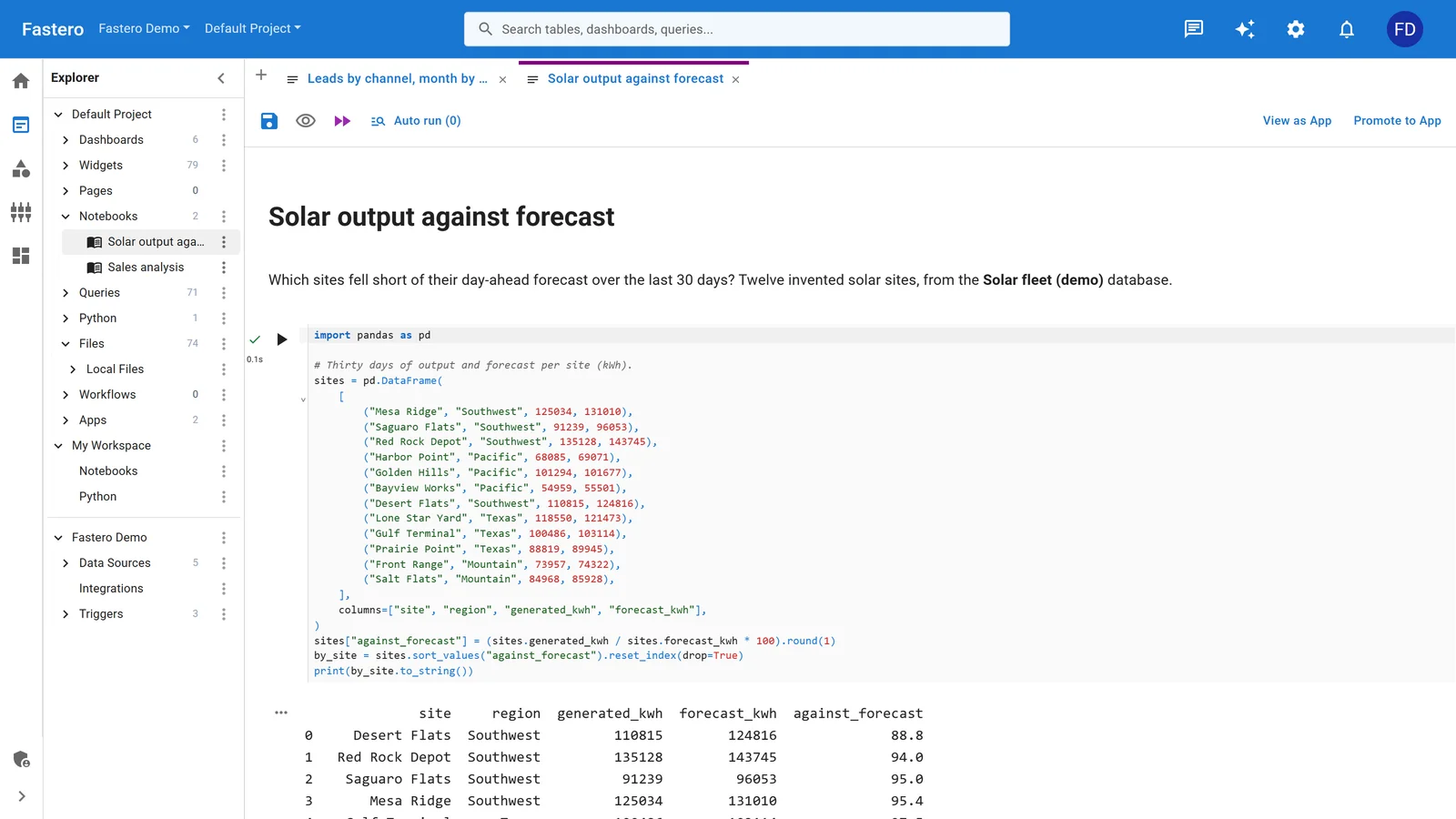
A notebook in Fastero, with the project's queries and data sources beside it. Sample data.
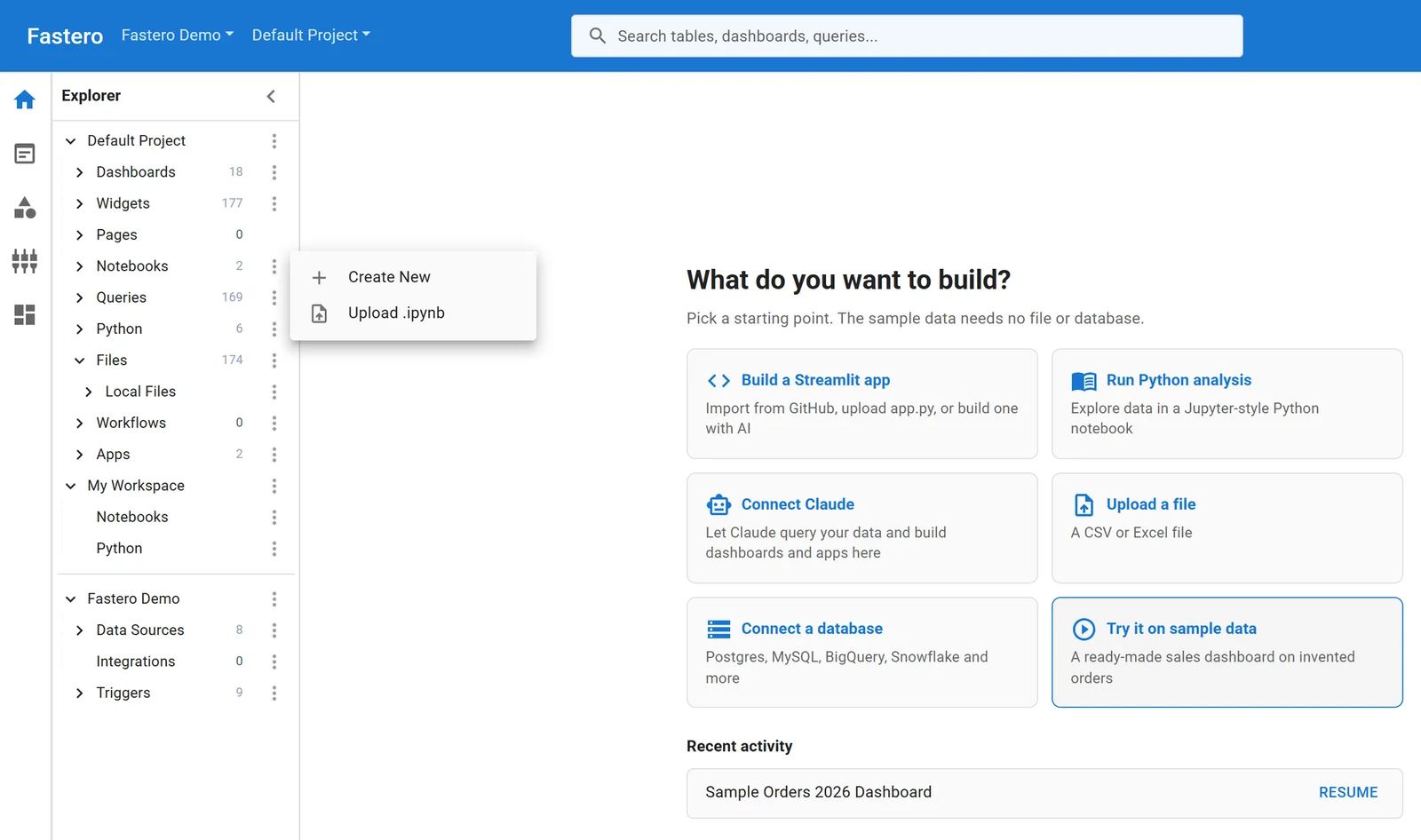
Uploading a notebook exported from Databricks as .ipynb.
For comparisons with the paid platform, see the best Databricks alternatives, Jupyter vs Databricks notebooks and when you don't need a cluster.
FAQ
Is Databricks Community Edition still available?
No. Databricks retired it at the end of 2025, and Community Edition accounts can no longer be opened. Databricks Free Edition replaced it.
Is Databricks Free Edition really free?
Yes, with no card and no trial period, for non-commercial use. It runs on a daily compute quota that Databricks doesn't publish, and compute stops for the rest of the day when you use it up.
Can I use Databricks Free Edition for work?
No. "Free Edition accounts may not be used for commercial purposes." For work, Databricks offers a 14-day trial with up to $400 of credits.
Can I get my old Community Edition notebooks back?
The one-click move to Free Edition closed when Community Edition was retired, and Databricks no longer documents a way to recover the old workspaces. Export anything you still have elsewhere as .ipynb and import it into Free Edition.
Does Databricks Free Edition support Scala or R?
No. Notebooks run Python and SQL only, and Spark runs through Spark Connect, so RDD APIs and the Spark UI aren't available.
Where can I practise PySpark for free?
In Databricks Free Edition, in Google Colab, whose installed packages include PySpark, on your own computer with Java 17 or later, or in Docker with Spark's official image.
Sources
Read on 4 November 2026; our PySpark install ran the same day on Windows 11:
- Community Edition retirement announcement, Introducing Databricks Free Edition, Free Edition press release
- Databricks Free Edition, Free Edition limitations, Free trial vs Free Edition, Free trial, Serverless compute limitations, Notebook formats, Export and import notebooks
- Installing PySpark, Apache Spark, Jupyter Docker Stacks, Colab's installed packages, Microsoft Fabric trial
Try Fastero free — upload your .ipynb notebooks, run them on your team's databases and on a schedule, and share them with a sign-in. No credit card required.