MCP server for Claude
Point Claude at your database. Get a dashboard your team can open.
Claude Code and claude.ai can work inside Fastero on your behalf — run SQL on your live data, then build the dashboard, deploy the Streamlit app or publish a live page, and email it to the team every Monday. All from one conversation, and all somewhere your colleagues open next week. One install line, and a key that acts as you in one organization.
Install
One line in Claude Code.
Create a key in Fastero and paste the command it gives you. It works the same in bash, zsh, PowerShell and cmd.
claude mcp add --scope user --transport http fastero https://api.fastero.com/api/v1/mcp --header "Authorization: Bearer fst_pat_..."Prefer claude.ai? Fastero is in Claude's connector directory: under Customize → Connectors, choose Discover, search for Fastero, click Connect to Claude, sign in, and choose your organization.
Create a key
In Fastero: Settings → Developers → AI Agent Access → Create key. Choose "Build dashboards" so the key may connect a database and create dashboards. The key is shown once, with the command below ready to paste.
Add the server
Paste one line into your terminal. /mcp in Claude Code should then show fastero · connected. On claude.ai, connect Fastero from Claude's connector directory and sign in instead.
Point it at your data
Connect your database in Fastero, or ask Claude to use one you have already connected. It runs SQL through Fastero, so the stored credentials stay in Fastero and are never sent back to the conversation.
Ask for a dashboard, an app or a page
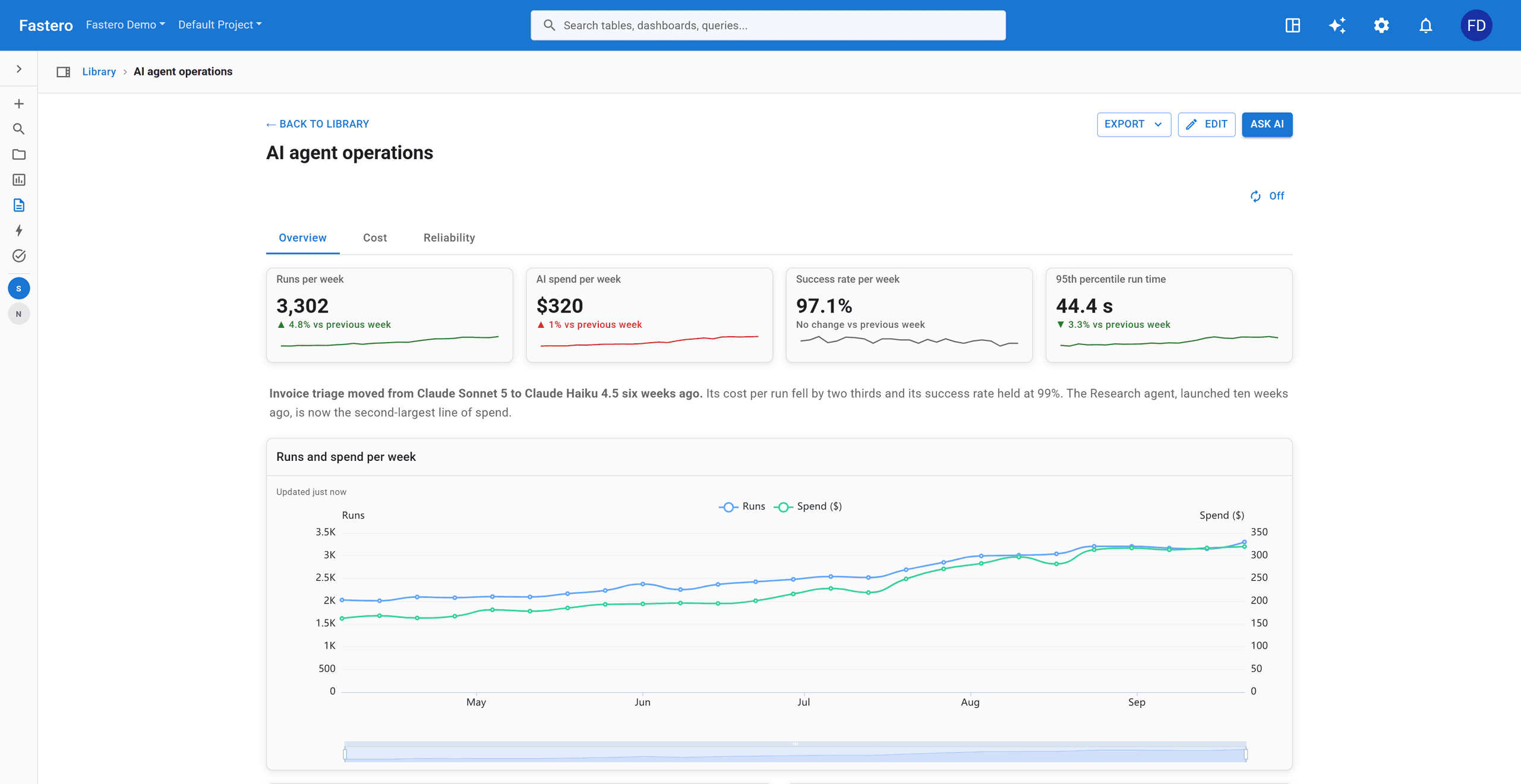
Claude saves the queries and builds the result. Open it in Fastero, invite a colleague, publish a share link for people with no account, or have it emailed as a PDF every Monday.
Charts in the conversation
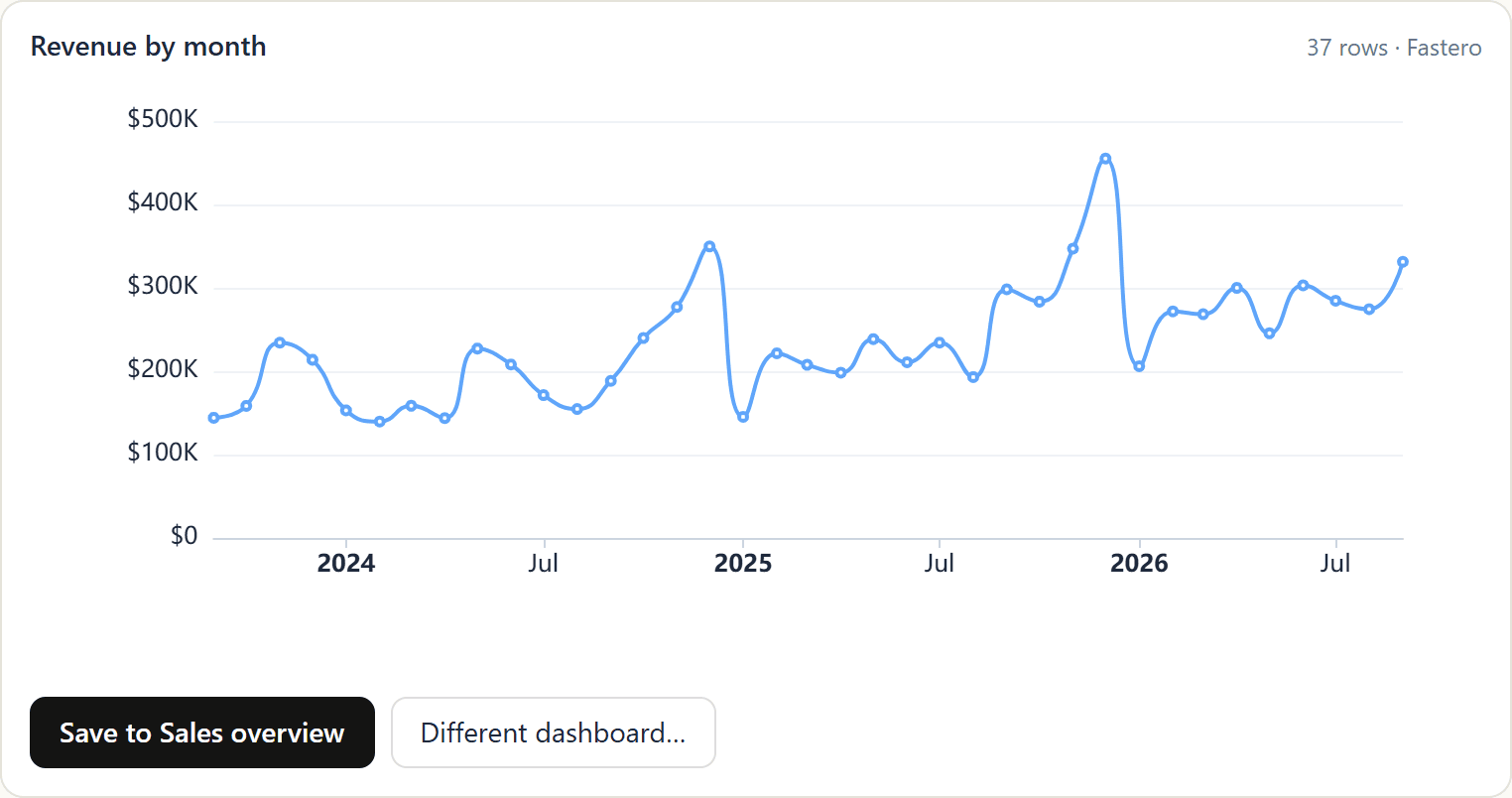
In claude.ai and the Claude apps, Claude can show a chart right in the chat, drawn the way Fastero draws it. One click puts it on the dashboard you name.
Sample data.
Live pages, for colleagues who don't use Claude
Ask Claude for a custom page and it publishes it to your workspace, next to the team's dashboards. Each time someone opens it, the page fetches fresh rows from your saved charts, as that person is allowed to see them. In claude.ai the page appears right in the conversation; your colleagues open the same page in Fastero with their own login.
- Stays current. The page refreshes when its data changes.
- Says what changed. A short AI note above the page sums up the current numbers.
- Shows who looked. Owners and admins see every open under Opened by.
- Sealed. The page draws charts but cannot reach the internet, Fastero or the viewer's login.
What Claude can do
Eight kinds of work, switched on one at a time.
Each group needs its own permission, ticked when you create the key. A read-only key sees only the tools it can call — it cannot even list the rest.
Explore what you have
List your data connections and projects, read a connection's tables and columns, read your team's definition of each metric before writing SQL, and run SQL against any of them.
Read · Run SQL
Connect a database
Create a connection from credentials you hand it: Postgres, MySQL, SQL Server, Redshift, Snowflake or Oracle. The connection is tested before it is saved.
Create connections
Build dashboards and reports
Save a query, turn it into a table, a number or a chart, and lay out a dashboard your team opens in the browser — with filters, tabs, headings, and number cards that show the change since last period.
Read · Create and update
Apps and live pages
Deploy a Streamlit app from the files Claude writes, read its start-up log, and keep it always on. Or publish a custom page that reads your saved charts live, for colleagues who never open Claude.
Create and update · Run
Share and schedule
Invite a colleague to a project, publish a dashboard's public link, email a dashboard as a PDF every Monday, and alert the team when a number crosses a line.
Share · Create and update
Notebooks, Python and files
Create, write and run Jupyter notebooks and put them on a timetable, create Python projects and run them, upload files, and read what a run produced.
Create and update · Run
Secrets
Set the credentials an app or a Python project runs with — values go in and are never read back.
Secrets
Clean up
Delete a connection, query, report, dashboard, page, notebook, Python project or file. Off unless you switch it on.
Delete
Permissions
The key acts as you. Never more.
Your role decides
Every call runs the same permission checks as the app itself, against your live role. There is no second, weaker path to your data.
One organization per key
A key is bound to the organization you chose when you made it. Working in two organizations means two keys, which can both be connected at once.
Revoke, and it is over
Revoking a key stops it immediately, and revoking a claude.ai connector ends that session rather than letting it renew. Keys last at most 90 days.
Credentials stay put
Connection credentials are stored encrypted in Fastero and are never handed back to the agent. Secret values can be set through the agent, never read.
Every call is logged
Each tool call is written to your organization's audit log with the key that made it. Arguments are deliberately not recorded: they carry SQL and credentials.
You check the numbers
An agent writing SQL can be wrong, exactly as a person can. Read what it built before you send it round: the queries behind every widget are there to open.
Questions people ask first
What can the key do?
Exactly what you tick when you create it, and never more than your own role in that organization allows. Permissions are checked against your live role on every call, so if your access changes later, existing keys narrow automatically. A key belongs to one organization; a second organization means a second key.
Does Claude see my database password?
Only if you paste it into the conversation to create a connection. Once a connection exists in Fastero, Claude uses it by id: it asks Fastero to run SQL and gets rows back, and the stored credentials are never returned to it.
How do I switch it off?
Settings → Developers → AI Agent Access, and revoke the key. It stops working immediately, and revoking a claude.ai connector ends that connection too rather than letting it renew. Keys last at most 90 days, and you get a reminder 14 days and 3 days before one expires.
Can I use it with claude.ai instead of Claude Code?
Yes. Fastero is in Claude's connector directory: in claude.ai, open Customize → Connectors, choose Discover, search for Fastero, click Connect to Claude, sign in, choose the organization and approve the permissions. Same server, same permissions; no key to paste.
Do my colleagues need Claude to see the result?
No. The dashboards, apps and pages Claude builds live in Fastero. Colleagues open them after signing in, with no Claude account, and a public share link to a dashboard works for people with no account at all.
Will the dashboard update by itself?
Yes. A dashboard can refresh on a timer or whenever its data changes, and a public link to a dashboard with a refresh setting stays fresh too. A live page fetches its numbers each time someone opens it.
Can Claude deploy a Streamlit app?
Yes. Claude writes the files, starts the app, reads the start-up log if a step fails, and hands back the link your team opens behind your Fastero login.
Can it send a report every week?
Yes. Ask Claude to email a dashboard to your team on a schedule: each teammate gets a PDF of the whole dashboard and a button into the live version. To include a client or anyone else outside your workspace, add their address under Export, Email this dashboard, in Fastero. Anyone can stop a report from its own email.
Give your agent somewhere to put the work.
Create a key, paste one line, and ask Claude for a dashboard.
Create an agent key