 Fastero Dev Team
Binder turns a public GitHub repository into a Jupyter session anyone can open from a link. It's free and still running, but a launch can take minutes, sessions are small, and nothing you do is kept. Here's when it's still the right tool, and what to use when it isn't.
The short answer: to open one notebook from GitHub fast, use Google Colab's GitHub link. To work on the whole repository with its files and setup kept, use GitHub Codespaces, which includes 120 free core-hours a month. To give readers notebooks that run with no server at all, publish them with JupyterLite on GitHub Pages. For private notebooks a team runs on its own data, on a schedule, use a hosted workspace such as Fastero, or run your own BinderHub.
Fastero
Jupyter notebooks for your team, with nothing to install.
Start a notebook or bring your .ipynb files. SQL cells query your databases with no password in the code, and a notebook runs now or on a schedule. Colleagues open it with their own login; viewers are free.
Try free →What mybinder.org gives you today
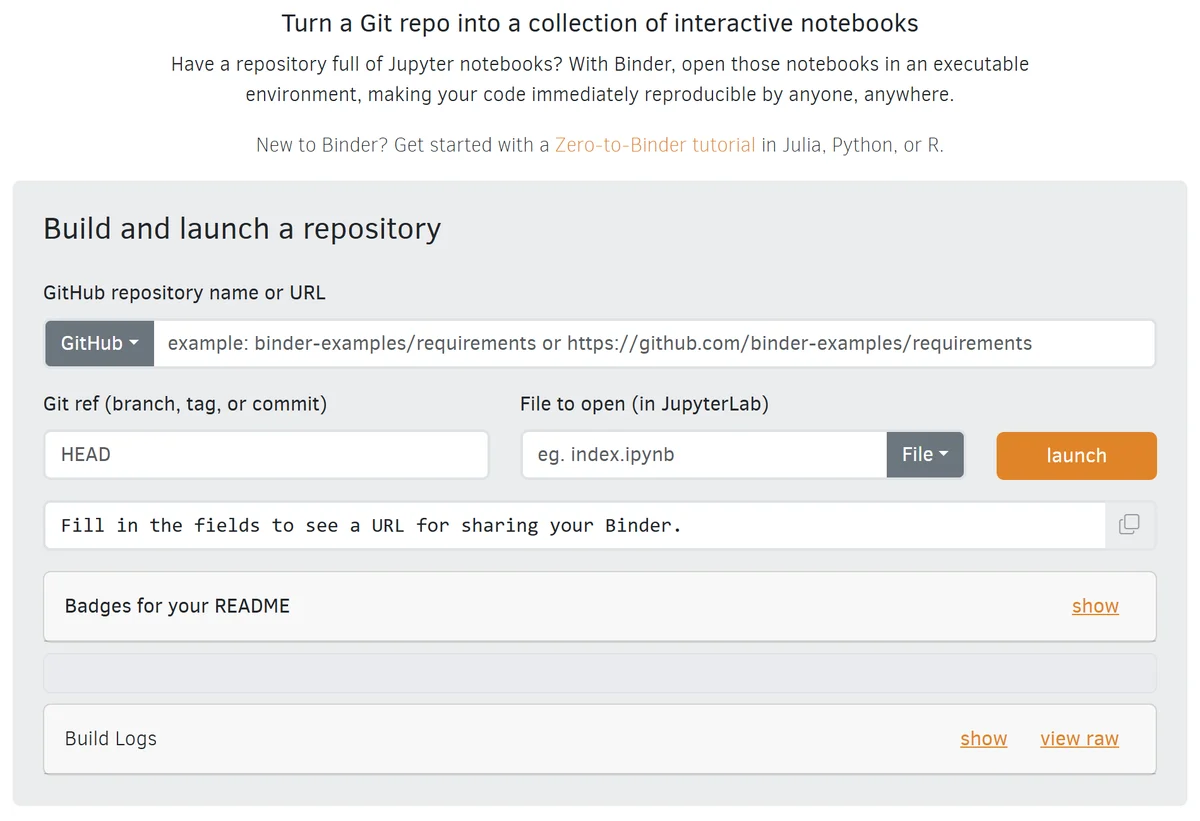
mybinder.org's launch form on 4 November 2026.
Paste a repository's address, and Binder builds an environment from its configuration files, then opens it in JupyterLab. The limits, from Binder's user guidelines:
| mybinder.org | |
|---|---|
| Memory | "at least 1GB of RAM, with a maximum of 2GB" |
| Session length | "up to six hours", or "up to one cpu-hour for more computationally intensive sessions" |
| Idle stop | after "more than 10 minutes of inactivity" |
| Users per repository | "The maximum number of simultaneous users for a given repo is 100." |
| What's kept | Nothing. Content is "destroyed when the user logs off or becomes inactive" |
| Private repositories | No. "there is no such thing as a private launch on mybinder.org" |
| Commercial use | "Please do not use mybinder.org as backend for your for-profit service or product." |
mybinder.org runs on donated computing from three organizations, 2i2c, BIDS and GESIS, and has had less capacity since 2023. The first launch after a push builds the environment from scratch, which is why it can take minutes, and later launches reuse that build. When every slot is taken, you see "Too many users on this BinderHub! Try again soon".
8 Binder alternatives compared
| Option | What it runs | Free allowance | Work kept? | Best for |
|---|---|---|---|---|
| Google Colab | One notebook from a GitHub link | Free; up to 12-hour sessions | In your Google Drive | Opening one notebook fast |
| GitHub Codespaces | The whole repository, in JupyterLab or VS Code | 120 core-hours and 15 GB a month | Yes, in the codespace | Working on the repository |
| JupyterLite on GitHub Pages | Notebooks in the reader's browser | Free static hosting | In the reader's browser | Tutorials and teaching |
| Kaggle Notebooks | Notebooks you upload | Free, about 30 GPU hours a week by users' reports | Yes, 20 GB of output | Free GPUs |
| CoCalc | One notebook from a GitHub link | Free plan with small limits | In a CoCalc project | Classes |
| nbviewer | Read-only notebooks from a public address | Free | Nothing to keep | Showing results without running |
| Your own BinderHub | Any repository, private included | Your cloud bill | As you set it up | An organization's own Binder |
| Fastero | Notebooks imported from your project's Git repository or uploaded | Free plan | Yes, in your workspace | A team's notebooks on its own data |
Google Colab: one notebook from GitHub
Change the start of a GitHub notebook's address to Colab's, and it opens there:
https://colab.research.google.com/github/<org>/<repo>/blob/<branch>/<path>.ipynbColab starts in seconds because it doesn't build anything from the repository. Install what the notebook needs in the first cell, with !pip install -r requirements.txt after cloning the repository, or !pip install for the few packages it uses. To keep your changes, save a copy to Google Drive or back to GitHub. More options are in Google Colab alternatives.
GitHub Codespaces: the whole repository
From the repository's Code button, open a codespace: a cloud machine with the repository checked out, and JupyterLab or VS Code in the browser. Unlike Binder, it keeps your files and installs between sessions.
Personal accounts get 120 core-hours and 15 GB of storage a month free. "Codespaces compute is counted in core hours", so a two-core machine gives you 60 hours. Codespaces stop after 30 idle minutes by default, and without a payment method, use stops when the allowance runs out. GitHub is frank that the allowance "is not intended to be enough for you to do everyday work free of charge", and organizations get no free allowance.
Jupyter notebooks for your team.
Start free →JupyterLite on GitHub Pages: no server at all
JupyterLite runs Jupyter and a Python kernel inside the reader's browser, so there's no session to wait for and no capacity to run out of. The quickest route is the jupyterlite/demo template: click Use this template, set Settings → Pages → Source to GitHub Actions, put your notebooks in the content folder and commit. The site appears at https://<user>.github.io/<repo>.
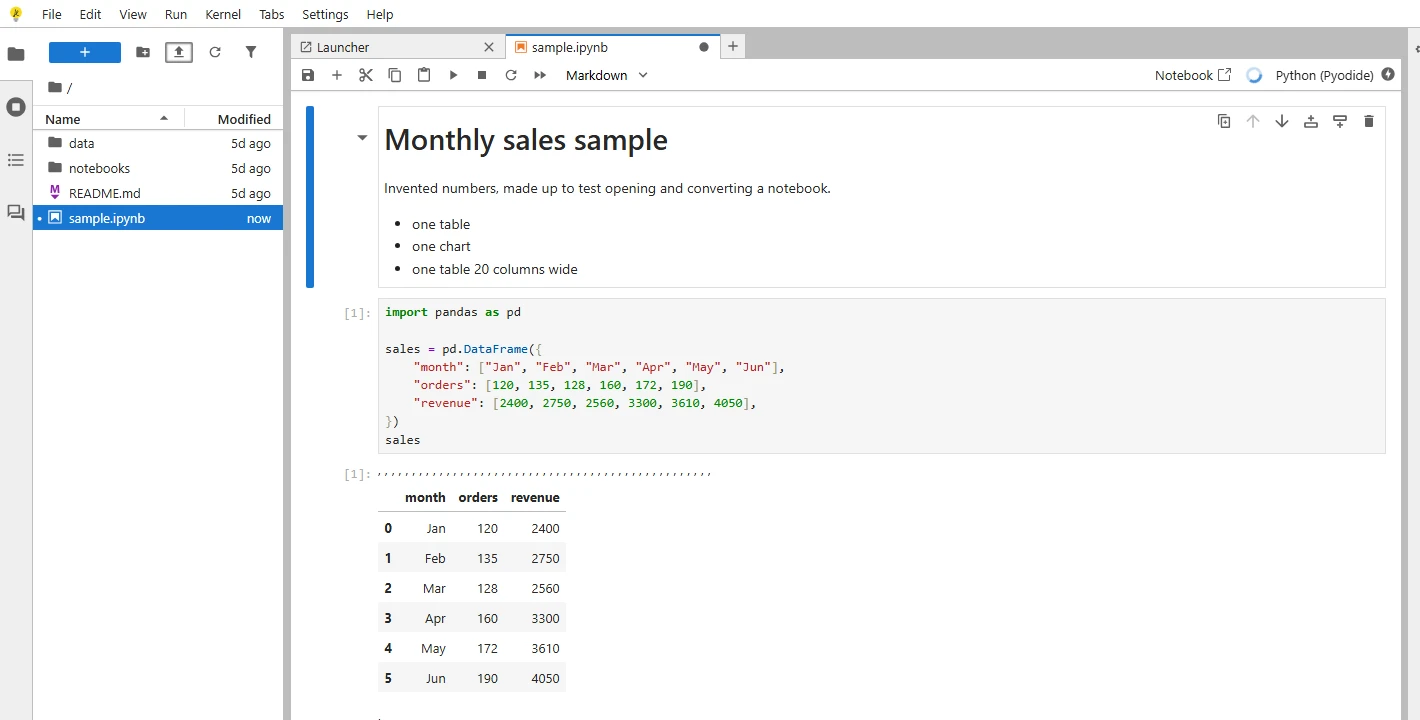
A notebook running in JupyterLite, with nothing installed. Invented numbers.
To build the site yourself, install three packages. We tried it with two first, and the build stopped with "jupyter-server is not installed. You cannot add custom content to jupyterlite." With all three, it took about five seconds:
pip install jupyterlite-core jupyterlite-pyodide-kernel jupyter-server
jupyter lite build --contents content --output-dir dist
The dist folder, 69 MB in our test, is a static site you can put on any web host. The browser downloads Python when the notebook first starts, so the first run takes a moment. Packages written in pure Python install with %pip install, while code that needs a database driver, files on a server or a lot of memory belongs somewhere else.
Kaggle, CoCalc and nbviewer
- Kaggle Notebooks run notebooks you upload, with free GPUs and 20 GB of saved output. See Kaggle Notebooks for the quotas.
- CoCalc opens a GitHub notebook at
cocalc.com/github/<address>, with Edit my own copy to copy it into a project. It works one file at a time. - nbviewer shows a public notebook with its outputs and interactive charts, but "nbviewer does not execute notebooks". Use it to show results, not to run them.
Running your own BinderHub
BinderHub is the software behind mybinder.org, and it runs on Kubernetes. Your own copy can build private repositories with a GitHub token and give sessions more memory. Note that "any user can build any private repository that BinderHub has access to", so keep it behind your organization's login. 2i2c, one of mybinder.org's operators, has written up a cheaper single-machine setup.
For a team's private notebooks: a hosted workspace
Binder fits notebooks meant for anyone. A team's notebooks, on the company's databases, with passwords that can't go in a public repository, need a different home.
In Fastero, notebooks are standard .ipynb files, imported from your project's Git repository or uploaded:
- Private by default. Colleagues open them with their own login, and viewers are free.
- Passwords stay out of the code. Secrets reach cells as environment variables, and SQL cells run on the workspace's saved connections and return a pandas DataFrame.
- Ready to run. Python 3.11 with pandas, SQLAlchemy, seaborn and the Postgres and BigQuery drivers, on a notebook server nobody on your team has to run.
- On a schedule. Run a cell, run the whole notebook, or set a cron schedule. A cell's results can feed a dashboard that updates with each run.
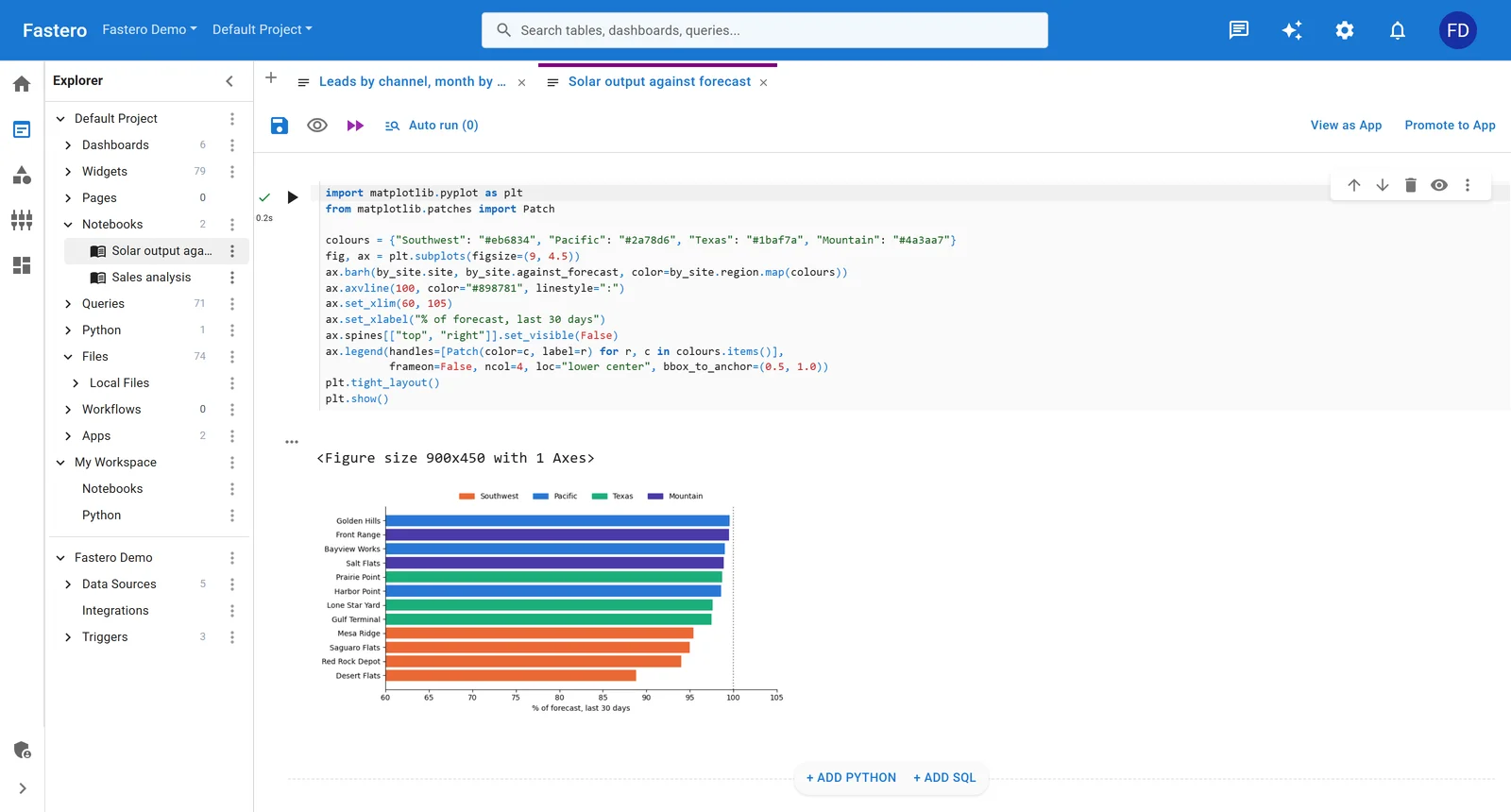
A notebook in Fastero. Sample data.
More on the sharing side in how to share a Jupyter notebook, and on running JupyterHub yourself in JupyterHub hosting.
Binder link formats, if you stay
A Binder link can open a specific file in JupyterLab:
https://mybinder.org/v2/gh/<org>/<repo>/HEAD?urlpath=lab/tree/<path-to-notebook>Put the configuration in the repository's root or a binder/ folder. Binder reads requirements.txt or environment.yml for packages, runtime.txt for the Python version (python-3.12, for example), apt.txt for system packages on Ubuntu 24.04, and postBuild for commands to run afterwards. A Dockerfile overrides all of them. Keep the environment small, because every push means a full rebuild on the next launch.
FAQ
Is mybinder.org still free?
Yes. It's run by 2i2c, BIDS and GESIS on donated computing and free to use, within 1–2 GB of memory and up to six hours a session. It asks not to be used as the back end of a commercial product.
Why is Binder so slow to start?
The first launch after a change builds a Docker image from the repository's configuration, which can take minutes. Later launches reuse it. When capacity is full, Binder says "Too many users on this BinderHub! Try again soon".
Can Binder run a private GitHub repository?
Not on mybinder.org: "there is no such thing as a private launch". A BinderHub you run yourself can, with a GitHub token.
How long does a Binder session last, and is my work saved?
Up to six hours, and it stops after 10 minutes of inactivity. Nothing is saved, so download anything you change before you leave.
What's the difference between Binder, nbviewer and JupyterLite?
Binder runs a notebook on a temporary server. nbviewer only displays one, with its saved outputs. JupyterLite runs the notebook in your browser, with no server at all.
How do I open a GitHub notebook in Colab?
In the notebook's GitHub address, replace github.com with colab.research.google.com/github and keep the rest. The notebook opens in Colab, and you install its packages in the first cell.
Sources
Read on 4 November 2026; our JupyterLite build ran the same day on Windows 11:
- Binder user guidelines, The Binder federation, Introduction to Binder, Binder user interfaces, repo2docker configuration files, BinderHub, 2i2c's Binder report
- GitHub Codespaces billing, Codespaces included usage, JupyterLite demo template, Deploying JupyterLite, CoCalc sharing, nbviewer FAQ
Try Fastero free — import your notebooks, run them on your team's databases and on a schedule, behind your team's login. No credit card required.