
Use Jupyter (JupyterLab or Notebook) when you need full control over your Python environment, unrestricted library installation, and local data access. Use Google Colab when you want free GPU/TPU compute, zero-setup collaboration, or a quick environment for teaching and prototyping. Jupyter owns the production side; Colab owns the convenience side.
What is the actual difference between Jupyter and Colab?
Both give you cells, both run Python, both render charts inline. The resemblance is so strong that a lot of people treat them as interchangeable. They aren't.
Jupyter is open-source software you install and run yourself. pip install jupyterlab, launch it, and you get a notebook server on your machine. Every file lives on your disk. Every package you install stays installed. The kernel runs until you stop it. You can run JupyterHub on a shared server for your team, or you can run JupyterLab on your laptop with no internet connection. The notebook is a .ipynb file — a JSON document you can commit to git, diff (painfully), and run anywhere that has a Python kernel.
Google Colab is a hosted service. Open a browser, sign in with Google, and you're writing Python in a VM that Google manages. Free tier gives you a T4 GPU, 12 GB of RAM, and a runtime that disconnects after ~90 minutes of idle or ~12 hours of total uptime. Your notebooks live in Google Drive. The VM is ephemeral — any packages you !pip install are gone next session.
The philosophical split:
  Jupyter                          Google Colab
  ┌──────────────────────┐         ┌──────────────────────┐
  │  YOUR machine         │         │  GOOGLE's VM          │
  │  YOUR packages        │         │  THEIR packages       │
  │  YOUR data on disk    │         │  YOUR data on Drive   │
  │  Runs indefinitely    │         │  12h max, 90m idle    │
  │  No GPU (unless you   │         │  Free T4 GPU          │
  │    have one locally)  │         │  Paid A100/V100       │
  └──────────────────────┘         └──────────────────────┘
That diagram tells you most of what you need to know. Everything else — collaboration, pricing, reproducibility — flows from that ownership boundary.
How does setup compare?
Jupyter requires a local Python installation. In practice that means conda or venv, a pip install jupyterlab, and then managing your environment from there. On a fresh machine, budget 15 minutes. On a team, budget significantly more — everyone needs matching Python versions, matching packages, matching system-level libraries. JupyterHub on a shared server centralizes this but introduces its own ops burden (authentication, container spawning, persistent storage).
Colab's setup is "open a browser tab." That's it. Pre-installed packages include NumPy, Pandas, Matplotlib, scikit-learn, TensorFlow, and PyTorch. Need something else? Run !pip install package in a cell. It works immediately and disappears when the runtime resets.
For a workshop, a class, or a quick prototype — Colab's zero-setup is unbeatable. For anything you'll run more than three times, the ephemeral installs become a recurring tax.
Fastero
Connect your database. Ask questions. Get dashboards.
Postgres, BigQuery, Snowflake, and 10+ sources — live-connected, AI-powered, no dashboard builder learning curve.
Try free →Which one handles GPUs better?
Colab wins this one outright for most people. Free tier includes a T4 GPU. Colab Pro ($10/month) gets you longer runtimes, more RAM, and priority GPU access. Colab Pro+ ($50/month) gets you A100s, V100s, and background execution.
Jupyter on your local machine has whatever hardware your machine has. If you have an RTX 4090 on your desk, great — you have more consistent GPU access than any Colab tier. If you don't, you're CPU-only unless you deploy JupyterHub on a cloud instance with a GPU attached, at which point you're paying AWS/GCP rates that dwarf Colab Pro.
The calculus changes for long-running training jobs. Colab's runtime limits — 12 hours on the free tier, 24 hours on Pro — mean you need checkpointing and restart logic. A local Jupyter kernel on your own GPU runs until you kill it or the power goes out.
How does collaboration actually work in each?
Colab's collaboration model is Google Docs. Share a link, set permissions, watch your colleague's cursor move. Comments, suggestion mode, version history through Drive. It works well for the same reason Google Docs works well — Google has been solving multi-user document editing for 15 years.
Jupyter's collaboration model is git. Each person clones the repo, runs their own kernel, and pushes changes. Merging .ipynb files is notoriously painful — cell outputs, metadata, and execution counts create merge conflicts that have nothing to do with actual code changes. JupyterHub's Real-Time Collaboration extension (Yjs-based) adds Google Docs-style multiplayer editing, but it requires JupyterHub — a non-trivial deployment.
If real-time collaboration matters, Colab is simpler. If version-controlled, reproducible notebooks matter, Jupyter plus tools like nbstripout and Jupytext give you a cleaner workflow, just with more setup. For a deeper comparison of notebook collaboration models, see our Deepnote vs Hex vs Jupyter breakdown.
What about data access and security?
This is where Jupyter pulls ahead for production work.
Jupyter runs on your machine (or your server). It can read local files, connect to databases on your VPN, access internal APIs, and mount network drives. Nothing leaves your network unless you explicitly send it somewhere. For companies with data residency requirements or sensitive datasets, this is non-negotiable.
Colab runs on Google's infrastructure. Your data either lives in Google Drive, gets uploaded to the ephemeral VM, or gets pulled from GCS/BigQuery. Connecting to a private database means tunneling (ngrok, Cloudflare Tunnel) or exposing an endpoint. Enterprise Colab supports VPC peering, but that's a Colab Enterprise tier — not the free or Pro version most individuals use.
If your data is already in the Google ecosystem — BigQuery, GCS, Sheets — Colab's integration is slick. from google.colab import auth and you're querying BigQuery with no driver setup. If your data is anywhere else, you're bridging two networks.
How do library management and reproducibility compare?
| Dimension | Jupyter (local) | Google Colab |
|---|---|---|
| Setup | pip install jupyterlab + environment |
Open browser tab |
| GPU access | Your hardware (or cloud VM) | Free T4; Pro: A100/V100 |
| Runtime limits | None | 12h free, 24h Pro |
| RAM | Your machine's RAM | 12 GB free, 52 GB Pro+ |
| Collaboration | Git (painful) or JupyterHub RTC | Google Docs-style sharing |
| Data access | Local files, VPN, databases | Drive, GCS, BigQuery, uploads |
| Library management | requirements.txt, conda env | !pip install (ephemeral) |
| Reproducibility | Full control (Docker, pinned deps) | Fragile (runtime resets) |
| Cost | $0 + your hardware | Free tier; Pro $10-50/month |
| Extensions/plugins | Hundreds (JupyterLab extensions) | Limited (Colab-specific) |
| Offline use | Yes | No |
| Security | Data stays local | Data on Google's infra |
Reproducibility is Jupyter's strong suit. Pin your packages in requirements.txt or environment.yml, build a Docker image, and you can recreate the exact environment years later. Colab's pre-installed packages change without notice — Google updates TensorFlow, NumPy, or Python itself on their own schedule. Your notebook that ran fine last month might break today because pandas went from 2.1 to 2.2 on the Colab image.
The common Colab workaround is pinning versions in a !pip install cell at the top of every notebook. It works, but it re-installs on every runtime start, and you're fighting against the base image rather than building on top of it.
What are the gotchas nobody mentions?
Colab's runtime disconnect. Leave your browser tab for 90 minutes, come back, and your runtime is gone. All variables, all intermediate results, all !pip install packages — wiped. For long-running data processing, this means writing intermediate results to Drive religiously, or losing hours of work to an idle timeout.
Colab's output clearing. When a runtime disconnects, cell outputs disappear too — unless the notebook was explicitly saved. I've watched people lose rendered charts, profiling results, and error tracebacks because the runtime recycled between the last cell execution and the next save.
Jupyter's security on shared servers. JupyterHub gives every user a kernel that can execute arbitrary code. If you're running JupyterHub on a shared server without proper containerization (Docker Spawner, Kubernetes Spawner), one user's notebook can read another user's files. Default JupyterHub is not multi-tenant secure — you have to configure it to be.
Colab's hidden costs. Free tier compute units run out faster than you'd think with GPU work. Pro users report hitting rate limits during peak hours. The "free GPU" promise has enough caveats that serious ML work usually ends up on Colab Pro+ ($50/month) or a dedicated cloud instance.
Jupyter's "it works on my machine." Without disciplined environment management, the notebook that runs perfectly on your laptop silently fails on your colleague's. Docker helps, but not every team is going to containerize their notebook environments.
What about the notebook-to-production gap?
Neither Jupyter nor Colab solves deployment well. This is the elephant in the room.
You build an analysis, it's great, someone asks for a dashboard. Now what? Export to HTML (static, no interactivity)? Rewrite in Streamlit or Dash? Set up Voila? Stick a cron job in front of Papermill? Every option requires leaving the notebook and entering a different tool's world.
  Local Control ◄──────────────────────────────────────► Cloud Convenience
  ┌─────────┐   ┌──────────────┐   ┌───────┐   ┌────────────────────┐
  │ Jupyter  │   │ Hosted       │   │ Colab │   │ Full Platforms     │
  │ (local)  │   │ JupyterHub   │   │       │   │ (Hex, Deepnote,    │
  │          │   │ (your cloud) │   │       │   │  Fastero)           │
  ├─────────┤   ├──────────────┤   ├───────┤   ├────────────────────┤
  │ Full     │   │ Shared       │   │ Zero  │   │ Zero setup +       │
  │ control  │   │ + auth       │   │ setup │   │ deployment +       │
  │ No GPU*  │   │ Custom envs  │   │ GPUs  │   │ scheduling +       │
  │ No collab│   │ Ops burden   │   │ Idle  │   │ auth + data        │
  │ No deploy│   │ Some deploy  │   │ limits│   │ connectors         │
  └─────────┘   └──────────────┘   └───────┘   └────────────────────┘
This spectrum is why platforms like Hex, Deepnote, and Fastero exist. They start where notebooks end — at the deployment, scheduling, and sharing layer. Fastero runs Python in managed containers with database connectors, deploys Streamlit apps with auth and scheduling, and includes an AI agent that writes code for you. Think of it as a cloud notebook wired to your production data, without the runtime limits or the "now deploy it somehow" gap.
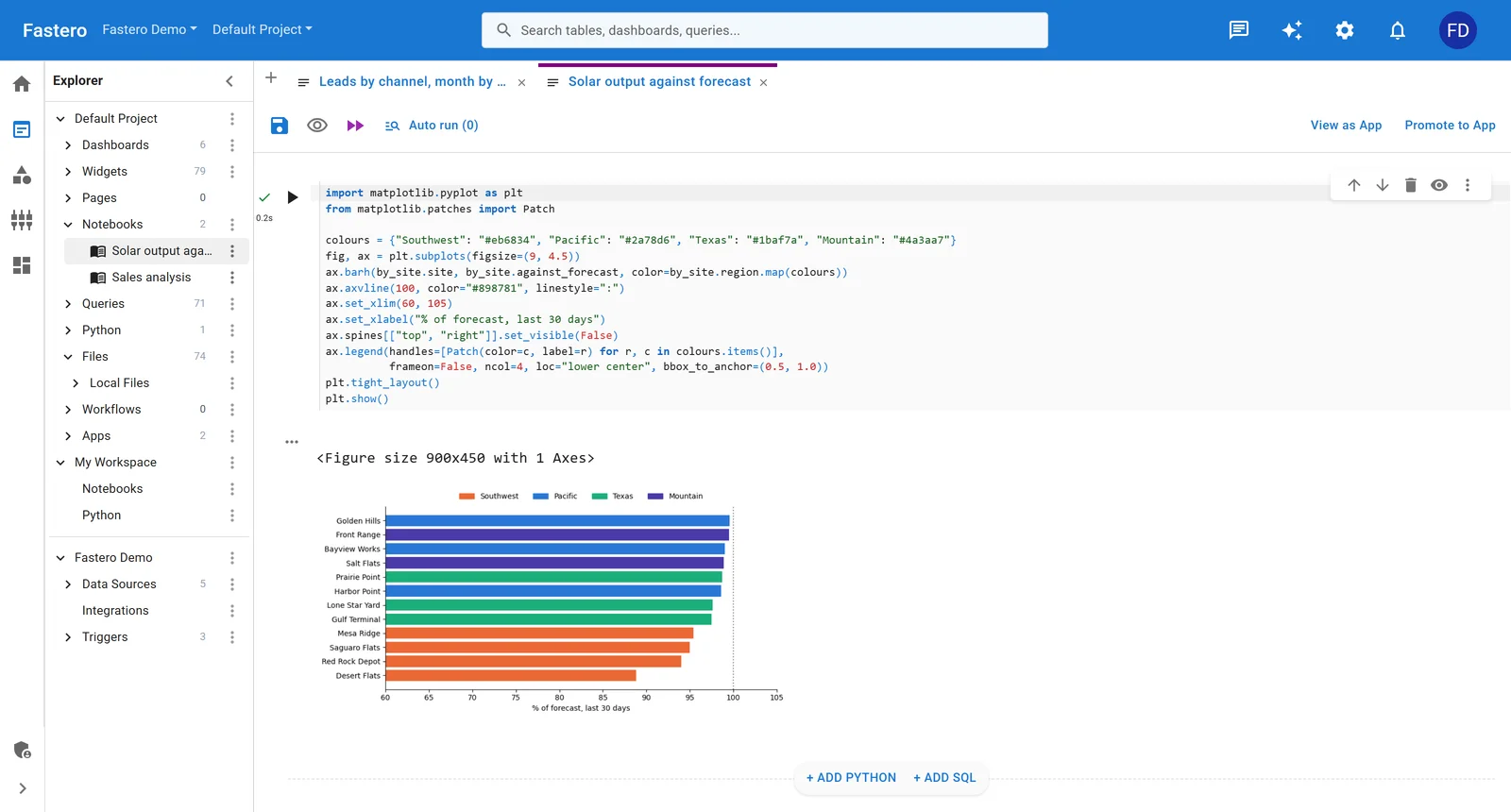
A Python notebook in Fastero. Sample data.
When should you pick Jupyter over Colab?
Pick Jupyter when:
- Your data can't leave your network (compliance, security, PII)
- You need consistent, long-running execution (ETL jobs, overnight training)
- Your team has ops capacity for JupyterHub or everyone's comfortable with local environments
- You need exotic packages, custom C extensions, or specific Python/CUDA versions
- Reproducibility over months or years matters (scientific research, regulated industries)
Pick Colab when:
- You need GPU access and don't want to buy or rent hardware
- You're teaching, taking a course, or prototyping something disposable
- Collaboration means "share a link and edit together" — not git workflows
- Your data already lives in Google's ecosystem (BigQuery, GCS, Drive)
- Speed to first cell execution matters more than long-term maintainability
The honest middle ground: a lot of practitioners use both. Prototype in Colab, productionize in Jupyter (or skip both and deploy with a proper Python hosting platform).
FAQ
Can I use Colab notebooks in Jupyter and vice versa?
Yes. Colab uses standard .ipynb files stored in Google Drive. Download a Colab notebook and it opens in JupyterLab without changes. The reverse also works — upload a .ipynb to Drive and open it in Colab. Colab-specific features like google.colab imports will fail locally, but the rest runs fine.
Is Google Colab free tier enough for real work? For exploration and prototyping, yes. For production workloads, not really. The 12 GB RAM ceiling, runtime disconnects, and GPU rate limits make free Colab unreliable for anything you need to run consistently. Most teams that start on free Colab either upgrade to Pro or move to dedicated infrastructure within a few months.
Can Jupyter access GPUs like Colab does?
If your local machine has an NVIDIA GPU with CUDA configured, Jupyter uses it automatically. No special setup beyond the usual nvidia-driver + cuda-toolkit + cuDNN stack. For cloud-hosted Jupyter (via JupyterHub on AWS/GCP), you attach a GPU instance and pay per hour. The access is there — just not free.
Does Colab support JupyterLab extensions?
No. Colab has its own extension system (Colab-specific widgets and magics), but JupyterLab extensions don't work in Colab. If you rely on extensions like jupyterlab-git, jupyterlab-lsp, or custom visualization widgets, you need actual JupyterLab.
Which is better for team collaboration? Colab for real-time editing, Jupyter for version-controlled workflows. If "collaboration" means two analysts editing the same notebook simultaneously, Colab. If it means code review, branching, and reproducible environments, Jupyter with git. Different definitions, different answers.
What's the best alternative if neither fits?
Hosted notebook platforms like Hex, Deepnote, and Fastero bridge the gap. They give you cloud execution without Colab's runtime limits, collaboration without JupyterHub ops, and — critically — a deployment path so your analysis doesn't dead-end in a .ipynb file. See our Hex vs Jupyter comparison for a detailed breakdown.
Try Fastero free — run Python, connect databases, deploy Streamlit apps. One workspace instead of notebooks + BI tools + deployment scripts. No credit card required.