 Fastero Dev Team
Gemini and Claude cost the same at the $20 tier, read about the same amount at once, and both build documents, apps and charts beside the chat. The differences show up in the details that matter for data work: how big a file each takes, whether it runs code on it, what it connects to, and what you can hand to a colleague afterwards.
The short answer: pick Gemini if your work lives in Gmail, Drive and Sheets, you upload audio or video, or you want a cheap first tier: Google AI Plus is $4.99 a month and AI Pro $19.99, with Gemini 4 Argon and a 1M-token context window. Pick Claude if you analyse files and databases: Claude runs code on your files on every plan, Free included, takes files of up to 500 MB (Gemini: 100 MB), connects to MCP servers on every plan (one custom connector on Free), and comes with Claude Code from Pro at $20 a month ($17 billed yearly). On free plans the gap is bigger: Gemini without a plan reads 32K tokens at once. Prices checked 12 November 2026.
Fastero
Connect your database. Ask questions. Get dashboards.
Postgres, BigQuery, Snowflake, and 10+ sources — live-connected, AI-powered, no dashboard builder learning curve.
Try free →Gemini vs Claude at a glance
| Gemini | Claude | |
|---|---|---|
| Plans | Free; AI Plus $4.99; AI Pro $19.99; AI Ultra $99.99 or $199.99 | Free; Pro $20 ($17 yearly); Max $100; Ultra $200 |
| Top models | Gemini 4 Argon on Pro and Ultra; Gemini 4 Carbon on Ultra | Opus 5.5 from Pro; Fable 5.2 on usage credits or plan limits |
| Context window | 32K free, 128K on Plus, 1M on Pro and Ultra | 1M on paid plans for Opus 5.5, Sonnet 5.5, Haiku 5.5 and Fable 5.2 |
| File uploads | 10 files a prompt, 100 MB each (video 2 GB) | 20 files a chat, 500 MB each |
| Runs code on your files | Charts from an uploaded spreadsheet; Python goes to Colab | Sandboxed code execution on every plan |
| Side workspace | Canvas | Artifacts |
| Google Workspace | Built in: Gmail, Calendar, Drive, Docs, Sheets and more | Gmail, Calendar and Drive connectors on every plan |
| Custom MCP | "Custom apps": US, 18+, personal accounts, English | Custom connectors on every plan (one on Free) |
| Coding agent | Antigravity CLI for individuals; Gemini CLI for Code Assist licences | Claude Code, from Pro |
Plans and prices (checked 12 November 2026)
| Gemini plan | Monthly | What it adds | Claude plan | Monthly | What it adds |
|---|---|---|---|---|---|
| Free | $0 | Flash-Lite, Canvas, Deep Research | Free | $0 | Sonnet, files, code, artifacts, connectors |
| AI Plus | $4.99 | Flash, 2x Free usage, 400 GB storage | |||
| AI Pro | $19.99 | Gemini 4 Argon, 4x Free usage, Gemini in Gmail and Docs, 5 TB storage | Pro | $20 ($17 yearly) | Opus, Claude Code, projects |
| AI Ultra | $99.99 or $199.99 | 5x or 20x AI Pro limits, Gemini 4 Carbon | Max / Ultra | $100 / $200 | 5x Pro; Ultra: 10x Pro weekly, no 5-hour limit if verified |
Both meter usage in rolling windows. Gemini's limits are compute-based and refresh "every 5 hours until you reach your weekly limit"; Claude's apply "every 5 hours and every week". Google's plan includes things Claude's doesn't, such as storage and YouTube Premium Lite on AI Pro, so compare on the AI you'll use.
Models and context windows
Gemini 4 Argon started rolling out to AI Pro and Ultra subscribers in the Gemini app on 13 October 2026, and Google calls Gemini 4 Carbon its "strongest reasoning model"; it's in AI Ultra. Claude's paid plans add Opus 5.5, and the free plan gets Sonnet but not Opus.
The context window is where the free plans part ways:
| Plan | Gemini | Claude |
|---|---|---|
| Free | 32K tokens | Not stated in Anthropic's context-window help, which covers paid plans |
| Low tier | 128K (AI Plus) | n/a |
| $20 tier | 1M (AI Pro) | 1M on current models (Pro) |
| Top tier | 1M (AI Ultra) | 1M (Max, Ultra) |
Google's rule of thumb: "with a 1M token context window, Gemini can understand up to 1,500 pages of text or 30,000 lines of code"; Deep Think has a 192K window. Anthropic says other Claude models read 200K, "about 500 pages of text or more".
File uploads and code execution
| Gemini | Claude | |
|---|---|---|
| Files per message | Up to 10 a prompt | Up to 20 a chat |
| Size per file | 100 MB; video 2 GB | 500 MB |
| Audio and video | 10 minutes of audio and 5 of video; 3 hours and 1 hour on AI Pro and Ultra | Not on Claude's supported list |
| Code | A folder or GitHub repository of up to 5,000 files and 100 MB | Claude Code works on the repository itself |
| PDFs | No page limit stated; 100 MB | Up to 1,000 pages; visuals read up to 100 pages |
The bigger difference is what happens to a spreadsheet. Claude's "Code execution and file creation is available to all Claude users", Free included: it runs code in a sandbox on your file and hands back working Excel models, charts and documents. Gemini's help describes asking for a chart from an uploaded spreadsheet and adjusting it with Edit, and Canvas can send Python to Colab with Export to Colab; it doesn't describe running Python on your file in the chat. Spreadsheets you keep in Google Sheets get Gemini in Sheets instead, and Sheets canvas, which "sits directly on top of your spreadsheet data" and stays in sync with it, on AI Pro and Ultra. Our Claude file upload limits guide has Claude's tested limits.
Connect any database. Ask in plain English.
Start free →Canvas vs artifacts
Both open a workspace beside the chat. Gemini Canvas makes docs, apps, slides and code, and turns a doc into a web page, infographic, quiz or Audio Overview. You share it with a public link, and in a multi-user app, "Anyone with that public link can view and edit data associated with the app". Claude artifacts make documents, slides, designs and interactive tools that can call Claude; on Pro and up they can also store data and use your connected apps, and you can share them by link, with your organization or by email invitation. Our Gemini Canvas guide and Claude artifacts explainer go into each.
Connectors: Google Workspace, BigQuery and MCP
Google Workspace. Gemini's Workspace app covers "Gmail, Google Calendar, Google Drive, Google Docs, Google Sheets, Google Slides, Google Keep, Google Tasks, Google Chat, and Google Meet", among more than 40 connected apps. Claude's Gmail, Google Calendar and Google Drive connectors "are available for all users", and Claude can edit Docs, Sheets and Slides "live in a pane beside the chat". On Team and Enterprise an Owner turns them on first.
MCP. Claude's custom connectors work "on Free, Pro, Max, Ultra, Team, and Enterprise plans", and "Free users are limited to one custom connector". Gemini added custom apps by MCP server URL, with conditions: you must "Be 18 or over and in the US", sign in with a personal account and keep Keep Activity on, and for now they're "Only available in English".
BigQuery. Google runs a remote BigQuery MCP server at https://bigquery.googleapis.com/mcp and documents it for "Antigravity, ChatGPT, Claude, and custom applications". The consumer Gemini app doesn't list BigQuery among its connected apps; Google's AI for BigQuery is Gemini in BigQuery, part of Gemini for Google Cloud, with a data canvas in the BigQuery console. Claude Data, on Claude Pro and up, builds dashboards from BigQuery, Redshift, Snowflake and other warehouses, and each chart "shows its query". More in our BigQuery MCP guide.
Coding agents: Antigravity CLI and Gemini CLI vs Claude Code
Google split its coding agent this year. Since 18 June 2026, Gemini CLI has stopped serving free users and Google AI Pro and Ultra; it's now "Designed for Gemini Code Assist Standard / Enterprise licenses". Individuals use Antigravity CLI (agy) instead, which keeps "Agent Skills, Hooks, Subagents, and Extensions (now as Antigravity plugins)" and runs agents in parallel; AI Pro includes "Entry rate limits to agent model in Google Antigravity", and Ultra higher ones. Antigravity is also built into the Gemini app for Mac.
Claude Code comes with Claude Pro and up and runs in the terminal, VS Code, JetBrains and the browser. Our Claude Code for data analysis guide covers setups for files, notebooks and warehouses.
And ChatGPT?
If you're really choosing between ChatGPT and Gemini: ChatGPT Plus is $20 a month too, Go $8 and Pro from $100. Plus reads 54K tokens on its Instant model and 256K on its reasoning model, well under Gemini's and Claude's 1M at the same price, and OpenAI removed canvas from its current models in May 2026. Our ChatGPT vs Claude for data analysis comparison covers that side.
Pick Gemini when, pick Claude when
Pick Gemini when:
- Your email, files and spreadsheets are in Google Workspace and you want the AI inside Gmail, Docs and Sheets.
- You upload audio or video, or want Audio Overviews and quizzes from your documents.
- You want a cheap paid tier ($4.99) or storage in the same plan.
- Your data is in Sheets: Sheets canvas stays in sync with the sheet.
Pick Claude when:
- You analyse files: code runs on them on every plan, and files can be five times larger.
- You want a free plan that still connects to an MCP server.
- You want a coding agent in the same plan, and in the terminal.
- You need dashboards from a warehouse that show each chart's query.
When the analysis is for a team
Both assistants answer the person asking. When the numbers are for a team that checks them every week, they need to live next to the data. Fastero is an AI and data platform where people and AI agents work together on a team's data:
- BigQuery and Postgres in one workspace. Fastero connects to BigQuery, Postgres, MySQL, SQL Server, Redshift, Snowflake and Oracle.
- Claude works there through MCP. Fastero is in Claude's connector directory (Community). Claude reads your team's saved definitions and runs read-only SQL, at most 500 rows a query.
- Dashboards people open with their own login. They refresh on a timer, or when the data changes on Postgres and BigQuery, and can go out by scheduled email. Viewers are free.
- Notebooks next to the data. SQL cells hand results to Python as a pandas DataFrame, and a notebook can run on a cron schedule on the Free plan.
- Plans. Free has no end date; Pro is $20 per editor a month.
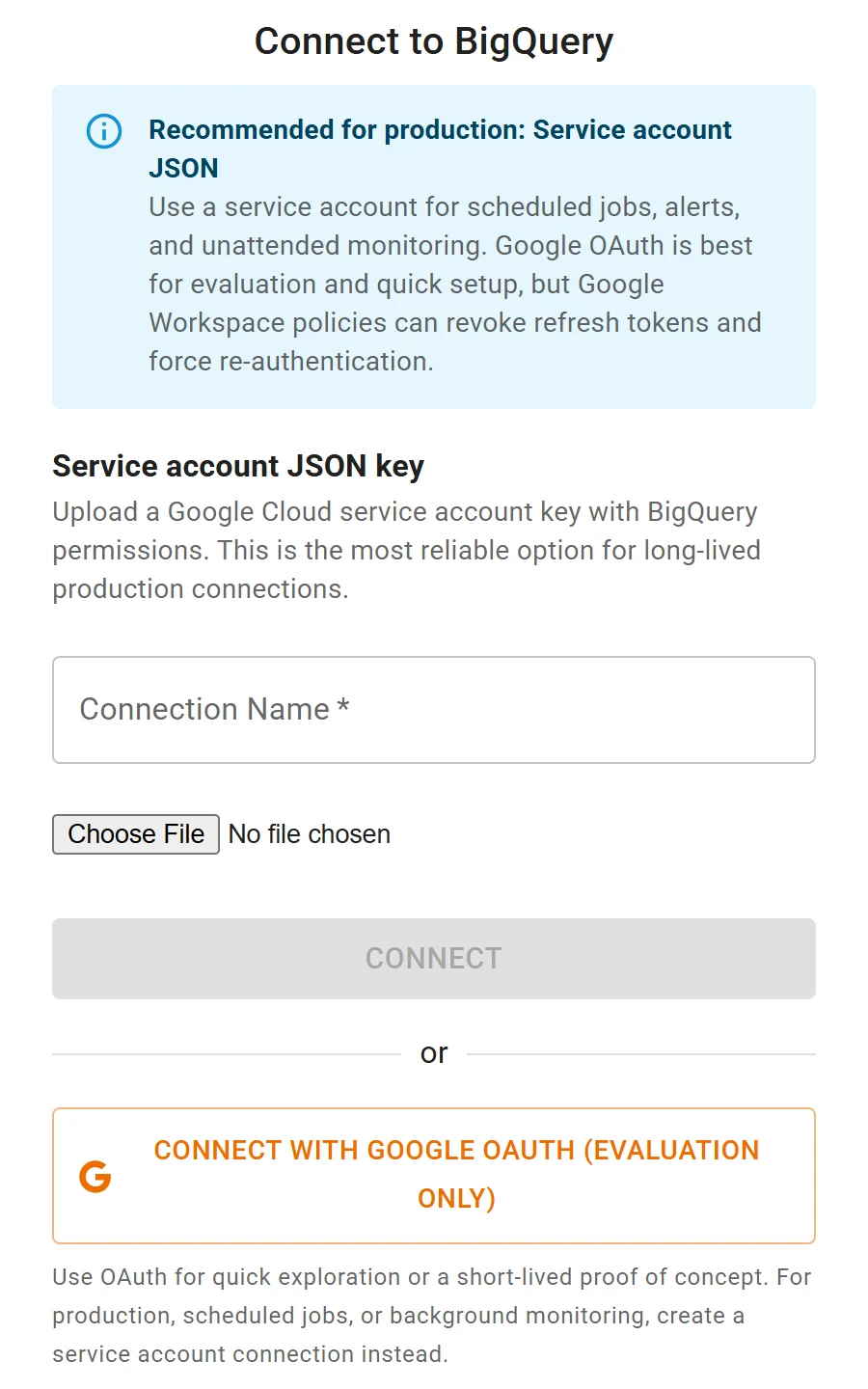
Connecting BigQuery to Fastero: a service account key for scheduled work, or Google sign-in to try it out.
FAQ
Is Gemini better than Claude?
For Google Workspace, audio and video, Gemini. For analysing files and databases, Claude: it runs code on uploads on every plan, takes larger files and connects to MCP servers on every plan. At the $20 tier both read 1M tokens.
Which is better for data analysis, Gemini or Claude?
Claude, for files and databases: sandboxed code execution, 500 MB uploads and MCP connectors. Gemini is the better fit when the data already lives in Google Sheets, where Gemini in Sheets and Sheets canvas work on the sheet itself.
Is Google AI Pro or Claude Pro better value?
They cost about the same ($19.99 and $20). Google AI Pro bundles 5 TB of storage and other Google benefits; Claude Pro includes Claude Code. Pick on which AI you'll use more.
Which has the bigger context window?
On paid plans they match: 1M tokens on Google AI Pro and Ultra, and on Claude's current models. Gemini's free plan reads 32K and AI Plus 128K.
Does Gemini support MCP?
The Gemini app takes custom apps by MCP server URL, for personal accounts in the US, 18 or over, in English. Gemini Enterprise and Google's coding agents support MCP too. Claude supports custom MCP connectors on every plan.
What happened to Gemini CLI?
Since 18 June 2026 it serves only Gemini Code Assist Standard and Enterprise and Code Assist for GitHub on Google Cloud. Free users and Google AI Pro and Ultra subscribers moved to Antigravity CLI.
Sources
Checked 12 November 2026:
- Google: Gemini subscriptions, Gemini Apps limits, Upload files, Use Gemini Apps, Canvas, Connected Apps, Connected Apps availability, Custom apps, Release notes, Gemini API models, Sheets canvas, BigQuery MCP server, Gemini in BigQuery, Gemini CLI, Transitioning Gemini CLI to Antigravity CLI, Antigravity CLI
- Anthropic: Claude pricing, Context windows on paid plans, Upload files, Code execution and file creation, Google Workspace connectors, Custom connectors, Artifacts, Share artifacts, Claude Data
- OpenAI: ChatGPT pricing, Codex and ChatGPT plan prices; canvas removal reported by Thurrott, 30 May 2026