
A year ago the answer to "ChatGPT or Claude for data analysis?" was simple: ChatGPT ran Python on your spreadsheet, and Claude mostly wrote code for you to run. That is no longer true. Claude has run code in a sandbox on every plan, including Free, since late 2025, and ChatGPT now connects to outside tools. Both will take a CSV, write and run the analysis, and hand back charts and files.
So the question has moved. It is less about which model is smarter with a spreadsheet, and more about three things: whether it can reach your live data, how much it can hold in its head at once, and what you are left with when the conversation ends.
How they compare at a glance
| Capability | ChatGPT | Claude |
|---|---|---|
| Code execution | Python sandbox on uploaded files ("Data analysis") | Sandbox code execution and file creation on every plan, including Free; Claude Code also runs commands in your terminal or browser |
| Uploads | Up to 512 MB per file; CSVs and spreadsheets about 50 MB | File uploads, plus MCP connectors to databases and tools |
| Live data | Apps that connect to internal tools on Plus and Pro; full read/write MCP in beta on Business, Enterprise and Edu | MCP connectors in claude.ai and Claude Code |
| Charts | Interactive charts | Charts from code, artifacts and generated files |
| Scheduling | Scheduled tasks on Go, Plus and Pro | Scheduled tasks on paid plans |
| Context window | Plus: 54K (Instant) or 256K (Reasoning); Pro: 128K or 400K | Up to 1M on current models on paid plans; 200K on older models |
| Pricing | Plus $20/mo; Pro $100 or $200/mo | Pro $20/mo; Max $100 or $200/mo |
What both do well: analysis on a file you upload
Upload a CSV of sales data, ask for monthly revenue with a three-month moving average, and either tool writes the code, runs it in its sandbox, and shows you the chart. Both can clean a messy file — mixed date formats, duplicate rows, empty cells — and hand the cleaned file back. For one-off exploration on a single file, pick the one you already pay for.
The differences at this level are small and practical. ChatGPT's charts are interactive in the conversation. Claude can produce finished files — a spreadsheet, a document, a slide — and on current models it can hold far more in context, which matters when the "data" is a long report or a pile of documents rather than one table.
What neither does is remember the analysis. Upload the same file tomorrow, ask the same question, and the model writes the code again from scratch. It may make different choices — a different definition of "churned", a different date cutoff — without telling you. We wrote about this reproducibility problem in our ChatGPT vs Julius AI comparison; it applies to both tools here.
Fastero
Connect your database. Ask questions. Get dashboards.
Postgres, BigQuery, Snowflake, and 10+ sources — live-connected, AI-powered, no dashboard builder learning curve.
Try free →Where they differ: reaching your live data
This is where the gap is.
Claude connects to MCP servers — in claude.ai as custom connectors, and in Claude Code. An MCP server for your database lets Claude read the schema and query live tables instead of last week's export. Claude Code can also run commands in your terminal, so it can use psql or a Python script directly.
ChatGPT is getting there. Plus and Pro can use apps that connect to internal tools, and full read/write MCP is in beta on Business, Enterprise and Edu plans.
Live access changes more than freshness. When the data lives in three systems — CRM in Postgres, billing in Stripe, product events in BigQuery — Claude can pull from an MCP server for each in one conversation and reconcile the results. No single query spans two servers, so the join happens in the conversation, and you should check which keys it joined on. With uploads, you export three CSVs and hope the keys line up.
See our Best MCP Servers for Data Analysis roundup for which servers are maintained and safe to use.
Five common data tasks — which fits
1. Quick exploration of one file. Either. Both run the code for you. Choose on habit and plan.
2. Reconciling two systems — say, Stripe charges against your application database. You need live access to both. Claude with Stripe's MCP server and a database server can fetch from each and compare; Stripe's server works through Stripe's API and its own data, so the comparison happens in the conversation, not in one SQL query. Without connectors, it is exports and uploads on either tool.
3. A cohort or retention analysis with an explanation. Both can run it and explain the curve. Ask each to state its definitions — what counts as churned, which date is the cohort date — and to keep them fixed, because both regenerate the code on every run.
4. A dashboard your team opens tomorrow. Neither tool makes one on its own. Both produce charts inside a conversation, which nobody else can open and which never refresh. The deliverable needs a home: Claude connected to a workspace like Fastero through MCP can build the dashboard there, schedule it to refresh, and share it with your team.
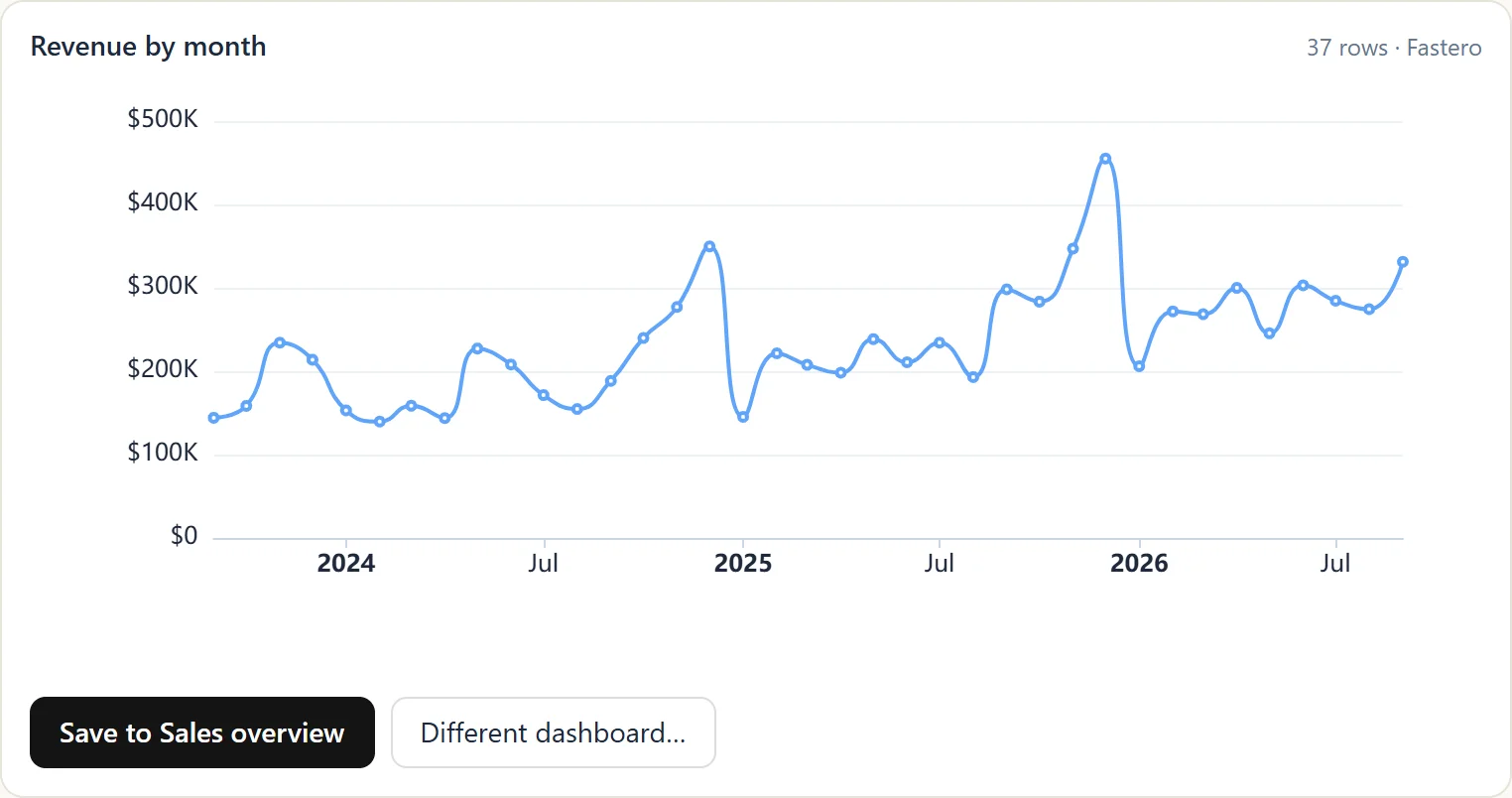
A chart Claude drew in the conversation through the Fastero connector; one click saves it to a dashboard. Sample data.
5. Cleaning a messy file. Both do this well in their sandboxes. If you clean the same export every week, move the job to where the data lives and schedule it, rather than repeating the prompt.
A practical way to use both
Use whichever assistant you already have for napkin math on a file. Move to Claude with MCP when the question is about live data or several systems. And save anything you will need again — the query, the dashboard, the scheduled report — somewhere your team can open it, so the answer does not depend on the model writing the same code twice.
What neither tool does on its own
Neither ChatGPT nor Claude checks its numbers against a source of truth. Each generates a plausible analysis; plausible is not the same as correct, and a model that rewrites its SQL every turn can drift between runs.
The fix is structural, not a better prompt. Let the AI write the query, save it, and have the database return the result: the same saved query on the same data gives the same answer every time, and a person can read both the SQL and the output. That is the pattern behind agentic analytics — the AI does the translating, the database does the counting, and the result lives somewhere your team can check it.
Sources
Checked on 27 September 2026:
- Claude code execution and file creation on all plans — Claude Help Center; launch — claude.com/blog/create-files (9 September 2025)
- Claude context windows — Claude Help Center; Max plan pricing — Claude Help Center; Claude plans — claude.com/pricing
- Claude Code runs commands, in the terminal or browser — code.claude.com/docs
- ChatGPT plans, context windows, apps and scheduled tasks — chatgpt.com/pricing; ChatGPT Pro at $100 — TechCrunch, 9 April 2026
- ChatGPT upload limits — OpenAI Help Center; MCP in ChatGPT — OpenAI Help Center; interactive charts — OpenAI, 16 May 2024
- Stripe's MCP server — docs.stripe.com/mcp
Try Fastero free — connect your database and let Claude build dashboards, schedule reports and share them through 70+ MCP tools, with org-level auth and role-based scopes. No credit card required.