 Fastero Dev Team
A Claude artifact is something Claude makes for you that opens beside the conversation: a document, a deck, a dashboard, a diagram or a small interactive tool. You can keep editing it, come back to it later and share it.
The short answer: artifacts are on every Claude plan, Free included. They need Cloud code execution and file creation switched on under Settings → Capabilities. Claude makes one when the result is substantial and worth reusing, or when you ask with "create this as an artifact". Everything you make is saved in the Artifacts tab. Pro and above add artifacts that store data and read your connected apps. Anyone who opens a shared artifact generally needs a Claude account, and an artifact built from a file keeps that file's numbers until you ask for new ones.
Fastero
Your artifact, on live data your team can open.
Add Fastero to Claude and ask for the chart. Claude queries your database instead of a file, draws the chart in the conversation, and one click saves it to a dashboard your colleagues open with their own login, with fresh numbers every time.
Connect Claude →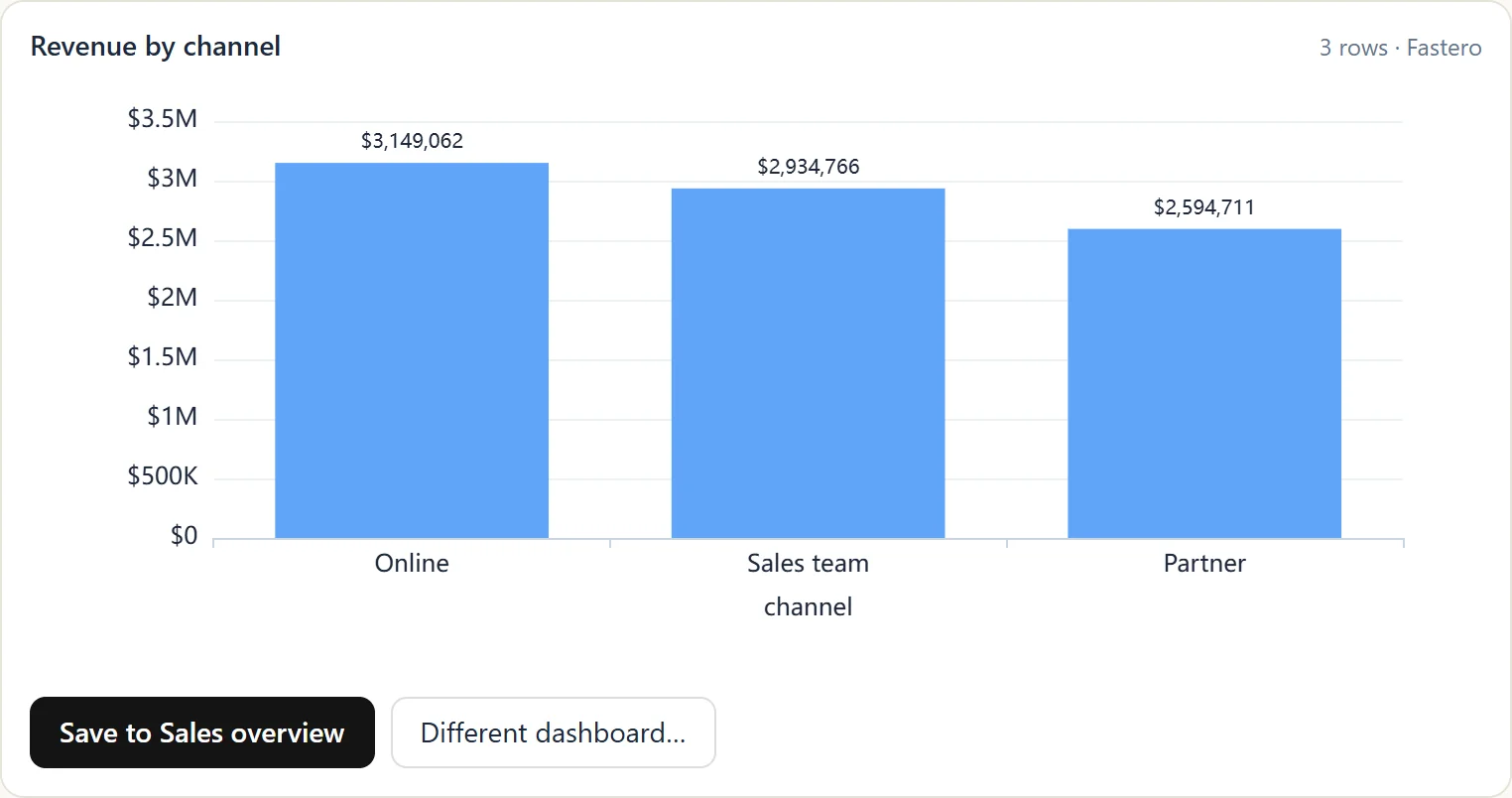
What counts as an artifact
In Anthropic's words, "An artifact is anything Claude makes for you that you'd put in front of someone: a design, a deck, a document, a dashboard, or a small interactive tool." In practice:
- Documents: a brief, a report or meeting notes.
- Code: a script, an HTML page or a React app.
- Diagrams: flowcharts as Mermaid diagrams, or graphics as SVG.
- Interactive tools: a calculator, a tracker or a dashboard with filters.
Since September 2026, Claude also has named templates: Docs, Slides and Design on every plan, Dashboards in beta from Pro, and Motion in beta on Team and Enterprise. Anything else is a "custom artifact".
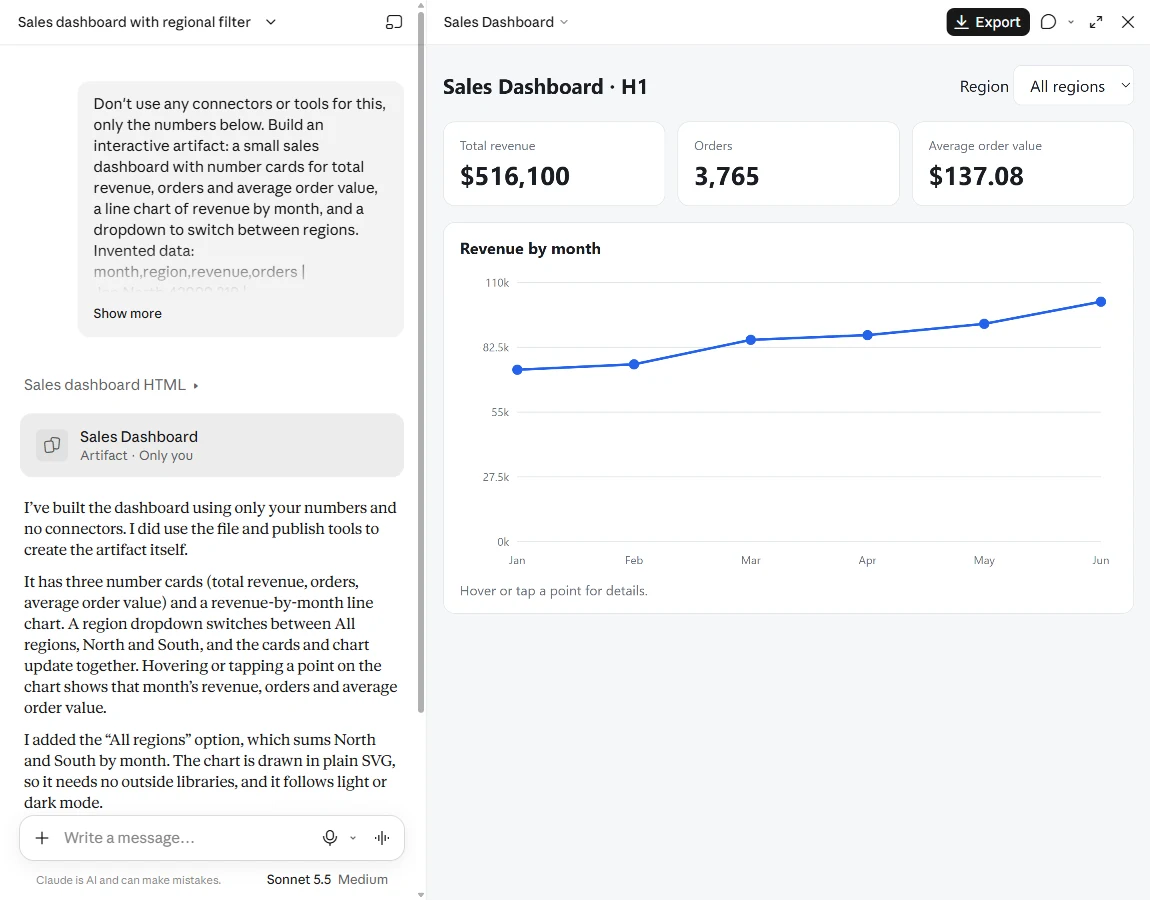
An artifact we made on a Free account from twelve rows of invented numbers. Claude built it in under a minute.
When Claude makes one
Claude creates an artifact when the content is "significant and self-contained, typically over 15 lines", something you're likely to edit or reuse, and able to stand on its own. Anthropic's example: "'Summarize our Q3 results' gets you a chat reply; 'turn our Q3 results into a one-page doc for the leadership team' gets you an artifact".
To be sure of one, ask: "Create this as an artifact."
Two similar things aren't artifacts:
- Charts drawn in the reply. Anthropic calls these custom visuals. They are "ephemeral by default", and you keep one with Save as artifact.
- Files. File creation hands you a Word, Excel or PowerPoint file to download, while an artifact opens and updates in Claude.
How to turn artifacts on
- Open Settings → Capabilities.
- Turn on Cloud code execution and file creation, which the newer settings layout calls Create and edit files.
On Team and Enterprise, an Owner turns it on under Organization settings → Capabilities, and artifacts themselves under Organization settings → Artifacts. The old "feature preview" switch no longer exists. Organizations with zero data retention can't use artifacts, and artifacts aren't available through Amazon Bedrock or other cloud platforms.
What each plan can do
| Free | Pro, Max, Ultra | Team | Enterprise | |
|---|---|---|---|---|
| Make artifacts in a chat | Yes | Yes | Yes | Yes |
| Docs, Slides and Design templates | Yes | Yes | Yes | Yes |
| Dashboards template (beta) | No | Yes | Yes | Yes |
| Motion template (beta) | No | No | Yes | Yes |
| Read and write your connected apps | No | Yes | Yes | Yes |
| Store data in the artifact | No | Yes | Yes | Yes |
Artifacts count toward your normal usage limits. "There's no separate allowance."
What an artifact can do
Remember things. An artifact can save data between visits: "Storage has a 20 MB limit per artifact and accepts text only". Personal storage keeps each person's data private, while shared storage is one set of data everyone sees. Shared storage asks for confirmation before its first use.
Call Claude. An artifact can use Claude itself, which turns it into a small app. "Usage counts against each person's own plan limits rather than yours", so sharing an AI-powered artifact costs you nothing.
Use your connected apps. On Pro and above, an artifact can read from and write to tools you've connected, such as Slack, Google Calendar or a custom connector. "Everyone connects their own apps, even when using a shared or published artifact", so two people can see different data in the same artifact. Tools that need approval for every action aren't available to artifacts.
What it can't do. An artifact can't call outside websites directly; connector calls go through Claude. Anthropic doesn't publish a size limit or a per-chat count for chat artifacts. For artifacts published from Claude Code, it says the page must be 16 MiB or smaller and lists five public sites the page may load scripts from.
Where artifacts are saved, and how to export them
"Everything you make is saved to the Artifacts tab in your Claude sidebar", where you can also start a Doc, Slides or a Design.
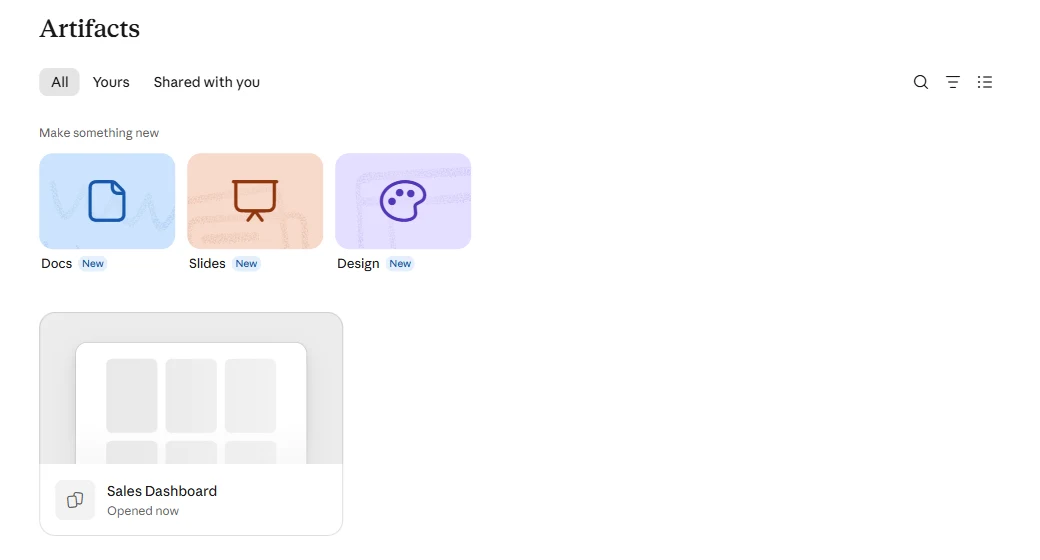
The Artifacts tab on a Free account.
The title menu of an artifact holds the rest: Copy link, Export, Duplicate, Rename, Pin and Delete.
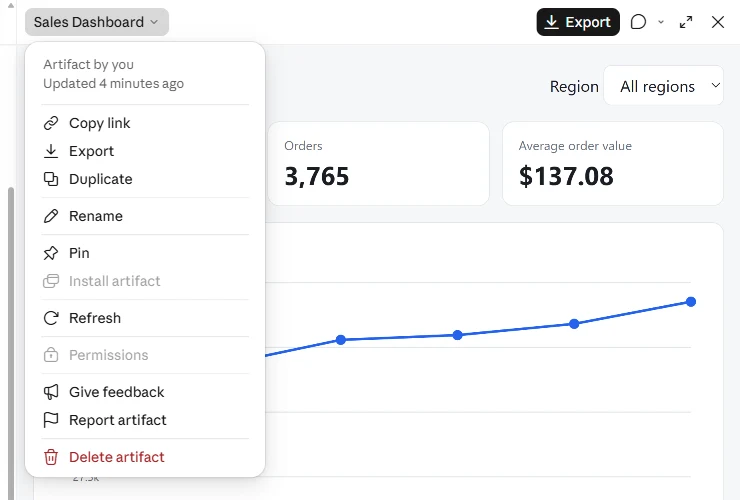
An artifact's menu on the Free plan. Permissions is greyed out.
How each kind exports:
- Docs go to Word, PDF, Markdown or Google Docs.
- Decks go to PowerPoint, PDF or Google Slides.
- Designs export as a .zip, PDF, PowerPoint or standalone HTML.
- Custom artifacts export as HTML from the title menu, but "the parts that save entries, use Claude, or use connected tools stop working" in the copy.
Before a big change, use Duplicate so you can compare versions or go back. The old Remix button is gone; to build on someone's legacy artifact, copy its code into a new chat.
Sharing an artifact
New artifacts "start private to you", and who can open a shared one depends on your plan and your organization's settings:
- People generally need a Claude account. Anthropic's sharing help says "Everyone needs a Claude account. People without one can't open a shared artifact, even with the link", with an exception for legacy artifacts published from a chat. Its Academy tutorial and Claude Code docs describe public links that open without signing in, so check the Share control on your own artifact.
- Free accounts. The help gives Free no link sharing for new artifacts, though Anthropic's product page says Free can share with anyone who has the link. On our Free test account, the artifact said "Only you" and Permissions was greyed out.
- Team and Enterprise. You can share with your organization or invite people. Owners decide whether "Anyone with the link" is allowed.
- Artifacts on connected apps. These "can't use 'Anyone with the link.'"
Each route is covered in how sharing a Claude artifact with colleagues works.
Your artifact, on live data.
Connect Claude →When an artifact won't work
- No artifact appears. Turn on Cloud code execution and file creation, and on Team or Enterprise, check that an Owner has turned artifacts on.
- It shows an error. Click Try fixing with Claude beside the message.
- It won't load at work. Artifacts load from a
*.claudeusercontent.comaddress, so your network may need to allow it. A blocked script library breaks the parts that use it. - A colleague can't open your link. They probably need a Claude account, signed in with the address you invited.
- "Anyone with the link" is greyed out. On Team or Enterprise, ask an Owner. It's never available for artifacts that use connected apps or call Claude.
- The numbers are old. An artifact built from a file or a pasted table holds those numbers until you ask Claude to update it.
Artifacts, projects and dashboards: which to use
| You want | Use |
|---|---|
| A one-off page, deck or tool from what's in the chat | An artifact |
| The same background and files across many chats | A Claude project |
| Twelve ready-made ideas to try | Claude artifact examples |
| A dashboard on your database for colleagues who don't use Claude | A workspace such as Fastero |
That last row is where artifacts stop. An artifact's numbers come from the chat that built it, or from each viewer's own connections, and the people who open it need Claude. With Fastero connected, Claude builds the dashboard on your database instead. Colleagues open it with their own login, viewers are free, and it refreshes on a timer or when the data changes. You can see a live one: our AI model price tracker, on public data, opens with no sign-in.
In Fastero, build a dashboard from our orders table: revenue, orders and average order
value as number cards with the change since last month, then revenue by month. Refresh it
every morning.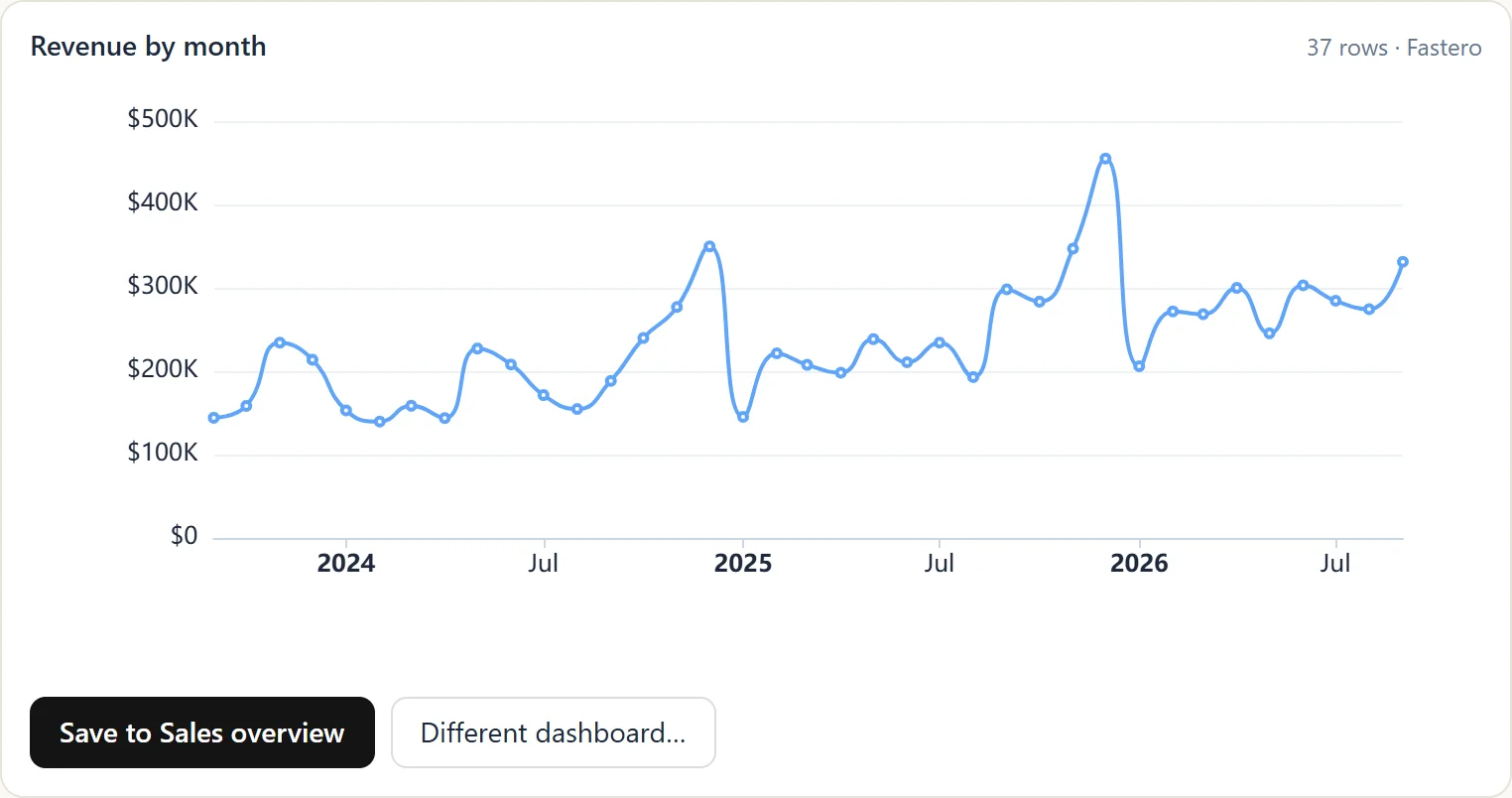
A chart from a live database in the chat, which you can save to a dashboard. Sample data.
FAQ
Are Claude artifacts free?
Yes. Making artifacts, including Docs, Slides and Designs, is on every plan, Free included, since September 16, 2026. Storing data in an artifact, connecting it to your apps and the Dashboards template need Pro or above.
How do I turn on artifacts in Claude?
Go to Settings → Capabilities and turn on Cloud code execution and file creation, which the newer layout calls Create and edit files. On Team and Enterprise, an Owner turns on artifacts for the organization.
Can a Claude artifact use my own data?
From a file or pasted table, yes, as a snapshot. From live tools, yes, on Pro and above, through apps you've connected, with each viewer using their own connection. For a database your whole team should see, connect it through a workspace such as Fastero.
Can someone without a Claude account open my artifact?
Anthropic's sharing help says no, except for legacy artifacts published from a chat. Other Anthropic pages describe public links that need no sign-in. Check the Share options on your own plan.
How do I download a Claude artifact?
Use Export in the artifact's title menu. Docs, decks and designs export to their usual formats. A custom artifact exports as HTML, but its stored data, Claude calls and connector calls stop working in the exported copy.
What are legacy artifacts?
"Legacy artifacts are artifacts made in a chat before September 16, 2026." They keep working, and you can still publish and share them, but new ones can't be made.
Sources
Read on 4 November 2026; our own test ran on a Free account the same day:
- What are artifacts, Share artifacts, Artifacts admin guide, Create and edit files, Custom visuals
- Artifacts product page, Build custom artifacts, Creating with artifacts, Artifacts in Claude Code, Release notes
Try Fastero free — connect Claude to your database, and turn artifacts into dashboards your team opens with live numbers. No credit card required.