 Fastero Dev Team
A subagent is a second Claude that Claude Code sends off to do one job, such as reviewing a query or reading a long log file, in its own context window. Only its report comes back, so your main conversation stays short. You write the ones you keep needing once, in a small file the whole team can share.
The short answer: a Claude Code subagent is a Markdown file with YAML frontmatter in .claude/agents/ (the project's, commit it) or ~/.claude/agents/ (yours, in every project). Only name and description are required; tools, model, permissionMode, hooks, mcpServers, skills, memory, isolation and nine more are optional, and the Markdown body becomes the subagent's system prompt. Claude delegates when your request matches the description, or you force it with @agent-<name> or claude --agent <name>. The /agents wizard is gone since v2.1.198: ask Claude to write the file, or write it yourself. Seven examples for data work are below, all checked to load.
Fastero
Point Claude at your database.
Add Fastero to claude.ai or Claude Code. Claude builds the dashboard, deploys the app or publishes a live page, and your team opens it in Fastero.
Try free →What a subagent is
"Each subagent runs in its own context window with a custom system prompt, specific tool access, and independent permissions." It doesn't see your conversation: "Claude composes a delegation message that summarizes the task, and the subagent works from there." It does get a git status snapshot, and your CLAUDE.md files unless its definition sets omitClaudeMd. And it isn't free: each one "sends its own requests, which count toward the same usage limits as your main conversation."
| Subagent | Skill | Agent team | |
|---|---|---|---|
| Runs in | Its own fresh context | Your conversation | Separate sessions |
| What comes back | A summary | Nothing separate | Teammates message each other |
| Best for | Focused jobs with their own tools | Repeatable procedures | Work that needs discussion |
More on skills, and on agent teams, which are still experimental and off by default.
Where subagent files live
| Location | Scope | Priority |
|---|---|---|
| Managed settings | Your organisation | 1 (highest) |
--agents '<json>' flag |
This session only | 2 |
.claude/agents/ |
This project | 3 |
~/.claude/agents/ |
All your projects | 4 |
A plugin's agents/ folder |
Where the plugin is enabled | 5 |
When two share a name, the higher one wins. Folders are scanned recursively and "identity comes only from the name frontmatter field", not the filename. Edits load within seconds, except "after creating a scope's first agent file in a new agents directory, restart to load it."
The frontmatter fields
Claude Code reads 19 fields:
| Field | What it does |
|---|---|
name, description |
Required. The description says when to delegate |
tools, disallowedTools |
Allowlist and denylist. Omit tools and it inherits every tool |
model |
sonnet, opus, haiku, fable, a full model ID, or inherit |
permissionMode |
default, acceptEdits, auto, dontAsk, bypassPermissions or plan |
maxTurns |
Stop after this many turns; the output comes back marked partial |
skills, mcpServers, hooks |
Skills preloaded in full, MCP servers and hooks for this subagent only |
memory |
user, project or local: notes that survive between sessions |
isolation |
worktree runs it in a temporary git worktree |
effort, background, omitClaudeMd, color |
Effort level, always in the background, skip CLAUDE.md, UI colour |
initialPrompt, autoCompactWindow, experimental |
First prompt with --agent, earlier compaction (v2.1.296+), cache options |
Spelling matters: "Multi-word field names use camelCase", and "Claude Code ignores a field it doesn't recognize without reporting an error."
How Claude picks a subagent
"Claude automatically delegates tasks based on the task description in your request, the description field in subagent configurations, and current context." The docs suggest putting phrases like "use proactively" in the description. To choose yourself:
- Name it in your prompt:
use the sql-reviewer subagent on this file. - @-mention it with
@agent-sql-reviewer, which "guarantees the subagent runs for one task." - Run the whole session as it:
claude --agent sql-reviewer, or"agent": "sql-reviewer"in.claude/settings.json.
Subagents Claude starts now run in the background by default, so you keep working. /tasks shows them; Ctrl+X Ctrl+K, pressed twice, stops them all.
We tested delegation on 12 November 2026 in a scratch folder, Claude Code 2.1.284 on Windows 11, with our own user settings and MCP servers kept out. The prompt was only Check queries/monthly_revenue.sql for anything that would give wrong numbers. Unprompted, Claude called the sql-reviewer below, which used only Read and Glob and found both planted bugs:
1. Join fan-out (line 3): `left join refunds` returns one row per refund. An order with two
   partial refunds is counted twice in `count(*)` and its `amount` is summed twice.
2. BETWEEN on a timestamp (line 4): `between '2026-10-01' and '2026-10-31'` stops at
   `2026-10-31 00:00:00`, so almost all of Oct 31 is lost.
Excerpt of the report Claude relayed. The run cost $0.10, with Sonnet as both main model and subagent.
7 subagents for data work
Save each as .claude/agents/<name>.md. claude plugin validate .claude/agents passed all seven, and a claude -p session listed all seven as available agents.
1. SQL reviewer. Read-only, so it can't change files you didn't ask it to. This is the file from our test run:
---
name: sql-reviewer
description: Reviews SQL files for wrong results (join fan-out, BETWEEN on timestamps, NULL handling, missing filters). Use proactively after a .sql file is written or changed.
tools: Read, Grep, Glob
model: sonnet
---

You review SQL for correctness, not style. For each file you are given:

1. Read it, and any file it selects from if it is in the repo.
2. Check for: joins that multiply rows before an aggregate, BETWEEN on
   timestamps (use >= start and < end), COUNT(col) where COUNT(*) was meant,
   NULLs dropped by = or NOT IN, SELECT *, and filters missing on large
   partitioned tables.
3. Report each problem as: file:line, what goes wrong, a corrected snippet.

Say "No problems found" if there are none. Do not edit files.
2. Notebook tidier. We checked its nbconvert command separately (nbconvert 7.17.2): it reran a notebook and saved it in place.
---
name: notebook-tidier
description: Tidies a Jupyter notebook before a commit or handover. Use when asked to clean up or tidy a .ipynb file.
tools: Read, NotebookEdit, Bash, Glob
model: sonnet
---

Tidy one notebook without changing what it computes: move imports to the
first cell and hard-coded paths and dates to a parameters cell, add a
heading per section, delete empty and unused cells. Then run
`jupyter nbconvert --to notebook --execute --inplace <file>` and report
any cell that fails, plus what you moved and deleted.
3. Test writer. No model line, so it uses the main conversation's model.
---
name: test-writer
description: Writes pytest tests for data transformation code. Use when new pandas or SQL-building code has no tests, or a bug needs a test that reproduces it.
tools: Read, Write, Edit, Bash, Grep, Glob
---

Write small pytest tests with tiny inline DataFrames, never production data.
Cover empty input, NULLs, duplicate keys, time zones and month ends. For a
bug, show the new test failing first. Run `pytest -q` on the new file and
report the result. Don't change the code under test unless asked.
4. Docs checker. Cheap and read-only, so Haiku is enough.
---
name: docs-checker
description: Checks that READMEs, docs/ and docstrings still match the code. Use before a release or after renaming files, tables, columns or commands.
tools: Read, Grep, Glob
model: haiku
---

Check that every command, path, table, column and function the docs mention
exists in the code with the same spelling. Report a table: doc file and
line, what it says, what the code says. Don't edit anything.
5. Data profiler. maxTurns stops it wandering.
---
name: data-profiler
description: Profiles a new CSV or Parquet file before anyone builds on it. Use when a data file arrives or a column looks wrong.
tools: Read, Bash, Glob
model: haiku
maxTurns: 15
---

Profile the file with DuckDB from Python (SUMMARIZE SELECT * FROM 'file'),
or pandas if DuckDB isn't installed. Report the row count; each column's
type, null share and distinct count; whether the likely key is unique; the
date range of each date column. Never modify or move the file.
6. Read-only query runner. The hook runs the script from our hooks guide, which exits 2 on DROP, TRUNCATE or a DELETE with no WHERE. Read the trust warning below first.
---
name: query-runner
description: Answers questions about the data with read-only SELECT queries through psql. Use for questions about numbers, not code.
tools: Bash, Read
hooks:
  PreToolUse:
    - matcher: "Bash"
      hooks:
        - type: command
          command: node "$CLAUDE_PROJECT_DIR/.claude/hooks/block-destructive-sql.js"
---

Query with `psql "$DATABASE_URL"`, one SELECT at a time, LIMIT 100 while
exploring. Show the SQL with every answer. Refuse to change data or schema.
7. Pipeline debugger. isolation: worktree keeps its edits out of your checkout, but the worktree branches "by default from your default branch rather than the parent session's HEAD", so unmerged work on your branch isn't there.
---
name: pipeline-debugger
description: Finds and fixes the cause of a failed pipeline run (dbt, Airflow task or Python job). Use when a run fails or a data test turns red.
tools: Read, Edit, Bash, Grep, Glob
isolation: worktree
---

Find the first error in the log, reproduce it with the smallest command
(such as `dbt build --select <model>`), fix the cause and rerun to show it
passing. Report cause, fix and command. Never edit a test to make it pass.
Point Claude at your database.
Start free →Mistakes to avoid
- No description. A file with a
namebut nodescriptionis skipped without a word in the session.claude plugin validate .claude/agentsonly warned us about it; broken YAML was an error. - Skill spellings. Skills use
allowed-toolsanddisallowed-tools; subagents usetoolsanddisallowedTools. Our subagent withdisallowed-toolsstill got "Validation passed". From v2.1.296,claude --debugnames unrecognised fields. - Frontmatter hooks in scripts. In our
claude -prun the query-runner's hook never fired. The debug log: "Skipping frontmatter hooks for agent 'query-runner': the folder its definition file came from is not trusted". The docs: "a-psession doesn't count as trusted." Accept the folder's trust dialog interactively first, or put the hook insettings.json, whose hooks also run inside subagents. - Thinking
toolslimits commands.Bashmeans any command, anddisallowedTools: Bash(git push *)"still removes the whole tool". Block one command with apermissions.denyrule. - Relying on
permissionMode. If the main session is inbypassPermissions,acceptEditsor auto mode, "Claude Code ignores thepermissionModeyou set", and auto is the starting mode in interactive terminal sessions from v2.1.283. - Assuming it knows the conversation. Restate any rule that matters, such as "ignore the
vendor/directory", when you delegate or in its prompt. - Old tutorials.
/agentsnow prints "The /agents wizard has been removed." andclaude agentsopens the background-session view, not your definitions. - Long descriptions. They all sit in context, with a warning past 15,000 tokens. Put detail in the body.
- Plugin agents. They ignore
hooks,mcpServersandpermissionMode; copy the file into.claude/agents/to use those.
When the subagent's work is for a team
A subagent's report lands in one person's terminal. When the job is a number colleagues will check, it needs the team's data and somewhere to put the result. Fastero is an AI and data platform where people and AI agents work together on a team's data, and Claude Code reaches it over MCP:
- A remote MCP server at
https://api.fastero.com/api/v1/mcp: Claude Code adds it and you sign in through the browser, with the steps under Settings → AI Agent Access. A subagent can name it inmcpServers. - Read-only SQL by design:
run_sqlruns oneSELECT,WITH,EXPLAINorSHOWstatement and refuses write keywords, a firmer line than a prompt. - Shared definitions: the team's metric definitions come back through the same connection, so a number like revenue means what the team's reports mean.
- Results people open: saved queries and dashboards stay in the workspace, where colleagues sign in and viewers are free.
- Keys for scripts: at most 90 days (as of 12 November 2026), read and SQL by default, never beyond the person's own role.
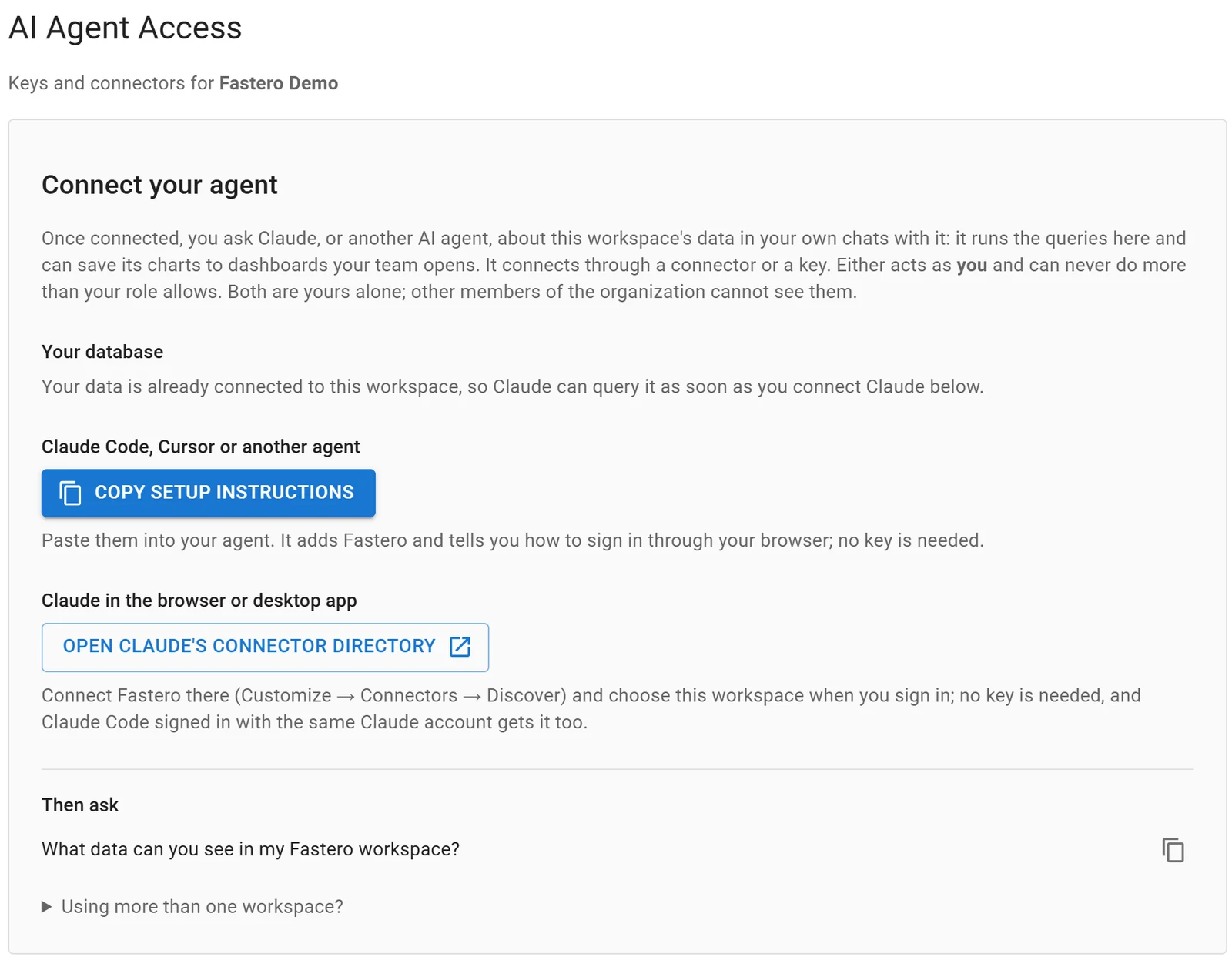
Settings, AI Agent Access: an agent signs in through the browser, so there is no key to copy.
More in Claude Code and MCP and Claude Code for data analysis.
FAQ
What are subagents in Claude Code?
Separate Claude instances started for one task, each with its own context window, prompt, tools and permissions, that return a summary.
Where do I put Claude Code subagents?
In .claude/agents/ in the project, committed for the team, or ~/.claude/agents/ for yourself. One .md file each.
How do I make Claude use a specific subagent?
Name it in the prompt, @-mention it with @agent-<name> to guarantee it, or start with claude --agent <name>.
Can a subagent use a cheaper model?
Yes, model: haiku. A model Claude passes when starting it beats the field, and the field beats CLAUDE_CODE_SUBAGENT_MODEL.
How many subagents can run at once?
As of 12 November 2026, 20 at a time by default (CLAUDE_CODE_MAX_CONCURRENT_SUBAGENTS), nesting up to three layers below the main conversation.
Why isn't my subagent used?
Check the file starts with ---, has name and description, and passes claude plugin validate. Restart if it's the first file in a new folder, and use the request's own words in the description.
Sources
Read on 12 November 2026, when the changelog's newest release was 2.1.322 (10 November); our four paid runs used Claude Code 2.1.284 on Windows 11 and cost about $0.21 in all: