
The short answer: use the Share button in the artifact's header when a snapshot is enough and the people you are sharing with use Claude. When the artifact is a dashboard your team should open next week with that week's numbers — including colleagues who never open Claude — publish it somewhere that hosts it with live data instead. Fastero is built for that job: Claude publishes the page through the Fastero connector, and your colleagues open it with their Fastero login, numbers fetched fresh every time.
Claude has become very good at turning a question into a dashboard. Ask it to break down last quarter's revenue and you get a polished page in a minute. The trouble starts when you want someone else to see it — and to see it again on Monday, with Monday's numbers.
There are four ways to share a Claude artifact. They differ on two things that matter for a team: whether the numbers stay live, and what each viewer needs before they see anything.
The four ways at a glance
| Way to share | Who can open it | Are the numbers live? | What each viewer needs |
|---|---|---|---|
| Claude's Share button | People you share it with, by organization or link | No — the numbers from when Claude built it | A Claude account for artifacts made in a claude.ai chat; a public link from Claude Code opens for anyone (on Team and Enterprise, once an Owner allows public sharing) |
| A live artifact (built on connectors) | Signed-in members of your Claude organization | Yes, fetched when the page opens | A claude.ai account in your organization, plus their own connection to every connector the page uses |
| Download the HTML and host it yourself | Anyone with the link | Only if you build a backend for it | Nothing, unless you add a login |
| Publish it to Fastero as a hosted page | Members of your Fastero workspace | Yes — fresh from your saved queries on every open, and whenever the data changes | A Fastero login. No Claude account, no data connection of their own |
1. Claude's Share button
Every artifact has a Share control in its header. What it can do depends on where the artifact was made and on your plan:
- Artifacts made in a claude.ai chat can be shared with specific people, your whole organization on Team and Enterprise plans, or anyone with the link. Anthropic's help center is clear about who can open them: "Everyone needs a Claude account. People without one can't open a shared artifact, even with the link." Older artifacts published from a chat are the exception.
- Artifacts published from Claude Code can be shared with specific people or everyone in your organization on Team and Enterprise plans, or published to a public link that anyone can open without signing in. On Team and Enterprise plans, public links stay off until an Owner turns them on.
Either way, a standard artifact holds the numbers Claude had when it built the page. That is perfect for "here's what I found this morning". It is the wrong tool for a dashboard someone opens every week.
Use it when: you are sharing a one-off analysis with people who use Claude, and a snapshot is the point.
Fastero
Connect your database. Ask questions. Get dashboards.
Postgres, BigQuery, Snowflake, and 10+ sources — live-connected, AI-powered, no dashboard builder learning curve.
Try free →2. Live artifacts: fresh data, if every viewer brings their own connection
Claude can also build a page that calls your MCP connectors each time someone opens it, so it shows current data instead of a snapshot. Connector calls from artifacts are available on Pro, Max, Team and Enterprise plans.
The catch is whose connection the page uses. Anthropic's documentation spells it out: when a published page calls a connector, "the call uses the account of the person viewing the page, not the account of the person who published it." Each viewer has to:
- sign in to claude.ai as a member of your organization,
- have their own connection to every connector the page uses — connectors are per account,
- and approve the page's access before its first call.
A viewer who skips any of that still sees the page, just without its live sections. Someone opening a public link without signing in, or from outside your organization, sees no live data at all. And for artifacts made in a claude.ai chat, the help center adds that artifacts which connect to your apps "can't use 'Anyone with the link.'"
Use it when: everyone who needs the dashboard is on your Claude Team or Enterprise plan and already connected to the same data sources.
3. Download the HTML and host it yourself
An artifact is a single HTML page, so you can take the file and put it anywhere that serves static pages — GitHub Pages, Netlify, Vercel or your own server. Anyone with the link can open it.
What you get is a frozen copy. Anthropic describes an artifact as "a static page" that "can't authenticate viewers itself", and recommends deploying "a hosted internal tool with a backend" on your own infrastructure. To make a self-hosted copy live, you would need to build that backend: an API that queries your database safely, a login so the wrong people can't read your revenue, and a way to update the page when the data changes.
Use it when: the page is meant to be public and the numbers don't need to move.
4. Publish it to Fastero as a hosted page
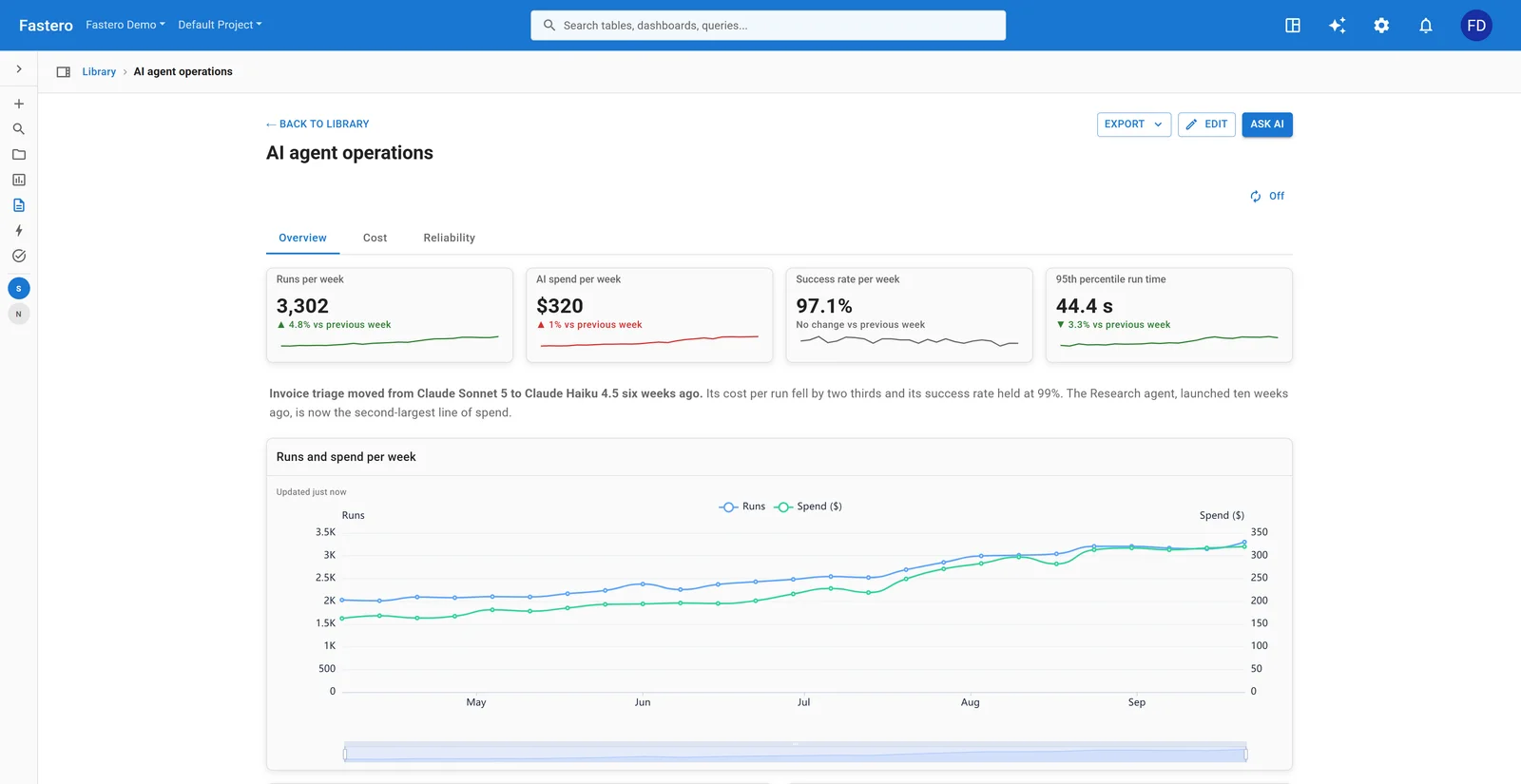
This is the option built for a team dashboard. Fastero is a workspace for your team's dashboards, apps and notebooks, and its connector lets Claude — in claude.ai or Claude Code — work inside it on your behalf. Instead of handing you a file, Claude publishes the page to Fastero, next to the team's dashboards, and replies with its link.
Here is what changes for the people who open it:
- No Claude account needed. Colleagues open the page with their Fastero login, from the link or from the Pages section of the workspace.
- The numbers are live. The page declares which of your saved charts and queries it reads, and every time someone opens it, Fastero fetches those rows fresh — the same rows that person would see on a dashboard, within their own permissions. Nobody needs a data connection of their own.
- It keeps itself current. A page refreshes when its data changes, so the number on screen at 3pm is the 3pm number.
- An AI note sits on top. A short summary of what the current numbers say — "orders were highest for West, lowest for South" — rewritten only when the facts actually change. Code works out the facts; the model only words them.
- You see who opened it. Owners and admins see each open under Opened by, the same as for dashboards, apps and notebooks.
- It is sealed. The page can draw charts, but it cannot reach the internet, Fastero itself, or the viewer's login. It asks for the rows it declared and nothing else.
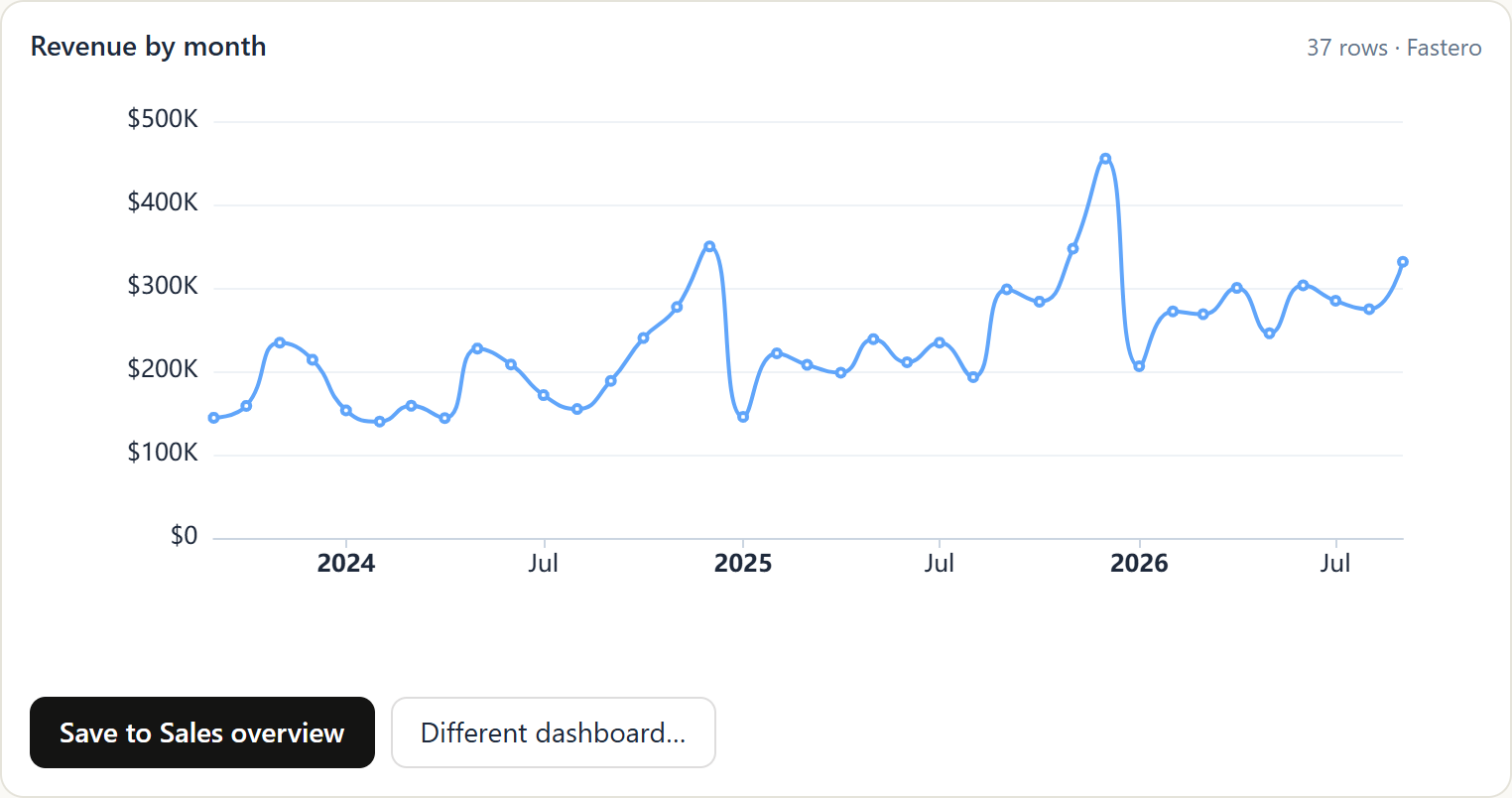
In claude.ai, the page also appears right in the conversation as a live card with Refresh, Open in Fastero and Expand, so you can check it before you send the link. The same connector draws individual charts inside the chat and saves them to a dashboard with one click:
How to publish a Claude dashboard to Fastero
- Connect Claude to Fastero. In Fastero, open Settings → Developers → AI Agent Access and create a key; the dialog gives you a one-line
claude mcp addcommand for Claude Code. On claude.ai, add the Fastero server as a custom connector and sign in. Details are on the Fastero MCP server page. - Point it at your data. Connect your database in Fastero, or let Claude do it.
- Ask for the page. For example: "Build a weekly sales page from our orders table — revenue by month and orders by region — and publish it to Fastero for the team." Claude saves the queries it needs, writes the page and publishes it.
- Send the link. Teammates open it signed in to Fastero. When you ask Claude to change the page later, it replaces it in place: the link stays the same, and so does its Opened by history.
Prefer a classic dashboard to a custom page? The same conversation can build one, with filters, tabs and a scheduled email that sends each recipient a PDF every Monday.
Use it when: the dashboard is for a team, runs on live company data, and should open for people who don't use Claude.
Which should you use?
- A one-off finding, shared with people who use Claude: Claude's Share button.
- A live page, and everyone is on your Claude Team or Enterprise plan with the same connectors: a live artifact.
- A public page whose numbers don't change: download the HTML and host it.
- A dashboard your team opens every week, on live data, including people who never open Claude: publish it to Fastero.
If you are still choosing a connector for Claude, our roundup of the best MCP servers for data analysis covers which ones are maintained and safe to point at a database. For how Claude compares with ChatGPT on the analysis itself, see ChatGPT vs Claude for data analysis.
FAQ
Can someone without a Claude account open a shared Claude artifact?
For artifacts made in a claude.ai chat, no: Anthropic's help center says people without a Claude account can't open a shared artifact, even with the link, except older artifacts published from a chat. Artifacts published from Claude Code can go to a public link anyone can open, if your organization allows it — but connector-backed sections don't load for them.
Do shared Claude artifacts update when the data changes?
A standard artifact keeps the numbers Claude had when it built the page. A live artifact calls connectors when it opens, through each viewer's own claude.ai account and connections. A page hosted in Fastero fetches its rows from your workspace's saved queries on every open and refreshes when the data changes.
Can I share a live Claude artifact with people outside my organization?
Only as a page without its live sections: connector calls don't run for someone who opens a public link without signing in to claude.ai, or who is outside your organization. To give a colleague live numbers without Claude, host the page in a workspace they can sign in to, such as Fastero.
How do I keep a Claude-built dashboard up to date for my team?
Base it on saved queries rather than numbers pasted into the page, and host it where those queries run on demand. In Fastero, Claude saves the queries, publishes the page against them, and the page refreshes whenever the underlying data changes.
Can I see who opened a dashboard Claude built?
In Fastero, yes: each open of a hosted page, dashboard, app or notebook is recorded under Opened by, visible to the workspace's owners and admins. In Claude, viewers in your organization see who published an artifact, and Team and Enterprise audit logs record when it was published and shared.
Sources
Checked on 3 October 2026:
- Sharing artifacts made in claude.ai, by plan, and the Claude-account requirement — Claude Help Center, Share artifacts
- Claude Code artifacts: sharing, public links, connector calls through each viewer's account, page constraints — Claude Code docs, Share session output as artifacts
- Live artifacts in Cowork — Claude Help Center, Use live artifacts in Claude Cowork
Try Fastero free — connect Claude to your database and publish dashboards your team opens with live numbers, no Claude account needed to view. No credit card required.