
A Postgres MCP server is the piece that lets Claude see your database's tables and run SQL on them, so you can ask "which customers churned last quarter?" and get an answer from the real data. Setting one up takes a few minutes. Setting it up so that Claude can't change or leak anything takes a few more, and those are the minutes this guide is about.
The short answer: pick a maintained server — your provider's own if the database lives on Supabase, Neon or PlanetScale; Postgres MCP Pro, DBHub or AWS's server if you run it yourself; or a hosted connector such as Fastero's for any Postgres — and never the archived @modelcontextprotocol/server-postgres. Connect it with a database role that can only read, with a statement timeout. Then add it to Claude: a custom connector in claude.ai, claude mcp add in Claude Code, or claude_desktop_config.json in Claude Desktop.
What a Postgres MCP server does
MCP, the Model Context Protocol, is how Claude talks to outside tools. A Postgres MCP server gives Claude a handful of tools — list the schemas and tables, describe a table's columns, run a query — and Claude uses them in turn: it reads the schema, writes SQL for your question, runs it and reads the rows that come back. Some servers add more, such as charts, index advice or a saved dashboard.
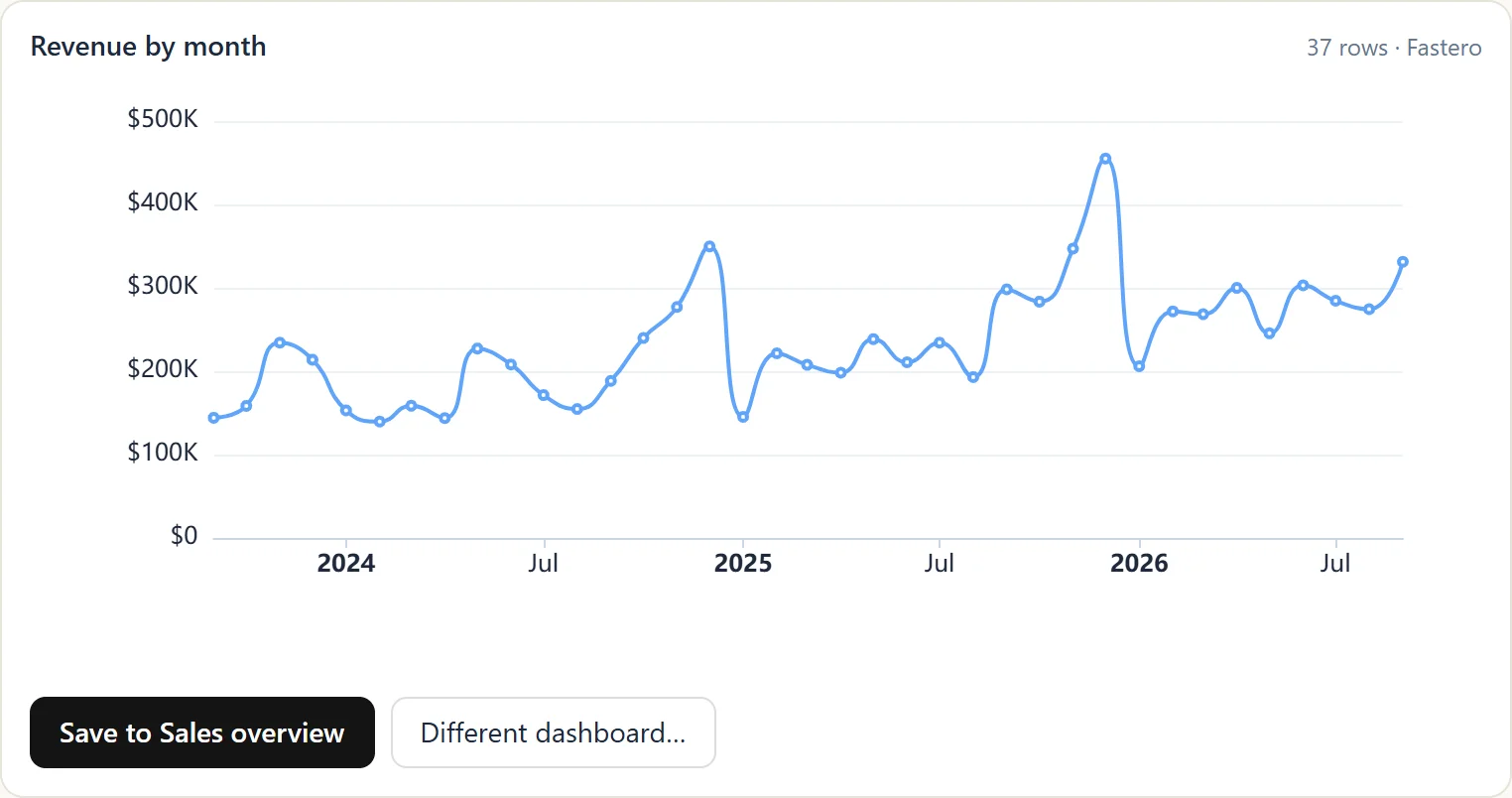
Revenue by month, queried from a database and drawn inside Claude by Fastero's connector. Sample data.
Which Postgres MCP server to use
| Server | Who makes it | Where it runs | How it stops writes | Good for |
|---|---|---|---|---|
| Fastero | Fastero | Hosted: a claude.ai connector, or a key for Claude Code | Refuses any statement that could change data; on Postgres, queries also run in a read-only transaction | Teams that want charts and dashboards their colleagues can open without Claude |
| Supabase MCP | Supabase | Hosted | read_only=true runs queries as a read-only Postgres user |
Databases on Supabase |
| Neon MCP | Neon | Hosted | readonly=true, and roleName= pins a Postgres role |
Neon databases in development; Neon advises against production |
| PlanetScale MCP | PlanetScale | Hosted | Separate read and write tools; an admin can allow reads only | PlanetScale Postgres |
| Postgres MCP Pro | Crystal DBA, open source | Your machine | --access-mode=restricted |
Query tuning: index advice and health checks |
| DBHub | Bytebase, open source | Your machine or a server | readonly = true in its config file |
One server for several databases |
| AWS Labs Postgres MCP | AWS Labs, open source | Your machine | Read-only unless you add --allow_write_query |
Aurora and RDS for PostgreSQL |
| MCP Toolbox for Databases | Google, open source | Your machine or a server | Only the database role you give it | Teams on Google Cloud, or many databases at once |
Supabase, Neon and PlanetScale are also listed in Claude's connector directory, so on claude.ai you can add them without typing an address. Postgres MCP Pro is widely used, but its last release was in May 2025.
Don't use the archived reference server
Many tutorials still start with npx @modelcontextprotocol/server-postgres. That server was archived by the MCP project on 29 May 2025, and its npm package is marked "no longer supported". It ran each query in a read-only transaction, but it accepted several statements at once, so COMMIT; followed by any other statement ended the read-only transaction and ran the rest — a hole Datadog Security Labs documented in August 2025, which was never fixed in the published package. It was still downloaded about 128,000 times in the week of 6 October 2026.
Fastero
Point Claude at your database.
Add Fastero to claude.ai or Claude Code. Claude builds the dashboard, deploys the app or publishes a live page, and your team opens it in Fastero.
Try free →Step 1: Create a role that can only read
The servers' own documentation is blunt about it. AWS's README says of its read-only guard: "Treat this as a best-effort, defense-in-depth mechanism, not a security boundary." The database role is the real lock; a server's read-only mode is a second line of defence. Create a role for Claude that can read and nothing else:
CREATE ROLE claude_readonly WITH LOGIN PASSWORD 'a-long-random-password';
GRANT CONNECT ON DATABASE shop TO claude_readonly;
GRANT USAGE ON SCHEMA public TO claude_readonly;
GRANT SELECT ON ALL TABLES IN SCHEMA public TO claude_readonly;
ALTER DEFAULT PRIVILEGES IN SCHEMA public GRANT SELECT ON TABLES TO claude_readonly;
ALTER ROLE claude_readonly SET default_transaction_read_only = on;
ALTER ROLE claude_readonly SET statement_timeout = '30s';
We ran this on Postgres 17 and then tried to break it as claude_readonly:
- It reads existing tables, and tables created later by the same owner.
- An
INSERTfails: "cannot execute INSERT in a read-only transaction". - After
SET default_transaction_read_only = off, theINSERTstill fails — "permission denied for table orders" — because the role was never granted it. - It can't create a table, and its statement timeout is 30 seconds.
That third result is the point. default_transaction_read_only is only a default that any session can switch off; the GRANTs are the lock. On Postgres 14 and later, GRANT pg_read_all_data TO claude_readonly; is a shortcut that covers every schema at once — use it only if Claude should see everything.
Two more habits keep the role safe:
- Leave out what Claude should never read. Grant table by table, or schema by schema, instead of the whole database when some tables hold secrets such as API tokens or personal data.
- Never grant
pg_read_server_files,pg_write_server_filesorpg_execute_server_program. Postgres's documentation warns they can be used to gain superuser-level access.
Step 2: Connect the server to Claude
In claude.ai: a custom connector
claude.ai connects to remote MCP servers, ones with a web address. Add one under Customize → Connectors → Add custom connector on Pro and Max; on Team and Enterprise, an owner adds it under Organization settings → Connectors. Every plan can add custom connectors, including Free, which is limited to one. The server has to be reachable from the internet: claude.ai connects from Anthropic's cloud, not from your laptop, so a server on localhost won't work here.
With Fastero, connect your Postgres database in Fastero first, using the read-only role, so the password stays in Fastero and never passes through a chat. Then add https://api.fastero.com/api/v1/mcp as a custom connector, sign in, choose the workspace and approve the permissions it asks for. No key to copy.
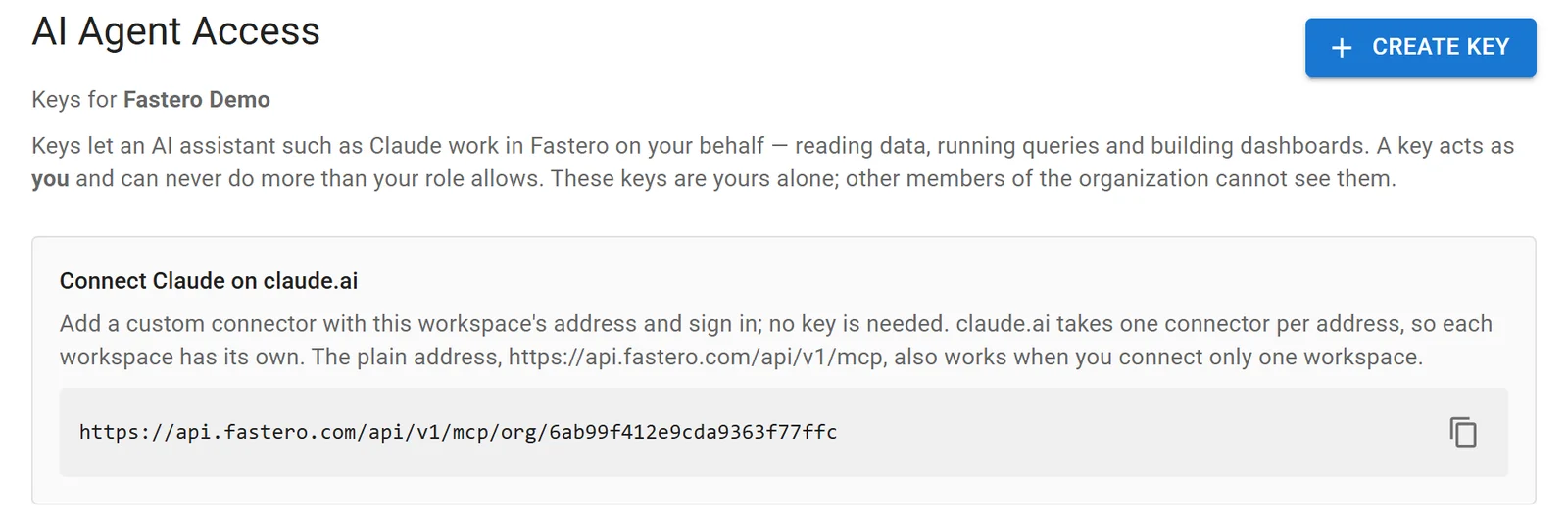
The address to add in claude.ai, in Fastero's settings. Sample data.
In Claude Code: one command
A remote server takes its address; a local one takes the command that starts it, after --. Fastero, with a key from Settings → AI Agent Access (it defaults to read and SQL only, and lasts at most 90 days):
claude mcp add --scope user --transport http fastero https://api.fastero.com/api/v1/mcp --header "Authorization: Bearer fst_pat_..."DBHub, run on your machine against the read-only role — the same pattern Claude Code's own documentation uses:
claude mcp add --transport stdio db -- npx -y @bytebase/dbhub --dsn "postgresql://claude_readonly:a-long-random-password@db.example.com:5432/shop"/mcp inside Claude Code lists the servers and whether each is connected. Avoid --scope project for anything with a password in it: it writes the command to .mcp.json, which ends up in your repository.
In Claude Desktop: the config file
Claude Desktop runs local servers from claude_desktop_config.json — open it from Settings → Developer → Edit Config. On macOS it lives in ~/Library/Application Support/Claude/, on Windows in %APPDATA%\Claude\. Postgres MCP Pro in its read-only mode:
{
  "mcpServers": {
    "postgres": {
      "command": "uvx",
      "args": ["postgres-mcp", "--access-mode=restricted"],
      "env": {
        "DATABASE_URI": "postgresql://claude_readonly:a-long-random-password@localhost:5432/shop"
      }
    }
  }
}
Quit Claude Desktop completely and start it again to load the change. Servers set up this way work only in Claude Desktop, not on claude.ai.
Step 3: Ask questions
Start with questions whose answers you already know, to check that Claude reads the tables the way you do:
- "List the tables in the public schema and what each one holds."
- "How many orders were completed last month, and what was the revenue?"
- "Show monthly revenue for the last 12 months as a chart."
Then check one number against a figure you trust before you rely on the rest. Claude writes sensible SQL, but only you know whether "revenue" means completed orders, before or after refunds.
How Fastero keeps a query from changing your data
In Fastero, Claude's SQL tool takes one SELECT, WITH, EXPLAIN or SHOW statement and refuses anything that could change data before it reaches the database; on Postgres it also runs inside a read-only transaction. A key acts as you and can never do more than your role in the workspace allows. Claude reads at most 500 rows or about 100 KB of a result, so an over-eager SELECT * can't pull a whole table into the conversation. And a chart Claude draws can go straight onto a dashboard that colleagues open with their own login — no Claude account needed.
Keep it safe: a checklist
- Read-only role first. It is the only control that holds whatever the server or the model does.
- A statement timeout on the role, so a runaway query stops on its own.
- Only the tables Claude needs. Leave secrets and personal data out of the grants.
- Watch for instructions hidden in data. In July 2025, General Analysis showed an agent with Supabase's MCP server reading a support ticket that carried instructions, then copying private tokens into the ticket thread — no permission was broken; the agent obeyed text it should never have trusted. Keep a database server away from tools that can send data out, such as email, in the same session, and review what Claude runs.
- Don't expose a server without authentication. DBHub's HTTP mode listens on every network interface by default and has no token unless you set
--auth-token.
FAQ
What is a Postgres MCP server?
A program that gives an AI assistant such as Claude tools to read a PostgreSQL database's schema and run SQL on it, using the Model Context Protocol. Claude calls the tools, reads the results and answers your question from the data.
Is the official Postgres MCP server still maintained?
No. The reference server @modelcontextprotocol/server-postgres was archived on 29 May 2025, its npm package is deprecated, and its read-only mode can be bypassed. Use a maintained server such as Postgres MCP Pro, DBHub, your provider's own, or a hosted connector.
How do I make a Postgres MCP server read-only?
Give it a database role that has only SELECT privileges, as in the SQL above, and also turn on the server's own read-only mode if it has one. The role is what actually stops writes; the server's mode is a second layer.
Can claude.ai connect to my own Postgres database?
Yes, through a remote MCP server that claude.ai can reach over the internet: your provider's connector for Supabase, Neon or PlanetScale, a server you host behind authentication, or a hosted connector such as Fastero's. A server running only on your laptop works in Claude Desktop and Claude Code, not on claude.ai.
Does it work with Supabase, Neon, Amazon RDS or Aurora?
Yes. Supabase and Neon have their own hosted servers. For RDS and Aurora, AWS Labs publishes a Postgres MCP server, and any server above works with them through a normal connection string. Fastero connects to any Postgres it can reach, including managed ones.
Related reading:
- MySQL MCP server
- SQL MCP servers for every database
- Best MCP servers for data analysis
- How to build a dashboard with Claude
Sources: MCP archived servers, Datadog Security Labs on the Postgres server (21 August 2025), npm download counts, Supabase MCP, Neon MCP, PlanetScale MCP, Postgres MCP Pro, DBHub, AWS Labs Postgres MCP server, MCP Toolbox for Databases, Claude Code MCP docs, Claude custom connectors, PostgreSQL predefined roles, General Analysis on Supabase MCP. Checked 16 October 2026.
Try Fastero free — connect your Postgres database, then point Claude at it with read-only SQL, charts and dashboards your team can open. No credit card required.