
An SQL MCP server lets an AI assistant such as Claude read a database's structure and query it, so you can ask questions of your data in plain English. There is one for almost every database now, from the database companies themselves, from the cloud providers and from the open-source community — and since April 2026 there is also a Microsoft product whose name is literally "SQL MCP Server".
The short answer: for one database, use a server built for it — your provider's own if it has one (Supabase, Neon, PlanetScale, Google for BigQuery), or a maintained open-source server. For several databases, DBHub and Google's MCP Toolbox for Databases cover most of them from one server. Microsoft's SQL MCP Server takes a different approach: the AI never writes SQL and works through seven fixed tools on the tables you expose. Whichever you choose, connect it with a database user that can only read.
What an SQL MCP server does
MCP, the Model Context Protocol, is the standard way for an AI assistant to use outside tools. An SQL MCP server gives it tools such as "list tables", "describe a table" and "run a query". Claude reads the schema, writes SQL for your question, runs it and answers from the rows — or, with some servers, draws a chart.
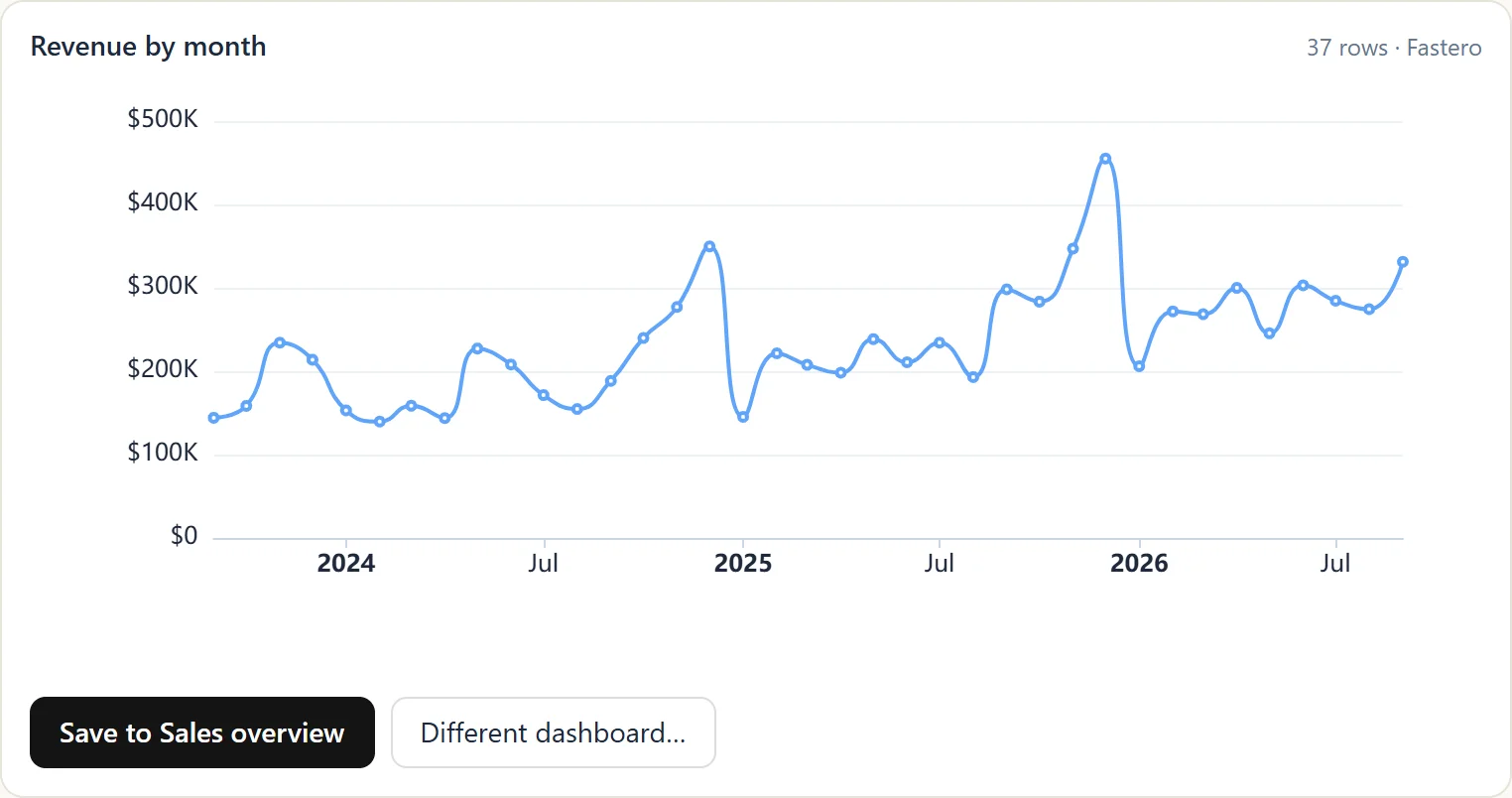
An answer from a database, drawn as a chart inside Claude by Fastero's connector. Sample data.
The server for each database
| Database | Servers to look at | More |
|---|---|---|
| PostgreSQL | Supabase, Neon and PlanetScale's own; Postgres MCP Pro; DBHub; AWS Labs for Aurora and RDS | Postgres MCP server |
| MySQL | mcp-server-mysql; MariaDB's own; AWS Labs for Aurora and RDS; DBHub; PlanetScale | MySQL MCP server |
| SQL Server | Microsoft SQL MCP Server; AWS Labs for RDS; Google Cloud SQL; DBHub | Below |
| BigQuery | Google's hosted server, in Claude's directory; MCP Toolbox | BigQuery MCP server |
| Snowflake | Snowflake's connector in Claude's directory; MCP Toolbox | — |
| Oracle | DBHub; MCP Toolbox | — |
| SQLite | DBHub | — |
Fastero
Point Claude at your database.
Add Fastero to claude.ai or Claude Code. Claude builds the dashboard, deploys the app or publishes a live page, and your team opens it in Fastero.
Try free →Microsoft's SQL MCP Server
Microsoft introduced SQL MCP Server on 8 April 2026, as part of Data API builder — open source, free, and working with SQL Server, Azure SQL, PostgreSQL, MySQL and Azure Cosmos DB. Its design is the opposite of most servers here. In Microsoft's words, it "intentionally doesn't support NL2SQL": the AI never writes SQL. You choose the tables, views and stored procedures to expose and what each role may do with them, and the AI gets seven tools — describe the entities, create, read, update and delete records, run a stored procedure and aggregate — while Data API builder writes the SQL.
dab init --database-type mssql --connection-string "<your-connection-string>" --config dab-config.json --host-mode development
dab add Orders --source dbo.Orders --source.type table --permissions "reader:read" --description "Customer orders"
dab start --mcp-stdio role:reader
To make it read-only, give roles only the read action, and switch the write tools off in dab-config.json, which also hides them from the AI:
"runtime": {
  "mcp": {
    "dml-tools": {
      "create-record": false,
      "update-record": false,
      "delete-record": false
    }
  }
}| Servers where the AI writes SQL | Microsoft SQL MCP Server | |
|---|---|---|
| What the AI does | Writes a query for your question | Calls fixed tools; the server writes the SQL |
| What it can ask | Anything SQL can express | Reads, filters and aggregates; for joins, expose a view or stored procedure |
| What it can reach | Whatever the database user can read | Only the entities you expose, with each role's permissions |
| Best for | Analysis and open questions | Apps and agents that work with records |
Servers for several databases
| Server | Databases | Read-only | Worth knowing |
|---|---|---|---|
| DBHub | PostgreSQL, MySQL, MariaDB, SQL Server, Oracle, SQLite | readonly = true in its config file, with row limits and query timeouts |
Two tools by default, so it adds little to Claude's context; Claude Code's documentation uses it as its example |
| MCP Toolbox for Databases | PostgreSQL, MySQL, SQL Server, Oracle, BigQuery, Spanner, AlloyDB, Snowflake, ClickHouse and more | A write mode for BigQuery; elsewhere, the database user | Google's; reached version 1.0 in April 2026 |
| MCP Alchemy | Any database SQLAlchemy supports | No read-only mode documented | Rely on the database user |
| Microsoft SQL MCP Server | SQL Server, Azure SQL, PostgreSQL, MySQL, Cosmos DB | Role permissions and switched-off write tools | No AI-written SQL |
| Fastero | PostgreSQL, MySQL, SQL Server, Redshift, Oracle, BigQuery, Google Sheets | Enforced: anything that could change data is refused | Hosted; charts, dashboards and your team's metric definitions |
Connect any of them to Claude
- claude.ai takes remote servers — ones with a web address it can reach from Anthropic's cloud — under Customize → Connectors → Add custom connector. Every plan can add them; Free is limited to one.
- Claude Code adds a remote server with
claude mcp add --transport http <name> <url>, and a local one withclaude mcp add <name> -- <command>. - Claude Desktop runs local servers listed in
claude_desktop_config.json(Settings → Developer → Edit Config).
The database pages linked above have the exact commands for each server.
One connector for every database: Fastero
Fastero connects to your databases once — PostgreSQL, MySQL, SQL Server, Redshift, Oracle, BigQuery and Google Sheets — and gives Claude one connector to all of them. Passwords stay in Fastero, entered in its web app, not in a chat or a config file on a laptop. On claude.ai, add https://api.fastero.com/api/v1/mcp as a custom connector and sign in; in Claude Code, use a key from Settings → AI Agent Access:
claude mcp add --scope user --transport http fastero https://api.fastero.com/api/v1/mcp --header "Authorization: Bearer fst_pat_..."Claude's SQL tool runs one SELECT, WITH, EXPLAIN or SHOW statement, in each database's own SQL, and refuses anything that could change data; on Postgres it also runs in a read-only transaction. Claude reads at most 500 rows or about 100 KB of a result. Your team's definitions — what counts as revenue, churn or an active user — are stored once in Fastero, and Claude reads them before it writes a query, so its numbers match yours. And a chart Claude draws can become a dashboard colleagues open with their own login, without a Claude account.
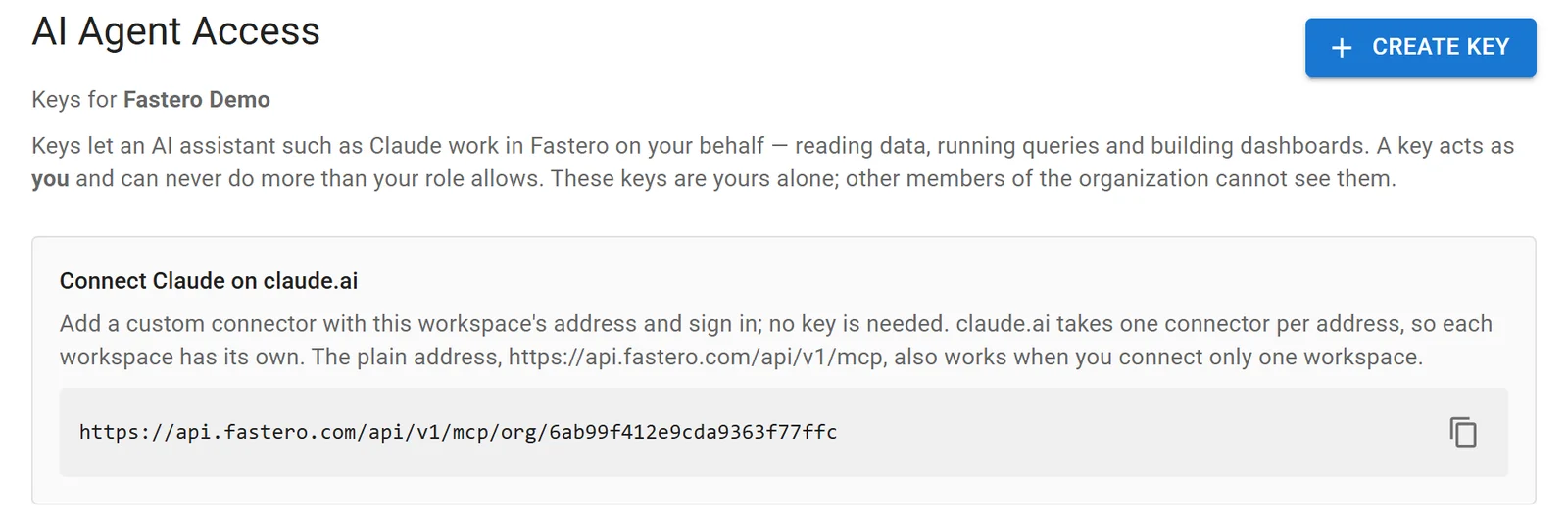
Connecting Claude to a Fastero workspace. Sample data.
The rules every server comes down to
- A read-only database user. AWS's MySQL server puts it plainly: "The actual security boundary is the database role you connect with." A server's read-only mode inspects SQL text, and SQL text can be dressed up.
- A query time limit, such as Postgres's
statement_timeoutor MySQL'smax_execution_time, so a runaway query stops by itself. - Only the tables the AI needs. Leave tokens, passwords and personal data out of the grants.
- A cost cap on warehouses that bill by data read, such as BigQuery's maximum bytes billed and daily quotas.
- Distrust instructions inside data. In July 2025, General Analysis showed an agent reading a support ticket that told it to copy private tokens — and it did. Don't give one agent both your database and a tool that can send data out.
- Authentication on any server with a web address. Some open-source servers listen on every network interface with no password unless you set one.
FAQ
What is an SQL MCP server?
A program that lets an AI assistant such as Claude read a SQL database's structure and query it through the Model Context Protocol. There are servers for PostgreSQL, MySQL, SQL Server, BigQuery, Snowflake, Oracle, SQLite and more, and some cover several databases at once.
What is Microsoft SQL MCP Server?
An open-source MCP server from Microsoft, part of Data API builder, introduced in April 2026. It works with SQL Server, Azure SQL, PostgreSQL, MySQL and Cosmos DB, and instead of letting the AI write SQL it offers seven fixed tools over the tables and views you expose.
Which SQL MCP server should I use?
The one built for your database, if it has one: your provider's own server or a maintained open-source one. For several databases, DBHub or Google's MCP Toolbox. For a team that wants charts and dashboards from the answers, a hosted connector such as Fastero's.
Can an SQL MCP server change my data?
Only if the database user it connects as can. Give it a user with read access only; then even a server without a read-only mode can't change anything.
Do I need a separate MCP server for every database?
No. Multi-database servers such as DBHub, MCP Toolbox and Microsoft SQL MCP Server cover several databases, and a hosted connector such as Fastero's reaches every database connected to it through one connector.
Related reading:
- Postgres MCP server
- MySQL MCP server
- BigQuery MCP server
- Best MCP servers for data analysis
- Best MCP servers for Claude Code
Sources: Introducing SQL MCP Server (Microsoft, 8 April 2026), SQL MCP Server overview, SQL MCP Server tools, DBHub, MCP Toolbox for Databases, MCP Alchemy, AWS Labs MCP servers, Claude Code MCP docs, Claude custom connectors, Claude directory: Snowflake, General Analysis on Supabase MCP. Checked 16 October 2026.
Try Fastero free — connect your databases once, then point Claude at all of them with read-only SQL, charts and dashboards your team can open. No credit card required.