
The Supabase MCP server lets an AI agent work on your Supabase project directly: Claude Code, Cursor or claude.ai can list your tables, run SQL, apply migrations, deploy edge functions and read your logs, with you approving each step. Supabase hosts it, so setup is one address and a browser sign-in. The part worth slowing down for is what the agent can reach once it's connected, because by default that's everything you can reach.
The short answer: add https://mcp.supabase.com/mcp to your client and sign in when it asks. In Claude Code that's claude mcp add --transport http supabase "https://mcp.supabase.com/mcp", then /mcp to authenticate; on claude.ai it's the Supabase connector in Claude's directory. Before it touches a project with real data, add ?project_ref=<your-project-ref>&read_only=true to the address. Read-only mode stops writes, not reads: the Postgres user it runs as can read every table, auth.users included, and Row Level Security doesn't apply to it.
What the Supabase MCP server is
Supabase has hosted the server at https://mcp.supabase.com/mcp since October 2025. You don't create a token for it: the first time a client connects, a browser window opens, you sign in to Supabase and grant access to one organization. From then on the agent acts with your own permissions in that organization — on every project in it, unless you pin it to one. The server's sign-in metadata still calls it a beta.
Anthropic lists it as a verified connector in Claude's directory, and the code is open source under Apache 2.0 at github.com/supabase/mcp, where it moved from supabase-community in June 2026. The npm package, @supabase/mcp-server-supabase, reached version 0.14.0 on 14 October 2026; you only need it to run the server yourself with an access token.
It has 33 tools in eight groups:
| Group | Tools | On by default |
|---|---|---|
| Database | list_tables, list_extensions, list_migrations, apply_migration, execute_sql | Yes |
| Debugging | query_logs, get_advisors | Yes |
| Development | get_project_url, get_publishable_keys, generate_typescript_types | Yes |
| Edge Functions | list_edge_functions, get_edge_function, deploy_edge_function, create_edge_function_secret | Yes |
| Account | list_projects, get_project, create_project, pause_project, restore_project, list_organizations, get_organization, get_cost, confirm_cost | Yes, until you set a project |
| Docs | search_docs | Yes |
| Branching (experimental, paid plans) | create_branch, list_branches, delete_branch, merge_branch, reset_branch, rebase_branch | Yes |
| Storage | list_storage_buckets, get_storage_config, update_storage_config | No |
Set it up
Claude Code
Supabase's own command adds the server for everyone who works in the repository:
claude mcp add --scope project --transport http supabase "https://mcp.supabase.com/mcp"Then run claude /mcp in a regular terminal, not the IDE extension, pick supabase and choose Authenticate. --scope project writes the address to .mcp.json, and here that file is safe to commit because it holds no secret: each person signs in with their own Supabase account, and Claude Code asks before it uses a server from a project file.
To pin it to one project, read-only, with only the database and docs tools:
claude mcp add --scope project --transport http supabase "https://mcp.supabase.com/mcp?project_ref=<your-project-ref>&read_only=true&features=database,docs"The project ref is the part of your dashboard's address after /project/. Supabase also publishes a Claude Code plugin that bundles the server with its agent skills. The plugin connects to the plain address, without read-only mode, and if you install it, remove any server you added by hand so the tools don't load twice.
Cursor and VS Code
Cursor reads .cursor/mcp.json in the project, or ~/.cursor/mcp.json for every project:
{
  "mcpServers": {
    "supabase": {
      "url": "https://mcp.supabase.com/mcp"
    }
  }
}
VS Code reads .vscode/mcp.json, in a slightly different shape:
{
  "servers": {
    "supabase": {
      "type": "http",
      "url": "https://mcp.supabase.com/mcp"
    }
  }
}
Each sends you to Supabase's sign-in the first time it connects. The Cursor CLI shares Cursor's file, and agent mcp login supabase signs it in.
claude.ai and Claude Desktop
Supabase is in Claude's connector directory, marked "Anthropic verified": find it under Customize → Connectors, connect it and sign in to Supabase. Claude Desktop uses the connectors on your Claude account, so there's no config file to edit — Supabase doesn't publish a claude_desktop_config.json snippet at all — and Claude Code picks them up too when you're signed in with the same claude.ai account.
Codex, Gemini CLI, Copilot CLI and Devin Desktop
The commands from Supabase's docs:
# Codex
codex mcp add supabase --url "https://mcp.supabase.com/mcp"
codex mcp login supabase

# Gemini CLI
gemini mcp add -t http supabase "https://mcp.supabase.com/mcp"

# GitHub Copilot CLI
copilot mcp add --transport http supabase "https://mcp.supabase.com/mcp"

# Devin Desktop, called Windsurf until June 2026
devin mcp add -s user supabase "https://mcp.supabase.com/mcp"
devin mcp login supabase
Older Windsurf guides wrap the address in npx mcp-remote. Supabase stopped publishing that in August 2026; Devin Desktop connects to the address directly.
In CI, with a scoped token
Where nobody can click through a sign-in, Supabase uses a personal access token in a header. This is its example for Claude Code in GitHub Actions:
{
  "mcpServers": {
    "supabase": {
      "type": "http",
      "url": "https://mcp.supabase.com/mcp?project_ref=${SUPABASE_PROJECT_REF}",
      "headers": {
        "Authorization": "Bearer ${SUPABASE_ACCESS_TOKEN}"
      }
    }
  }
}
Make it a scoped token, never a classic one. A classic token carries every permission on every organization and project you belong to, including the ones you join later.
Fastero
Point Claude at your database.
Add Fastero to claude.ai or Claude Code. Claude builds the dashboard, deploys the app or publishes a live page, and your team opens it in Fastero.
Try free →The options that pin it down
The address takes four options, which combine like any query string — ?project_ref=abc123&read_only=true:
| Option | What it does |
|---|---|
project_ref=<ref> |
Limits the server to one project and removes the nine account tools |
read_only=true |
Runs SQL as a read-only Postgres user and hides every tool that changes something |
features=database,docs |
Turns on only the groups you name |
skip_elicitations=<tools> |
Skips Supabase's confirmation forms for the tools you name |
For a production project, Supabase's docs ask for the first three together: "scope the server to that project, enable read-only mode, restrict the available feature groups". The fourth is for automation, and it skips forms only; it doesn't get around permissions, read-only mode or charges.
Scoped personal access tokens, generally available since 6 October 2026, are the only way to narrow the server by permission. You pick the projects, read or read-write for each capability, and an expiry up to a year out, and "SQL runs read-only unless the token has Database read-write." The browser sign-in, by contrast, asks for every scope.
What can go wrong: the 2025 demonstration
In June 2025 the security firm General Analysis built a support app on Supabase, with Row Level Security set up as documented, and had a developer use Cursor with the Supabase MCP server. An attacker filed a support ticket whose text spoke to the agent directly, asking it to read the integration_tokens table and add the contents to the ticket. When the developer asked the agent to look at the latest ticket, it ran two extra queries — one to read the tokens, one to write them into the ticket — and the attacker refreshed the page and read the secrets. "No permissions were violated," General Analysis wrote. "The agent just followed instructions it should never have trusted."
The post spread in July, when Simon Willison filed it under his "lethal trifecta": private data, untrusted content and a way to send data out, all within one agent's reach. Supabase's changes started within two days of the original post:
- Its docs began recommending read-only mode by default.
- SQL results come back wrapped in a warning that tells the model not to follow instructions inside them. Supabase calls this "not foolproof".
- Since version 0.13.0, in September 2026,
execute_sqlandapply_migrationask you to confirm SQL that looks destructive —DROP,DELETE,TRUNCATE, anUPDATEwithoutWHERE— in clients that support forms, Claude Code among them. Supabase calls it "a guardrail", and "not a security guarantee". - Scoped access tokens arrived in October 2026.
Supabase said in September 2025 that no customer had reported a data leak through MCP. Its guidance has since loosened. Until 4 September 2026 the docs said "Don't connect to production"; now they say to connect a production project "only when the task requires production evidence", pinned to that project, read-only, with only the tool groups you need. Two rules haven't changed: keep your client's approval prompt on for every tool call, and don't hand the server to your customers, because it acts with your developer permissions.
What read-only mode does, and what it doesn't
Read-only mode works at three levels. The server hides the tools that change something and refuses them if they're called anyway. execute_sql runs as a read-only Postgres user. And that user's transactions are read-only by default.
The user Supabase creates in every project for this is supabase_read_only_user. We checked what it can do on a free Supabase project running Postgres 17.11:
- It can't write. It isn't a member of
pg_write_all_data, and its settingdefault_transaction_read_only=onmakes each transaction read-only. - It can read everything. It's a member of
pg_read_all_data, which grantsSELECTon every table in every schema —auth.usersincluded, where each sign-up's email address lives. - Row Level Security doesn't apply to it. It has the
BYPASSRLSattribute, so your policies never filter what it sees.
So read-only mode closes the write half of the 2025 attack — the agent can't plant your data where an attacker can read it — but not the read half. The agent can still read any table and repeat what it found into the chat, a file or another tool. If a project holds data an agent shouldn't see, pin the server to a project without it, or give the agent a narrower route: a Postgres role you grant table by table, or Supabase's PostgREST MCP server with your publishable key, so your Row Level Security policies apply.
Self-hosted Supabase and local development
With the Supabase CLI, point your client at http://localhost:54321/mcp. A self-hosted install serves the server from Studio at /mcp. Both have a smaller set of tools — the docs, database, development and debugging groups — and no OAuth. On a self-hosted install the API gateway refuses every connection to /mcp by default, and Supabase's docs say never to open it to the internet; reach it through a VPN or an SSH tunnel instead:
-
Find the Docker gateway's IP address (on installs from before August 2026, the container is
supabase-kong):docker inspect supabase-envoy --format '{{range .NetworkSettings.Networks}}{{println .Gateway}}{{end}}' -
Allow that address on the
/mcproute — in the RBAC block ofvolumes/api/envoy/lds.template.yaml, or theip-restrictionplugin involumes/api/kong.yml— and restart the gateway withsh run.sh restart api-gw. -
Open a tunnel from your machine,
ssh -L localhost:8080:localhost:8000 you@your-supabase-host, and point your client athttp://localhost:8080/mcp.
Other ways to give an agent your Supabase data
Any Postgres MCP server can connect to a Supabase database with a connection string, which is how you get Row Level Security or a role of your own:
| Server | What it is | What limits its reads | Good for |
|---|---|---|---|
| Supabase MCP, read-only | Supabase's hosted server | A read-only user that sees every table, without Row Level Security | Building and debugging your own project |
| Supabase PostgREST MCP | Supabase's open-source server for the Data API | Your Row Level Security policies, when you give it the publishable key rather than a secret one | An agent that should see only what your app's users see |
| Fastero | A hosted connector for claude.ai and a key for Claude Code | The role you connect with; SQL that could change data is refused | Answers the team keeps: charts, dashboards, shared definitions |
| DBHub | Bytebase's open-source server, on your machine | Its read-only mode and your role | Several databases from one server |
| MCP Toolbox for Databases | Google's open-source server | Your role only | Teams on Google Cloud, or many databases |
| Postgres MCP Pro | Crystal DBA's open-source server | Its restricted mode, plus your role | Index and query-tuning advice |
Postgres MCP Pro's last release, 0.3.0, came out in May 2025, and a bypass of its restricted mode published in September 2026 (CVE-2026-85620) still had no merged fix on 22 October, so run it only with a read-only role underneath. Skip the archived @modelcontextprotocol/server-postgres altogether: its read-only mode can be escaped with COMMIT;, as our Postgres MCP guide explains.
Three things trip people up when they connect one of these to Supabase:
- Use the session pooler. On the Free plan a direct connection to
db.<ref>.supabase.cois IPv6-only, which many networks can't reach. The shared pooler on port 5432 works over IPv4 on every plan. Its sibling on port 6543, transaction mode, doesn't support prepared statements, which some drivers use by default. - Copy the host, don't build it. Pooler hosts look like
aws-0-us-east-1.pooler.supabase.com, but the number is a cluster index you can't work out from your region. Copy the whole string from your project's Connect dialog. - Mind the username. Through the shared pooler it's
postgres.<ref>, orrole_name.<ref>for a role you created — such as a read-only role made with the SQL in the Postgres MCP guide. Addsslmode=require.
Common problems
- The agent can't see your project. The sign-in grants one organization. Disconnect, reconnect, and pick the organization that holds the project.
npx mcp-server-supabaseran something else. That unscoped name was malware from May 2026: it sent your machine's name, operating system and working folder to an outside server until npm replaced it in August. Supabase's package is@supabase/mcp-server-supabase, with the@supabase/scope.- The local package asks for a token. Without a browser sign-in it needs a personal access token in
SUPABASE_ACCESS_TOKENor--access-token. Make it a scoped one. - Windows can't start the local package. Older configs need
"command": "cmd"with"/c", "npx"at the start of the arguments. The hosted address avoids the problem. - Calls fail on a Free project you haven't touched in a while. Supabase pauses Free projects after a week of low activity; restore it from the dashboard. A Free account can have two active projects.
- Branching tools fail. They need a paid plan, and creating a branch or a project asks you to confirm the cost first.
Using Supabase with Fastero
Fastero is an AI and data platform where people and AI agents work together on a team's data, and a Supabase database connects to it like any Postgres. Add a data source and choose Supabase, then copy the Session pooler string from your project's Connect dialog and paste it. Fastero fills in the host, port and user, asks for the password Supabase never displays, and connects over SSL. Its table list leaves out the schemas Supabase keeps in every project — auth, storage, realtime, vault and the rest — except auth.users, where your app's sign-ups live. Connect with a read-only role rather than postgres, using the role_name.<ref> username above.
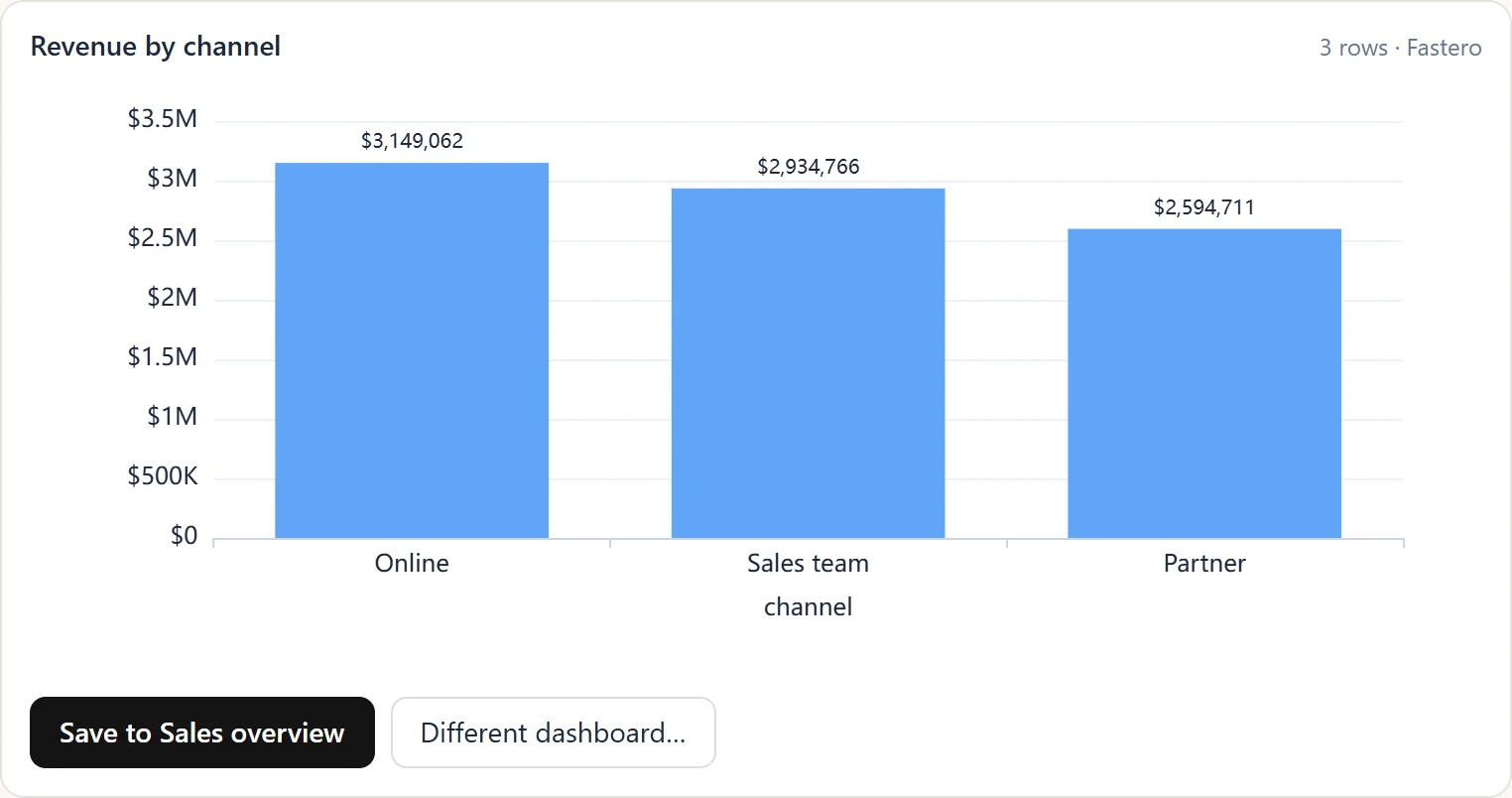
A chart Claude drew from a database through Fastero's connector, one click from a team dashboard. Sample data.
- Claude asks through Fastero's connector. Add Fastero to claude.ai as a custom connector, or give Claude Code a key. Its SQL tool takes one
SELECT,WITH,EXPLAINorSHOWstatement, refuses anything that could change data, and on Postgres runs inside a read-only transaction. A key never does more than your role in the workspace allows, and a new key starts at reading and querying only. - Results stay small. Claude reads at most 500 rows or about 100 KB of a result, so an over-eager
SELECT *can't pull a whole table into the conversation. - Answers stay with the team. A chart Claude draws can go onto a dashboard colleagues open with their own login. The SQL behind a metric can be saved as a shared definition, so the next question about "active users", from Claude or from Fastero's own assistant, uses the same expression. Notebooks with SQL cells run against the same connection.
Supabase's server is built for building the app: migrations, edge functions, logs, advisors and branches. Fastero is for the questions about what's in the database, and for keeping the answers where the rest of the team can find them.
FAQ
What is the Supabase MCP server URL?
https://mcp.supabase.com/mcp for Supabase's hosted platform. Add ?project_ref=<ref>&read_only=true to limit it to one project, read-only. With the Supabase CLI it's http://localhost:54321/mcp, and a self-hosted install serves it at /mcp behind its API gateway, closed until you allow your address.
Do I need a personal access token?
Not for the hosted server: clients that support OAuth open a browser sign-in instead. You need a token only where nobody can sign in, such as CI, or to run the npm package yourself. Use a scoped token, which can be limited to chosen projects with read-only database access and an expiry date.
Does the Supabase MCP server respect Row Level Security?
Not for its SQL. Your policies still apply to your app's users, but the server's queries run as a privileged database user; in read-only mode that's supabase_read_only_user, which has BYPASSRLS and reads every table. For an agent that should see only what your policies allow, use Supabase's PostgREST MCP server with your publishable key.
Is it safe to connect it to a production project?
Supabase now allows it "only when the task requires production evidence", pinned to one project, read-only, with only the tool groups you need. Read-only mode still reads every table, so keep your client's approval prompt on, and keep untrusted text — support tickets, form submissions, web pages — out of the same session.
Does it work with Windsurf?
Windsurf is now Devin Desktop, and Supabase's docs list it under that name: devin mcp add -s user supabase "https://mcp.supabase.com/mcp", then devin mcp login supabase. The mcp-remote wrapper in older guides is no longer needed.
Hosted server or npm package?
The hosted server, unless you have a reason not to: it signs in with OAuth, needs no token on disk, and Supabase keeps it current. The npm package suits a server you run with a scoped token, and it now has an --http mode that serves the same tools on your own machine.
Related reading:
- Postgres MCP server: connect Claude to PostgreSQL safely
- MCP security: what goes wrong and 12 checks before you connect a server
- Best MCP servers for data analysis
- Best MCP servers for Claude Code
- Neon vs Supabase
Sources: Supabase MCP docs, supabase/mcp on GitHub, @supabase/mcp-server-supabase on npm, Supabase remote MCP server announcement (3 October 2025), Scoped personal access tokens GA (6 October 2026), Supabase personal access tokens, Defense in Depth for MCP Servers (16 September 2025), General Analysis: Supabase MCP can leak your entire SQL database, Simon Willison on the lethal trifecta (6 July 2025), Self-hosted Supabase MCP, Connecting to Supabase Postgres, Free project pausing, OSV MAL-2026-5485, Postgres MCP Pro, DBHub, MCP Toolbox for Databases, Supabase PostgREST MCP server, Windsurf is now Devin Desktop, Supabase in Claude's connector directory. Checked 22 October 2026.
Try Fastero free — connect your Supabase database, let Claude query it read-only, and turn the answers into dashboards your team can open. No credit card required.