 Fastero Dev Team
Kaggle and Google Colab are the two places most people get a free GPU notebook, and both belong to Google. They're built for different things: Kaggle for competitions and public datasets, with limits it publishes; Colab for quick notebooks next to your Google Drive, with limits it mostly doesn't. This compares them on what each one states, as of November 2026.
The short answer: for free GPU work, Kaggle is the more predictable of the two. It publishes a weekly GPU allowance of "30 hours or sometimes higher", gives you a P100 or two T4s for sessions of up to 12 hours, keeps 20 GB of files, and runs a notebook with the tab closed or on a daily, weekly or monthly schedule. Colab is quicker to start from Google Drive and has paid plans for faster GPUs, but its free tier gives a T4 "subject to quota restrictions and availability" with no published allowance, stops when you close the tab, and has no scheduling since March 2026. Many people use both.
Fastero
Jupyter notebooks for your team, with nothing to install.
Start a notebook or bring your .ipynb files. SQL cells query your databases with no password in the code, and a notebook runs now or on a schedule. Colleagues open it with their own login; viewers are free.
Try free →Side by side
| Kaggle Notebooks | Google Colab (free) | |
|---|---|---|
| Price | Free; no paid plan | Free; paid plans from $9.99 a month |
| GPU | One P100 or two T4s | A T4, "subject to quota restrictions and availability" |
| GPU allowance | "30 hours or sometimes higher" a week, with your own quota in your account settings | Not published |
| TPU | A TPU v3-8, per Kaggle's docs, sessions up to 9 hours | A TPU v5e-1 since September 2025 |
| Longest session | 12 hours on CPU or GPU | "At most 12 hours, depending on availability" |
| Idle timeout | 20 minutes for an interactive session in Kaggle's notebook docs (its GPU tips page says 60) | Not published |
| RAM | About 30 GB on CPU, 29 GB with a GPU | Not published; users measured about 12 GB in 2026 |
| Files kept between sessions | 20 GB in /kaggle/working |
None on the machine; use Google Drive |
| Closing the tab | Save & Run All runs the notebook as its own session | Execution stops |
| Scheduled runs | Daily, weekly or monthly, or when a dataset changes | None since 27 March 2026 |
| Data | Kaggle's public datasets attach in a click | Google Drive mounts in a cell |
| Sign-up | Kaggle account; a verified phone for GPUs and internet | Any Google account |
Free GPUs
This is the main reason people compare the two. Kaggle states its allowance on its GPU tips page: "The quota resets weekly and is 30 hours or sometimes higher depending on demand and resources." Your exact quota, and what's left of it, is in your account settings. The GPU you choose is fixed: one Tesla P100, or two T4s for code that can use both.
Colab names its free GPU, "The free of charge version of Colab grants access to Nvidia's T4 GPUs subject to quota restrictions and availability", but not the allowance: "Usage limits are much lower than they are in paid versions of Colab." When it's used up you see "You cannot currently connect to a GPU due to usage limits in Colab", for a period Google doesn't state. Our Colab limits guide covers those messages.
So for a weekly training budget you can plan, Kaggle wins; for an occasional GPU in a notebook you already have in Drive, Colab is quicker.
Long runs and the closed tab
Both cap a session at about 12 hours. The difference is what happens when you walk away:
- Kaggle: an interactive session ends after its idle time, but Save & Run All starts a fresh session that runs the notebook top to bottom and keeps going after you close the tab, within the 12 hours. Its output is saved with the notebook's new version.
- Colab free: "execution will be interrupted when user interaction ceases, and the VM will be deleted soon after that." Only Colab Pro+, at $49.99 a month, keeps code running with the browser closed, for up to 24 hours.
Files, data and setup
Kaggle keeps 20 GB in /kaggle/working between sessions and attaches its public datasets and competition data in a click, which makes it the natural home for competitions. Anything outside that folder disappears.
Colab keeps nothing on the machine: a runtime's disk is deleted with it. Mount Google Drive and save there, copying one archive rather than many small files. In return, a notebook in Drive opens in Colab in one click and shares like any Drive file.
Scheduling
Kaggle can rerun a notebook daily, weekly or monthly, or whenever a dataset it uses changes, at most once a day. Consumer Colab dropped scheduling on 27 March 2026, when a Colab product manager announced "we're turning this feature off starting today". Colab Enterprise, the Google Cloud version, still schedules notebooks; see our Colab Enterprise guide.
Jupyter notebooks for your team.
Start free →Paying for more
Kaggle has no paid plan: when the quota runs out, you wait for next week. Colab sells more:
| Plan | Price (US) | What it adds |
|---|---|---|
| Pay As You Go | $9.99 for 100 compute units | Paid GPUs with no subscription |
| Colab Pro | $9.99 a month, 100 units | Faster GPUs and high-memory machines when available |
| Colab Pro+ | $49.99 a month, 600 units | Background execution for up to 24 hours; H100 and G4 GPUs, which are Pro+ only since August 2026 |
What units buy on each GPU is in our Colab Pro guide. Units buy time, not a guaranteed machine: faster GPUs remain "subject to availability".
Using both together
They connect in two ways:
- Extra Kaggle hours for Colab subscribers. "Colab Pro and Pro+ users will get 15 and 30 hours of extra GPU hours per week respectively on Kaggle", hours that "don't consume your Colab compute units". Kaggle calls it "a limited time promotion".
- Kaggle's machine from Colab's editor. Kaggle runs a Jupyter server you can connect a Colab notebook to: in Colab, "navigate to Reconnect > Connect to a local runtime", and Kaggle says the same steps work for "any existing Colab notebook".
And the simplest pattern: when one allowance runs out, the other is usually still there.
Which to use
Choose Kaggle for a free GPU you can plan around, competitions, public datasets, runs that should finish with the tab closed, and a notebook that reruns every day or week.
Choose Colab when your files are in Google Drive, when you want to start in seconds, or when you're willing to pay for faster GPUs and longer runs.
Choose neither for a notebook built on your company's database that colleagues depend on: both are personal tools built around public data, and connecting a private database, keeping its password out of the notebook and giving a team access are left to you.
When the notebook is for a team
Fastero is an AI and data platform where people and AI agents work together on a team's data. Its notebooks are standard .ipynb files, so a notebook from Kaggle or Colab comes across as it is:
- SQL cells query a workspace connection and hand the rows to Python as a pandas DataFrame; database passwords stay in the workspace's Secrets.
- Schedules on the Free plan: run a notebook now or on any cron schedule, hourly included, with no tab open.
- Sharing with a sign-in: colleagues open it with their own login, and viewers are free.
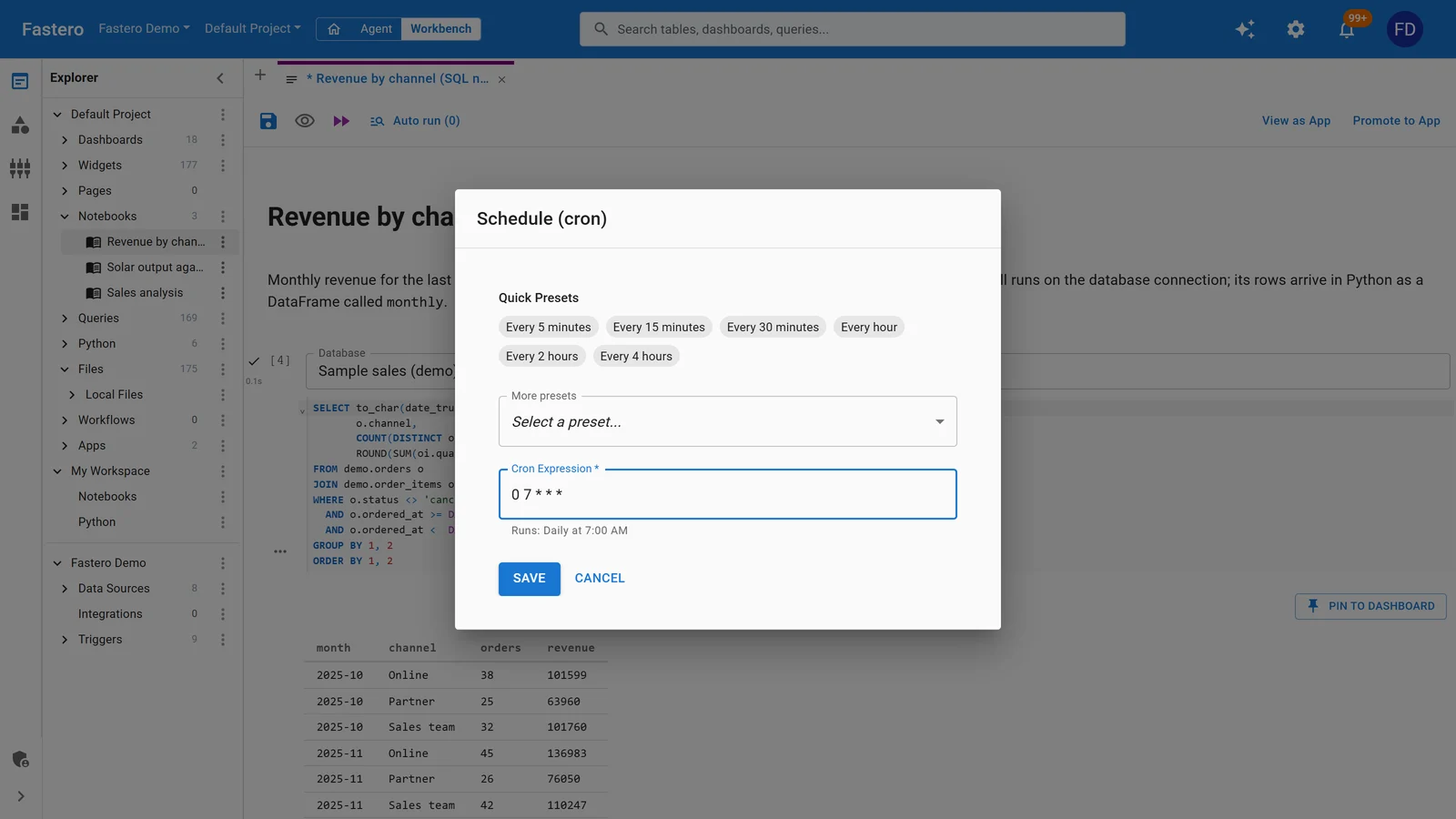
Scheduling a notebook in Fastero. Sample data.
Fastero runs notebooks on CPU machines and has no GPUs: keep Kaggle or Colab for training. More in our guides to Kaggle Notebooks and Colab alternatives.
FAQ
Is Kaggle better than Colab?
For free GPU work, usually: Kaggle publishes a weekly allowance of about 30 hours, keeps 20 GB of files, and can run notebooks with the tab closed or on a schedule. Colab is better when your work is in Google Drive or you want to pay for faster GPUs.
Which has more free GPU, Kaggle or Colab?
Kaggle publishes "30 hours or sometimes higher" a week, on a P100 or two T4s. Colab doesn't publish its free allowance, and users report being cut off for one to several days once they've used it.
Is Kaggle's GPU faster than Colab's?
Free Colab gives a T4; Kaggle gives a P100 or two T4s. Two T4s have more memory in total for code that uses both. Colab's paid plans reach L4, A100, H100 and G4 GPUs, which Kaggle doesn't offer.
How long can a Kaggle or Colab notebook run?
Up to 12 hours a session on either, 9 on Kaggle's TPU. Kaggle's Save & Run All keeps going with the tab closed; free Colab stops when you leave.
Can I use Kaggle's GPU from Colab?
Yes. Kaggle runs a Jupyter server that a Colab notebook can connect to through Colab's Connect to a local runtime option, using your Kaggle allowance.
Can Kaggle or Colab run a notebook on a schedule?
Kaggle can, daily, weekly or monthly, or when a dataset changes. Consumer Colab can't since 27 March 2026; Colab Enterprise on Google Cloud can.
Do Kaggle and Colab keep my files?
Kaggle keeps 20 GB in /kaggle/working. Colab keeps nothing on the machine; save to Google Drive.
Sources
Read on 6 November 2026:
- Kaggle — Notebooks documentation, Efficient GPU usage tips
- Google — Colab FAQ, Colab sign-up page and plan FAQ, Making the most of your Colab subscription, Colab release notes
- Colab team on GitHub — Deprecation notice of scheduled notebooks (27 March 2026), H100 and G4 for Pro+ only (August 2026), TPU v2-8 retirement (2025)
- User measurements — Running LLMs on Google Colab (July 2026)
Try Fastero free — bring notebooks from Kaggle or Colab, run them on your team's data on a schedule, and share them with a sign-in. No credit card required.