 Fastero Dev Team
Kaggle Notebooks are hard to beat for what they are: free GPUs, a weekly allowance you can plan around, and every public dataset one click away. People look for an alternative for one of five reasons: they've run out of GPU hours, they need sessions longer than 12 hours, their data can't go on Kaggle, they want to work as a team, or they need a notebook to run on a schedule. Each reason has a different best answer.
The short answer: for more free GPU, nothing clearly beats Kaggle, which publishes about 30 hours a week; Colab's free T4 allowance is unpublished, Paperspace offers a free M4000 with 6-hour sessions, and Lightning AI gives new accounts free GPU hours. To pay for more, Colab Pro ($9.99 a month in the US) or Lightning AI, Paperspace or SageMaker Studio by the hour. For a notebook with no account at all, JupyterLite or Binder. For private data, teams or schedules, use a workspace (Deepnote, Databricks, SageMaker Studio, or a team notebook tool next to your database) rather than another free GPU site. Two former favourites are gone: SageMaker Studio Lab closed to new users on 30 July 2026, and Modal's hosted notebooks have shut down.
Fastero
Jupyter notebooks for your team, with nothing to install.
Start a notebook or bring your .ipynb files. SQL cells query your databases with no password in the code, and a notebook runs now or on a schedule. Colleagues open it with their own login; viewers are free.
Try free →What you're leaving: Kaggle's limits
| Kaggle Notebooks | November 2026 |
|---|---|
| GPU | One P100 or two T4s |
| GPU allowance | "30 hours or sometimes higher depending on demand and resources", resetting weekly |
| Session length | "12 hours execution time for CPU and GPU notebook sessions and 9 hours for TPU notebook sessions" |
| Idle timeout | 20 minutes in an interactive session; Save & Run All keeps going with the tab closed |
| Storage kept | 20 GB in /kaggle/working |
| Busy times | "Free GPU availability is limited: in busy times, you might be placed in a queue." |
| Paid plan | None. Colab Pro and Pro+ subscribers get 15 and 30 extra Kaggle GPU hours a week as a promotion |
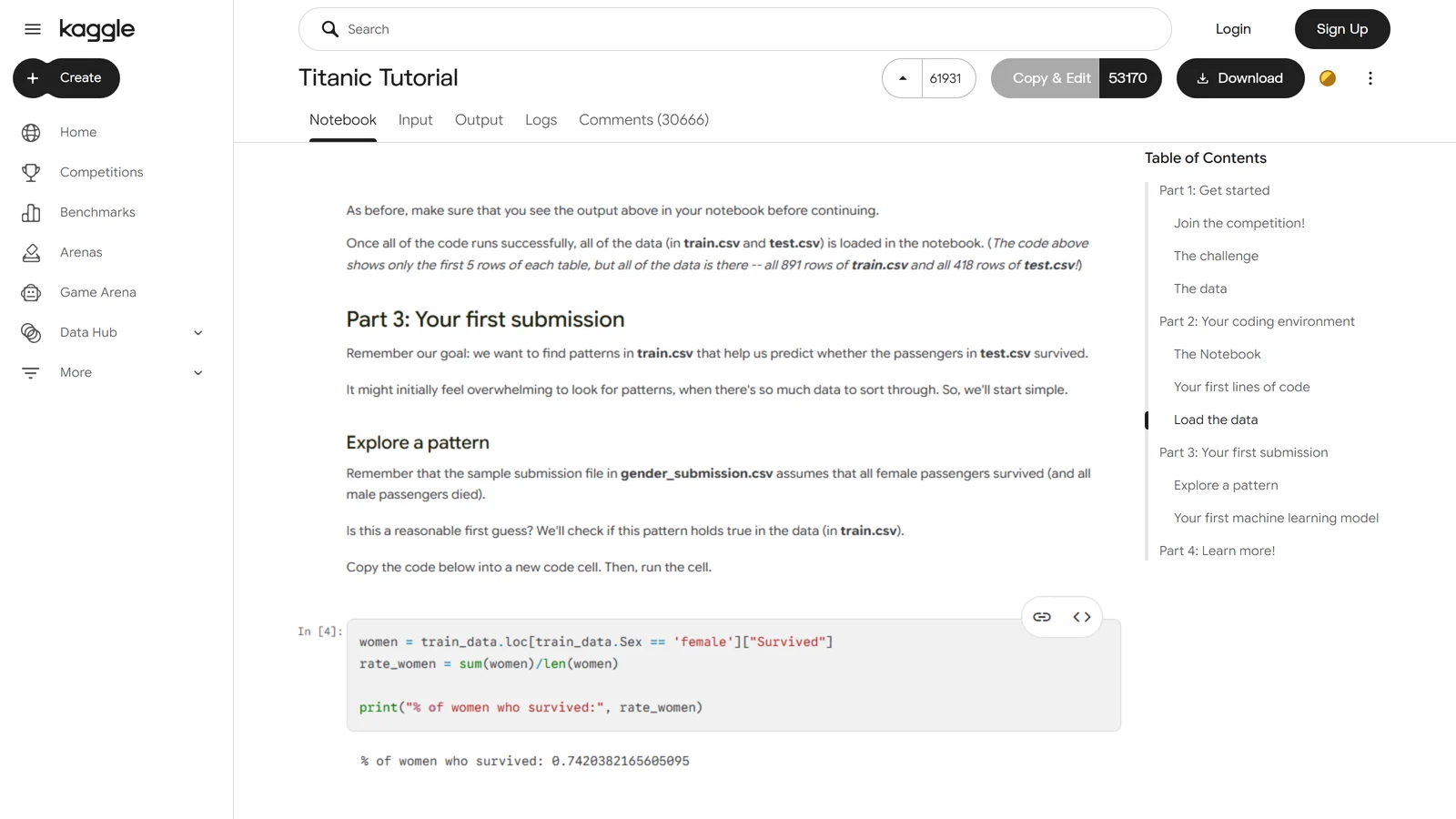
Kaggle hints that a paid tier may come: it expects the Colab promotion to "graduate to a sustainable, long term pay to scale feature on Kaggle." For now, if you need more than Kaggle gives, you go elsewhere.
The 12 alternatives at a glance
| Platform | Free tier | First paid step | Best for |
|---|---|---|---|
| Google Colab | T4 GPU "subject to quota restrictions and availability"; up to 12-hour sessions | Pro $9.99/month, Pro+ $49.99/month (US) | The quickest swap, especially from Google Drive |
| Lightning AI Studios | Free GPU hours and credits to start; 50 GB persistent storage; a free Studio that restarts every 4 hours | Pay as you go (T4 $0.55/hour, billed by the second); Pro $20/month billed yearly | Big GPUs by the hour on a persistent machine |
| Paperspace Notebooks | Free M4000 GPU; free machines stop after at most 6 hours; 5 GB storage | Pro $8/month; GPUs by the hour | A free GPU whose files persist |
| SageMaker Studio | AWS Free Tier: 250 hours a month of a small CPU instance for the first 2 months | Per instance-hour (T4 about $0.74/hour) | AWS shops; the replacement for Studio Lab |
| Saturn Cloud | A free plan, limits not published | Pay as you go after $5 of credit: CPU from $0.04/hour, T4 $0.53/hour | Hourly GPU workspaces |
| Deepnote | Up to 3 editors and 5 projects; CPU only | Team $39 per editor/month billed yearly, with scheduling and $50 of GPU a month | Team notebooks with SQL and scheduling |
| GitHub Codespaces | 120 core-hours a month on a free personal account; no GPU | From $0.18/hour (2 cores) | Notebooks next to a repository's code |
| JupyterLite | Runs entirely in your browser; no account, no server, no GPU | Free | Teaching, demos, a quick notebook |
| Binder (mybinder.org) | 1–2 GB of RAM, up to 6 hours, public repositories only; no GPU | Free (donated capacity) | Letting anyone run a public repo's notebooks from a link |
| Databricks Free Edition | Serverless compute with a daily quota; non-commercial use only | Pay-as-you-go Databricks | Learning Databricks and Spark |
| Hugging Face Spaces (JupyterLab) | Free CPU hardware, but creating the Space needs a paid plan since summer 2026 | PRO $9/month; GPUs hourly (T4 $0.40/hour) | A JupyterLab next to Hugging Face models and datasets |
| Team notebook workspaces | Varies | Usually per editor | Private company data, sharing and schedules |
Jupyter notebooks for your team.
Start free →For more GPU
Google Colab
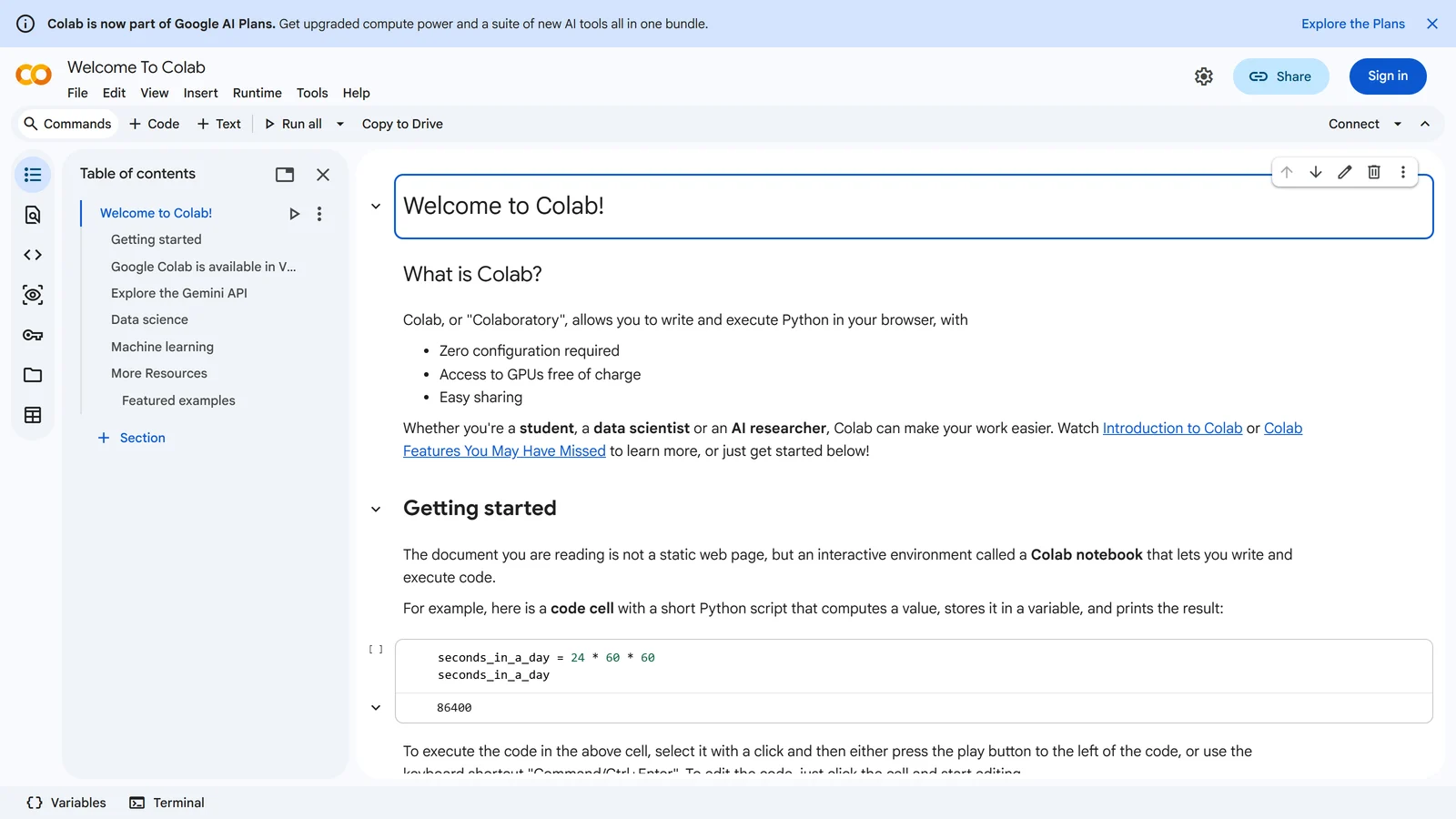
The closest swap: open a notebook in the browser, connect, and you're on a T4. Colab doesn't say how much: "Colab does not publish these limits, in part because they can vary over time." Free sessions run "for at most 12 hours, depending on availability and your usage patterns." Paying gets you compute units (they expire after 90 days) for faster GPUs: Pay As You Go, Pro at $9.99 a month or Pro+ at $49.99 in the US, and Colab benefits now also come with Google's AI plans. One loss in 2026: consumer Colab switched off scheduled notebooks on 27 March. Our Kaggle vs Colab comparison goes deeper.
Lightning AI Studios
A Studio is a cloud machine that keeps its files, so you don't reinstall packages every session. The free tier promises "50* free GPU hours" (the asterisk notes that prices vary) and "Up to 30 credits to start", with one free Studio that runs around the clock but needs a restart every 4 hours, and 50 GB of persistent storage. After that, GPUs are billed by the second, from $0.55 an hour for a T4 to $5.45 for an H100.
Paperspace Notebooks
Now part of DigitalOcean, Paperspace still has a free M4000 GPU and a free CPU machine. "When using free-tier machines, the maximum auto-shutdown timeout is 6 hours", free machines queue when they're busy, and you get 5 GB of storage that persists. Pro at $8 a month adds storage and more free GPU types; bigger GPUs are hourly, an A100 at $3.09.
SageMaker Studio
AWS's notebook service, and its named successor to Studio Lab, which "is no longer open to new customers." Since October 2026 you can sign up with a Google, GitHub or Apple account and get AWS Free Tier credits; SageMaker's free tier includes 250 hours a month of a small CPU instance for two months. GPUs are by the instance-hour: a T4 machine is about $0.74 an hour in AWS's own example. Our SageMaker Studio Lab post covers the closure.
Saturn Cloud
Hourly Jupyter, RStudio and VS Code workspaces, with a free plan to "familiarize yourself with our platform" whose limits aren't published. Hosted Pro starts with $5 of credit, then from $0.04 an hour for a small CPU machine and $0.53 for a T4. Note that the company now leads with inference and GPU capacity rather than notebooks.
Hugging Face Spaces
Hugging Face has a JupyterLab template for Spaces, running on free CPU hardware or paid GPUs (a small T4 is $0.40 an hour). Since mid-2026, though, "Gradio and Docker Spaces run on compute and require a paid plan to create", and the JupyterLab template is a Docker Space, so you need PRO at $9 a month. Storage is ephemeral, and set your own token: the default is huggingface.
For no account at all
JupyterLite
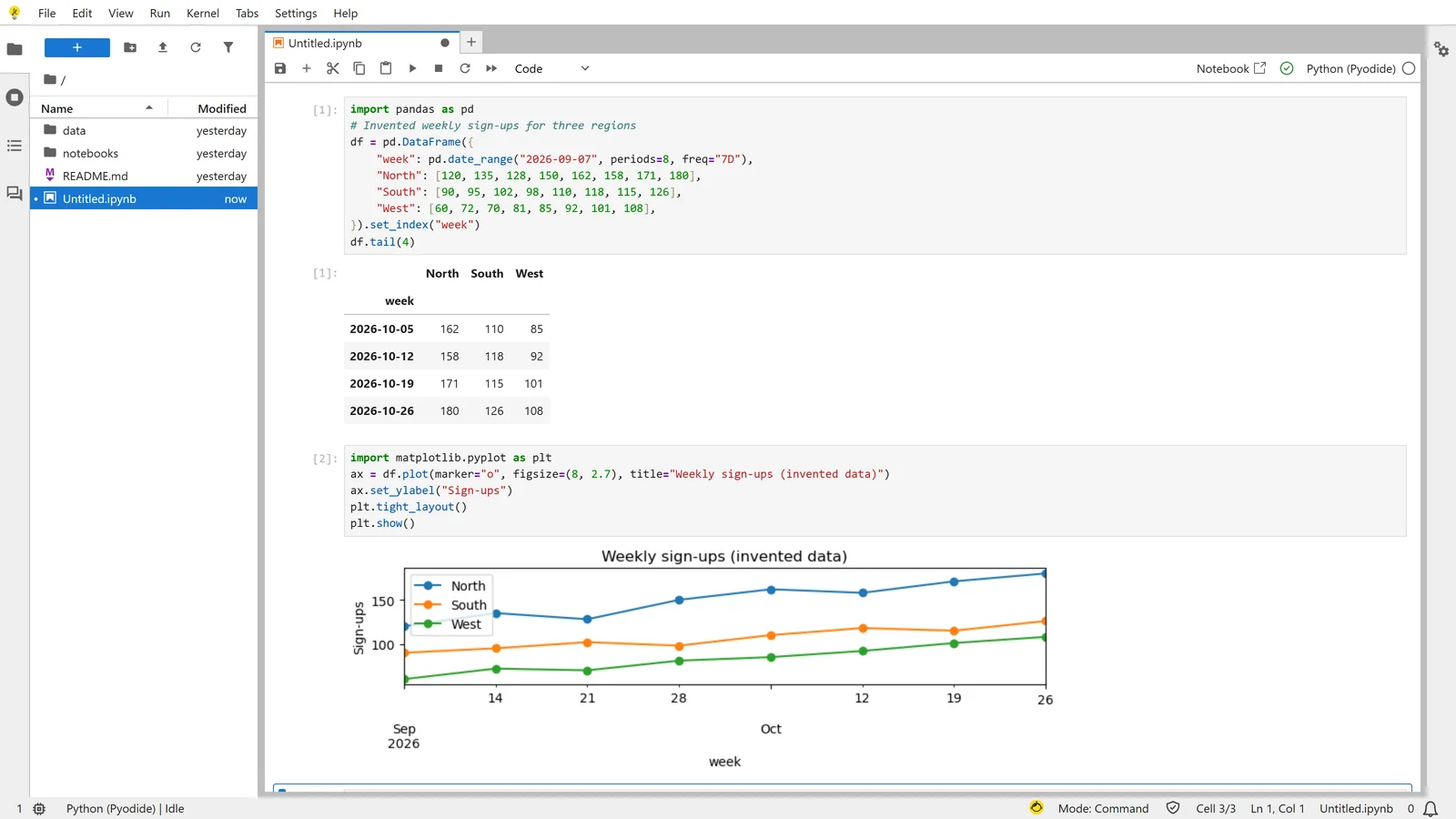
"JupyterLab distribution that runs entirely in the browser": Python runs in your browser tab through WebAssembly, so there's no server and no sign-up. Open jupyter.org/try, pick JupyterLab, and start a notebook. Our test notebook built a pandas DataFrame and drew a matplotlib chart in about 15 seconds. Files stay in your browser, there's no GPU, and not every package works, but for teaching and quick experiments it's remarkable.
Binder
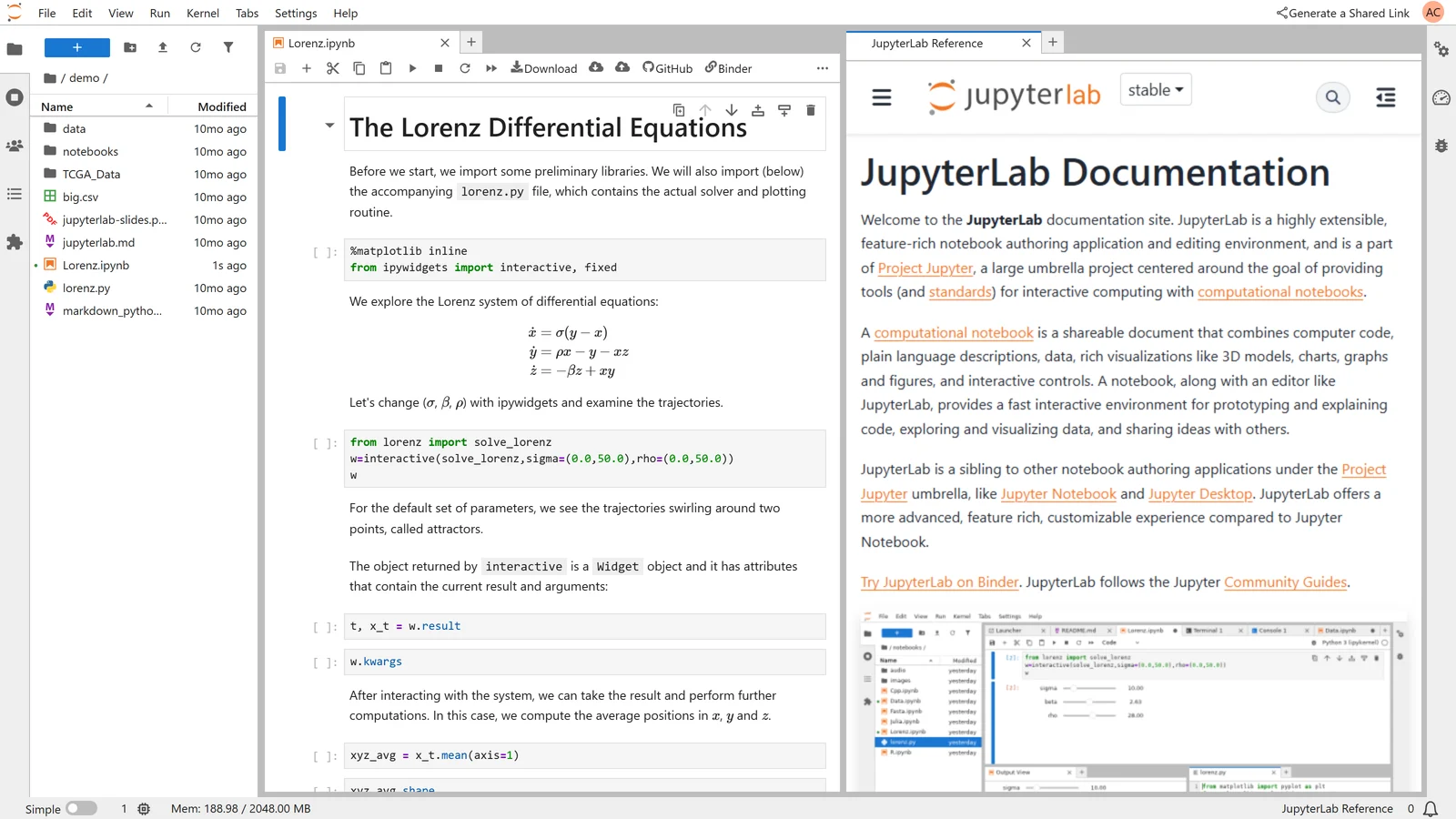
Paste a public GitHub repository into mybinder.org and you get a temporary JupyterLab with that repo's environment. Binder offers "at least 1GB of RAM, with a maximum of 2GB" and "up to six hours of session time", and it shuts sessions down after 10 idle minutes. Nothing is kept, and "there is no such thing as a private launch on mybinder.org." Our test repo took 104 seconds from link to running notebook, with the 2 GB cap visible in the status bar.
For teams, private data and schedules
Kaggle and free Colab are built for public data and one person at a time. If your data is your company's, the questions change: who can see the notebook, where the database password lives, and whether it runs every Monday without you.
- Deepnote: collaborative notebooks with SQL cells. The free plan has up to 3 editors and 5 projects on CPU machines; Team ($39 per editor a month, billed yearly) adds scheduled notebooks and "$50 worth of GPU every month."
- Databricks: notebooks inside a full data platform. Free Edition is for learning only ("Free Edition accounts may not be used for commercial purposes") with a daily compute quota.
- SageMaker Studio: if your data is already in AWS.
- GitHub Codespaces: if the notebooks live in a repository; organisation plans have no free quota.
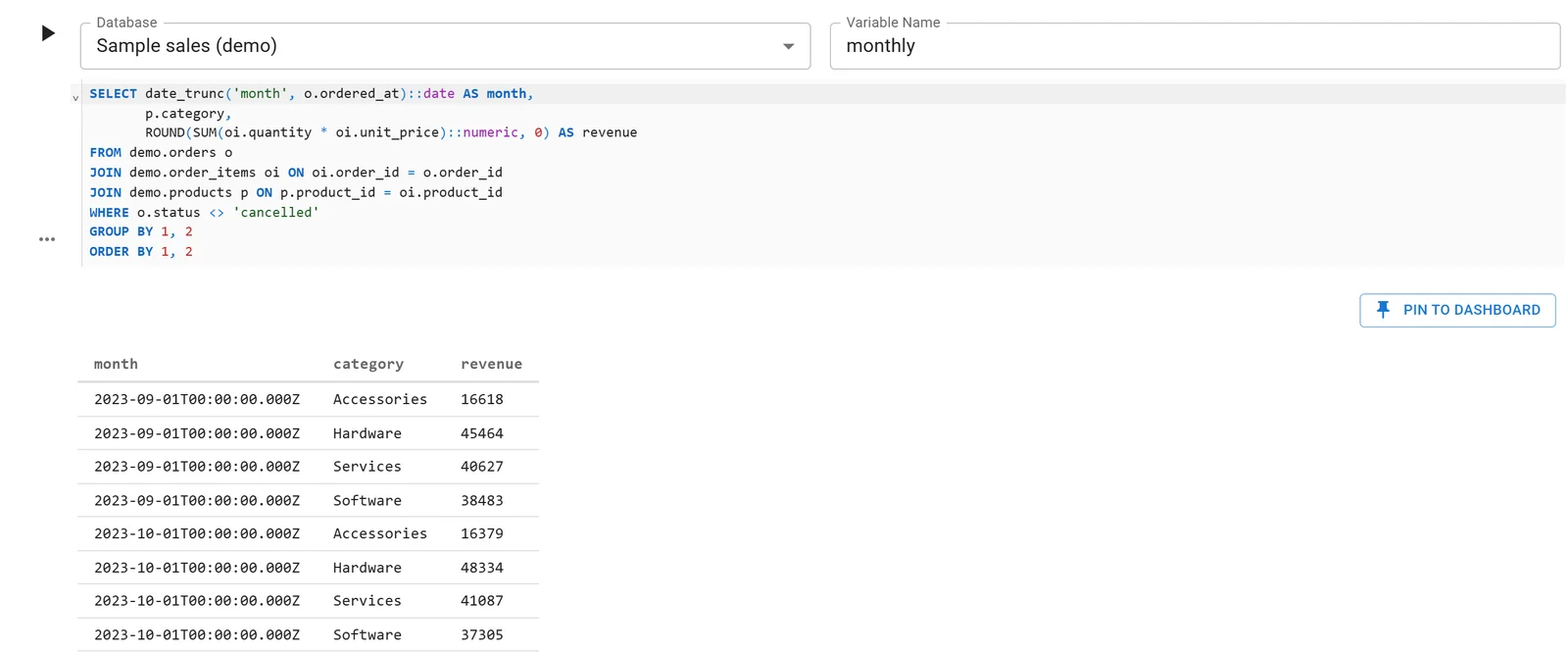
Fastero is another option for this case: Jupyter notebooks that run next to your team's databases. SQL cells query a connected database with no password in the code, keys live in Secrets, notebooks run now or on a schedule (on the Free plan too), and colleagues open them with their own login; viewers are free. It doesn't offer GPUs, so for training models keep Kaggle or rent GPUs by the hour.
Gone in 2026
- SageMaker Studio Lab stopped taking new users on 30 July 2026. Existing users keep 4-hour sessions.
- Modal Notebooks: "You can no longer create, view, edit, or run notebooks in the Modal notebook editor." They were still running in mid-October; existing notebooks can be downloaded as
.ipynb. Modal itself, with $30 of free credits a month, still runs Python on GPUs by the second, just without its notebook editor.
How to choose
| If you need | Use |
|---|---|
| More free GPU than Kaggle | Nothing reliably beats it; add Colab's free tier and Lightning AI's starting credits |
| Longer sessions | Colab Pro+ (background runs up to 24 hours), or Lightning, Paperspace or SageMaker by the hour |
| Files that persist between sessions | Lightning AI, Paperspace, SageMaker Studio |
| No account at all | JupyterLite, or Binder for a public repo |
| Private company data | A workspace connected to your database, not a public notebook site |
| Notebooks on a schedule | Deepnote Team, SageMaker, Databricks, or a team notebook workspace |
FAQ
What is the best alternative to Kaggle Notebooks?
For free GPU, Google Colab is the closest swap, though its allowance is unpublished and usually smaller. For paid GPU by the hour, Lightning AI or Paperspace. For teams and private data, a workspace such as Deepnote, Databricks or a notebook tool connected to your database.
Which free notebook gives the most GPU hours?
Kaggle, at about 30 hours a week. No other free service publishes a weekly allowance; Lightning AI gives new accounts free GPU hours and credits once.
Can I still sign up for SageMaker Studio Lab?
No. It closed to new customers on 30 July 2026. AWS points new users to SageMaker Studio, which has a free tier but bills GPUs by the hour.
Is Paperspace still free in 2026?
Yes. It has a free M4000 GPU and a free CPU machine, limited to 6-hour sessions and 5 GB of storage, with a queue when free machines are busy.
Does Hugging Face have free Jupyter notebooks?
It has a JupyterLab template for Spaces that can run on free CPU hardware, but since mid-2026 creating that kind of Space requires a PRO account at $9 a month.
How do I run a notebook for longer than 12 hours?
Colab Pro+ runs code in the background for up to 24 hours if you have compute units. Lightning AI, Paperspace and SageMaker Studio run as long as you pay for the machine.
Related reading:
- Kaggle notebooks: limits, GPUs and how they work
- Kaggle vs Colab
- Google Colab alternatives
- SageMaker Studio Lab
- Jupyter Notebook alternatives
- JupyterHub alternatives
Sources: Kaggle notebooks docs, Kaggle GPU usage, Colab FAQ, Colab plans, Lightning AI pricing, Paperspace pricing, Paperspace notebook docs, SageMaker Studio Lab availability, SageMaker pricing, Saturn Cloud hosted plans, Deepnote pricing, Codespaces billing, JupyterLite, mybinder.org guidelines, Databricks Free Edition limits, Hugging Face Spaces, JupyterLab on Spaces, Hugging Face pricing, Modal notebooks. Colab's US prices from its sign-up page as of 9 October 2026. Screenshots taken signed out on 8 November 2026.
Try Fastero free — Jupyter notebooks next to your team's databases, with SQL cells, Secrets and scheduled runs on the Free plan. No credit card required.