 Fastero Dev Team
JupyterHub gives each person on a team their own Jupyter server behind one login. It's free, flexible and widely used in universities and research groups. It's also a system someone has to run: an authenticator, a spawner that starts each user's server, storage for their files, upgrades and security fixes. Most people looking for an alternative want to keep the notebooks and hand off some of that work.
The short answer: to keep JupyterHub but stop operating it, use a managed service such as 2i2c ($15,000 a year plus per-user fees, with cloud costs at no markup). On a cloud, its own notebook service replaces the hub's logins, servers and storage: SageMaker Studio on AWS, Agent Platform Workbench or Colab Enterprise on Google Cloud (Vertex AI was renamed Gemini Enterprise Agent Platform on 22 April 2026). If people use several editors, Posit Workbench or Coder; if you already run Kubeflow, Kubeflow Notebooks; for a handful of people who only need to edit together, JupyterLab's real-time collaboration. And if you installed JupyterHub just to share notebooks on company data, a team notebook workspace replaces it outright.
Fastero
Jupyter notebooks for your team, with nothing to install.
Start a notebook or bring your .ipynb files. SQL cells query your databases with no password in the code, and a notebook runs now or on a schedule. Colleagues open it with their own login; viewers are free.
Try free →What you'd be replacing
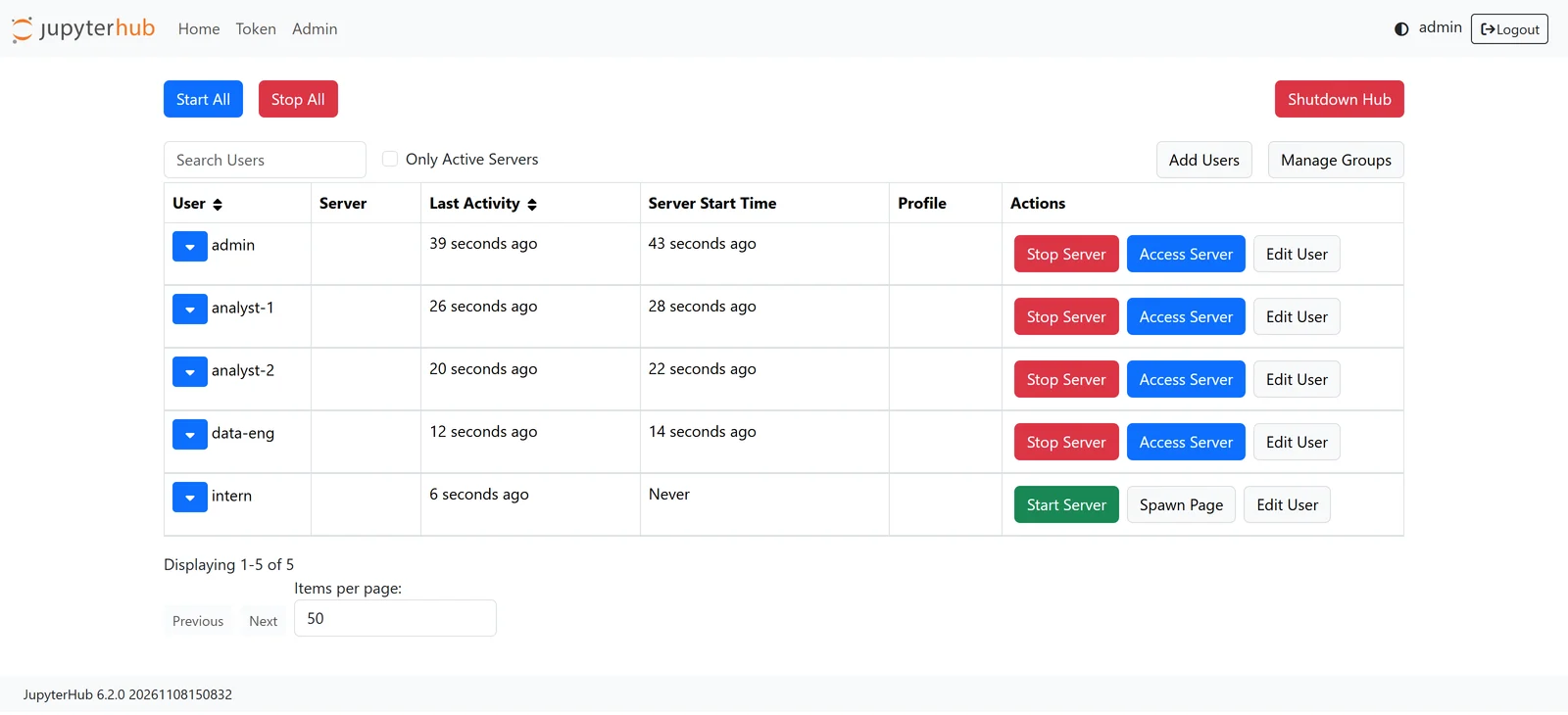
That admin page, from a throwaway JupyterHub 6.2.0 we ran with five invented users, is the job in one picture: users to add and remove, a server per person to start and stop, and a hub to keep up. Behind it sit five pieces each alternative handles differently:
- Logins (the authenticator): your identity provider, GitHub, LDAP.
- User servers: one Jupyter server per person.
- Storage: each person's home directory, kept between sessions.
- Spawning: how a server starts (a local process, a Docker container, a Kubernetes pod).
- Scaling: more machines as more people log in.
JupyterHub in November 2026
| Current state | |
|---|---|
| JupyterHub | 6.2.0, released 5 November 2026; 6.0.0 came out on 1 September. 6.2 upgrades its database schema at startup by default |
| Zero to JupyterHub (Kubernetes) | Helm chart 4.4.5, 6 November 2026, which still ships JupyterHub 5.5.5; JupyterHub 6 is only in development charts |
| The Littlest JupyterHub (one server) | Last release 2.0.0, October 2024; its installer pins JupyterHub below 6. For "a small (0-100) number of users on a single server" |
| Security | 12 security advisories published in 2026 so far, 10 of them between July and October |
| Trust model | Designed for "modestly sized groups of semi-trusted users"; "not suitable for untrusted users in its default configuration" |
None of that is a reason to leave. It's a list of what keeping JupyterHub involves: a major version this autumn that the Kubernetes chart hasn't adopted yet, a single-server distribution with no release in two years, and a steady stream of security fixes to apply. Our JupyterHub hosting guide covers running it.
The alternatives at a glance
| Option | What it takes off your hands | Hosting | Pricing |
|---|---|---|---|
| 2i2c | Running the hub: upgrades, logins, images, home directories, cost monitoring. Still JupyterHub | Managed, in 2i2c's cloud or yours | $15,000/year plus per-user fees; cloud at cost |
| Saturn Cloud | Workspaces (Jupyter, RStudio, VS Code), jobs, single sign-on | Hosted, or installed in your cloud | Hourly by machine, or enterprise quote |
| Amazon SageMaker Studio | Logins (IAM), a JupyterLab per person on its own machine, storage, scaling | Managed (AWS) | Per machine-hour plus storage |
| Agent Platform Workbench (Google) | A JupyterLab VM per instance, Google Cloud logins, scheduled runs, idle shutdown | Managed (Google Cloud) | VM price plus a management fee |
| Colab Enterprise (Google) | Logins and sharing, runtimes from admin templates, scheduling | Managed (Google Cloud) | VM price plus a management fee |
| Databricks | All of it, inside a data platform | Managed, in your cloud | Pay as you go |
| Deepnote | Logins, machines, scheduling, sharing | Managed; core open source since November 2025 | Free; Team $39 per editor/month |
| Posit Workbench | Logins, sessions for Positron, RStudio, VS Code and Jupyter, launching on Kubernetes or Slurm | Self-hosted, licensed | Per named user, by quote |
| Coder | Workspaces with any editor, Jupyter included, on your own infrastructure | Self-hosted | Community free; Premium per user per year |
| GitHub Codespaces | A container per person per repository, GitHub logins | Managed (GitHub) | Per core-hour plus storage |
| Kubeflow Notebooks | Spawning on Kubernetes, access by Kubeflow's roles | Self-hosted | Free software plus your cluster |
| JupyterLab real-time collaboration | Not a hub: shared editing on one server | Self-hosted extension | Free |
Keep JupyterHub, stop running it
2i2c
A non-profit that runs JupyterHubs for research and education: "2i2c operates more than 140 hubs." It handles upgrades, sign-in through your institution, images, persistent home directories and cost monitoring, in its cloud account or yours, and under its "Right to Replicate" you can take the setup and run it yourself. The published price is a $15,000 yearly membership plus monthly active users ($10 each for the first 10, $5 each from 11 to 100, less above that) and cloud costs "at zero markup"; Azure adds $2,400 a year. It's the right answer when the hub itself is what you want.
Saturn Cloud
Jupyter, RStudio and VS Code workspaces with jobs and single sign-on, hosted and billed by the hour, or installed in your company's cloud account. The company now leads with GPU capacity and inference, so check that its notebook product still matches what you need.
Use your cloud's notebook service
If your data and accounts are already in AWS or Google Cloud, their notebook services replace the hub's pieces with the cloud's own: logins through IAM, a machine per person billed by the hour, and disks for storage.
Amazon SageMaker Studio gives each person a JupyterLab "space": "The JupyterLab application runs on a single Amazon Elastic Compute Cloud" instance, with its own disk and optional shared storage. Shared spaces let people work in the same notebooks. You pay per machine-hour; a T4 GPU machine is about $0.74 an hour in AWS's example.
Agent Platform Workbench, until April Vertex AI Workbench, gives each person a JupyterLab VM with Google Cloud logins, idle shutdown on by default, and scheduled notebook runs. Colab Enterprise is the same idea with Colab's editor: admins define runtime templates, and "To calculate pricing, sum the costs of the virtual machines you use." Both add a management fee on top of the VMs.
What you give up is portability: the logins, storage and scheduling are the cloud's, not Jupyter's.
Platforms that do more than notebooks
Databricks puts notebooks inside a data platform with its own compute, jobs and permissions; "By default, notebooks in Databricks are created in .ipynb (IPython or Jupyter) format." It makes sense when the lakehouse is already there.
Deepnote is a collaborative notebook product with SQL cells and scheduling. It isn't one Jupyter server per user, but for many analytics teams it replaces what the hub was for. Its core went open source under Apache 2.0 in November 2025.
Posit Workbench is for teams that mix R and Python: "Workbench gives you Positron, RStudio, VS Code, and Jupyter in a single place," launching sessions on Kubernetes, Slurm, SageMaker, AzureML or Google Cloud. It's licensed per named user, by quote.
Coder provisions self-hosted workspaces on infrastructure you own, with "VS Code, JetBrains, Cursor, and Jupyter", and increasingly coding agents. It suits engineering organisations standardising development environments more than research groups.
Jupyter notebooks for your team.
Start free →Self-hosted, on Kubernetes or in GitHub
Kubeflow Notebooks "runs interactive development environments for AI, ML, and Data workloads on Kubernetes", with access managed by Kubeflow's roles. If you already run Kubeflow, it removes the separate hub; if you don't, Zero to JupyterHub is simpler.
GitHub Codespaces gives each person a container per repository, with notebooks next to the code and GitHub as the login. Organisation plans have no free quota; compute is billed by the core-hour.
Do you need a hub at all?
For a few people who just want to work on the same notebook, JupyterLab's real-time collaboration may be enough: install the jupyter-collaboration extension and share a link. It's collaboration "between multiple clients without user roles", so everyone with the link can do everything, and it all runs on one server. JupyterHub also documents a setup that combines the two.
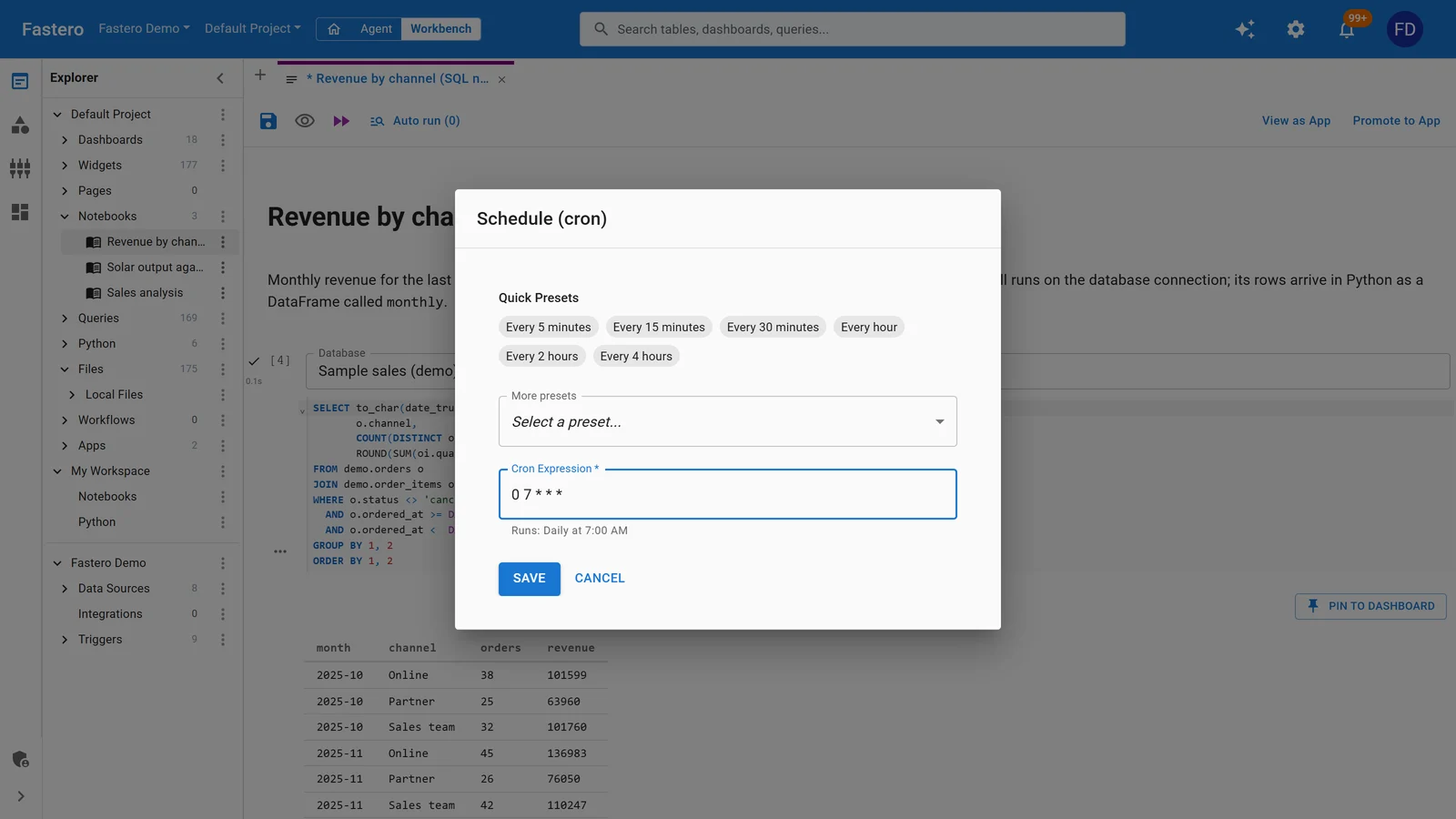
And many teams installed JupyterHub for a reason that isn't about Jupyter: to share notebooks on company data with a login, without putting database passwords in the code, and to run some of them every morning. A team notebook workspace does that without a hub to operate. In Fastero, notebooks run next to your team's databases: SQL cells query a connected database with the credentials kept in the workspace, notebooks run on a schedule, colleagues open them with their own login, and viewers are free.
How to choose
| Your situation | Look at |
|---|---|
| You want JupyterHub, not the admin work | 2i2c |
| Research or teaching, under 100 users, someone to admin | Keep The Littlest JupyterHub |
| Large or changing groups, a Kubernetes engineer | Keep Zero to JupyterHub, or Kubeflow if it's already there |
| Everything is in AWS | SageMaker Studio |
| Everything is in Google Cloud | Agent Platform Workbench or Colab Enterprise |
| R and Python, several editors, IT governance | Posit Workbench or Coder |
| A data platform already in place | Databricks |
| An analytics team sharing notebooks on company data | Deepnote or a team notebook workspace |
| Three people editing one notebook | JupyterLab real-time collaboration |
FAQ
What's the difference between JupyterHub and JupyterLab?
JupyterLab is the notebook editor one person uses. JupyterHub is the server that gives many people their own JupyterLab behind one login.
Is there a managed JupyterHub?
Yes. 2i2c runs managed JupyterHubs for research and education, in its cloud or yours. Saturn Cloud and the big clouds' notebook services offer managed alternatives that aren't JupyterHub underneath.
How many users can The Littlest JupyterHub handle?
Its documentation says "a small (0-100) number of users on a single server". Size the server by peak concurrent users times memory per user, plus 128 MB, and at least 1 GB of RAM.
Is JupyterHub free?
The software is. The servers, storage and the time spent running and securing it aren't.
What happened to Vertex AI Workbench?
Google renamed Vertex AI to Gemini Enterprise Agent Platform on 22 April 2026, so Vertex AI Workbench is now Agent Platform Workbench. The product carries on.
Can JupyterLab do real-time collaboration without JupyterHub?
Yes, with the jupyter-collaboration extension, though everyone with access has the same rights.
Related reading:
- JupyterHub hosting
- Jupyter Notebook alternatives
- JupyterLab vs Jupyter Notebook
- Colab Enterprise
- Kaggle alternatives
Sources: JupyterHub changelog, JupyterHub security, JupyterHub security advisories, Zero to JupyterHub changelog, The Littlest JupyterHub, TLJH resource estimation, 2i2c service and pricing, Saturn Cloud Enterprise, SageMaker Studio JupyterLab, SageMaker pricing, Google Cloud release notes on the rename, Workbench instances, Colab Enterprise and its pricing, Databricks notebook format, Deepnote open source, Posit Workbench, Posit pricing, Coder pricing, Kubeflow Notebooks, GitHub Codespaces billing, JupyterLab real-time collaboration. The admin page screenshot is from a JupyterHub 6.2.0 test install with invented users, 8 November 2026.
Try Fastero free — share notebooks on your team's data with a login, SQL cells and scheduled runs, and no hub to run. No credit card required.