 Fastero Dev Team
A Power BI MCP server lets an AI assistant such as Claude work with your Power BI semantic models: find the right model, read its tables and measures, write DAX and answer a question from the result, or add and fix measures for you. Microsoft ships several of these servers, and in September and October 2026 it renamed two of them and changed which one it recommends. Most articles you'll find describe the old line-up.
The short answer: to ask questions of Power BI, use Fabric IQ MCP, which has been generally available since September 2026. It is read-only, and Claude writes the DAX itself. To build or change semantic models, use the Power BI Authoring MCP server, formerly the Power BI Modeling MCP server. Its local version runs on Windows and is generally available; a hosted version is in preview. The old "remote Power BI MCP server" is now called the Power BI Consumption MCP server, is still in preview, and Microsoft says to prefer Fabric IQ instead. Claude has no Power BI connector in its directory: in Claude Code, Microsoft's own plugin connects you through the Azure CLI, while claude.ai and Claude Desktop need an app registration in Microsoft Entra ID.
Fastero
Point Claude at your database.
Add Fastero to claude.ai or Claude Code. Claude builds the dashboard, deploys the app or publishes a live page, and your team opens it in Fastero.
Try free →The Power BI MCP servers in November 2026
| Server | What it does | Where it runs | Status | Address |
|---|---|---|---|---|
| Fabric IQ MCP | Finds reports and semantic models, reads their metadata, searches values and runs DAX. Read-only | Hosted by Microsoft | Generally available (September 2026) | https://fabriciq.svc.cloud.microsoft/v1/mcp/fabriciq |
| Power BI Authoring MCP, hosted | Creates and changes semantic models in Fabric workspaces | Hosted by Microsoft | Preview | https://api.fabric.microsoft.com/v1/mcp/powerbi/authoring |
| Power BI Authoring MCP, local | Creates and changes models in Power BI Desktop, PBIP/TMDL files and Fabric workspaces | Your Windows PC | Generally available | npm @microsoft/powerbi-modeling-mcp |
| Power BI Consumption MCP | Queries semantic models, including a Copilot-based query generator | Hosted by Microsoft | Preview; Microsoft prefers Fabric IQ | https://api.fabric.microsoft.com/v1/mcp/powerbi |
Microsoft is clear about keeping the two jobs apart: "Don't use the Power BI Authoring MCP server for consumption scenarios. It can run DAX so that you can validate the model you're building, but it isn't designed to answer business questions for end users. For consumption, use Fabric IQ."
Answering questions: Fabric IQ MCP
Fabric IQ MCP gives Claude six tools: DiscoverArtifacts to find reports and models, ResolveFabricItem, GetReportMetadata, GetSemanticModelSchema, ValueSearch to find a customer or product by name, and ExecuteQuery to run DAX. There is no "just answer this" tool: "Fabric IQ MCP doesn't expose a natural-language answering tool. The calling AI agent selects and combines the tools, composes DAX queries, and explains the results."
In practice you can name a report or paste its browser address, and Claude works out which model sits behind it, reads the schema, writes a DAX query and explains the result. Row-level and object-level security apply, so Claude sees only what you can see.
What to know before you rely on it:
- 250 rows by default. "When you don't specify maxRows, ExecuteQuery returns up to 250 rows by default." Ask Claude to raise
maxRowsfor longer results. - One semantic model per query. It can't join two models.
- No dashboards, paginated reports or Power BI apps, and results are only as fresh as the model's last refresh.
- Your own sign-in only. It uses delegated Entra ID sign-in with the
Item.Read.AllandItem.Execute.Allpermissions; service principals aren't supported, so it can't run unattended. - Capacity: "Reports and semantic models don't need to be hosted on Fabric or Premium capacity." Your tenant's home region must, however, support all Fabric workloads, which rules out Power BI-only regions and sovereign clouds.
- The Power BI MCP tenant setting doesn't apply to it. That switch controls the authoring server; Fabric IQ follows normal access to the items.
Building and editing models: Power BI Authoring MCP
The Authoring server can create, change and delete tables, columns, measures, relationships, hierarchies, calculation groups, perspectives, partitions and security roles. It can also rename in bulk, translate, check a model against best practices and run DAX to test what it built. That makes it good at jobs like "add year-to-date and prior-year versions of every revenue measure" or "document every measure in this model".
There are two ways to run it:
- Hosted (preview). Nothing to install, signs in as you through Entra ID, and works on models in Fabric workspaces only.
- Local (generally available). Runs on your PC and works on Power BI Desktop files, PBIP and TMDL folders on disk, and Fabric workspaces. It also supports transactions, traces and service principals. It doesn't run on a Mac: "The local server doesn't support macOS. On a Mac, use the hosted server."
To change objects you need Write permission on the model; with only Build, it can only run DAX. For the local server to edit a model in the Power BI service, the capacity's XMLA endpoint must be set to Read Write, and Microsoft's XMLA documentation ties that endpoint to Premium, Premium Per User or Fabric capacity. A Pro-only workspace doesn't have one.
Limits worth knowing: it changes models, not report pages or visuals, and "DAX query execution tools have a hard limit of 100,000 rows." Microsoft also warns: "An agent writes to your model, and its changes might be irreversible." Work on a copy or keep the model in source control as PBIP.
The local server's entry from Microsoft's documentation, for VS Code:
{
    "servers": {
        "powerbi-authoring-local": {
            "type": "stdio",
            "command": "npx",
            "args": [
                "-y",
                "@microsoft/powerbi-modeling-mcp@latest",
                "--start"
            ]
        }
    }
}
In Claude Desktop the same command and args go under "mcpServers" in claude_desktop_config.json; our Claude Desktop MCP guide shows where the file is. Then start with one of Microsoft's suggested prompts, such as "Connect to '[File Name]' in Power BI Desktop" or "Open semantic model from PBIP folder '[Path to the definition folder in the PBIP]'". Accept the licence terms when the server asks: its tools stay locked until you do.
Point Claude at your database.
Connect Claude →Connecting Power BI to Claude
Claude Code: Microsoft's plugin
The quickest route is in Claude Code. Microsoft's skills-for-fabric repository on GitHub publishes a plugin that wires up Fabric IQ, the hosted Authoring server and the Fabric SQL endpoint, signing in through the Azure CLI:
claude plugin marketplace add microsoft/skills-for-fabric
claude plugin install fabric-skills@fabric-collection
# For an existing installation:
claude plugin update fabric-skills@fabric-collection
claude mcp list
Run az login first. In the repository's words: "No extra helper runtime, copied token or new OAuth application is needed." It sets up Claude Code only, not connectors in claude.ai.
claude.ai and Claude Desktop: register an Entra app
Claude's connectors usually register themselves with a server automatically. Entra ID doesn't allow that, as Microsoft explains: "Other MCP clients, such as Claude Desktop and ChatGPT, require an OAuth client ID. Microsoft Entra ID doesn't currently support dynamic client registration, so these clients can't get a client ID on their own." So someone with rights to register apps in your tenant does this once:
-
In Microsoft Entra ID, register a single-tenant app.
-
Add a redirect URI of type "Mobile and desktop applications", pointing at Claude's sign-in callback:
https://claude.ai/api/mcp/auth_callback -
Grant delegated Power BI Service permissions:
Dataset.Read.All,MLModel.Execute.AllandWorkspace.Read.Allfor the Consumption server, orWorkspace.Read.AllandSemanticModel.ReadWrite.Allfor Authoring. -
In Claude, open Customize › Connectors, choose Add › Add custom connector, paste the server address, and under OAuth client choose Use your own OAuth client with the app's client ID.
Microsoft documents these steps for the Consumption and Authoring servers. Its Fabric IQ page describes the same kind of app registration for other clients, with Item.Read.All and Item.Execute.All, but doesn't show Claude end to end. Custom connectors are available on every Claude plan, and Free accounts can add one.
What it costs
- Fabric IQ MCP: the reports and models don't need Fabric or Premium capacity, and you need only normal access to them. Microsoft's page doesn't say whether its queries use capacity or which user licence a caller needs, so check with your Power BI admin.
- Power BI Consumption MCP: its Generate Query tool uses Copilot in Power BI, which needs F2 or larger Fabric capacity or P1 or larger Premium capacity: "Pro and PPU workspaces don't directly support Copilot features." Microsoft suggests switching the tool off if you'd rather not use Copilot capacity and letting Claude write the DAX.
- Power BI Authoring MCP: the local server costs nothing to install; working on models in the service needs the XMLA endpoint, which means Premium, Premium Per User or Fabric capacity.
- Claude: your usual Claude plan. Data the servers return goes to the model as part of the conversation.
On that last point Microsoft is direct: "An MCP server doesn't expand data access, but it does move data." Check your organisation's AI policy before connecting a model that holds personal or confidential data.
Example prompts
- "In the Sales Performance report, which five regions grew fastest this quarter compared with last? Show the DAX you ran."
- "Find customer Northwind Traders and list their orders by month for this year."
- "In this model, add Revenue YTD and Revenue PY measures next to every revenue measure, using the Date table."
- "Check this semantic model against best practices and list what you would change, before changing anything."
When the question isn't in a Power BI model
Fabric IQ answers only from models someone has already built and refreshed. Often the question needs a table that never made it into the model, or the answer has to reach people who don't have a Power BI licence.
That is where Fastero fits next to Power BI. Fastero connects straight to the databases behind your reports, such as SQL Server, Postgres, MySQL, BigQuery and Redshift, and Claude connects to Fastero from its directory with a normal sign-in, no app registration. Claude runs read-only SQL on the source tables, draws the answer as a chart in the conversation and saves it to a dashboard that refreshes on a schedule. Colleagues open it with their own Fastero login, and viewers are free.
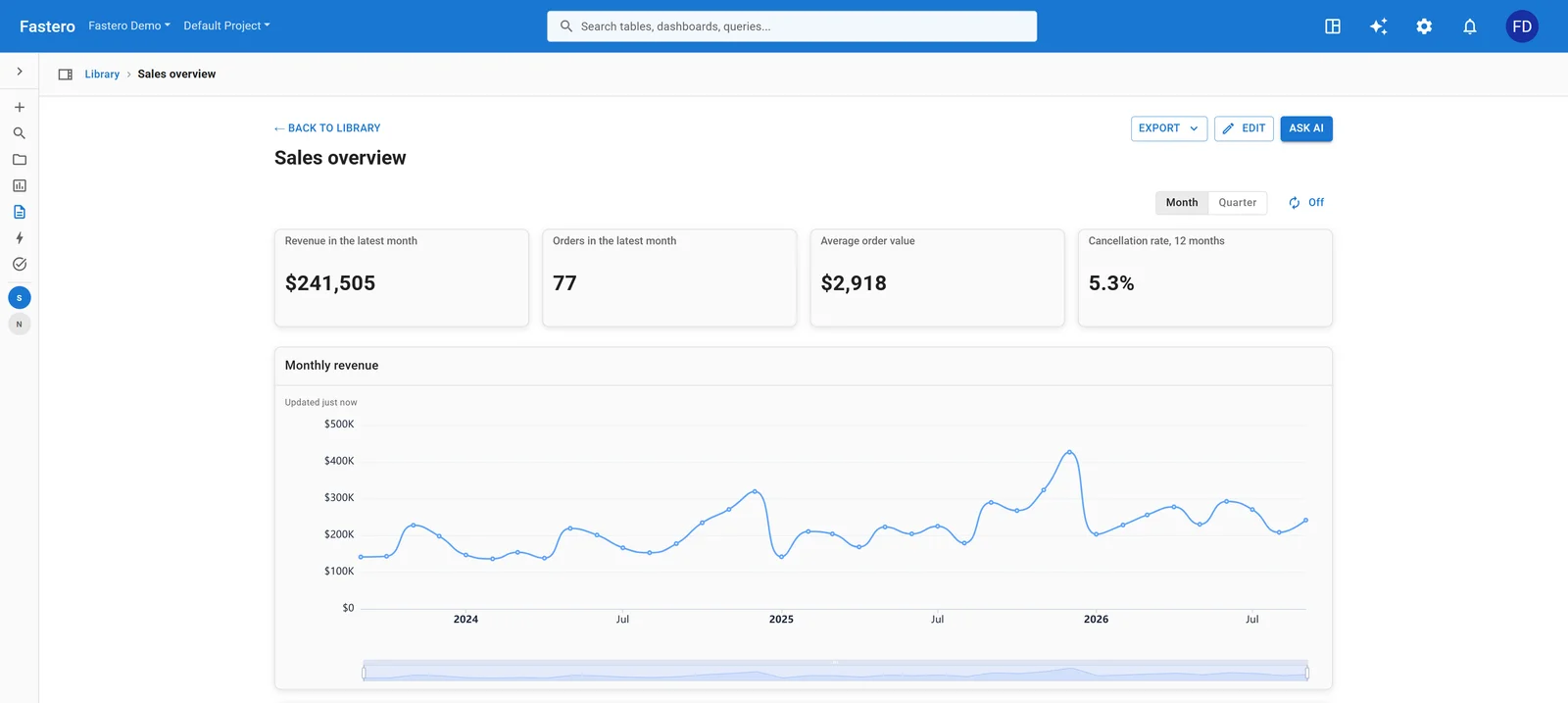
A Fastero dashboard built from SQL on the source database, refreshed on a schedule. Sample data.
FAQ
Is there an official Power BI MCP server?
Yes, several. Fabric IQ MCP (generally available) answers questions from reports and semantic models, the Power BI Authoring MCP server (local generally available, hosted in preview) builds and edits models, and the older Power BI Consumption MCP server (preview) also queries models.
Can Claude connect to Power BI?
Yes, through Microsoft's MCP servers. In Claude Code, Microsoft's fabric-skills plugin sets it up with an Azure CLI sign-in. In claude.ai and Claude Desktop you add a custom connector with your own Entra app registration, because Claude's directory has no Power BI connector.
What happened to the Power BI Modeling MCP server?
Microsoft renamed it the Power BI Authoring MCP server. The GitHub repository and npm package still use the name powerbi-modeling-mcp. A hosted version now exists alongside the local one.
Do I need Fabric or Premium capacity?
Not for Fabric IQ MCP: reports and models on Pro workspaces work, as long as your tenant's region supports Fabric. You need capacity for the Consumption server's Copilot query tool (F2 or P1 and up) and for the local Authoring server to edit models in the service (Premium, Premium Per User or Fabric).
Can Claude build Power BI reports and visuals?
Not through these MCP servers: they work on semantic models, not report pages. Microsoft publishes a separate report-authoring skill, and some community tools edit PBIR report files.
Does it work on a Mac?
The hosted servers work from any system. The local Authoring server runs only on Windows.
Related reading:
- Best Power BI alternatives
- SQL Server MCP server
- MCP server examples
- Claude dashboard: 5 ways to build one
- Best Claude connectors for data analysis
Sources: Power BI MCP servers overview, Fabric IQ MCP, Power BI Authoring MCP server, Power BI Consumption MCP server, connecting other MCP clients, Fabric what's new, Copilot capacity requirements, XMLA endpoint, powerbi-modeling-mcp on GitHub, skills-for-fabric MCP setup, Claude custom connectors. Checked 5 November 2026.
Try Fastero free — connect the database behind your reports and let Claude build dashboards anyone on your team can open. Viewers are free. No credit card required.