
Most Jupyter-vs-Databricks conversations stall on the wrong question. People compare cell execution and keyboard shortcuts when the actual decision is about infrastructure: do you want to own your compute, or rent it?
Jupyter is a notebook interface that runs wherever you point it — your laptop, a VM, a Kubernetes cluster you manage. Databricks is a managed platform that bundles notebooks with auto-scaling Spark clusters, a Unity Catalog, MLflow, and a lakehouse architecture. The notebook is the part they share. Everything underneath is different.
Here is what actually matters when choosing between them.
Who is each tool built for?
Jupyter is built for individual practitioners and teams comfortable managing their own environments. If you have a data scientist who wants to pip install whatever they need, run experiments on their own hardware, and version notebooks in git — Jupyter is the natural fit. The ecosystem assumes you will bring your own compute, your own storage, and your own orchestration.
Databricks is built for organizations that need managed infrastructure at scale. If you have a team of 15 analysts and engineers who share clusters, need role-based access to data, and run production ML pipelines — Databricks handles the plumbing so they don't have to. The platform assumes you want someone else worrying about Spark configuration, autoscaling, and cluster lifecycle.
The mismatch case: a solo analyst paying for Databricks, or a 30-person data team passing Jupyter notebooks around on Slack. Both work, neither is a good use of money or time.
How does collaboration differ?
Jupyter's collaboration story depends on which Jupyter you mean. A local notebook on your laptop has no collaboration — it is a file on disk. JupyterHub adds multi-user access with real-time co-editing (via the Yjs-based RTC extension), but you are deploying and maintaining that infrastructure yourself: OAuth configuration, user spawners, persistent storage, resource limits. It works. It is not turnkey.
Databricks notebooks are collaborative by default. Multiple users edit the same notebook simultaneously, leave comments on cells, and share notebooks through a workspace with folder-level permissions. The collaboration lives inside the platform, so there is nothing to set up. For teams where analysts need to hand work back and forth — reviewing each other's queries, building on each other's feature engineering — this matters more than any individual feature on a spec sheet.
Fastero
Connect your database. Ask questions. Get dashboards.
Postgres, BigQuery, Snowflake, and 10+ sources — live-connected, AI-powered, no dashboard builder learning curve.
Try free →What about compute — local machine vs managed clusters?
This is the core architectural split.
Jupyter runs on whatever you give it. Your laptop's CPU, a GPU workstation under your desk, an EC2 instance, a Kubernetes pod. You choose the hardware, you pay for it directly, and you manage it. For datasets that fit in memory — anything under 50-100GB depending on your machine — this is fast, cheap, and simple. There is no cluster startup delay, no per-minute billing, no waiting for a driver node.
Databricks runs on managed Spark clusters. You pick a cluster size (or let it auto-scale), Databricks provisions the VMs, distributes your data across them, and bills you by the DBU (Databricks Unit) per hour. For datasets that don't fit on one machine — multi-TB tables, distributed joins across a data lake — this is the whole point. Spark parallelizes the work across nodes in a way that a single Jupyter kernel cannot.
The cost trap: spinning up a Databricks cluster to analyze a 2GB CSV. You are paying for distributed compute you don't need, and the cluster startup time (30-90 seconds) is longer than the query would take locally. Conversely, trying to process 500GB in a Jupyter notebook on a 32GB laptop will end in a swap-thrashing crawl or an out-of-memory crash.
How much does each actually cost?
Jupyter itself is free. The cost is whatever compute you run it on. A laptop you already own: $0. An EC2 instance: $50-300/month depending on size. JupyterHub on Kubernetes: the cluster cost plus your time managing it. There is no per-seat fee, no license, no usage-based pricing on the notebook layer.
Databricks charges per DBU-hour plus cloud infrastructure. Pricing varies by cloud provider and workload type, but a rough guide: a small interactive cluster for one analyst runs $1-3/hour. A team of ten sharing always-on clusters can hit $3,000-10,000/month before anyone runs a production job. The Premium tier (required for Unity Catalog and fine-grained access control) costs more per DBU than Standard.
For small teams doing exploratory analysis on datasets under 100GB, Jupyter on existing hardware is dramatically cheaper. For organizations running production ML pipelines on terabyte-scale data with 20+ users, Databricks' managed infrastructure often costs less than the equivalent self-managed Spark deployment — because managing Spark yourself is expensive in engineer-hours even when the hardware is cheaper.
How do they handle version control?
Jupyter notebooks are files. Specifically, .ipynb JSON files containing code, markdown, and serialized cell outputs (including Base64-encoded images). You can commit them to git, and many teams do. The pain: diffs are ugly, merge conflicts are near-impossible to resolve by hand, and output blobs inflate your repo. Tools like nbstripout (which strips outputs before commit) and jupytext (which converts notebooks to plain .py or .md files for diffing) help, but they are bolt-ons you configure per-repo.
Databricks has built-in git integration — Repos sync notebooks to GitHub, GitLab, or Bitbucket. But Databricks notebooks are not .ipynb files; they are stored in Databricks' own format and exported as .py or .ipynb on sync. The mapping is imperfect. Comments and visualizations can get lost in translation. Many teams treat the Databricks workspace as the source of truth and use git as a backup, which defeats the purpose of version control for anyone who cares about reproducible history.
Neither story is perfect. Jupyter gives you ownership but makes you fight JSON diffs. Databricks gives you convenience but adds a translation layer between the workspace and your repo.
What languages can you use?
Jupyter supports any language with a kernel. Python, R, Julia, Scala, Rust, C++, Bash — over 100 community-maintained kernels exist. In practice, 90%+ of Jupyter usage is Python, and the ecosystem (widgets, extensions, rendering) assumes Python. But if you need R for a specific statistical package or Julia for performance-critical numerics, you install the kernel and go.
Databricks notebooks support Python, SQL, R, and Scala — and you can mix them in the same notebook using %python, %sql, %r, %scala magic commands. The multi-language-in-one-notebook feature is genuinely useful for teams where analysts write SQL and engineers write Python against the same data. That said, the R and Scala experiences are less polished than Python and SQL — fewer managed libraries, slower updates, thinner documentation.
Can you schedule notebooks to run automatically?
Jupyter has no built-in scheduler. You orchestrate notebook runs externally — Papermill for parameterized execution, Airflow or Dagster for DAG scheduling, cron for the simplest case. This is flexible (any scheduler works) but requires setup and maintenance.
Databricks has native job scheduling. Create a job, attach a notebook, set a cron schedule, configure alerts on failure. It runs on a job cluster that spins up for the run and shuts down after — no always-on compute cost. For teams already on Databricks, this is one fewer external tool to manage.
A hosted notebook can run on a schedule too. Fastero runs Jupyter notebooks behind your team's login and runs them on a timetable you set, and you can read how each run went — with no Spark cluster or Databricks contract.
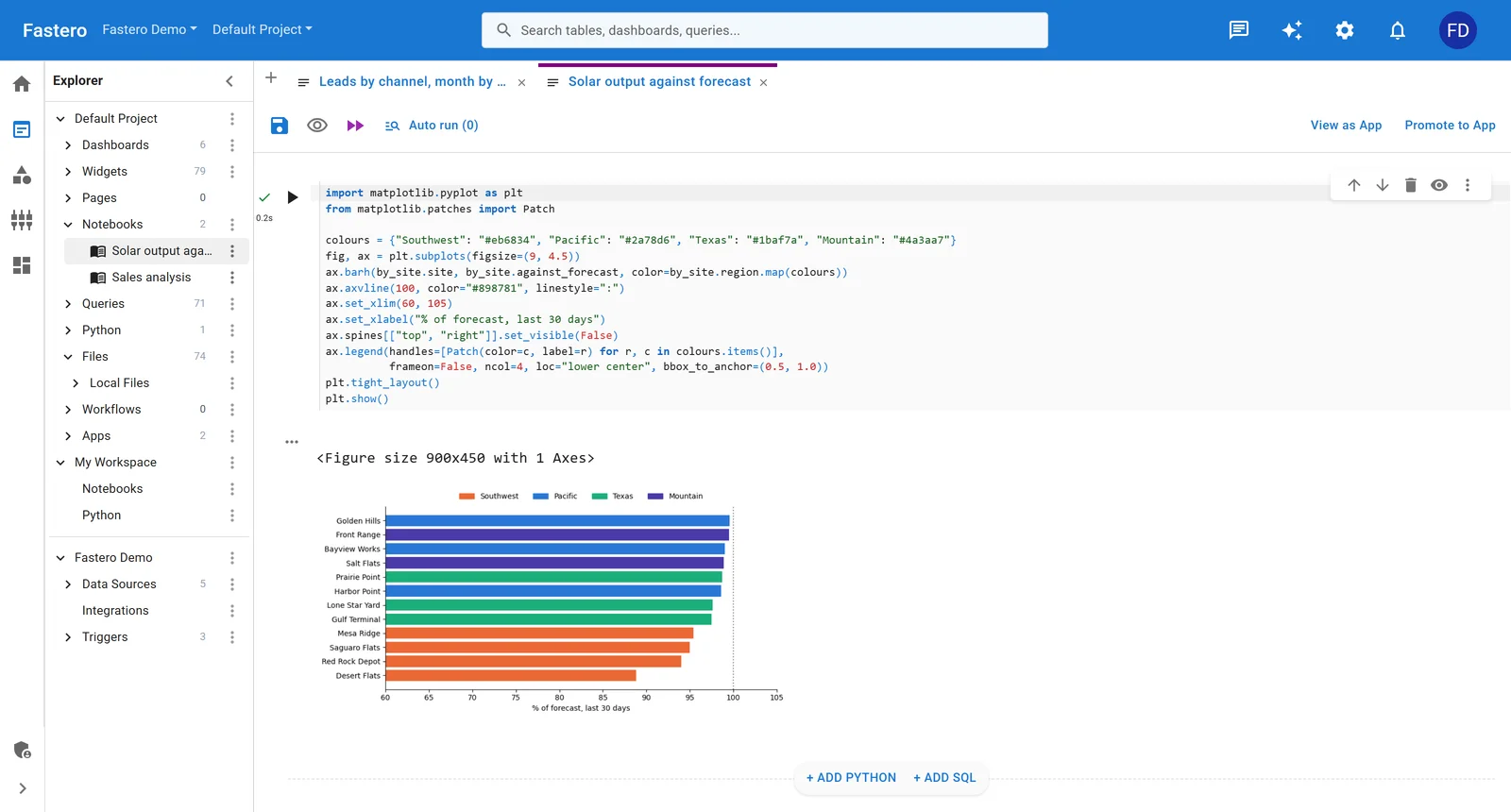
A Jupyter notebook in Fastero, one click from an app. Sample data.
How does SQL support compare?
Jupyter treats SQL as a library call. You connect to a database via sqlalchemy or psycopg2, send a query string, and get a DataFrame back. Extensions like ipython-sql and jupysql add %%sql magic cells with syntax highlighting, but schema browsing and autocomplete are limited compared to a dedicated SQL editor.
Databricks treats SQL as a first-class language. SQL cells execute directly against the lakehouse (Delta tables, Unity Catalog). You get schema browsing, autocomplete, query profiling, and results that render as interactive tables. The Databricks SQL warehouse product is an entire SQL analytics environment separate from the notebook — with dashboards, alerts, and a query editor. For SQL-heavy teams, the gap is significant.
What about MLflow and experiment tracking?
Databricks owns MLflow and integrates it deeply. Experiment tracking, model registry, model serving — all wired into the platform. Log a run from a Databricks notebook and it appears in the MLflow UI with the notebook revision linked. The integration is tight enough that teams doing serious ML on Databricks rarely need to think about experiment tracking infrastructure.
Jupyter uses MLflow as an external library. pip install mlflow, point the tracking URI at a server you run (or a managed service like Databricks itself, or a self-hosted instance), and log experiments from your notebook. It works — MLflow was designed for this — but you are responsible for running and maintaining the tracking server, the artifact store, and the model registry.
If experiment tracking is central to your workflow, Databricks' built-in MLflow is a real advantage. If you are doing exploratory analysis and don't need model tracking, it is irrelevant to the decision.
Side-by-side comparison
| Jupyter | Databricks Notebooks | |
|---|---|---|
| Cost | Free (you pay for compute) | $1-3+/hr per cluster + cloud infra |
| Compute | Local machine or self-managed | Managed Spark clusters, auto-scaling |
| Collaboration | JupyterHub (self-hosted) | Built-in, real-time |
| Version control | Git (messy diffs without tooling) | Built-in Repos (imperfect sync) |
| Languages | 100+ kernels (Python dominant) | Python, SQL, R, Scala |
| SQL support | Via libraries and magic commands | First-class, with schema browser |
| Scheduling | External (Airflow, Papermill, cron) | Native job scheduler |
| MLflow | Self-hosted or external service | Built-in, deeply integrated |
| Ecosystem | Massive open-source | Databricks-specific + open-source |
| Lock-in | None | Moderate (Delta, Unity Catalog) |
| Best scale | Single-machine datasets | Multi-TB distributed workloads |
Decision tree
Is your dataset too large for one machine (>100-200GB per query)?
  |
  +-- YES --> Databricks (or another managed Spark platform)
  |
  +-- NO
       |
       Do you need managed collaboration for 5+ data users?
         |
         +-- YES --> Databricks
         |
         +-- NO
              |
              Do you need built-in MLflow and experiment tracking?
                |
                +-- YES --> Databricks (or self-host MLflow + Jupyter)
                |
                +-- NO
                     |
                     Is minimizing cost and avoiding vendor lock-in a priority?
                       |
                       +-- YES --> Jupyter
                       |
                       +-- NO --> Either works — pick the one your team already knows
Frequently asked questions
Can I use Jupyter notebooks inside Databricks?
Yes, partially. Databricks can import .ipynb files, and its notebook interface looks superficially similar. But Databricks notebooks are not Jupyter — they run on a different execution engine (Spark), use a different file format internally, and don't support Jupyter extensions or widgets. Importing a notebook is a one-way conversion, not a compatibility layer.
Is Databricks worth it for a small team?
It depends on data volume. A team of three analyzing datasets under 50GB will spend more on Databricks cluster time than they would on a single cloud VM running JupyterHub. Databricks' value scales with data size and team size — if you are not bottlenecked on either, you are paying for infrastructure you don't need.
Can Jupyter handle big data without Databricks?
Yes, with caveats. Libraries like Dask, Polars, and Vaex let Jupyter notebooks process datasets larger than memory on a single machine. For multi-node distributed processing, you can connect a Jupyter kernel to a standalone Spark cluster — but at that point you are managing Spark yourself, which is the problem Databricks solves.
What about Databricks Community Edition?
Databricks offers a free Community Edition with a single small cluster. It is good for learning Spark and experimenting with the platform. It is not suitable for production work — cluster size is limited, there is no scheduling, no Unity Catalog, and clusters terminate after two hours of inactivity.
Does Databricks replace Jupyter, or do teams use both?
Many teams use both. A common pattern: Jupyter for quick local exploration and prototyping (fast iteration, no cluster startup), Databricks for production pipelines and large-scale processing. The notebook is the handoff format — prototype in Jupyter, move to Databricks when the analysis needs scale or scheduling.
Which is better for someone just learning data science?
Jupyter. It is free, runs on any laptop, has the largest collection of tutorials and courses, and teaches you Python without a platform abstraction layer in between. Learning Databricks first means learning Spark, cluster management, and Delta Lake alongside Python — unnecessary complexity when you are still learning pandas.
Related reading
- Streamlit vs Jupyter Notebooks: When to Use Each — when your analysis outgrows the notebook and needs a shareable interface
- Deepnote vs Hex vs Jupyter: Data Notebooks Compared — the managed notebook platforms competing with Jupyter on collaboration
- How to Turn a Jupyter Notebook into a Live Dashboard — the deployment step notebooks skip and dashboards require
- Hex vs Mode: Analytics Notebooks Compared — two managed alternatives for teams that want notebooks without infrastructure
Try Fastero free — connect your database and ask questions in plain English — no notebooks, no clusters, no compute bills. No credit card required.