

I have talked to a lot of analytics teams over the past year who are evaluating Hex and Mode side by side, and the conversations always follow the same arc. They start by listing features, realize both tools check most of the same boxes, and then spend three weeks on free trials before arriving at a decision that could have been made in an afternoon — if someone had just been honest about the philosophical difference.
So here's the breakdown: what each tool is actually good at, where each one falls short, and what the ThoughtSpot acquisition means for Mode's future.
The core split: notebooks vs reports
Hex and Mode are both "collaborative analytics platforms," but they approach the problem from opposite directions.
Hex starts with the notebook. You open Hex and you get a canvas of cells — SQL cells, Python cells, markdown cells, chart cells — all wired together in a reactive DAG. Change a variable upstream, everything downstream re-executes. It feels like a modern, multiplayer Jupyter notebook with drag-and-drop layout and a built-in visualization layer. The notebook is the primary artifact.
Mode starts with the SQL query. You open Mode and you get a SQL editor. You write a query, run it, get a result set, and then build visualizations on top of it. You can combine multiple queries and charts into a "report" — which is Mode's version of a sharable deliverable. The report is the primary artifact.
This difference sounds superficial but it shapes everything downstream: how Python fits in, how you share work, who the tool is actually for, and what breaks when your analysis gets complex.
Hex's notebook experience (it's genuinely good)
I will give credit where it is due: Hex built one of the best notebook experiences I have used. The reactive execution model means you define dependencies between cells, and Hex figures out the execution order automatically. You don't get the classic Jupyter problem of "I ran cell 7 before cell 4 and now nothing works."
A few things that stand out:
SQL and Python in the same notebook. Write a SQL query in one cell, reference the result as a DataFrame in the next Python cell, transform it with pandas, then visualize it in a chart cell below. The handoff between SQL and Python is smooth — no manual exports, no connection boilerplate. For teams that think in SQL but need Python for the hard parts (statistical modeling, custom transforms, anything pandas does better than SQL), this is a real productivity gain.
Drag-and-drop layout. Cells can be rearranged, resized, and laid out in a grid. This matters more than you'd think — the difference between "here's my notebook" and "here's something a VP will look at" is often just layout.
App mode. This is Hex's killer feature. You can toggle a notebook into "app mode," which hides the code and presents only the outputs, input widgets, and markdown. Your notebook becomes an interactive application. Non-technical users get dropdowns, sliders, and charts without seeing a single line of Python. If you have used Streamlit, the concept is similar — but Hex's version doesn't require a separate deployment step because the notebook and the app are the same thing.
Multiplayer editing. Real-time collaboration in the notebook. Multiple analysts can work on the same analysis simultaneously. It works well in practice, which isn't something I say about most "collaborative" features.
Fastero
Connect your database. Ask questions. Get dashboards.
Postgres, BigQuery, Snowflake, and 10+ sources — live-connected, AI-powered, no dashboard builder learning curve.
Try free →Mode's strengths (they're real, just different)
Mode gets underestimated in these comparisons because it is not trying to be flashy. But for SQL-heavy teams that care about governance and reporting workflows, Mode does several things well.
The SQL editor is excellent. Mode's query editor has been around for years, and it shows — in a good way. Schema browsing, query history, saved queries, version control on definitions. If your analytics team is 80% SQL, the editor experience matters a lot, and Mode's is mature. You can reference earlier queries in later ones, building up complex analyses across multiple query tabs in the same report.
Reports as the unit of sharing. Mode's report model — a bundle of queries, charts, and narrative — maps well to how analytics teams actually deliver work. You build a report, share a URL, and stakeholders bookmark it. It updates when someone re-runs the queries. This is simple and it works. The mental model is closer to a BI tool than a notebook, and for some teams that is exactly right.
Enterprise governance. Collections, spaces, access controls, usage analytics. Mode has had years to build out the enterprise layer. If your company has 200 analysts and you need to know who's querying what, Mode's admin tooling is stronger.
ThoughtSpot integration. This is a double-edged sword (more on that below), but if your organization already uses ThoughtSpot for self-serve BI, Mode's integration means analysts can use Mode for deep analysis while business users stay in ThoughtSpot's natural-language interface. The data catalog is shared.
The ThoughtSpot question
ThoughtSpot acquired Mode in 2023, and this is the elephant in every Mode evaluation.
Here is the thing: the integration has been gradual, and Mode still works as a standalone product. But the product direction has clearly shifted. New features tend to serve the ThoughtSpot + Mode story rather than Mode as an independent analytics notebook. The community forums have quieter energy than they did in 2022. Some long-requested features — better Python support, a more modern UI — remain on the backlog while ThoughtSpot integration features ship.
I have seen this pattern before with acquisitions. The acquired product doesn't die overnight. It gets maintained, it gets integrated, and it slowly becomes a feature of the acquirer's platform rather than a standalone tool. If you are choosing Mode in 2026, you should be comfortable with the possibility that in 2028 you are really choosing ThoughtSpot.
That said — if you are already a ThoughtSpot shop, or you are evaluating ThoughtSpot alongside Mode, this is actually a strength. The combined platform covers both self-serve BI (ThoughtSpot) and deep analytical work (Mode) with shared governance.
Python support: not even close
This is where the comparison gets lopsided.
Hex has first-class Python. The Python cells run in a managed environment with pre-installed data science packages. You can install additional packages. The reactive DAG means Python cells participate in the same execution graph as SQL and chart cells. You write Python the way you write Python — with DataFrames, libraries, and full expressiveness.
Mode has Python notebooks, but they feel bolted on. They live in a separate section from the SQL queries. The workflow is: write SQL queries, get result sets, then optionally spin up a Python notebook that can access those result sets. It works, but the integration is clunky. You are context-switching between two different editing paradigms within the same report. The Python environment is more limited than Hex's, and the execution is not reactive — it is a traditional notebook kernel.
If Python is central to your analytics workflow — if you are doing statistical modeling, ML feature engineering, or complex data transformations that SQL can't express cleanly — Hex wins this comparison by a wide margin. If your team is 95% SQL and only occasionally needs Python for something exotic, Mode's approach is adequate.
Quick comparison
| Hex | Mode | |
|---|---|---|
| Philosophy | Notebook-first, reactive DAG | SQL-first, report-oriented |
| SQL experience | Good, integrated with Python cells | Excellent, mature editor |
| Python support | First-class, reactive execution | Bolt-on, separate from SQL workflow |
| Sharing model | App mode (notebooks become apps) | Reports (queries + charts + narrative) |
| Collaboration | Real-time multiplayer editing | Shared reports, comments |
| Visualization | Built-in chart cells, drag-and-drop | Chart builder on query results |
| Enterprise governance | Growing, newer | Mature, years of iteration |
| Pricing | Starts at $24/user/mo (Team) | Contact sales (opaque) |
| Parent company | Independent (VC-backed) | ThoughtSpot (acquired 2023) |
| Ideal user | Python + SQL analysts, data scientists | SQL-heavy analytics teams, enterprise |
| UI feel | Modern, polished | Functional, aging slightly |
When Hex is the right call
Your team writes Python regularly. Not just "we could use Python if we had to" but "our analysts actually write pandas code." Hex's reactive Python cells are dramatically better than Mode's bolted-on notebooks, and the ability to mix SQL and Python in the same analysis without context-switching is a genuine workflow improvement.
You want to turn analyses into interactive apps. Hex's app mode is the cleanest path from "notebook the analyst uses" to "tool the business team uses." If you find yourself frequently comparing Hex to Streamlit, you are probably in this camp — you want app-like output without a separate deployment pipeline.
You are a startup or growth-stage company. Hex's modern UX, transparent pricing, and fast onboarding make it a better fit for teams that don't want to negotiate enterprise contracts before they can evaluate a tool. The product also moves faster — new features ship regularly.
Your team values modern tooling. This sounds vague, but it matters for hiring and retention. Analysts who have used Hex tend to not want to go back to older tools. The experience gap is real.
When Mode is the right call
Your team is SQL-first, Python-second. If 90% of your analytical work is SQL queries that produce result sets that become charts, Mode's workflow is more natural than Hex's notebook model. You don't need a reactive DAG if your analysis is "query, visualize, share."
You are already in the ThoughtSpot ecosystem. The combined Mode + ThoughtSpot story — analysts go deep in Mode, business users self-serve in ThoughtSpot — is compelling if you are already committed to ThoughtSpot. Evaluating Mode independently of ThoughtSpot in 2026 is increasingly difficult to justify.
Enterprise governance is a hard requirement. Mode's years of enterprise deployments mean the admin tooling, access controls, and audit capabilities are more mature. Hex is catching up, but "catching up" means it is not there yet for some compliance-heavy organizations.
You need stable, low-drama reporting. Mode reports are simple, reliable, and well-understood by the kind of stakeholder who bookmarks a URL and checks it every Monday. The tool is not exciting, but exciting is not always what you need.
The bigger picture
Both Hex and Mode are competing in a landscape that keeps getting more crowded. Deepnote is pushing collaborative notebooks at a lower price point. Streamlit and its ecosystem offer open-source flexibility with managed hosting options. Observable targets the JavaScript-native analytics audience. Count, Hyperquery, and others keep appearing.
The trend I see is a split: heavy Python/notebook users gravitate toward Hex or Deepnote, SQL-heavy teams gravitate toward Mode or traditional BI, and teams that want full control over their stack increasingly build with Streamlit and host it themselves (or on a platform that handles the infrastructure).
A platform that handles the infrastructure can be Fastero: it hosts Jupyter notebooks and Streamlit apps behind your team's login, runs notebooks on a schedule, and pairs them with an AI analyst that writes the SQL and Python with you.
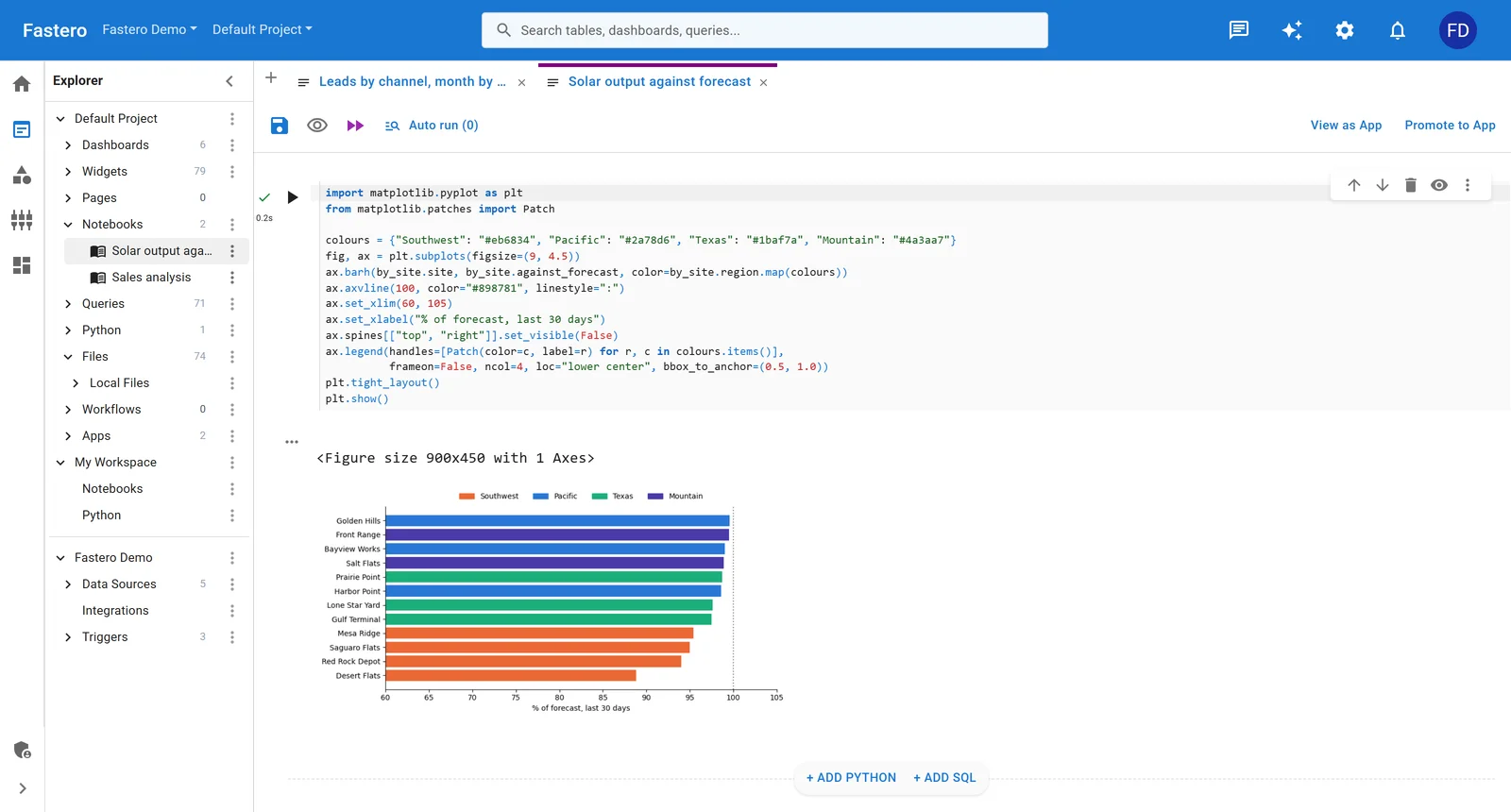
A Jupyter notebook in Fastero, one click from an app. Sample data.
If you are torn between Hex and Mode specifically, the deciding factor is almost always the Python question. If Python is central, pick Hex. If SQL is central, Mode works. If you want a more detailed side-by-side, we have that too.
And if you are evaluating alternatives to Hex more broadly — maybe the pricing doesn't work, or you want more control over your deployment — the right answer depends on what you are actually building and who needs to use it.
What I would pick today
For a team of 5-15 analysts who mix SQL and Python, I would pick Hex. The notebook experience is better, the app mode solves the sharing problem elegantly, and the product trajectory feels more independent and focused.
For a 50+ person analytics org that is SQL-dominant and needs enterprise governance, I would seriously evaluate Mode — but only if I was comfortable with the ThoughtSpot tie-in, and only after getting transparent pricing in writing.
For a team that wants full control and doesn't want to be locked into either platform's paradigm, I would look at Streamlit with proper hosting and treat both Hex and Mode as platforms you might outgrow.
Building analytics apps your team can actually use? Try Fastero free — deploy Streamlit apps with auth, scheduling, and always-on hosting.