 Fastero Dev Team
Tableau is priced per person, by role, on a yearly contract. The role decides the bill more than anything else: in the three example teams we costed below, the people who only look at dashboards were between 45% and 84% of it.
The short answer: Tableau's US list prices are $75 per Creator, $42 per Explorer and $15 per Viewer, per user per month, billed annually (checked 20 November 2026 on Salesforce's Tableau page). Creators connect to new data and get Tableau Desktop and Prep Builder; Explorers build and edit in the browser from published data; Viewers look, filter and subscribe. Those are Salesforce's "starting at" prices; Enterprise, Cloud+ and Tableau+ add features at prices Salesforce's pages don't print. Since July 2026, a deployment with at least one Creator can buy capacity-based Viewer Blocks instead of a seat per viewer. Tableau Public is free, and everything on it is public. At list price, 2 Creators, 5 Explorers and 20 Viewers cost $7,920 a year.
Fastero
Connect your database. Ask questions. Get dashboards.
Postgres, BigQuery, Snowflake, and 10+ sources — live-connected, AI-powered, no dashboard builder learning curve.
Try free →Tableau prices by role (checked 20 November 2026)
| Role | US price per user a month, billed annually | What it can do |
|---|---|---|
| Creator | $75 | Everything an Explorer can, plus connect to new data and publish data sources; includes Tableau Desktop and Tableau Prep Builder |
| Explorer | $42 | Build and edit workbooks in the browser from published data, manage users and permissions, create subscriptions for others |
| Viewer | $15 | View and interact with dashboards, comment, export images and summary data, subscribe themselves, receive data-driven alerts, use Tableau Mobile |
Salesforce's analytics pricing page says Tableau's editions require an annual contract; there is no monthly plan. Tableau's own pricing page compares the editions but refuses automated readers, so check tableau.com/pricing yourself for Enterprise figures. The same Salesforce page lists Tableau Next, its agentic analytics product, from $40 per user a month.
Every user needs a role, and in practice a team needs at least one Creator: the Creator licence is the one that creates and publishes new data connections.
Tableau editions: Standard, Enterprise, Cloud+ and Tableau+
| Edition | Where | What it adds |
|---|---|---|
| Standard | Cloud and Server | The base edition: access for each licensed user, governance, collaboration, data prep and visual analytics |
| Enterprise | Cloud and Server | Data Management, Advanced Management, and eLearning for Creators and Explorers; on Server also sold by core, in 8-core increments |
| Cloud+ | Cloud only | Tableau Agent's premium AI features, up to 200 sites, Release Preview and Premier Success support |
| Tableau+ Bundle | Cloud only | Cloud+ plus Tableau Next; priced through sales ("Contact Sales") |
| Server+ | Server only | 1 production and up to 6 non-production environments, pre-built containers and premium support |
Tableau's help says "License editions cannot be mixed within a deployment", so you can't put most people on Standard and a few on Enterprise. Since 16 September 2024, Data Management and Advanced Management are no longer sold as separate add-ons, only inside Enterprise and the editions above it.
What Tableau costs: three example teams
We wrote a small calculator from the list prices above and ran it in a Python 3.14.3 venv on 20 November 2026. The team sizes are examples, and the figures are list prices before tax, discounts or add-ons.
PRICES = {"creator": 75, "explorer": 42, "viewer": 15}  # USD per user a month, billed annually
TEAMS = [("Small team", 2, 5, 20), ("Department", 5, 20, 200), ("Company-wide", 10, 50, 1000)]
month = creators * PRICES["creator"] + explorers * PRICES["explorer"] + viewers * PRICES["viewer"]
Its output, unedited:
| Example team | Creators | Explorers | Viewers | Tableau per month | Tableau per year | Viewers' share |
|---|---|---|---|---|---|---|
| Small team | 2 | 5 | 20 | $660 | $7,920 | 45% ($3,600 a year) |
| Department | 5 | 20 | 200 | $4,215 | $50,580 | 71% ($36,000 a year) |
| Company-wide | 10 | 50 | 1,000 | $17,850 | $214,200 | 84% ($180,000 a year) |
The per-month column is a twelfth of the yearly contract. Creators cost the most per person, but once a dashboard has an audience, the $15 seats are most of the money: at 1,000 viewers, $180,000 of a $214,200 year.
What changed in 2026
- Capacity-based Viewer Blocks (July 2026). Instead of a seat per viewer, you buy blocks that "define how much concurrent usage your deployment needs to support", and "there is no limit on the number of Viewer user accounts you can add to Tableau Cloud". Blocks cap actions such as opening dashboards and extract refreshes. They're sold on Standard, Enterprise, Cloud+ and the Tableau+ Bundle; "At least one Creator license is required per deployment", and "A deployment can use either capacity-based or role-based Viewer licensing, but not both." Creators and Explorers are still per user. Salesforce's pages give no price for a block.
- Enterprise packaging (March 2026). Tableau Enterprise is now sold per role on Cloud or Server, or as a core-based edition for Server only.
- A free Tableau Desktop. Tableau Desktop Free Edition needs no licence, connects to databases and files, and keeps the work on your own computer; it can't publish to Tableau Public, Cloud or Server. Since version 2026.1.0 it uses the same installer as the paid edition.
The pages we could read announce no change to the per-user list prices.
Tableau Server pricing
Tableau Server is the version you install and run yourself. Tableau "currently sells access to Tableau Server with subscription licenses": you pay yearly, and "If the subscription expires, the software will stop working." Perpetual licences are no longer sold. There are two ways to license it:
- By role, with the same Creator, Explorer and Viewer roles as Tableau Cloud.
- By core: "virtually unlimited users" as Explorers or Viewers, a guest account, and a cap on the CPU cores the server runs on. A core licence includes no Creator seats, so publishing new data sources still takes a Creator licence.
Salesforce's pages don't list Server prices, and the servers, upgrades and backups are yours to run.
Connect any database. Ask in plain English.
Start free →Tableau Public and the free Desktop editions
| Free option | What it's for | The catch |
|---|---|---|
| Tableau Public | Publishing visualisations on the web; 10 GB of storage | "not private and are freely accessible to anyone"; extracts only, no live connections; 15 million rows per workbook |
| Tableau Desktop Public Edition | Learning, and building for Tableau Public | "not for commercial use"; limited data sources |
| Tableau Desktop Free Edition | Working on private data on your own computer | Can't publish to Tableau Public, Cloud or Server |
Hiding a viz on Tableau Public only removes it from your profile: "Anyone who knows (or stumbles across) the URL for the viz can see it." Only Google Sheets sources refresh, every 24 hours. Public is for data you'd put on a website.
When Tableau is worth what it costs
- Your analysts build in Tableau Desktop and Prep Builder. Both come with every Creator seat, so the $75 buys the desktop tools as well as the cloud seat.
- You run Salesforce. Tableau Next is included in the Core, Advanced and Max editions of Sales, Service and Industry Clouds, so part of the analytics may already be paid for.
- You need governance at scale. Enterprise bundles Data Management and Advanced Management; Cloud+ manages up to 200 sites.
- The audience is large and steady. Viewer Blocks replace thousands of named viewer seats with capacity, if the quote beats $15 a head.
Look elsewhere when most of your licences are Viewers, or when the dashboards are for clients outside the company, who'd each need a seat unless you buy Tableau's separate embedded-analytics licence. Our guides to Tableau alternatives, open-source alternatives and Power BI vs Tableau compare the options.
When most of the bill is people who only look
In every example above, more people pay to open dashboards than to build them. Fastero is an AI and data platform where people and AI agents work together on a team's data, and it charges only for the people who build:
- Viewers are free on every plan. Free is $0 with no end date; Pro is $20 per editor a month, billed monthly. If every Creator and Explorer in the example teams became an editor, Pro would cost $140, $500 and $1,200 a month, and the 20, 200 and 1,000 viewers nothing.
- Sharing one dashboard: the Send dialog's "Just this person" sends it to an email address, and that person sees only that dashboard, after a code sent to their inbox. "Anyone with the link" makes a public link you can turn off.
- Scheduled email, daily, weekly or monthly, with the numbers, charts and tables plus a PDF.
- Guests: invite someone from outside the workspace to one project and they become a guest, a viewer of that project and nothing else.
- Refresh: a dashboard refreshes on a timer (1, 5, 15 or 60 minutes) or, for Postgres and BigQuery data only, when the data changes.
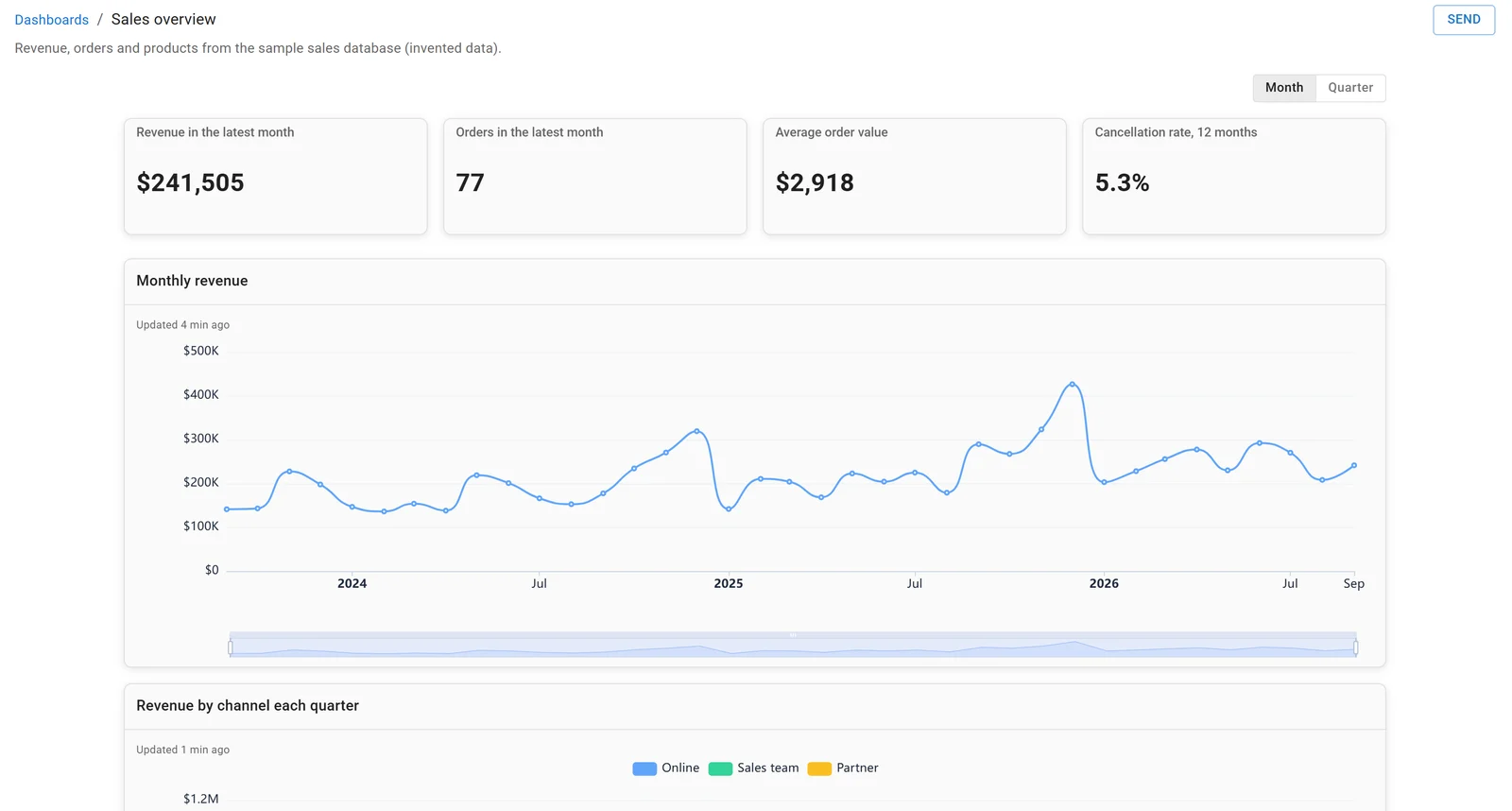
A dashboard in Fastero, built on the sample sales database. Invented data.
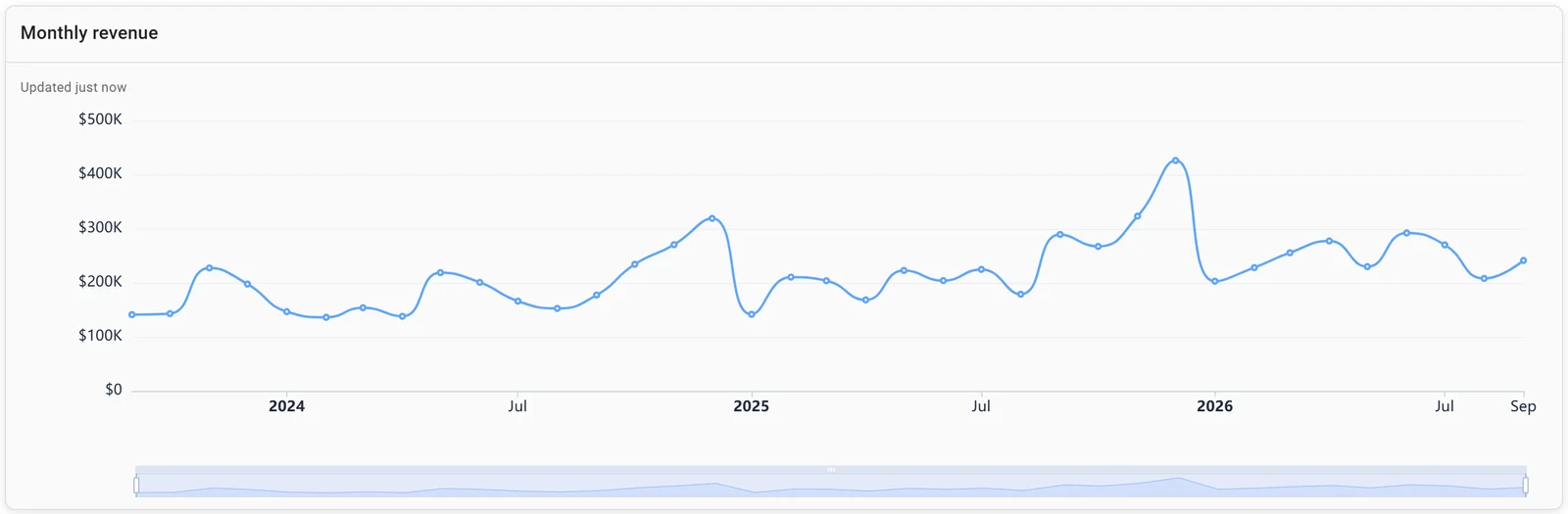
A time series: monthly revenue in Fastero. Invented data.
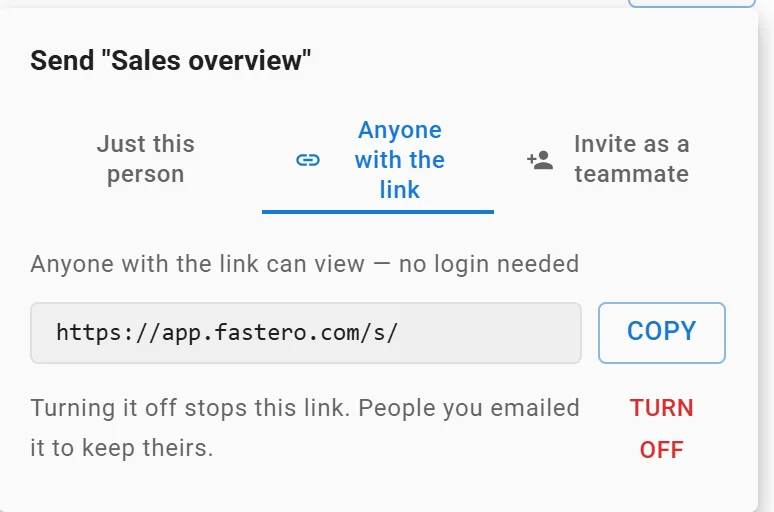
A dashboard's public link: anyone with it can view without a login, and turning it off stops it. Link shortened.
More on sharing a dashboard with clients and sharing live dashboards without giving database access.
FAQ
How much does Tableau cost per month?
$75 per Creator, $42 per Explorer and $15 per Viewer, per user per month in the US, billed annually. Those are Salesforce's starting prices, checked 20 November 2026; Salesforce's pages don't print prices for Enterprise or the editions above it.
Is Tableau free?
Tableau Public is free, but anyone can see what you publish to it. Tableau Desktop Free Edition is free too and works on private data, but only on your own computer. Sharing inside a company needs paid Tableau Cloud or Server licences.
What is the difference between Tableau Creator, Explorer and Viewer?
A Creator connects to new data, publishes data sources and gets Tableau Desktop and Prep Builder. An Explorer builds and edits in the browser from data that's already published. A Viewer looks at and interacts with dashboards, comments, exports and subscribes; building and editing take an Explorer or Creator seat.
Can you pay for Tableau monthly?
No. Salesforce lists Tableau's prices per month but billed annually, on an annual contract, and Tableau Next is the same: "All Tableau Next plans require an annual contract, billed annually."
Does every Tableau viewer need a license?
With role-based licensing, yes: each viewer is a $15 seat at list price. Since July 2026 you can instead buy capacity-based Viewer Blocks, with no limit on viewer accounts, and Tableau Server's core-based licence also allows unlimited viewers.
Sources
Read on 20 November 2026. Tableau's own pricing pages on tableau.com returned "Access Denied" to automated requests, so no price here comes from them.
- Salesforce: Tableau (role prices and features), Analytics pricing, Tableau Next pricing, Tableau Desktop Free Edition announcement, Japan (9 April 2026)
- Tableau Help: Understanding license models (Tableau Cloud), Understanding license models (Tableau Server), About Tableau Enterprise, About Tableau Cloud+, Tableau Public FAQ, Save workbooks to Tableau Public, Desktop Public, Free and Professional editions compared, Where's the installer?
- Fastero: Pricing