
ClickHouse is a client-server columnar database built to run concurrent analytical queries at production scale across clusters of machines. DuckDB is an embedded in-process engine designed for local, single-machine analytics — no server, no connections, no infrastructure to manage. They share a columnar, vectorized execution model, but target completely different deployment scenarios.
Quick Comparison
| Dimension | ClickHouse | DuckDB |
|---|---|---|
| Architecture | Client-server, distributed | Embedded, in-process |
| Deployment | Cluster or managed cloud | pip install duckdb (single file) |
| Data scale | Petabytes across shards | Single-machine (hundreds of GB typical) |
| Concurrency | Hundreds of concurrent queries | Single writer, limited readers |
| Language | C++ | C++ |
| Storage format | MergeTree columnar parts | Single-file or in-memory, columnar |
| File queries | Requires ingest or table functions | Native Parquet, CSV, JSON, S3, HTTP |
| SQL completeness | Rich dialect, arrays, maps, window functions | Full SQL, window functions, CTEs, lateral joins |
| Cost | Free (self-hosted), pay-per-query (Cloud) | Free, zero infrastructure |
| Best for | Multi-user production dashboards | Local analysis, CI pipelines, embedded analytics |
Architecture: Server vs Library
ClickHouse runs as a persistent server process. Clients connect over HTTP or a native TCP protocol, send queries, and the server returns results. Data lives in sorted columnar parts on disk (the MergeTree engine family), with background merges compacting and resorting data continuously. Replication uses ClickHouse Keeper (a Raft-based coordination service that replaced the ZooKeeper dependency). Sharding distributes data across nodes using Distributed tables.
The server architecture means ClickHouse handles what you'd expect from a production database: concurrent query execution, user authentication, quotas, role-based access, query caching, and workload isolation via resource pools. Multiple analysts and dashboards hit the same cluster simultaneously.
DuckDB is a library. You link it into your application — Python, R, Node.js, Java, Rust, Go — and it runs queries inside your process. There is no server, no socket, no connection string. The engine uses vectorized execution (processing data in batches of 2048 values) and operates directly on columnar data. It can query Parquet files, CSV, JSON, and remote S3 objects without importing them first.
The embedded model means DuckDB inherits your process's lifecycle. When your script ends, DuckDB ends. There is no cluster to manage, no ports to open, no process to monitor. But there is also no shared access — one process writes at a time, and concurrency is limited to what a single machine can handle.
This distinction is not a tradeoff — it is a design choice about who the user is. ClickHouse assumes a team of analysts and applications sharing a dataset. DuckDB assumes a single developer or analyst running a query in a script, notebook, or application.
Fastero
Connect your database. Ask questions. Get dashboards.
Postgres, BigQuery, Snowflake, and 10+ sources — live-connected, AI-powered, no dashboard builder learning curve.
Try free →Performance at Different Scales
Both engines are fast for analytical queries, but they are optimized for different regimes.
Under 100 GB (single-machine workloads): DuckDB often matches or beats ClickHouse. The ClickBench benchmark suite — which tests queries from real analytics workloads on a ~15 GB dataset of web analytics events — shows DuckDB completing the full suite in under 30 seconds on a modern laptop. ClickHouse on comparable hardware finishes faster on individual queries but requires server startup and data ingestion first. DuckDB's ability to query Parquet files directly, with zero ingest latency, changes the practical performance picture for ad-hoc analysis.
The zero-ingest advantage is real. An analyst with a 5 GB Parquet export can have results in seconds with DuckDB. The ClickHouse equivalent requires creating a table, defining a schema, running an INSERT, waiting for the initial merge, and then querying. For throwaway analysis, that ceremony matters.
100 GB to 10 TB (single-node server): ClickHouse pulls ahead. Its background merge process, sparse primary indexes, and data skipping indexes make repeated dashboard-style queries faster as data accumulates. ClickHouse's sorting keys mean that a dashboard query filtering on tenant_id and a date range skips entire granules of data — the engine never reads rows it does not need. DuckDB can handle datasets in this range using out-of-core execution (spilling to disk when memory is insufficient), but it was not designed for sustained multi-user access at this scale.
10 TB+ (distributed): ClickHouse is the only option. DuckDB does not distribute across machines. ClickHouse shards data across nodes, parallelizes query execution across the cluster, and handles the coordination automatically. At this scale, you are also running hundreds of concurrent dashboard queries — something DuckDB's single-process model cannot serve.
Deployment Complexity
DuckDB: near zero. Install via pip, npm, cargo, or download a CLI binary. There is no configuration file, no data directory to initialize, no service to manage. A DuckDB database is a single file. You can commit it to git, ship it in a Docker image, or attach it to a Jupyter notebook. This makes DuckDB ideal for CI/CD pipelines, data validation steps, and analytical scripts that run on ephemeral compute.
ClickHouse: moderate to significant. A single-node install is straightforward — one binary, one config file, clickhouse-server starts. But production deployments need replication (3 ClickHouse Keeper nodes minimum), monitoring (system tables expose query metrics, but you still need Grafana or equivalent), backups (incremental backup support landed in v22.6 but requires configuration), and capacity planning (MergeTree settings, partition strategies, TTL policies).
ClickHouse Cloud removes most of this — it offers a serverless model with automatic scaling and pay-per-query pricing. But self-hosted ClickHouse remains a meaningful operational commitment compared to DuckDB's zero-ops model.
The gap shows up clearly in disaster recovery. ClickHouse backups require coordinating across replicas and Keeper nodes — a failed backup of a 2 TB table can block merges on that replica until resolved. DuckDB's disaster recovery is "copy the file." Version control is "commit it to git" (for smaller databases) or "upload to S3."
Ecosystem and Integrations
ClickHouse has a mature ecosystem for production analytics:
- Native Kafka and S3 table engines for streaming and bulk ingestion
- Materialized views for incremental pre-aggregation
- Dictionaries for dimension table lookups
- ClickHouse Cloud, Aiven, and DoubleCloud as managed offerings
- Connectors for Grafana, Metabase, Superset, dbt, Airbyte
- A growing catalog of table functions (
url(),s3(),remote()) for federated queries
DuckDB has a developer-oriented ecosystem:
- Extensions for spatial data, HTTP/S3 access, Iceberg, Delta Lake, JSON, Excel
- Native Parquet read/write — this is DuckDB's killer feature for data engineering
- Direct query of Pandas DataFrames (zero-copy) and Arrow tables
- WASM build that runs in the browser (DuckDB-Wasm)
- Integration with dbt-duckdb, Evidence, MotherDuck (managed/cloud DuckDB)
- The
httpfsextension queries remote Parquet files without downloading them
MotherDuck is worth calling out — it adds a cloud layer on top of DuckDB with persistent storage, sharing, and a hybrid execution model where queries run partly local, partly remote. It bridges DuckDB's single-user gap, though it is still maturing.
When ClickHouse Wins
- Multi-user production dashboards. Ten analysts and three Grafana dashboards hitting the same dataset concurrently — ClickHouse handles this natively.
- Sustained ingestion pipelines. Kafka streams feeding billions of events per day into an append-only analytics store — this is what MergeTree was built for.
- Data exceeding a single machine. Once your working set outgrows one node, distributed ClickHouse is a proven path. DuckDB has no answer here.
- Query latency SLAs. ClickHouse's sorting keys, data-skipping indexes, and projection tables let you guarantee sub-100ms responses for known query patterns.
- Real-time monitoring and alerting. ClickHouse's always-on server model means dashboards and alert systems can query it continuously without cold-start delays.
When DuckDB Wins
- Local data exploration. You have a pile of Parquet files on S3 and want to run SQL against them right now, without provisioning anything.
- Data pipeline testing. Run the same analytical SQL in CI that runs in production, against fixture data, with zero infrastructure.
- Embedded analytics. Ship a DuckDB database inside your application so end users get analytical queries without you operating a server.
- One-off analysis. A 20 GB CSV export from a vendor needs three joins and a window function. DuckDB handles this in a Python script; ClickHouse means standing up a server.
- Notebook workflows. DuckDB inside Jupyter or Observable is fast enough for interactive analysis on moderate datasets.
- Replacing Pandas for SQL users. If you think in SQL rather than DataFrame operations, DuckDB is a faster and more memory-efficient way to analyze tabular data than loading everything into a Pandas DataFrame.
Decision Tree
Do you need concurrent access from multiple users or services?
  +-- YES --> Is your data > 1 TB?
  |             +-- YES --> ClickHouse (distributed)
  |             +-- NO  --> ClickHouse (single-node or Cloud)
  +-- NO  --> Is your data > 500 GB?
                +-- YES --> ClickHouse (single-node)
                +-- NO  --> Do you need a persistent, always-on query endpoint?
                              +-- YES --> ClickHouse or MotherDuck
                              +-- NO  --> DuckDB
The 2026 Picture
DuckDB's growth has been remarkable. It went from a research project to the default local analytics tool for Python and data engineering workflows in under four years. The extension ecosystem is expanding fast — Iceberg, Delta Lake, spatial, and the WASM build that runs DuckDB in the browser. MotherDuck's hybrid model is pushing DuckDB toward use cases that previously required a server.
ClickHouse continues to dominate production OLAP. ClickHouse Cloud's serverless pricing made it accessible to smaller teams who could not justify the ops cost of self-hosting. The introduction of lightweight deletes, projections, and improved join performance has addressed long-standing complaints. The 2026 ClickBench results show ClickHouse consistently in the top three across query patterns.
The two tools are converging in SQL capability but diverging further in deployment model. DuckDB is becoming the SQLite of analytics — present everywhere, zero friction, good enough for most single-user workloads. ClickHouse is becoming the PostgreSQL of analytics — the default production server when you need multi-user access, persistence, and scale.
Can You Use Both?
Yes, and many teams do. A common pattern: ClickHouse serves production dashboards and real-time monitoring, while DuckDB handles ad-hoc exploration, notebook analysis, and pipeline testing. DuckDB can query ClickHouse via ODBC or by exporting Parquet files. This separation keeps the production cluster focused on serving dashboards while analysts get full SQL freedom locally.
Another pattern: DuckDB in development, ClickHouse in production. Write and test analytical queries against local Parquet fixtures with DuckDB, then deploy the same SQL to ClickHouse. The SQL dialects are close enough for most analytical patterns, though you will hit differences in type coercion and function names.
A third pattern is gaining traction in data engineering: DuckDB as a transformation engine inside pipelines. Instead of running transformations in Spark or a warehouse, a scheduled job reads Parquet from S3 with DuckDB, runs SQL transforms, writes the output back to S3 as Parquet, and ClickHouse picks up the results via its S3 table function. The pipeline has zero running infrastructure between executions.
Fastero builds on the same engine: DuckDB is its built-in analytical engine for uploaded files and for queries across databases.
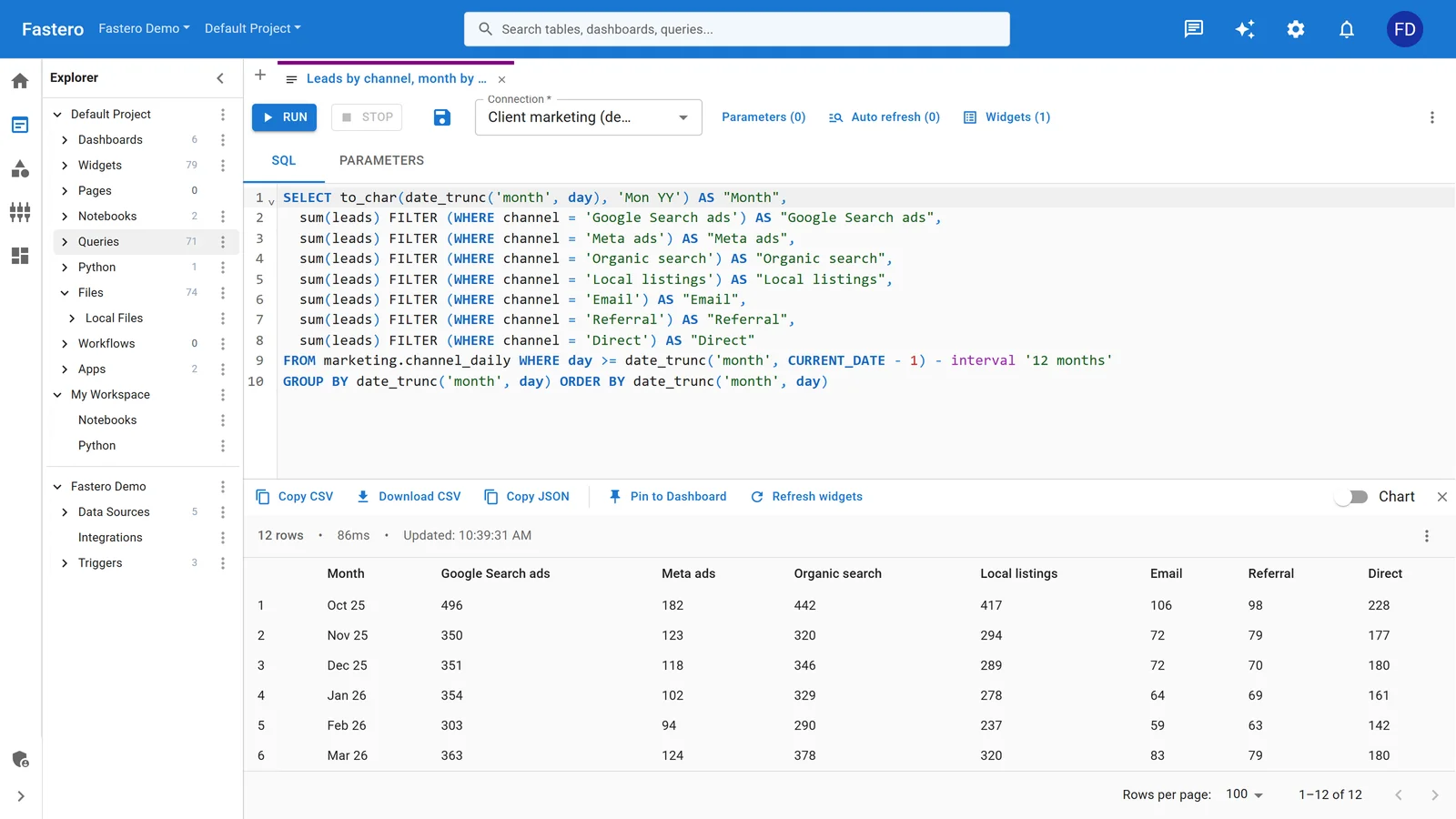
The SQL editor in Fastero. Sample data.
FAQ
Is DuckDB a replacement for ClickHouse? No. DuckDB replaces the local analytics gap — where you would otherwise use SQLite, Pandas, or a temporary PostgreSQL instance. ClickHouse replaces the production OLAP gap — where you would otherwise use Druid, Snowflake, or BigQuery. They address different deployment targets.
Which is faster on the ClickBench benchmark? On single-machine ClickBench runs, ClickHouse and DuckDB trade places depending on the query. ClickHouse is faster on queries that benefit from its sparse indexes and sorting keys. DuckDB is faster on queries that benefit from its adaptive execution and in-process memory access. The difference is single-digit seconds either way on the standard 15 GB dataset.
Can DuckDB handle production workloads? It depends on what "production" means. A scheduled batch job that runs DuckDB against Parquet files and writes results — yes, that is production and it works well. A multi-tenant API serving concurrent analytical queries — no, DuckDB's concurrency model is not built for that.
Does ClickHouse Cloud change the comparison? Partially. ClickHouse Cloud removes the operational overhead of self-hosting, making it viable for smaller teams. But you still pay per query and need to manage ingestion pipelines. DuckDB's advantage is not just "easier to operate" — it is "zero infrastructure, runs in your process." Cloud ClickHouse does not compete with that.
What about MotherDuck? MotherDuck adds persistence, sharing, and hybrid local/cloud execution to DuckDB. It narrows the gap with ClickHouse for small-team analytics. If your workload is a few analysts querying moderate datasets, MotherDuck may be enough. If you need always-on dashboards, high concurrency, or multi-TB ingestion, ClickHouse remains the right choice.
Should I use DuckDB instead of Pandas for data analysis? For SQL-oriented analysis on datasets over a few hundred MB, yes. DuckDB is faster than Pandas for aggregations and joins, uses less memory, and does not require loading the full dataset into RAM. It also avoids the Pandas footgun of silently upcasting dtypes.
How do the SQL dialects differ?
Both support standard analytical SQL — window functions, CTEs, aggregations, joins. The differences are in the edges: ClickHouse has stronger support for arrays, maps, and nested data types. DuckDB has LATERAL joins, PIVOT/UNPIVOT, and friendlier COPY syntax for file I/O. Most analytical queries run on both with minor syntax adjustments.
Related reading:
- DuckDB vs PostgreSQL for Analytics
- DuckDB vs SQLite for Analytics
- Tinybird vs ClickHouse: Serverless vs Self-Hosted
- Apache Druid vs ClickHouse: OLAP Databases Compared
- Best DuckDB Tools and Extensions (2026)
Try Fastero free — connect your database and get AI-powered analysis — the agent picks the right queries for you. No credit card required.