
DuckDB is an embedded columnar database that runs analytical SQL inside your process — no server, no connections, no infrastructure. PostgreSQL is a production-grade relational database built for concurrent access, transactions, and operational workloads. They complement each other. The question isn't which one to use. It's which one to use when.
How are DuckDB and PostgreSQL architecturally different?
This is the difference that drives everything else.
PostgreSQL is a client-server, row-oriented relational database. Your application connects over a socket, sends a query, and the server processes it using row-at-a-time execution. It stores data in pages of tuples, optimized for reading and writing individual rows. It's been in development since 1986. It handles ACID transactions, concurrent writers, replication, point-in-time recovery, and every edge case you'd encounter in a production system.
DuckDB is an in-process, columnar analytical engine. There is no server. When you import duckdb in Python or require('duckdb') in Node.js, the engine runs inside your application's memory space. It stores data in columns and processes queries in vectorized batches — the same execution model behind ClickHouse, BigQuery, and Snowflake, except it runs on your laptop. It was first released in 2019 by researchers at CWI Amsterdam (the same lab that created MonetDB).
The practical consequence: PostgreSQL is built for many users doing many small things. DuckDB is built for one user doing one big thing.
| DuckDB | PostgreSQL | |
|---|---|---|
| Architecture | Embedded, in-process | Client-server |
| Storage model | Columnar | Row-oriented |
| Best for | Analytical queries, file-based analysis | OLTP, concurrent multi-user access |
| Concurrency | Single writer, multiple readers | Thousands of concurrent connections |
| File queries | Native Parquet, CSV, JSON, S3 | Requires COPY or foreign data wrappers |
| Deployment | pip install duckdb (single file) |
Server install, connection pooling, backups |
| Memory model | Memory-mapped, out-of-core spill | shared_buffers + OS page cache |
| Transactions | ACID (single-user oriented) | Full MVCC, production-grade |
| Extensions | spatial, httpfs, JSON, iceberg | PostGIS, TimescaleDB, pg_stat_statements |
| Cost | Free, zero infra for local use | Free, but requires server resources |
When is DuckDB faster than PostgreSQL?
On analytical queries — aggregations, full scans, joins across wide tables — DuckDB is typically 10-100x faster. This isn't marketing. It's the consequence of columnar storage meeting vectorized execution.
Here's the same query on 50 million rows of order data. In PostgreSQL, it scans every column of every row even though the query only touches four columns out of twenty:
-- PostgreSQL: ~14.2 seconds on 50M rows (m5.xlarge, tuned shared_buffers)
SELECT
    customer_segment,
    DATE_TRUNC('month', order_date) AS month,
    COUNT(*)                        AS orders,
    SUM(total_amount)               AS revenue,
    AVG(total_amount)               AS avg_order
FROM orders
WHERE order_date >= '2025-01-01'
GROUP BY customer_segment, DATE_TRUNC('month', order_date)
ORDER BY revenue DESC;

-- DuckDB: ~0.8 seconds on the same data (same machine, Parquet file)
SELECT
    customer_segment,
    DATE_TRUNC('month', order_date) AS month,
    COUNT(*)                        AS orders,
    SUM(total_amount)               AS revenue,
    AVG(total_amount)               AS avg_order
FROM 'orders.parquet'
WHERE order_date >= '2025-01-01'
GROUP BY customer_segment, DATE_TRUNC('month', order_date)
ORDER BY revenue DESC;
Same SQL. Same data. DuckDB finishes 17x faster because it only reads the four columns the query references, and processes them in compressed vectorized batches instead of unpacking full rows.
PostgreSQL can narrow this gap with partial indexes, materialized views, and columnar extensions like Citus or TimescaleDB. But those require planning, schema design, and maintenance. DuckDB gives you that speed out of the box on any Parquet, CSV, or JSON file you point it at.
Fastero
Connect your database. Ask questions. Get dashboards.
Postgres, BigQuery, Snowflake, and 10+ sources — live-connected, AI-powered, no dashboard builder learning curve.
Try free →When is PostgreSQL the better choice?
PostgreSQL wins decisively when the workload involves any of these:
Concurrent access. Fifty users querying the same tables. An application writing orders while a dashboard reads them. A REST API backed by indexed lookups. PostgreSQL's MVCC handles this without breaking a sweat. DuckDB's single-writer model means one write blocks all other writes — fine for analysis, not fine for production.
Point lookups and indexed queries. "Give me order #4582901." PostgreSQL finds it in microseconds via a B-tree index. DuckDB has to scan through column segments. For OLTP patterns — fetch one row, update one row, insert one row — PostgreSQL is orders of magnitude faster.
Transactions that matter. If a failed insert needs to roll back cleanly while other queries keep running, you need PostgreSQL's battle-tested transaction isolation. DuckDB supports transactions, but it wasn't designed for the concurrent transaction patterns that production systems produce.
Ecosystem and tooling. Every ORM, every migration framework, every monitoring tool, every managed hosting provider supports PostgreSQL. Your Django app, your Rails API, your Spring Boot service — they all speak PostgreSQL natively. DuckDB's ecosystem is growing fast but it's a library, not a server, and it fills a different niche.
Can you use DuckDB and PostgreSQL together?
Yes, and this is the pattern I see most often on teams that have discovered DuckDB.
  ┌──────────────────────────────────────────────────┐
  │              Production System                    │
  │                                                   │
  │  App ──writes──> PostgreSQL ──reads──> App/API    │
  │                      │                            │
  │              nightly export                       │
  │                      │                            │
  │                      v                            │
  │              Parquet files (S3)                    │
  │                      │                            │
  │                      v                            │
  │  Analyst laptop:  DuckDB                          │
  │  ┌────────────────────────────────┐               │
  │  │ SELECT ... FROM 's3://bucket/  │               │
  │  │   orders/*.parquet'            │               │
  │  │ JOIN 's3://bucket/             │               │
  │  │   customers/*.parquet'         │               │
  │  │ GROUP BY ...                   │               │
  │  └────────────────────────────────┘               │
  └──────────────────────────────────────────────────┘
PostgreSQL handles the production workload. Data gets exported to Parquet (pg_dump, COPY, or a CDC tool like Debezium). Analysts run DuckDB locally against those files — fast iterations, no load on the production database, no warehouse costs for ad-hoc exploration.
DuckDB can also query PostgreSQL directly via its postgres_scanner extension. This is useful for quick cross-checks but not for heavy analytics against a live production database — you'd be pulling data row-by-row over a connection, which defeats the columnar advantage.
The more interesting combination: DuckDB as the analytical engine inside an application that also uses PostgreSQL for its operational data. This is how we use it at Fastero. Your production data lives in PostgreSQL (or MySQL, or MongoDB). When you need to run analytical queries across those sources — joins, aggregations, window functions — DuckDB handles the computation. No data warehouse required. The analytical engine sits next to the data rather than requiring you to ship everything to a central location first. We wrote more about this pattern in how to run SQL across multiple databases without a warehouse.
Which should I use for a new project?
Here's my decision tree:
  Is this a production application with concurrent users?
  │
  ├── YES ──> PostgreSQL for your operational database
  │           │
  │           Do you also need heavy analytical queries?
  │           │
  │           ├── YES ──> Add DuckDB for the analytical layer
  │           │           (export to Parquet, or use postgres_scanner)
  │           │
  │           └── NO ───> PostgreSQL handles everything
  │
  └── NO ──> What's the workload?
             │
             ├── Local data analysis / exploration ──> DuckDB
             │
             ├── Querying files (Parquet, CSV, JSON) ──> DuckDB
             │
             ├── Embedded analytics in an app ──> DuckDB
             │
             ├── Prototyping queries before production ──> DuckDB
             │
             └── Building a multi-user API or service ──> PostgreSQL
Most real-world data teams end up with both. PostgreSQL runs the application. DuckDB runs the analysis. The separation is clean because they solve different problems.
What about PostgreSQL columnar extensions?
Fair question. TimescaleDB adds time-series optimization and columnar compression. Citus adds distributed columnar storage and parallel query execution. The pg_analytics extension brings DuckDB's execution engine inside PostgreSQL. These narrow the performance gap for analytical queries while keeping PostgreSQL's operational advantages.
The tradeoff: complexity. You're adding extensions, managing configurations, and designing schemas around the columnar layout. DuckDB gives you columnar performance by default, with zero configuration, on any file. If your data already lives in PostgreSQL and you want faster aggregations without moving data out, a columnar extension is worth evaluating. If you're starting from files or need embedded analytics, DuckDB is simpler.
What about scaling beyond a single machine?
PostgreSQL scales vertically (bigger server) and horizontally (read replicas, Citus for sharding, logical replication). There's a well-understood playbook for taking PostgreSQL from a single instance to a distributed cluster serving millions of requests.
DuckDB scales vertically only — throw more CPU and RAM at it. There's no built-in clustering or replication. MotherDuck offers a managed cloud service that extends DuckDB with shared storage and collaboration, but it's a different product with its own pricing.
For single-machine analytics, DuckDB's vertical scaling is usually enough. A modern laptop processes billions of rows. But if you need distributed query execution across terabytes of live data with concurrent users, that's PostgreSQL territory (or a dedicated warehouse like ClickHouse, Snowflake, or BigQuery).
How do DuckDB and PostgreSQL compare on cost?
Both are free and open-source. The cost difference is in infrastructure.
DuckDB for local analysis costs nothing. It runs on whatever machine you already have. No server, no managed service, no per-query billing. This makes it ideal for prototyping and ad-hoc work — you can try ten different analytical approaches without thinking about compute costs.
PostgreSQL requires a server. Even a small managed instance (RDS, Cloud SQL, Supabase) runs $15-50/month. A production instance with replicas, backups, and monitoring costs $200-2000+/month depending on scale. This is the cost of concurrent access, durability, and operational reliability — PostgreSQL earns it.
The cost-optimal pattern for analytics: keep PostgreSQL for production, export to Parquet for analysis, and run DuckDB locally. You pay for the production database and S3 storage. The analytical compute is free.
For teams that need cross-source analytics without building a warehouse, Fastero uses DuckDB internally to join data across PostgreSQL, MySQL, MongoDB, and cloud sources — so you get columnar query speed without managing a separate analytical database.
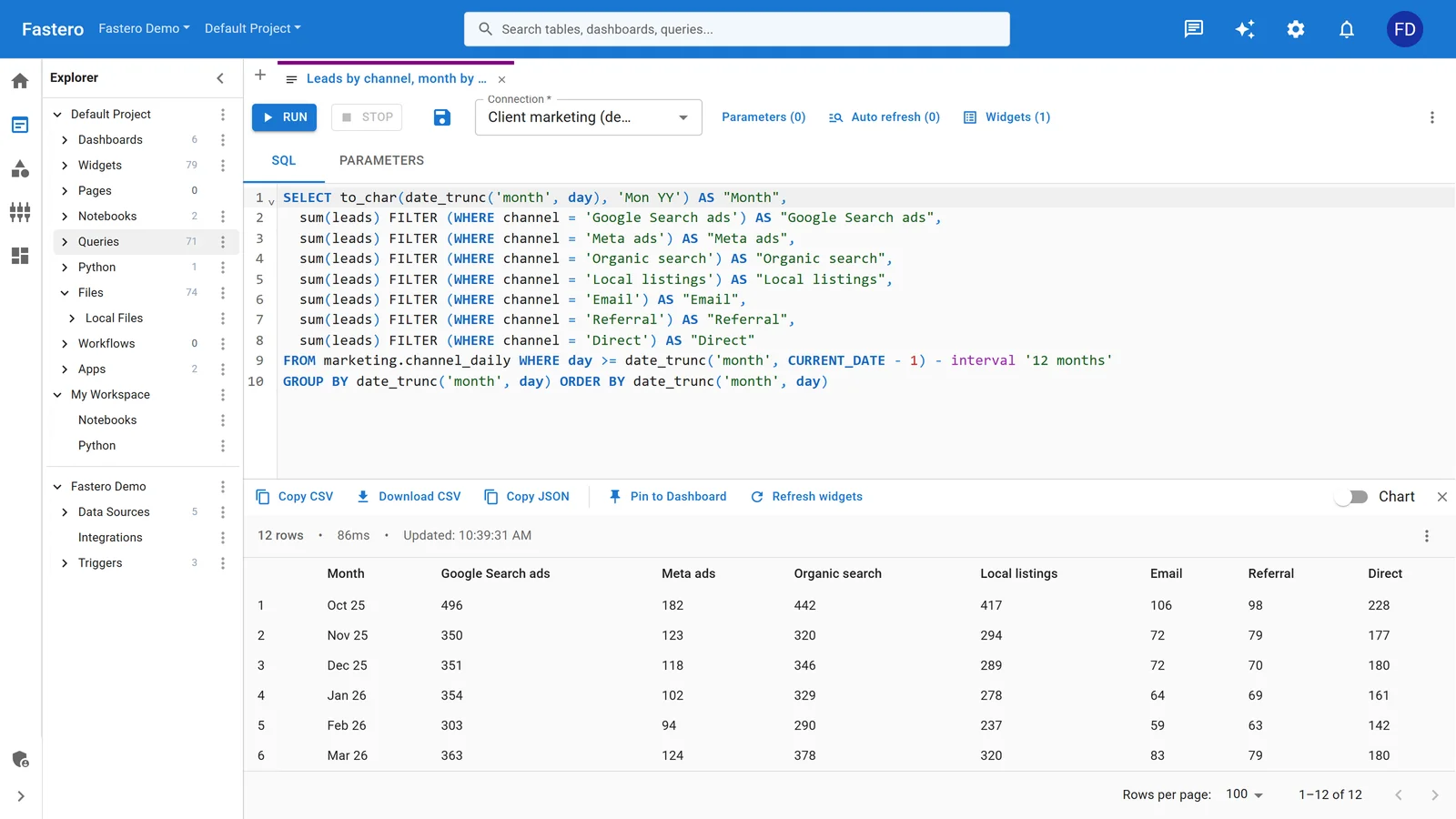
The SQL editor in Fastero. Sample data.
FAQ
Can DuckDB replace PostgreSQL?
No. DuckDB can't handle concurrent writes from a production application. It has no replication, no connection pooling, no role-based access control suitable for multi-tenant applications. If your system needs multiple users writing and reading simultaneously, you need PostgreSQL (or MySQL, or another OLTP database). DuckDB replaces the analytical query part of your workflow, not the operational database part.
Can PostgreSQL handle analytics without DuckDB?
Yes, for moderate analytical workloads. PostgreSQL has window functions, CTEs, and decent aggregation performance. With proper indexing and materialized views, it handles reporting queries on tables up to a few hundred million rows. The pain starts when queries scan billions of rows, join wide tables, or need to run against raw files. That's where DuckDB's columnar engine earns its keep.
Is DuckDB production-ready?
DuckDB reached 1.0 in June 2024 and is used in production by companies of all sizes — typically as an embedded analytical engine, not as a primary operational database. The distinction matters. "Production-ready" for DuckDB means stable, reliable, and performant for analytical workloads with single-user access patterns. It doesn't mean it replaces your PostgreSQL cluster.
Should I learn DuckDB SQL or is it the same as PostgreSQL?
DuckDB's SQL dialect is PostgreSQL-compatible for the most part. If you know PostgreSQL SQL, you know DuckDB SQL. The major additions: DuckDB supports FROM 'file.parquet' syntax, EXCLUDE and REPLACE in SELECT, list and struct types, and a few window function extensions. The DuckDB SQL reference documents the differences, but in practice 90%+ of your PostgreSQL queries run unmodified.
What's the best way to move data between PostgreSQL and DuckDB?
For small datasets: COPY to CSV from PostgreSQL, read in DuckDB. For large datasets: export to Parquet (via pg_dump or a tool like pgloader). For live queries: DuckDB's postgres_scanner extension connects directly and reads tables without export. For ongoing sync: a CDC tool like Debezium streams changes to Parquet in S3, and DuckDB reads the latest snapshot. Start simple and add complexity only when the volume demands it.
Further reading
If you're evaluating where DuckDB and PostgreSQL fit in your stack, these related guides go deeper on specific patterns:
- DuckDB vs SQLite for Analytics — If you're choosing between embedded databases, this comparison covers the analytical vs. transactional split at the SQLite level.
- How to Run SQL Across Multiple Databases Without a Warehouse — The pattern for querying PostgreSQL, MySQL, and MongoDB together without centralizing data.
- Best Real-Time Dashboard Tools 2026 — Where DuckDB and PostgreSQL analytics meet visualization.
- Connect Multiple Databases to One Dashboard Without a Warehouse — Practical setup for cross-source dashboards backed by DuckDB's query engine.
Try Fastero free — cross-source SQL joins powered by DuckDB, on top of your PostgreSQL, MySQL, and cloud warehouses. No data copying. No credit card required.