
A Streamlit app is public to anyone who has its address until you add a login. The good news: since version 1.42, Streamlit can sign people in by itself, and the other ways to protect an app take minutes, not days.
The short answer: to let people sign in with Google, Microsoft or your company's identity provider, use Streamlit's built-in st.login(): register an app with the provider, put its keys in .streamlit/secrets.toml under [auth], and stop the script for anyone who isn't signed in. Then check who they are, because signing in with Google proves someone has a Google account, not that they work for you. For a quick private demo, a password kept in st.secrets is enough. To keep login code out of the app altogether, host it behind your team's sign-in.
Which login fits your app
| Way | Who can get in | Code in your app | Good for |
|---|---|---|---|
Streamlit st.login() |
Anyone your identity provider lets sign in | About 10 lines and an [auth] secret |
Company apps, a different view per person |
| Streamlit password check | Anyone with the shared password | About 15 lines | Demos and small private tools |
| streamlit-authenticator | Users listed in a YAML file | About 20 lines and a config file | Small apps with no identity provider |
| Streamlit Community Cloud | People you invite by email | None | Free private apps |
| Cloudflare Access / oauth2-proxy | Whoever the proxy lets through | None | Apps you host yourself |
| Fastero | People you invite to your workspace | None | Team apps on company data |
1. Streamlit's built-in login: st.login()
st.login() sends the visitor to an OpenID Connect provider — Google, Microsoft Entra ID, Okta, Auth0 and others — and st.user tells you who came back. Install it with pip install "streamlit[auth]", which brings Authlib and, since Streamlit 1.57, the httpx package it also needs (Streamlit's own tutorials still list only Authlib). You also need a client ID and secret from the provider. With Google, create an OAuth client of type "Web application" in the Google Cloud console and add http://localhost:8501/oauth2callback as an authorised redirect URI.
Put the keys in .streamlit/secrets.toml, which never goes into your repository:
[auth]
redirect_uri = "http://localhost:8501/oauth2callback"
cookie_secret = "a-long-random-string"
client_id = "your-client-id"
client_secret = "your-client-secret"
server_metadata_url = "https://accounts.google.com/.well-known/openid-configuration"
Then gate the app. Everything after st.stop() runs only for someone who is signed in:
import streamlit as st

if not st.user.is_logged_in:
    st.title("Sales dashboard")
    st.button("Sign in with Google", on_click=st.login)
    st.stop()

st.button("Sign out", on_click=st.logout)
st.write(f"Signed in as {st.user.email}")
st.user holds what the provider sends back, such as email and name — the fields differ from provider to provider — so you can show each person their own numbers.
- A sign-in lasts 30 days, and Streamlit doesn't let you change that. To end sessions sooner, check the expiry the provider put in
st.userand callst.logout()yourself. st.logout()signs people out of your app. With Microsoft or Okta, it also sends them to the provider's sign-out page; Google offers no such page, so with Google they stay signed in to Google.- When you deploy, change
redirect_urito your app's real address, ending in/oauth2callback, and register that address with the provider too. - Generate
cookie_secretonce, for example withpython -c "import secrets; print(secrets.token_hex(32))", and keep it: changing it signs everyone out.
Only let your company in
Signing in with Google proves that someone has a Google account — any Google account. Decide who belongs, either at the provider (for Google Workspace, set the OAuth app's audience to Internal; for Microsoft Entra ID, register a single-tenant app) or in the app itself:
import streamlit as st

COMPANY_DOMAIN = "example.com"

if not st.user.is_logged_in:
    st.button("Sign in with Google", on_click=st.login)
    st.stop()

if not st.user.email.endswith("@" + COMPANY_DOMAIN):
    st.error(f"This app is only for {COMPANY_DOMAIN} accounts.")
    st.button("Sign out", on_click=st.logout)
    st.stop()

st.title("Sales dashboard")
We tested this with three visitors: someone signed out sees the button, a personal Gmail account is turned away, and a company account gets in.
Fastero
Host your Streamlit app for your team.
Deploy from GitHub with your team's login and secrets built in — no Docker, no auth proxy.
Try free →2. Offer more than one sign-in
Name each provider in its own section and pass the name to st.login(). The shared settings stay under [auth], and a provider's name can't contain an underscore — [auth.azuread] works, [auth.azure_ad] doesn't:
[auth]
redirect_uri = "http://localhost:8501/oauth2callback"
cookie_secret = "a-long-random-string"

[auth.google]
client_id = "your-google-client-id"
client_secret = "your-google-client-secret"
server_metadata_url = "https://accounts.google.com/.well-known/openid-configuration"

[auth.microsoft]
client_id = "your-microsoft-client-id"
client_secret = "your-microsoft-client-secret"
server_metadata_url = "https://login.microsoftonline.com/your-tenant-id/v2.0/.well-known/openid-configuration"
import streamlit as st
if not st.user.is_logged_in:
if st.button("Sign in with Google"):
st.login("google")
if st.button("Sign in with Microsoft"):
st.login("microsoft")
st.stop()
st.write(f"Signed in as {st.user.email}")3. A shared password
For a demo or a tool a handful of people use, a single password does the job. Keep it in .streamlit/secrets.toml as password = "...", and compare with hmac.compare_digest, which takes the same time whether the guess is close or not:
import hmac
import streamlit as st


def check_password():
    if st.session_state.get("password_ok"):
        return True
    entered = st.text_input("Password", type="password")
    if entered:
        if hmac.compare_digest(entered, st.secrets["password"]):
            st.session_state["password_ok"] = True
            st.rerun()
        st.error("Wrong password")
    return False


if not check_password():
    st.stop()

st.title("Sales dashboard")
Everyone shares one secret, there is no record of who looked, and changing it means telling everyone the new one. Fine for a demo; for anything with company data, use one of the other ways.
4. streamlit-authenticator: usernames and passwords
The streamlit-authenticator package gives each person a username and password, kept in a YAML file with the passwords hashed, and remembers them with a cookie. It also has widgets for registration, password resets and guest sign-in with Google or Microsoft. Its latest release, 0.4.2, came out in March 2025; we ran the example below on Streamlit 1.66.
credentials:
  usernames:
    ana:
      email: ana@example.com
      first_name: Ana
      last_name: Diaz
      password: change-me
cookie:
  name: sales_app_auth
  key: a-random-string-of-at-least-32-characters
  expiry_days: 30
import yaml
import streamlit as st
import streamlit_authenticator as stauth
with open("config.yaml") as f:
config = yaml.safe_load(f)
authenticator = stauth.Authenticate(
config["credentials"],
config["cookie"]["name"],
config["cookie"]["key"],
config["cookie"]["expiry_days"],
)
authenticator.login()
if st.session_state.get("authentication_status"):
authenticator.logout()
st.write(f"Welcome, {st.session_state['name']}")
elif st.session_state.get("authentication_status") is False:
st.error("Wrong username or password")
else:
st.info("Sign in to see the dashboard")It hashes plain-text passwords when it loads them; store hashes from the start with stauth.Hasher.hash("the-password"). Make the cookie key long: under 32 characters it warns that the key is too short. When users register or change a password, your code has to write the YAML file back, and you become the person who resets passwords and removes people who leave.
5. Streamlit Community Cloud's viewer list
Apps on Streamlit Community Cloud follow their GitHub repository: a private repository makes a private app. You invite viewers by email, and they sign in with Google, or with a single-use link emailed to them that works for 15 minutes — no login code in the app. Three things to know before you rely on it:
- One private app at a time on the free service. An app that uses
st.login()counts as that one, even if its repository is public. - Viewers see more than the app. Inviting someone to any app also gives them analytics for all your public apps, and they can invite others.
- Apps sleep after 12 hours without visitors.
6. Put a proxy in front
If you host the app yourself, a proxy can do the login before a request ever reaches Streamlit, and the app needs no code changes:
- oauth2-proxy runs in front of your server and signs people in with Google, Microsoft, GitHub and many others — including plain OAuth providers such as GitHub, which
st.login()can't use. It can admit people by email, domain or group. - Cloudflare Access works if the app's domain is on Cloudflare: everything is denied until a person matches an Allow policy. It is free for teams of under 50 users and $7 per user a month after that.
- nginx basic auth is the simplest: one shared username and password file.
Whichever you choose, the proxy has to pass Streamlit's WebSocket connection through, and you are the one who runs and updates it.
7. Host it behind your team's sign-in
The last way is to not write a login at all: run the app somewhere that only opens it for your team. In Fastero, an app is private to the people you invite. Colleagues get an email, sign in with their own login and open the app; nobody else can. Viewers are free, and there is no login code in your app.
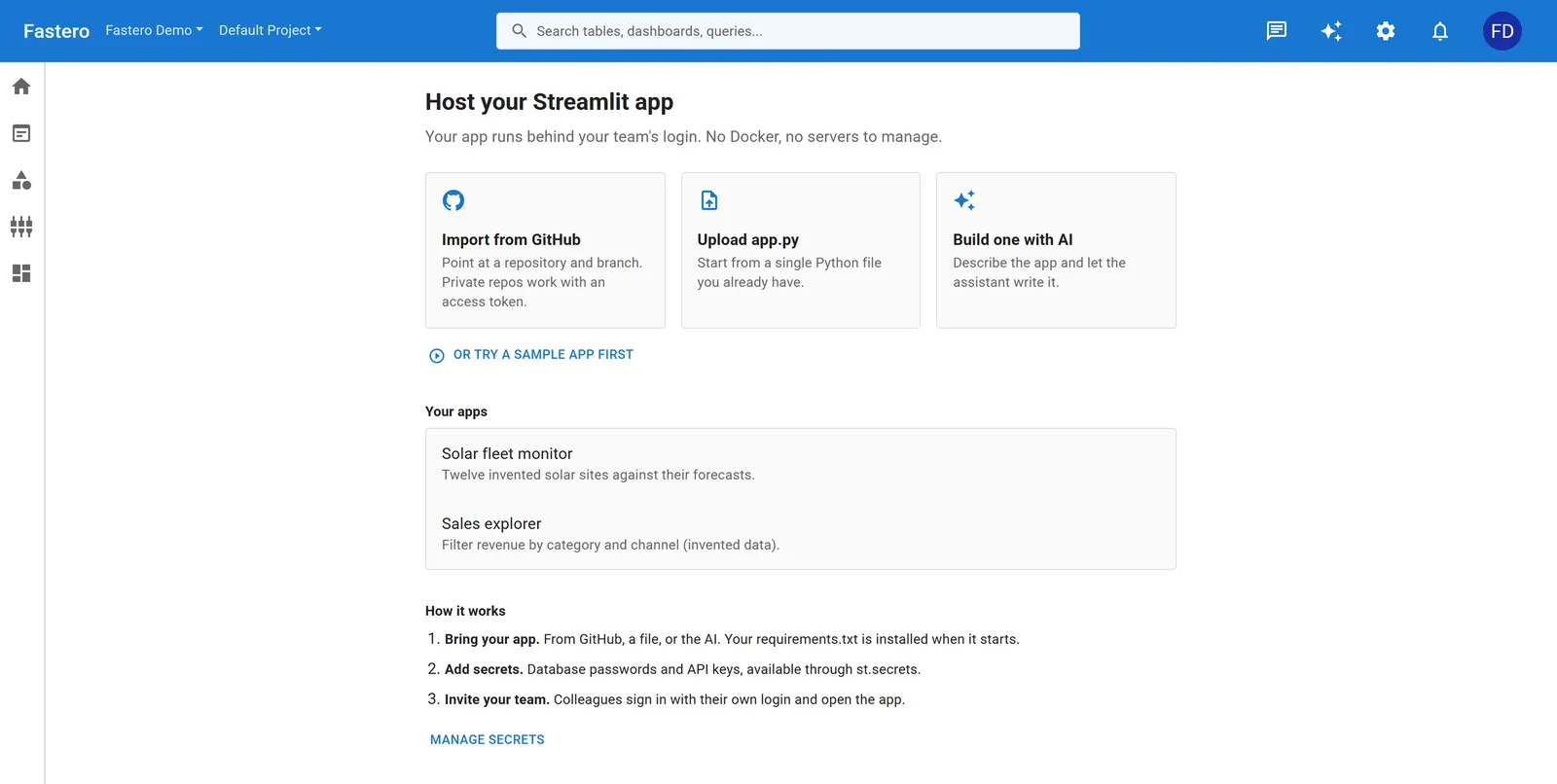
Starting a Streamlit app in Fastero. Sample data.
- Bring the app as it is. Import it from GitHub, GitLab or Bitbucket — private repositories take a read-only token — or upload
app.py. Yourrequirements.txtis installed when it starts. - Secrets stay out of the code. Add
DATABASE_URLas a secret and read it withst.secrets, as you would locally. - It wakes when someone opens it. On the Free plan, an app sleeps 10 minutes after the last person leaves and starts again in about 15 seconds; on Pro, it can stay on.
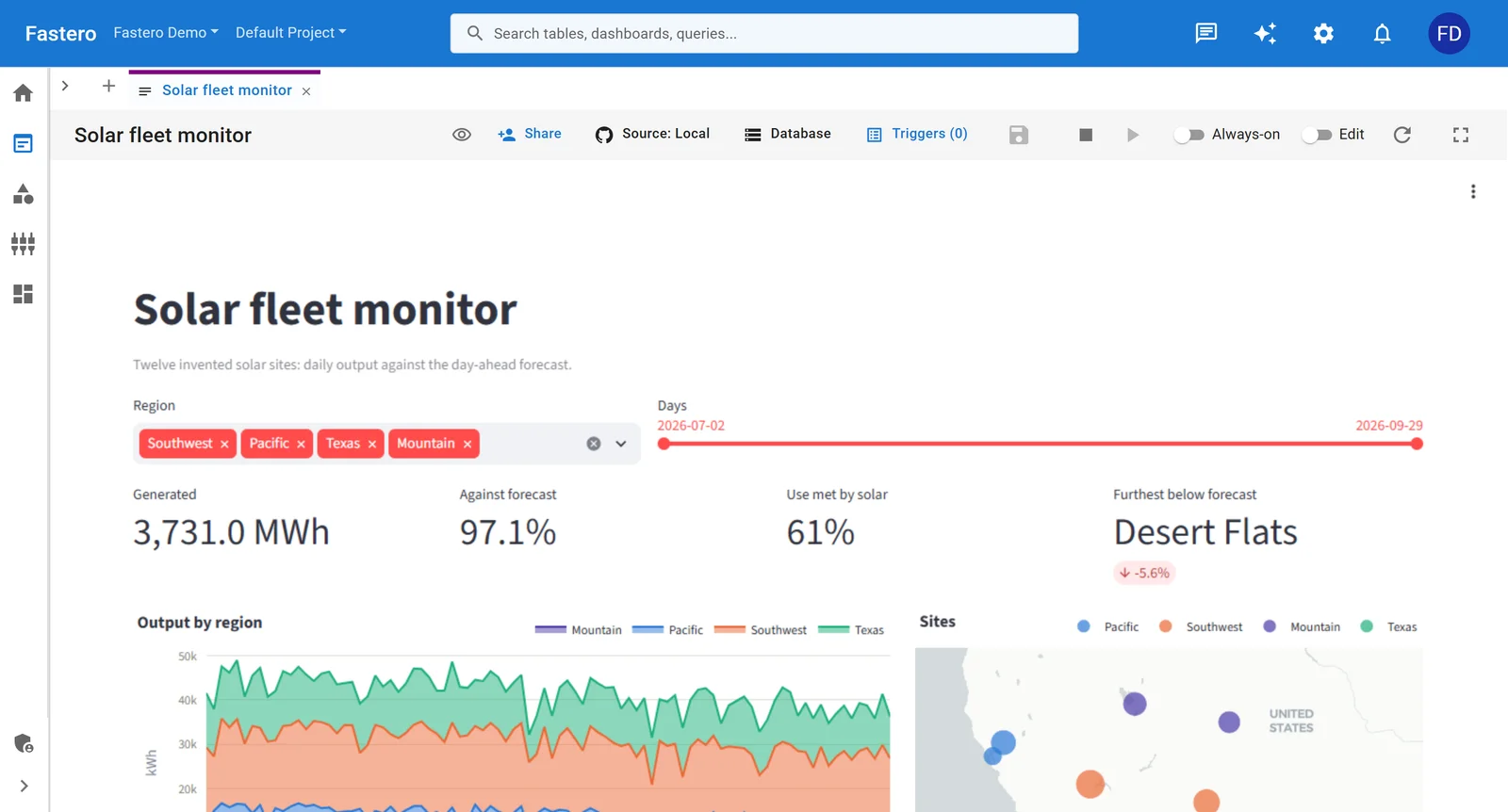
A Streamlit app running in Fastero, with Share above it. Sample data.
More in how Fastero hosts Streamlit apps.
Common problems
| What you see | Why | Fix |
|---|---|---|
redirect_uri_mismatch from Google |
The address in secrets.toml doesn't exactly match one registered with the provider |
Register the exact address, including http or https, the port and /oauth2callback |
| "Authentication requires Authlib", even with Authlib installed | Streamlit 1.57 and later also need httpx |
pip install "streamlit[auth]", and put streamlit[auth] in requirements.txt |
| Sign-in goes round in a loop with no error shown | Streamlit sends failed sign-ins back to the start and writes the reason only to the server log | Read the log for "Error during authentication" |
st.user has no attribute is_logged_in |
No [auth] section was loaded |
Put secrets.toml in .streamlit/ in the folder you run streamlit run from, then restart |
| "Request Header Or Cookie Too Large" behind a proxy | The sign-in cookies now carry the provider's tokens and can exceed the proxy's header limit | Raise the proxy's header buffer limits, or have the provider send fewer claims |
| Everyone is signed out after a restart | cookie_secret changed |
Keep one cookie_secret in your secrets, not generated at start-up |
| Sign-in works locally but not on the server | The provider redirects to localhost, or a proxy rewrites the address |
Set redirect_uri to the public https address and register it |
| Anyone with a Google account gets in | Signing in isn't the same as being allowed | Make the app Internal at the provider, or check st.user.email |
| Sign-in fails when the app is embedded in another page | Streamlit doesn't support authentication in embedded apps | Open the app in its own tab |
FAQ
Does Streamlit have a built-in login?
Yes. Since version 1.42, st.login(), st.logout() and st.user sign people in through any OpenID Connect provider, such as Google, Microsoft Entra ID, Okta or Auth0. You add the provider's client ID and secret to .streamlit/secrets.toml under [auth].
How do I password-protect a Streamlit app?
Keep the password in st.secrets, show a password box, compare the entry with hmac.compare_digest, and call st.stop() until it matches. The code above does this in about 15 lines. For more than a few people, give each person their own sign-in instead.
How do I restrict a Streamlit app to my company?
Sign people in with your company's identity provider and allow only its accounts: an Internal OAuth app on Google Workspace, a single-tenant app on Microsoft Entra ID, or a check on st.user.email in the app. Or host the app where only invited colleagues can open it.
Can I get the user's email in Streamlit?
After st.login(), st.user.email holds the signed-in person's email address, along with whatever else the provider shares, such as name. Use it to filter data to that person.
Do I need login code if I host the app on Fastero?
No. Fastero opens an app only for people signed in to your workspace, so the app needs no login code, and viewers are free.
Related reading:
- Streamlit dashboard examples: 8 apps with code
- How to deploy Streamlit with authentication and scheduling
- How to share Streamlit apps with non-technical users
Try Fastero free — host your Streamlit app behind your team's login, with secrets built in. No credit card required.