
A data pipeline has four jobs: extract data from sources, load it somewhere useful, transform it into something queryable, and make sure none of that broke. No single tool does all four well. The best stacks in 2026 combine two or three open-source projects — one for orchestration, one for EL, one for transformation — and maybe a quality layer on top. Here are the ten tools worth evaluating.
I've built or maintained pipelines with eight of these ten in production. This guide covers what each tool actually does, where it fits in the stack, and how to combine them without over-engineering your first pipeline. If you're only here for the EL layer, our best open-source ETL tools guide goes deeper on that slice.
The comparison table
| Tool | Category | Price (self-hosted) | GitHub Stars | Best for |
|---|---|---|---|---|
| Airflow | Orchestration | Free | 36k+ | Teams that need battle-tested scheduling at scale |
| Dagster | Orchestration | Free | 12k+ | Asset-centric pipelines with dbt integration |
| Prefect | Orchestration | Free | 17k+ | Python teams that want orchestration without the YAML |
| Mage | Orchestration + Transform | Free | 8k+ | ML teams that think in notebooks |
| Airbyte | Extract + Load | Free | 16k+ | Replacing Fivetran with a self-hosted alternative |
| dbt Core | Transform | Free | 10k+ | SQL-first analytics engineering |
| Singer | Extract + Load | Free | Varies | Building custom connectors on a spec |
| Meltano | Extract + Load | Free | 2k+ | Version-controlled EL pipelines via CLI |
| Kestra | Orchestration | Free | 12k+ | YAML-native workflows with a visual editor |
| Great Expectations | Quality | Free | 10k+ | Data validation and testing at every stage |
Where each tool fits in the pipeline
 Sources            Extract + Load        Transform          Orchestrate         Quality
 ───────            ──────────────        ─────────          ───────────         ───────
 Postgres     ─┐
 Salesforce    ├──▶  Airbyte             dbt Core       ┌── Airflow            Great
 Stripe        │     Singer        ──▶   (SQL models)   │   Dagster       ──▶  Expectations
 S3 / GCS     ─┤     Meltano             Mage           │   Prefect            (validate
 APIs          │                          (Python +      └── Kestra              every
 Spreadsheets ─┘                           SQL)              Mage                stage)
Most production stacks pick one tool from each column. A common combination: Airbyte for EL, dbt for transformation, Dagster or Airflow for orchestration, Great Expectations for quality checks between stages.
Fastero
Connect your database. Ask questions. Get dashboards.
Postgres, BigQuery, Snowflake, and 10+ sources — live-connected, AI-powered, no dashboard builder learning curve.
Try free →1. Airflow — the default orchestrator
Apache Airflow is the tool everyone learns first and many teams never leave. You define pipelines as Python DAGs — directed acyclic graphs — and Airflow handles scheduling, retries, dependency management, and monitoring. It's been around since 2014 (born at Airbnb), has 36,000+ GitHub stars, and runs in production at companies ranging from 5-person startups to Fortune 100s.
The plugin ecosystem is massive. Need to call a Snowflake query, trigger a Spark job, hit an API, move files between S3 buckets? There's an operator for that. The community has written operators for virtually every data service that exists. And the scheduler — rewritten in Airflow 2.x — handles thousands of concurrent tasks without falling over. For a detailed head-to-head with the newer alternatives, see our Airflow vs Dagster comparison.
Managed Airflow options exist. AWS MWAA (Managed Workflows for Apache Airflow), Google Cloud Composer, and Astronomer all run Airflow for you. They remove the infrastructure burden but add cost. If self-hosting Airflow is the bottleneck, those are real alternatives — or you can skip Airflow entirely and look at Dagster or Prefect below.
The gotcha: Airflow is complex to operate. The executor model (Local, Celery, Kubernetes) requires real infrastructure decisions. DAG serialization, worker scaling, metadata database maintenance — it's not a tool you install and forget. If you have a platform team, that's fine. If your data engineer is also your only data engineer, the operational overhead might eat their week. Airflow also thinks in tasks, not data assets, which means it doesn't natively understand whether the table your DAG produced is actually correct.
2. Dagster — the asset-centric alternative
Dagster rethinks orchestration around "software-defined assets" instead of tasks. Rather than writing a DAG that says "run step A, then step B, then step C," you declare that asset X depends on asset Y and asset Z, and Dagster figures out the execution order. That mental model maps more naturally to how data teams actually think: "I need this table to be fresh, and it depends on these two sources."
The dbt integration is first-class. Dagster can import your entire dbt project as assets, track lineage across dbt models and Python code, and materialize everything in the right order. The UI shows you a live asset graph — which tables are stale, which are materializing, which failed — and it's genuinely useful, not just pretty. For teams already running dbt, Dagster is the orchestrator that speaks dbt natively. See our Dagster vs Prefect comparison for a closer look at how the two modern orchestrators differ.
The gotcha: Dagster's asset model requires you to think differently. If you're coming from Airflow, the migration isn't just syntax — it's a mental model shift. Some tasks don't map cleanly to assets (sending an email, hitting a webhook, running a one-off script), and the "asset or op?" question comes up constantly in the first month. The community is smaller than Airflow's, which means fewer Stack Overflow answers when you get stuck.
3. Prefect — orchestration without the boilerplate
Prefect takes a different bet than both Airflow and Dagster: what if orchestration was just Python? You decorate your functions with @flow and @task, and Prefect handles scheduling, retries, logging, and state management. No DAG files, no YAML, no operator classes. If you can write a Python function, you can write a Prefect flow.
Here's roughly what a Prefect flow looks like:
from prefect import flow, task

@task(retries=3)
def extract_sales_data():
    return db.query("SELECT * FROM sales WHERE date = today()")

@task
def transform(raw_data):
    return raw_data.groupby("region").sum()

@flow
def daily_sales_pipeline():
    raw = extract_sales_data()
    transformed = transform(raw)
    load_to_warehouse(transformed)
That's it. No boilerplate classes, no configuration files. The @task decorator gives you retries, caching, and logging. The @flow decorator gives you scheduling and monitoring.
The hybrid execution model is worth understanding. Your flow code runs on your infrastructure (a VM, a container, a laptop), but Prefect Cloud handles the scheduling, monitoring, and UI. That means you don't need to operate a scheduler, a metadata database, or a web server. The control plane is managed; the compute is yours. For teams that don't want to manage Airflow's infrastructure but need something more structured than cron, Prefect fills that gap cleanly.
The gotcha: Prefect's simplicity cuts both ways. Complex DAG logic — conditional branching, dynamic task generation, cross-flow dependencies — is possible but less obvious than in Airflow, where the DAG structure is explicit. And the shift from Prefect 1 to Prefect 2 was a breaking rewrite, which burned some early adopters. The API has stabilized since, but the memory lingers.
4. Mage — notebooks meet pipelines
Mage combines orchestration and transformation in a single tool with a notebook-style UI. You build pipelines by writing Python, SQL, or R blocks in what looks like a Jupyter notebook, but each block is a pipeline step that Mage can schedule, retry, and monitor. For ML teams that think in notebooks, that's a natural fit.
The data integration layer is built in. Mage ships with connectors for common sources (Postgres, BigQuery, S3, APIs) and can run dbt models as pipeline steps. You don't need a separate EL tool for simple extraction — Mage handles it in the same UI. That consolidation appeals to smaller teams that don't want to operate three different tools.
The real-time pipeline support is worth a mention. Mage can run streaming pipelines alongside batch ones, which is unusual for a tool in this category. If your team needs both a nightly batch ETL and a real-time event stream, Mage handles both in the same interface.
The gotcha: Mage is younger and smaller than Airflow, Dagster, or Prefect. The connector ecosystem is narrower. The community is growing but thin compared to the incumbents. And the notebook-style interface, while intuitive for data scientists, can feel limiting for production engineering work where you want proper IDE support, version control, and code review workflows.
5. Airbyte — the open-source Fivetran
Airbyte is an EL (extract and load) platform with 350+ connectors. It pulls data from SaaS tools (Salesforce, HubSpot, Stripe, Google Analytics), databases (Postgres, MySQL, MongoDB), and file stores (S3, GCS), then loads it into your warehouse or lake. Self-hosted Airbyte is free. Airbyte Cloud is the managed version with per-row pricing. For teams evaluating it against the market leader, our Fivetran vs Airbyte comparison breaks down the tradeoffs.
The connector quality has improved significantly since the early days. Core connectors (the top 50 or so) are maintained by Airbyte's team and are production-grade. The long tail of community connectors is more variable — some are excellent, some haven't been updated in months. Check the connector's GitHub activity before relying on it. Airbyte also supports CDC (change data capture) for databases, incremental syncs, and schema change handling, which are the features that separate a toy EL tool from a production one.
The gotcha: self-hosted Airbyte runs on Docker and needs real resources. Each connector sync spawns containers, and at scale you'll want Kubernetes. The free self-hosted version gives you everything, but "everything" includes the operational burden of running a distributed sync platform. If you're syncing 5 sources, it's manageable. At 50, you need a plan.
6. dbt Core — SQL transformation as code
dbt (data build tool) changed how data teams think about transformation. Instead of writing stored procedures or Python scripts to transform data in your warehouse, you write SELECT statements. Each model is a .sql file. dbt handles the DDL (creating tables, managing schemas), dependency ordering, and incremental logic. You write the query; dbt writes the CREATE TABLE AS. See our dbt Core vs dbt Cloud comparison to decide whether you need the managed version.
The testing and documentation features are what make dbt sticky. You define tests inline (not_null, unique, accepted_values, relationships) and dbt runs them after every build. Documentation is generated automatically from your schema YAML files. Lineage graphs show how models depend on each other. For analytics engineering teams, dbt is the standard — not an option, but the expected tool in the stack.
A dbt model is just a SQL file. Here's a simplified example:
-- models/monthly_revenue.sql
SELECT
  date_trunc('month', payment_date) AS month,
  SUM(amount_cents) / 100.0 AS revenue
FROM {{ ref('stg_payments') }}
WHERE status = 'succeeded'
GROUP BY 1
{{ ref('stg_payments') }} tells dbt this model depends on the stg_payments staging model. dbt resolves the dependency, runs them in order, and materializes the result as a table or view in your warehouse. That's the whole pattern.
The gotcha: dbt only does the T in ELT. It assumes the data is already in your warehouse. You still need an EL tool (Airbyte, Singer, Meltano, or Fivetran) to get data there, and an orchestrator (Airflow, Dagster, or Prefect) to run dbt on a schedule. dbt Core is the CLI — free, open source, runs anywhere. dbt Cloud adds scheduling, a web IDE, and managed infrastructure, but at a price that scales with seats.
7. Singer — the connector spec
Singer isn't a tool you install — it's a specification. It defines how data extraction ("taps") and loading ("targets") should communicate: taps emit structured JSON to stdout, targets consume it from stdin. This means you can mix and match: a Salesforce tap pipes into a Postgres target, a Stripe tap pipes into a BigQuery target. The spec is simple, composable, and language-agnostic.
The reality is messier. Singer taps are community-maintained, and quality varies wildly. Some taps are production-ready and actively maintained. Others haven't seen a commit in two years. Before adopting a Singer tap, check the last commit date, open issues, and whether anyone is actually using it. The best Singer taps have been adopted and maintained by the Meltano community, which brings us to the next tool.
The gotcha: running Singer taps raw — piping tap output into a target via bash — works for prototyping but breaks down in production. No retry logic, no state management, no monitoring. That's why Meltano exists: it wraps Singer in a proper CLI with state, scheduling, and configuration management. If you're evaluating Singer, you're probably evaluating Meltano.
8. Meltano — Singer with guardrails
Meltano takes the Singer ecosystem and wraps it in a production-ready CLI. You define your pipelines in meltano.yml, configure extractors and loaders with environment variables, and run syncs with meltano run. State management, incremental replication, and plugin versioning are handled for you. It's GitLab-backed and designed for version-controlled, CI/CD-friendly data pipelines.
The CLI-first approach means Meltano fits naturally into engineering workflows. Your pipeline configuration lives in Git. Changes go through pull requests. Deployments happen through CI. There's no clicking through a UI to set up a connector — it's all code, all auditable. For teams that want their EL pipelines to follow the same development practices as their application code, Meltano delivers that.
The gotcha: Meltano's connector catalog inherits Singer's quality variance. The well-maintained taps work great. The obscure ones might need patches. And while Meltano adds real value on top of Singer, the community is smaller than Airbyte's. If the connector you need exists and works in both Airbyte and Meltano, Airbyte will probably have better documentation and more users reporting bugs. For a broader look at open-source EL tools, see our best open-source ETL tools roundup.
9. Kestra — event-driven orchestration
Kestra approaches orchestration differently from the Python-centric tools. Workflows are defined in YAML, executed by a Java-based engine, and managed through a built-in UI. It ships with 500+ plugins covering everything from database queries to cloud API calls to file transfers. If your pipelines are more "move this file, call this API, run this query" and less "execute this Python function," Kestra's declarative model fits well.
The event-driven architecture is the differentiator. Kestra can trigger workflows on file arrivals, webhook calls, schedule changes, or Kafka messages — not just cron schedules. The UI is polished: you can build, test, and monitor workflows without leaving the browser. For infrastructure-as-code teams, the YAML definitions live in Git and deploy via CI, same as Terraform or Kubernetes manifests.
The gotcha: Kestra's Java runtime is heavier than Prefect's Python agent. The YAML workflow definitions, while readable, get verbose for complex logic. And because Kestra is language-agnostic (not Python-first), integrating it with Python-heavy data stacks (pandas, scikit-learn, dbt) requires more glue than Dagster or Prefect. It's strongest when your pipelines are infrastructure-heavy, not code-heavy.
10. Great Expectations — data quality as code
Great Expectations fills the gap that every other tool on this list ignores: is the data actually correct? You define "expectations" — this column should never be null, this value should be between 0 and 1, this table should have at least 1,000 rows — and GX validates your data against them. When expectations fail, you know before your dashboard shows a wrong number.
The documentation generation is underrated. GX produces "data docs" — HTML reports showing which expectations passed, which failed, and what the data looks like. Share them with stakeholders and they can see data quality status without asking the data team. Plug GX into your orchestrator (Airflow, Dagster, or Prefect all have GX integrations) and you get automated quality gates between pipeline stages.
The gotcha: the learning curve is steeper than it should be. GX went through a major API rewrite (the "GX 1.0" release), and older tutorials don't match the current interface. The configuration-driven approach — JSON/YAML expectation suites, data context files, checkpoint configurations — feels heavy for simple use cases. If you just want "fail the pipeline if this table is empty," GX is a lot of machinery for one check.
How much ops work does each tool require?
Before picking a stack, be honest about your team's capacity to operate it. Here's a rough breakdown:
                Setup time    Ongoing ops    Main dependency
Airflow:        ████░         ████░          Python, Postgres, Redis, executor
Dagster:        ███░░         ██░░░          Python, Postgres
Prefect:        ██░░░         █░░░░          Python (Cloud handles the rest)
Mage:           ██░░░         ██░░░          Docker, Postgres
Airbyte:        ███░░         ███░░          Docker / Kubernetes
dbt Core:       █░░░░         █░░░░          Python CLI (runs in CI)
Singer:         ██░░░         ███░░          Python virtualenvs per tap
Meltano:        ██░░░         ██░░░          Python, Singer plugins
Kestra:         ███░░         ██░░░          Java, Postgres, Kafka (optional)
Great Expect.:  ██░░░         █░░░░          Python (runs inside your pipeline)
dbt Core and Great Expectations are the lightest — they're libraries, not services. Airflow and Airbyte are the heaviest. Everything else sits somewhere in between.
How to build a pipeline stack
You don't need all ten tools. Most production pipelines use three or four. Here's how to pick:
Small team, simple pipelines (1-3 data sources): Airbyte (EL) + dbt Core (transform) + Prefect (orchestrate). Low operational overhead. Prefect's hybrid model means you don't run a scheduler. Airbyte's UI makes connector setup fast. dbt handles the SQL.
Mid-size data team (5-20 sources, multiple consumers): Airbyte (EL) + dbt Core (transform) + Dagster (orchestrate) + Great Expectations (quality). Dagster's asset model tracks lineage across Airbyte syncs and dbt models. GX validates data between stages. This is the stack I'd recommend for most teams starting from scratch in 2026.
Large team, existing Airflow investment: Keep Airflow (orchestrate) + Airbyte or Meltano (EL) + dbt Core (transform) + Great Expectations (quality). Migrating off Airflow is expensive and rarely justified if it's already working. Add the other tools around it.
ML-heavy team, notebook workflow: Mage (orchestrate + transform) + Airbyte (EL). Mage's notebook UI keeps ML engineers in their comfort zone. Add Great Expectations if you need formal quality gates.
The most common mistake I see: overbuilding the stack before you have data flowing. Start with two tools (Airbyte + dbt, or Prefect + dbt), get data into your warehouse, and add orchestration and quality tooling when the pain justifies it. A working pipeline that syncs three sources and transforms them daily is worth more than an architecture diagram with eight tools that never ships.
And if all you have is a handful of Python scripts on a timer, a hosted runner may be enough: in Fastero, a Python project runs on a schedule, with its credentials kept as secrets and a log of every run.
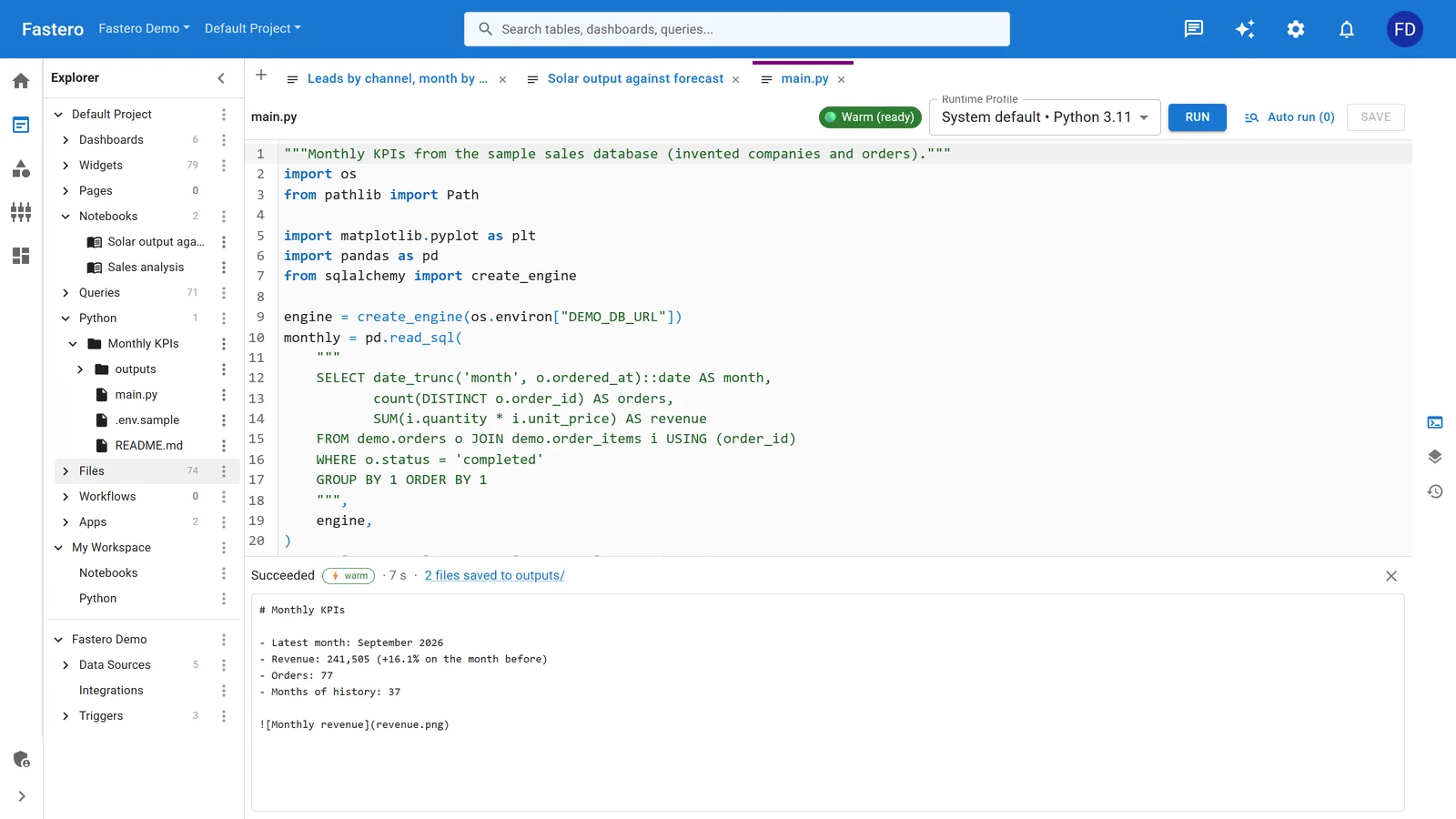
A Python project in Fastero. Sample data.
FAQ
What's the difference between ETL and ELT? ETL transforms data before loading it into the destination. ELT loads raw data first, then transforms it in the warehouse. Most modern stacks use ELT because cloud warehouses (Snowflake, BigQuery, Redshift) are cheap and fast enough to handle transformation. dbt is built for the T in ELT. The practical difference: with ETL, you write transformation logic in Python or Java before the data lands. With ELT, you write SQL transformations after it's already in the warehouse. ELT is simpler to debug because you can query the raw data directly.
Can I use Dagster instead of Airflow? Yes, and for new projects in 2026, I'd recommend it. Dagster's asset model, built-in dbt integration, and developer experience are better than Airflow's for most use cases. The main reason to stick with Airflow is if your team already runs it and migration cost exceeds the benefit. See our Airflow vs Dagster comparison for the full breakdown.
Do I need a separate data quality tool? Depends on your risk tolerance. If a wrong number in a dashboard costs your company money or reputation, yes — add Great Expectations or a similar tool. If you're an early-stage startup and "close enough" is fine for now, dbt's built-in tests (not_null, unique, accepted_values) cover the basics without adding another tool.
Is Airbyte really free? Self-hosted Airbyte is free with no row limits or connector restrictions. Airbyte Cloud charges per row synced. The self-hosted version requires Docker and a machine with enough resources to run sync jobs — plan for at least 4GB of RAM for a small deployment, more as you add connectors. At scale, you'll want Kubernetes. The software is free; the infrastructure is not.
Which orchestrator is easiest to learn? Prefect. If you can write Python functions, you can write Prefect flows. Dagster has a steeper learning curve but rewards it with a better mental model. Airflow has the most learning resources (tutorials, courses, Stack Overflow answers) but the highest operational complexity. Kestra is the easiest if you prefer YAML over Python — its visual editor lets you build workflows without writing code at all.
Try Fastero free — your pipeline moves the data, Fastero analyzes it. Connect your warehouse, ask questions in SQL or English, get dashboards. No credit card required.