
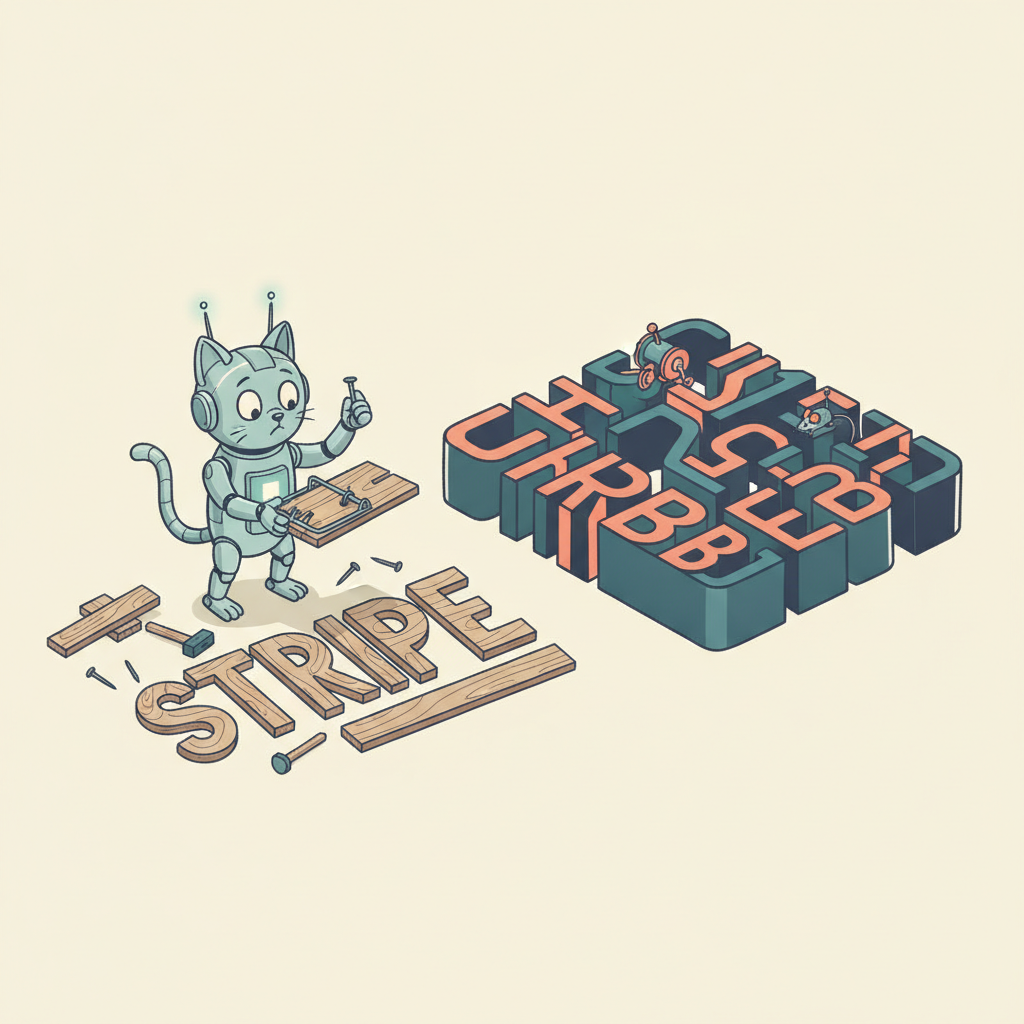
The first time I wired up Stripe Billing, I was genuinely impressed. Three API calls and I had a working subscription: create a customer, attach a payment method, create a subscription. Done. I pushed to production on a Friday afternoon and spent Saturday morning feeling like a genius.
By Monday I was writing a custom dunning flow. By Wednesday I was building proration logic for mid-cycle plan changes. By the following week I'd written a webhook handler with 14 event types, a retry queue for failed webhook deliveries, and a small state machine to track whether a customer was "active," "past due," "in grace period," or "churned." I had, without noticing, built about 40% of what Chargebee sells as a product.
This is the core tension between Stripe and Chargebee, and understanding it will save you from picking the wrong one.
The fundamental architectural difference
Stripe is a payment processor that added billing features. Chargebee is a billing management platform that uses payment processors (including Stripe) underneath.
This isn't a marketing distinction. It determines what your codebase looks like two years from now.
Stripe gives you primitives. Customers, subscriptions, invoices, payment intents, prices, coupons, meters. Each is a well-designed API object with predictable behavior. You compose them into whatever billing logic your business requires. Stripe doesn't have opinions about how you run your dunning, how you handle upgrades, or how you model your pricing page. It gives you the Lego bricks and assumes you'll build the house.
Chargebee gives you the house. It has a subscription management UI, a hosted checkout page, a configurable dunning engine, a pricing experimentation framework, a customer portal, revenue recognition reports, and a quote-to-subscription workflow. It stores the subscription state and orchestrates payments against whichever processor you've connected — Stripe, Braintree, Adyen, or others.
The practical result: a Stripe-native billing implementation means your backend is the billing system. A Chargebee implementation means Chargebee is the billing system and your backend talks to it.
Stripe Billing: what you actually get
Stripe Billing is Stripe's subscription management layer, built on top of the core Stripe payments infrastructure. If you're already using Stripe for one-time payments, adding subscriptions is genuinely smooth.
The API
Stripe's API remains the gold standard for payment APIs. The documentation is excellent, the object model is consistent, and the client libraries (Node, Python, Ruby, Go, PHP, Java, .NET) are well-maintained. Creating a subscription is straightforward:
const subscription = await stripe.subscriptions.create({
  customer: 'cus_abc123',
  items: [{ price: 'price_monthly_pro' }],
  payment_behavior: 'default_incomplete',
  expand: ['latest_invoice.payment_intent'],
});
Where Stripe excels is composability. Need metered billing? Add a usage_record to a metered price. Need a hybrid model with a flat fee plus per-seat charges? Attach multiple line items to one subscription. Need to bill on a custom schedule? Use billing_cycle_anchor. The primitives are flexible enough to model almost any B2B or B2C billing structure.
Webhook architecture
This is where Stripe starts requiring real engineering investment. Stripe communicates subscription lifecycle changes through webhooks, and there are a lot of them. A single subscription lifecycle — create, first payment, renewal, failed payment, retry, eventual success or cancellation — can generate 15-20 webhook events.
You need to handle at minimum:
invoice.payment_succeeded— the customer paidinvoice.payment_failed— the payment bouncedcustomer.subscription.updated— plan change, status change, or trial endcustomer.subscription.deleted— subscription canceledinvoice.finalized— invoice ready for payment
And if you want to be thorough: payment_intent.payment_failed, charge.dispute.created, customer.source.expiring, invoice.upcoming, and half a dozen others. Each webhook needs idempotent handling (Stripe can and will send duplicates), signature verification, and failure retry logic on your side. Most teams end up building a webhook processing queue because handling these synchronously in an HTTP handler doesn't survive real traffic.
Pricing
Stripe's pricing model is per-transaction: 2.9% + 30 cents per successful card charge (US domestic). Stripe Billing adds 0.7% of the transaction amount on top of that for recurring invoices using Billing features. On a $100/month subscription, you're paying roughly $3.60 in processing fees — $2.90 for the payment plus $0.70 for Billing.
That 0.7% Billing surcharge is easy to overlook when you're doing $5K MRR. At $500K MRR, it's $3,500/month for Stripe Billing alone, on top of payment processing fees. The total take rate (processing + Billing) is around 3.6%, which is higher than Chargebee's equivalent at scale.
What you'll end up building yourself
Here's what Stripe Billing does not include that you will eventually need:
- Smart dunning sequences. Stripe retries failed payments on a schedule you configure, but it doesn't send customized emails to customers, display in-app banners, or offer alternative payment methods during the retry window. You build that.
- A customer self-service portal. Stripe has a prebuilt Customer Portal for plan changes and payment updates, which is decent but limited in customization. Most teams outgrow it within a year.
- Pricing page synchronization. Your marketing site's pricing page and Stripe's price objects are two separate sources of truth. Keeping them in sync is your job.
- Revenue recognition. Stripe provides some revenue recognition tools (Stripe Revenue Recognition), but it's a separate product with separate pricing.
- Quote-to-subscription workflows. If your sales team sends quotes or proposals before creating a subscription, you need to build the bridge between the quote and the Stripe subscription.
None of these are impossible. They're all well-documented. But in aggregate, you're building a billing management layer on top of Stripe's billing primitives — which is, somewhat ironically, what Chargebee is.
Fastero
Connect your database. Ask questions. Get dashboards.
Postgres, BigQuery, Snowflake, and 10+ sources — live-connected, AI-powered, no dashboard builder learning curve.
Try free →Chargebee: what you actually get
Chargebee positions itself as a subscription management and revenue operations platform. It sits between your application and your payment processor, managing the subscription lifecycle that Stripe leaves to you.
The billing management layer
Chargebee's primary value is that it owns subscription state. When a customer upgrades, downgrades, pauses, or cancels, Chargebee handles proration calculations, invoice generation, communication, and payment processor coordination. You interact with Chargebee's API, and Chargebee talks to Stripe (or Braintree, or Adyen) on your behalf.
The hosted checkout pages and customer portal are production-ready with meaningful customization options — custom fields, localized copy, branding. For many SaaS products, the Chargebee-hosted checkout converts better than a custom-built one because Chargebee has optimized it across thousands of merchants.
Dunning management
This is Chargebee's strongest operational feature and the one that most directly addresses a gap in Stripe Billing.
Chargebee's dunning engine lets you configure multi-step retry sequences with different communication channels at each step. A typical sequence might look like:
- Payment fails — immediate retry with existing payment method
- Day 1 — email asking customer to update payment info, with a link to the Chargebee-hosted update page
- Day 3 — second email, more urgent tone
- Day 5 — in-app notification (if you've integrated the Chargebee.js widget)
- Day 7 — final email warning of upcoming cancellation
- Day 10 — subscription canceled
Each step is configurable. You can A/B test email copy, adjust timing, enable or disable steps per plan tier, and see recovery rates broken down by step. For a business at $100K+ MRR, the difference between recovering 60% and 75% of failed payments is real money — $15K/year on a 10% failure rate.
Stripe's built-in retry logic covers step 1. Steps 2-6 are on you unless you use Chargebee or bolt on a standalone dunning tool like Churnkey or Butter.
Revenue recognition and tax
Chargebee includes ASC 606 / IFRS 15 revenue recognition as part of its platform. If your finance team needs to report revenue on a recognized basis (which matters as you grow past seed stage and start working with real auditors), Chargebee handles deferred revenue calculations, journal entries, and reporting.
For tax, Chargebee integrates with Avalara and has its own tax engine for basic scenarios. Stripe also has Stripe Tax, which auto-calculates and collects sales tax, VAT, and GST. Both approaches work; the difference is that Chargebee bundles tax into the billing workflow, while Stripe Tax is an additional percentage-based fee (0.5% per transaction).
Pricing experiments
Chargebee lets you run A/B tests on pricing directly from the dashboard — different price points, trial lengths, or plan structures shown to different customer segments. You can measure conversion rates and revenue impact without deploying code changes. Stripe has no equivalent. If you want to test pricing with Stripe, you create multiple Price objects, write the experiment routing logic in your code, and build your own reporting.
Pricing
Chargebee's pricing is revenue-based rather than per-transaction:
- Starter: Free for up to $250K in cumulative billing
- Performance: Starts at $599/month for revenue beyond the free tier, with usage-based scaling
- Enterprise: Custom pricing
Importantly, Chargebee does not replace Stripe's payment processing fees. If Chargebee routes payments through Stripe, you still pay Stripe's 2.9% + 30 cents. Chargebee's fee is on top of that. But you don't pay Stripe's 0.7% Billing surcharge, since Chargebee manages the subscription lifecycle instead of Stripe Billing.
At low revenue, Chargebee's free tier is hard to beat. At high revenue, the math gets more complex — Chargebee's percentage take at the Performance tier can exceed what you'd pay for Stripe Billing's 0.7%, depending on your revenue volume and the specific Chargebee tier.
The debugging tax
Here's the part that rarely makes it into comparison posts: what happens at 2 AM when a customer's payment is stuck.
With Stripe, you have one system. You look at the Stripe Dashboard, check the payment intent, see the decline code, read the webhook log, and trace the issue from charge attempt to your webhook handler. The debugging surface is your code and Stripe's API — two things you control or can inspect.
With Chargebee, there's a layer in between. A payment fails and you need to check: Did Chargebee receive the event? Did it handle it correctly? Did it forward the retry to Stripe? Is the discrepancy in Chargebee's subscription state or Stripe's? Sometimes the answer is straightforward. Sometimes Chargebee's state says "active" while Stripe says "past_due" because a sync lagged, and you're looking at two dashboards trying to figure out which one is lying. (Neither is lying. They're eventually consistent, and you're looking during the "eventually" part.)
This is the fundamental trade-off of any abstraction layer. Chargebee saves you from building dunning, proration, and revenue recognition. It costs you direct observability into the payment flow. For most companies, the trade-off is worth it. But if your engineering team values having one system to reason about, this friction is real and it doesn't go away.
Comparison table
| Feature | Stripe Billing | Chargebee |
|---|---|---|
| Core model | Payment processor + billing primitives | Billing management platform on top of processors |
| Payment processing | Built-in (2.9% + 30c) | Uses Stripe, Braintree, Adyen, etc. |
| Subscription management fee | 0.7% per recurring transaction | Free up to $250K cumulative, then revenue-based |
| API quality | Excellent, industry standard | Good, slightly more verbose |
| Webhook complexity | 15-20 event types to handle | Fewer — Chargebee absorbs many internally |
| Dunning | Basic retry scheduling | Multi-step, configurable, A/B testable |
| Customer portal | Basic (Stripe Customer Portal) | Full-featured, hosted, customizable |
| Pricing experiments | Build your own | Built-in A/B testing |
| Revenue recognition | Separate product (additional fee) | Included (ASC 606 / IFRS 15) |
| Tax handling | Stripe Tax (0.5% per transaction) | Built-in + Avalara integration |
| Quote-to-subscription | Stripe Quotes (limited) | Full CPQ workflow |
| Multi-processor support | Stripe only | Stripe, Braintree, Adyen, others |
| Metered/usage billing | Native (usage records) | Supported, slightly less flexible |
| Debugging surface | One system (your code + Stripe) | Two systems (your code + Chargebee + Stripe) |
| Best for | Engineering-heavy teams wanting full control | RevOps/finance teams wanting managed billing |
When to pick Stripe
Your engineering team is strong and opinionated about billing. If you have engineers who want to own the subscription lifecycle — proration logic, dunning flows, upgrade/downgrade handling — Stripe gives them the best primitives to build with. The codebase is simpler to reason about because there's no intermediate layer.
You need complex metered or usage-based billing. Stripe's usage records and metered pricing are first-class primitives. If your billing model involves tracking API calls, compute hours, or events and billing against thresholds, Stripe's flexibility is hard to match.
You're already deep in the Stripe ecosystem. If you use Stripe Connect for marketplace payments, Stripe Atlas for incorporation, Stripe Tax for compliance, and Stripe Sigma for analytics, adding Stripe Billing keeps everything in one vendor relationship. The integration between these products is genuinely good.
Your volume is low enough that 0.7% is cheaper than Chargebee's tiers. At $50K MRR, Stripe Billing costs $350/month. Chargebee Performance starts at $599/month. Below roughly $80K MRR, Stripe Billing is cheaper in raw platform fees (though this ignores the engineering time you spend building what Chargebee includes).
When to pick Chargebee
Nobody on your team wants to build a billing system. This is the most common and most honest reason. If you're a 10-person startup and your two backend engineers would rather ship product features than write a dunning state machine, Chargebee is the right call. The opportunity cost of building billing infrastructure is rarely worth it before $5M ARR.
Your finance team needs revenue recognition. If your CFO or controller is asking for ASC 606-compliant revenue reports and you're currently approximating recognition in a spreadsheet, Chargebee solves that problem without a separate tool or a custom build.
You want to experiment with pricing without deploying code. Changing prices in Stripe means creating new Price objects, updating your frontend, handling migration for existing subscribers, and building measurement. Chargebee lets a product manager run a pricing test from the dashboard. If you're in the phase where pricing isn't settled (and it probably isn't), this agility matters.
You might switch payment processors. Chargebee abstracts the payment processor. If you start with Stripe but later need Adyen for better European rates or Braintree for PayPal integration, Chargebee lets you switch without rewriting your billing code. With Stripe Billing, your billing code is coupled to Stripe's API.
Sales-led deals need a quote-to-subscription workflow. If your sales team creates proposals that turn into subscriptions, Chargebee's CPQ (configure, price, quote) tooling handles the lifecycle from quote approval through subscription creation and first invoice. Building this on Stripe means stitching together Stripe Quotes, custom approval workflows, and subscription creation logic.
The real cost comparison
The sticker price comparison — 0.7% vs Chargebee's tier pricing — is misleading because it ignores engineering time.
A reasonable estimate for building production-grade billing on Stripe (dunning, customer portal, proration handling, webhook processing, retry logic, revenue reporting): 2-4 weeks of senior engineer time for the initial build, plus 2-4 hours per month of ongoing maintenance for edge cases, Stripe API updates, and new billing scenarios.
At a loaded cost of $150/hour for a senior engineer, the initial build is $12,000-$24,000, and maintenance is $3,600-$7,200/year. Chargebee's Performance plan costs $7,200-$15,000/year depending on revenue volume. The math is roughly even at $200K MRR, with Chargebee becoming more economical as your billing complexity (not just volume) increases.
But this calculation assumes your engineers have nothing better to build. If those 2-4 weeks could go toward a feature that moves your revenue needle, the real cost of building on Stripe is the opportunity you didn't ship.
What neither solves
Both Stripe and Chargebee are billing systems. They track what you charged, what you collected, and what's owed. What they don't tell you is whether those numbers agree with the rest of your business.
Your CRM says a deal closed for $2,400/year. Stripe shows a $180/month subscription. Is that correct ($180 x 12 = $2,160) or is there a $240 annual gap from a discount that never got recorded? Your pipeline report shows 30 deals closed last quarter, but billing only has 26 new subscriptions. Where did the other 4 go?
These CRM-to-billing reconciliation gaps exist regardless of whether you use Stripe or Chargebee, because they originate in the space between systems. If you're tracking SaaS metrics with tools like Baremetrics or ChartMogul, those tools compute MRR from billing data — they can't see what the CRM promised. Fastero sits across both systems and flags where they disagree, which is a different problem than subscription management but one that compounds if nobody's watching.
How to decide
Skip the feature matrix for a moment. Answer two questions:
Do you have engineers who want to own billing? Not "can" — want to. If yes, and if your billing model is interesting enough to justify custom logic (usage-based, hybrid, marketplace), pick Stripe. You'll build exactly what you need and nothing you don't.
Is billing a solved problem for your business? If your model is straightforward SaaS subscriptions with standard plan tiers, monthly/annual toggle, and maybe a free trial, billing is a commodity. Pick Chargebee, ship in a week, and spend your engineering budget on the thing that actually differentiates your product.
Most early-stage SaaS companies fall into the second camp. The billing model feels unique, but it usually isn't. A flat monthly fee with annual discount and per-seat pricing is not a custom billing problem — it's the most common subscription structure in existence, and Chargebee has handled it ten thousand times.
Start with Chargebee if you don't have strong reasons to go Stripe. You can always migrate to Stripe later if your billing complexity genuinely demands it. Going the other direction — from Stripe spaghetti to Chargebee — is harder than it should be, because by then your billing logic is scattered across webhook handlers, cron jobs, and that one service file nobody wants to touch.
Related reading: How to reconcile Stripe revenue with your CRM | How to detect revenue leaks between CRM and billing | How to monitor SaaS metrics without a data team
Try Fastero free — connect your CRM and billing data, get live revenue dashboards, and set up alerts that catch leaks before your next board meeting. No credit card required.