
Snowflake started as a SQL warehouse and is expanding toward data apps. Databricks started as a Spark platform and is expanding toward SQL. BigQuery started as a serverless query engine and is expanding toward everything. All three now offer SQL analytics, ML, streaming, governance, and some form of open format support — but their architectural DNA shapes what each does best and where each falls short.
How do their architectures differ?
Snowflake separates storage and compute into independent layers. Data lives in a proprietary columnar format in cloud object storage. Virtual warehouses (compute clusters) spin up, query the data, and spin down. You can run multiple warehouses against the same data simultaneously without contention. This architecture was novel in 2014 and is now the baseline that competitors measure against.
Databricks is built on Apache Spark. Your data lives as Delta Lake tables (Parquet files) in your own cloud storage — S3, GCS, or ADLS. Databricks manages the Spark clusters, notebooks, and orchestration. The Databricks SQL product layers a warehouse-style SQL engine on top of the same Delta tables, so SQL analysts and Spark data engineers share one set of data without ETL between them.
BigQuery is fully serverless. There are no clusters to size, no warehouses to configure. You write SQL, Google runs it across a distributed execution engine (Dremel/Capacitor), and you pay for bytes scanned (on-demand) or reserved slots (flat-rate). Storage is proprietary (Capacitor format), but BigLake lets you query external Parquet/Iceberg/Delta data in GCS alongside native tables.
| Dimension | Snowflake | Databricks | BigQuery |
|---|---|---|---|
| Origin | Cloud data warehouse | Spark platform / lakehouse | Serverless analytics |
| Storage format | Proprietary (micro-partitions) | Open (Delta Lake / Parquet) | Proprietary (Capacitor) |
| Storage location | Vendor-managed | Your cloud account | Vendor-managed |
| Compute model | Virtual warehouses (resizable) | Spark clusters + SQL warehouses | Serverless (slots) |
| Cloud availability | AWS, Azure, GCP | AWS, Azure, GCP | GCP only* |
| Primary language | SQL | Python + SQL | SQL |
*BigQuery Omni runs on AWS and Azure but with reduced feature parity.
How does pricing work?
Pricing is where these platforms diverge most — and where the wrong choice costs you the most money.
Snowflake charges separately for storage (~$23/TB/month compressed) and compute (credits consumed by virtual warehouses, priced by warehouse size and seconds running). A small warehouse costs ~$2/credit; an enterprise-tier 4XL can burn through credits fast. You pay for compute time, not data scanned — so inefficient queries that run for a long time cost more than large scans that finish quickly.
Databricks charges DBU (Databricks Units) on top of your cloud compute costs. You pay AWS/Azure/GCP for the underlying VMs, plus Databricks for the software layer. Pricing varies by workload type: SQL warehouses, jobs, Delta Live Tables, and interactive notebooks each have different DBU rates. For heavy workloads, committed-use plans (1-3 year) reduce per-DBU cost by 30-50%.
BigQuery offers two models: on-demand ($6.25 per TB scanned, first TB/month free) and capacity pricing (flat-rate slots at ~$0.04/slot/hour for editions). On-demand is unbeatable for sporadic, low-volume queries. Flat-rate slots are better when you have predictable, high-volume workloads.
         Which pricing model fits?
                  |
      +-----------+-----------+
      |           |           |
  Sporadic     Steady but   Heavy, committed
  queries?     variable?    workloads?
      |           |           |
  BigQuery    Snowflake    Databricks
  on-demand   auto-suspend committed-use
              warehouses   or BigQuery
                           flat-rate
The hidden cost trap: Snowflake auto-suspend saves money on idle warehouses, but each resume takes 1-2 minutes of cold-start latency. Databricks clusters can take 3-5 minutes to spin up. BigQuery has zero cold-start on on-demand — your query runs immediately. For interactive analytics with irregular usage, BigQuery's on-demand model eliminates the startup tax.
Fastero
Connect your database. Ask questions. Get dashboards.
Postgres, BigQuery, Snowflake, and 10+ sources — live-connected, AI-powered, no dashboard builder learning curve.
Try free →How does SQL performance compare?
All three are fast enough for typical analytical workloads. The differences show up at scale and in specific patterns.
Snowflake excels at concurrent queries. You can run 50 dashboards hitting the same warehouse and each gets consistent performance because Snowflake manages memory and CPU allocation per query. The result cache returns instant results for repeated queries. Multi-cluster warehouses auto-scale horizontally for burst concurrency.
Databricks SQL has closed the gap significantly with Photon — a C++ vectorized execution engine that replaces parts of the Spark SQL engine. On large scan-heavy queries (multi-terabyte joins, aggregations over billions of rows), Databricks SQL with Photon is competitive with Snowflake. Where it still lags is cold-start time and the smoothness of the concurrency experience — Snowflake handles mixed workloads with less tuning.
BigQuery processes massive scans faster than almost anything else — Google's infrastructure can throw thousands of workers at a single query. A 10 TB scan that takes 30 seconds on a medium Snowflake warehouse finishes in 8-12 seconds on BigQuery. But BigQuery's slot-based execution means that under heavy concurrency, queries queue rather than degrade — you hit a throughput ceiling that requires buying more slots.
| Query Pattern | Best Platform | Why |
|---|---|---|
| High-concurrency dashboards | Snowflake | Multi-cluster auto-scale, consistent latency |
| Massive ad-hoc scans (> 5 TB) | BigQuery | Near-infinite parallel workers |
| Complex Spark + SQL mixed | Databricks | Same data, no ETL boundary |
| Sub-second cached queries | Snowflake | Result cache is automatic and fast |
| Cost-sensitive sporadic queries | BigQuery on-demand | Pay only for bytes scanned |
How do they handle ML and AI?
This is where Databricks has the strongest position.
Databricks was built for data science. MLflow (created by Databricks) handles experiment tracking, model registry, and deployment. Unity Catalog tracks model lineage alongside data lineage. You train models in notebooks, register them, and serve them — all within the platform, all reading from the same Delta tables your analysts query. Feature stores, AutoML, and GPU cluster support are native.
Snowflake added Snowpark (Python, Java, Scala UDFs running on Snowflake compute) and Cortex (managed LLM inference). Snowpark lets you train scikit-learn or PyTorch models inside Snowflake without moving data out, but the experience is less mature than Databricks notebooks. Cortex is useful for embedding generation and text analysis within SQL pipelines. For heavy ML training, most teams still extract data to SageMaker or Vertex AI.
BigQuery offers BigQuery ML — train models with SQL syntax (CREATE MODEL ... OPTIONS(model_type='linear_reg')). It covers regression, classification, time-series, and even TensorFlow models. Vertex AI integration handles more complex workflows. If your ML needs are moderate (forecasting, classification on structured data), BigQuery ML is the lowest-friction option. For deep learning at scale, Vertex AI on GCP competes with Databricks but requires more assembly.
How do they support streaming?
Databricks has the strongest streaming story. Structured Streaming on Spark processes Kafka, Kinesis, and Event Hubs natively, writing directly to Delta tables with exactly-once semantics. Delta Live Tables adds declarative stream processing with quality constraints. If you need to join streaming data with historical tables in the same query, Databricks handles this natively.
Snowflake supports streaming through Snowpipe (continuous micro-batch ingestion from S3/GCS/ADLS/Kafka), Snowpipe Streaming (lower-latency row-level ingestion), and Dynamic Tables (incrementally maintained materialized views). The latency floor is seconds-to-minutes, not sub-second — fine for analytics, insufficient for real-time applications.
BigQuery ingests streaming data through the Storage Write API (high throughput, exactly-once) and supports streaming queries with BigQuery continuous queries. Latency is seconds. Pub/Sub integration is tight within the GCP ecosystem. For real-time analytics dashboards, BigQuery streaming works well. For complex stream processing, Dataflow (managed Flink) is the GCP answer.
How do governance and security compare?
Databricks Unity Catalog provides centralized governance across all Databricks workspaces: table-level and column-level access control, data lineage, audit logging, and row-level security. It also governs ML models, notebooks, and files. The investment in Unity Catalog over the past two years has been massive — it is now one of Databricks' strongest selling points.
Snowflake governance is built into the platform: role-based access control, dynamic data masking, row access policies, object tagging, and access history. Snowflake's governance model is the most mature of the three for SQL-centric teams. Data sharing (via Snowflake Marketplace or private listings) includes governance controls that travel with the data.
BigQuery uses IAM for access control at the dataset, table, and column level. Data Catalog provides metadata management and discovery. Column-level security, data masking, and row-level security are all available. BigQuery's governance integrates tightly with GCP's broader IAM and organization policies, which is an advantage if you are standardized on Google Cloud.
How do data sharing and marketplaces compare?
Data sharing — letting external partners or internal teams access data without copying it — is a growing differentiator.
Snowflake has the most mature data sharing story. Snowflake Marketplace lets you publish and discover datasets (free and paid) across organizations without data movement. Private listings let you share specific datasets with named accounts. The data stays in the provider's account; the consumer queries it directly. This zero-copy model is Snowflake's strongest moat — no other platform makes inter-org data sharing as frictionless.
Databricks offers Delta Sharing — an open protocol for sharing data across organizations regardless of the recipient's platform. A Databricks customer can share a Delta table with a consumer running Spark, pandas, or even Snowflake (via Iceberg compatibility). Delta Sharing is open-source and vendor-neutral, which appeals to organizations that do not want sharing to lock them into a single platform.
BigQuery supports Analytics Hub for data sharing within GCP. It handles cross-project and cross-organization sharing, including curated datasets with access control. The marketplace component (BigQuery public datasets) is well-stocked with public data but thinner than Snowflake Marketplace for commercial data exchange. If both parties are on GCP, Analytics Hub works well. Cross-cloud sharing is limited.
| Data Sharing | Snowflake | Databricks | BigQuery |
|---|---|---|---|
| Inter-org sharing | Marketplace + private listings | Delta Sharing (open protocol) | Analytics Hub |
| Zero-copy sharing | Yes | Yes (Delta Sharing) | Yes (within GCP) |
| Cross-platform recipients | Snowflake accounts only | Any platform (open protocol) | GCP only |
| Commercial marketplace | Largest (2,000+ listings) | Growing | Public datasets + limited commercial |
How does developer experience compare?
The day-to-day experience of writing queries, building pipelines, and debugging issues varies significantly.
Snowflake is SQL-first. The Snowsight UI provides a worksheet editor, query history, dashboards, and a visual query profiler. For SQL analysts, the experience is polished. For Python/Spark workloads, Snowpark requires running code within Snowflake's managed environment, which adds constraints (limited library support, no GPU access, debugging is harder than a local notebook). Snowflake is optimized for the analyst persona, not the data engineer.
Databricks offers a notebook-first experience. You write Python, SQL, Scala, or R in cells, see results inline, and share notebooks as documentation. The workspace includes repos (Git integration), a job scheduler, a model registry, and a SQL editor. For data engineers and scientists, the experience is among the best in the industry. For SQL-only analysts, Databricks SQL provides a dedicated editor — but it feels like a secondary product compared to the notebook experience.
BigQuery has the simplest UI. The BigQuery console is a SQL editor with result preview, query history, and schema browser. There are no notebooks, no integrated IDE, no visual DAG. This is by design — BigQuery is a query engine, not a development environment. Complex workflows use Colab Enterprise (for notebooks), Cloud Composer (for orchestration), or external tools. The simplicity is a strength for pure SQL workloads and a limitation for everything else.
How do they handle open formats?
This is where philosophical differences show.
Databricks is the most committed to open formats. Your data lives as Parquet files in your own S3/GCS/ADLS account. Delta Lake is open-source. If you leave Databricks, your data stays where it is — you just need another engine that reads Delta. Unity Catalog's open-source release reinforces this position.
Snowflake traditionally stored data in a proprietary format. Iceberg Tables changed this — you can now create Snowflake-managed tables backed by Iceberg metadata and Parquet files in your storage. External tables let Snowflake query Parquet/Iceberg/Delta data in your bucket. Snowflake is meeting the open format demand, but its core performance optimizations still favor its proprietary storage.
BigQuery stores data in Capacitor format (proprietary). BigLake provides a unified interface to query Parquet, Iceberg, Delta, and Hudi tables in GCS. BigQuery Omni extends this to S3 and ADLS. If you need open format access on GCP, BigLake works — but BigQuery's performance advantages come from its proprietary format and Dremel engine, not from open files.
| Open Format Support | Databricks | Snowflake | BigQuery |
|---|---|---|---|
| Default storage format | Open (Parquet/Delta) | Proprietary | Proprietary |
| Data in your account | Yes | Optional (Iceberg Tables) | No (BigLake reads external) |
| Iceberg support | Read + UniForm write | Native Iceberg Tables | BigLake read |
| Vendor exit difficulty | Low | Medium | High |
What does a realistic cost comparison look like?
Pricing benchmarks without your actual workload are misleading, but a rough sense of scale helps.
Scenario: 10 TB of data, 20 analysts running dashboards 8 hours/day, 50 ad-hoc queries per day, moderate complexity (joins, aggregations, window functions).
| Cost Component | Snowflake (Enterprise) | Databricks (Premium) | BigQuery (On-Demand) |
|---|---|---|---|
| Storage (10 TB/month) | ~$230 | ~$230 (your S3/GCS) | ~$230 (active) |
| Compute (8h/day, Medium) | ~$3,500 | ~$4,200 (SQL warehouse) | ~$1,500 (est. 240 TB scanned/mo) |
| Governance/catalog | Included | Unity Catalog included | Included |
| Estimated monthly total | ~$3,700 | ~$4,400 | ~$1,700 |
These are rough estimates and will vary. BigQuery on-demand looks cheapest here, but if scan volumes increase, flat-rate slots become necessary and the comparison shifts. Snowflake and Databricks both offer committed-use discounts that can reduce compute costs by 30-50%. The point is not which number is smallest — it is that you should model your actual workload against each platform's pricing calculator before deciding.
When should you pick each platform?
Pick Snowflake when:
- Your primary workload is SQL analytics with high concurrency
- You need cross-cloud deployment (same platform on AWS, Azure, and GCP)
- Data sharing between organizations is a core requirement
- Your team is SQL-first and does not need deep Spark/Python integration
Pick Databricks when:
- You need ML/AI and SQL on the same data without ETL between them
- Open formats and data portability are non-negotiable
- Your workloads mix Python, Spark, and SQL across the same datasets
- You want streaming and batch processing in one platform
- Your data engineering team is Python-first and prefers notebooks over SQL editors
- You need Delta Sharing for cross-organization data exchange on an open protocol
Pick BigQuery when:
- You are standardized on Google Cloud
- You want zero infrastructure management — no clusters, no warehouses
- Your query pattern is sporadic or unpredictable (on-demand pricing wins)
- You need to scan massive datasets without provisioning compute in advance
- Your ML needs are moderate and BigQuery ML covers them without a separate platform
- Your team values simplicity over flexibility — fewer knobs to turn
FAQ
Can I use more than one platform?
Yes, and many organizations do — typically Databricks for data engineering and ML, Snowflake or BigQuery for SQL analytics. The cost of running two platforms is real (two billing relationships, two governance systems, data movement between them), but the benefit is that each platform does what it is best at. Iceberg is making multi-platform architectures more viable by providing a common table format that both Snowflake and Databricks can read.
If your SQL analytics is split across Snowflake and BigQuery, Fastero connects to both, and one dashboard can hold charts from each.
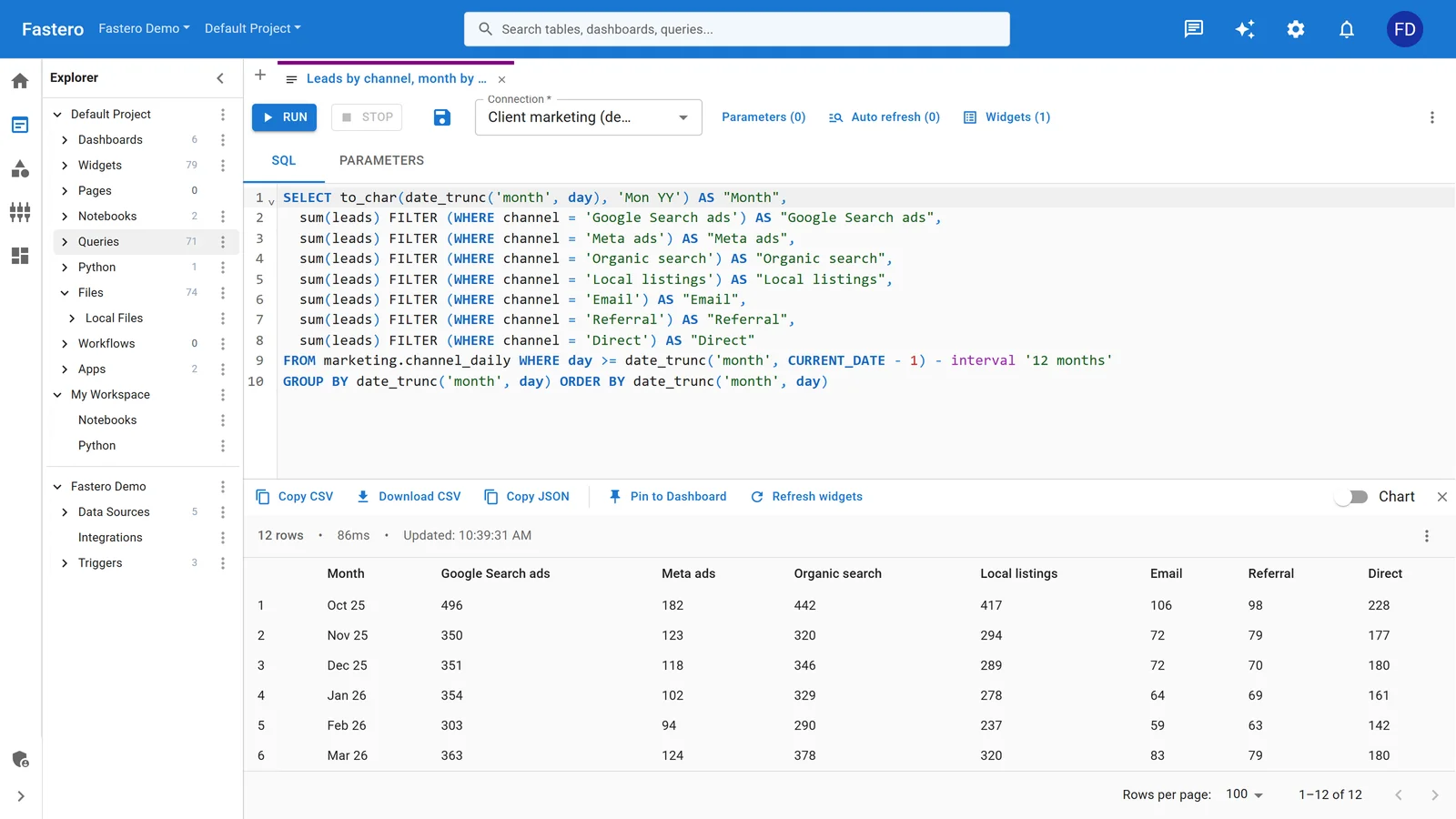
The SQL editor in Fastero. Sample data.
Is BigQuery only for GCP-native companies?
BigQuery Omni runs on AWS and Azure, and BigLake reads from S3 and ADLS. But the experience is best on GCP — features land there first, latency is lower, and the integration with other GCP services (Pub/Sub, Dataflow, Vertex AI) is tightest. If you are primarily on AWS or Azure, Snowflake or Databricks will feel more natural.
Which is cheapest?
There is no universal answer. BigQuery on-demand is cheapest for sporadic, low-volume queries (< 1 TB/month scanned). Snowflake with auto-suspend is competitive for predictable analytics workloads. Databricks committed-use pricing is cheapest for heavy, continuous workloads — especially if you already pay for the underlying cloud compute. Run a proof-of-concept with your actual query patterns and data volumes; list-price comparisons are misleading because all three offer deep discounts on committed spend.
What about Microsoft Fabric?
Fabric is Microsoft's integrated analytics platform — OneLake storage, Spark, SQL, Power BI, and Data Activator in one product. It is the strongest option for organizations deeply embedded in the Microsoft ecosystem (Azure, Power BI, Teams, Dynamics). It competes most directly with Databricks on the lakehouse side and with Snowflake on the SQL side. If your company already pays for Microsoft 365 E5 or Power BI Premium, Fabric's bundled pricing can undercut all three platforms covered here.
How do Snowflake and Databricks differ from the existing Snowflake vs BigQuery vs Redshift comparison?
Our Snowflake vs BigQuery vs Redshift post focuses narrowly on the cloud warehouse choice — SQL performance, storage, and warehouse-specific features. This post compares Snowflake, Databricks, and BigQuery as full data platforms — including ML, streaming, governance, and open format strategy — which changes the evaluation significantly.
Related posts:
- Databricks vs Snowflake: Data Platforms Compared
- Databricks vs BigQuery: Lakehouse vs Warehouse
- Snowflake vs BigQuery vs Redshift: Cloud Warehouses
- What Is a Data Lakehouse? A Guide for Data Teams
Try Fastero free — connect Snowflake, Databricks, or BigQuery and build live dashboards in minutes. No credit card required.