

Metabase gives non-technical teams a visual query builder and one-command setup. Apache Superset gives SQL-heavy teams a browser-based IDE and 50+ chart types. Both are free, both are self-hostable, and picking the wrong one costs you months — not because the tool is bad, but because the fit between tool and team determines everything.
This guide breaks down every axis that matters: SQL support, deployment complexity, visualization, data modeling, embedding, permissions, managed hosting, learning curve, and community. A comparison table up front, a decision tree at the end, and enough detail in between that you can skip the proof of concept.
How do Metabase and Superset compare at a glance?
| Dimension | Metabase | Apache Superset |
|---|---|---|
| Language / runtime | Java (JVM) | Python (Flask) |
| Self-host complexity | Low — single JAR or one Docker container | Medium-high — app server, Redis, Celery workers |
| Primary audience | Business users, product managers, ops teams | Data engineers, analytics engineers, SQL analysts |
| Visual query builder | Strong — covers JOINs, aggregations, expressions | Basic — the Explore view assumes a pre-built dataset |
| SQL editor | Functional native query mode | Excellent — SQL Lab with autocomplete, history, saved queries |
| Chart types | ~20 built-in | 50+ including deck.gl geospatial |
| Embedding | Mature — signed JWT iframes, full-app embed in Pro | Improving — guest token API, more CSS work needed |
| Data modeling | Models (lightweight semantic layer) | Datasets + metrics + calculated columns |
| RBAC / row-level security | Sandboxes + collection permissions (Pro/Enterprise) | Row-level security via Jinja filters (open-source) |
| Managed option | Metabase Cloud ($85/mo starter, per-user scaling) | Preset (free tier for 5 users, $20/user/mo Pro) |
| License | AGPL v3 | Apache 2.0 |
| GitHub stars (Aug 2026) | ~40k | ~65k |
| Community hub | Discourse forum | Slack workspace + GitHub Discussions |
The rest of this post explains the "why" behind each row.
What is the core philosophy behind each tool?
Metabase launched in 2015 with one bet: business users should answer data questions without writing SQL. The visual query builder, the polished default theme, the single-JAR deployment — all of it serves that bet. Metabase is a BI tool that happens to support SQL, not a SQL tool with a BI layer bolted on.
The team's design decisions consistently favor accessibility over power: fewer configuration options, opinionated defaults, and a UI that hides complexity rather than exposing it.
Apache Superset grew out of Airbnb's data platform team around the same time, and the priorities were reversed. SQL Lab — a full-featured SQL IDE in the browser — is the centerpiece. The visualization layer is wide (50+ chart types), but the assumption throughout is that users understand JOINs and aren't afraid of a WHERE clause.
Superset exposes configuration rather than hiding it: connection parameters, Jinja templating in queries, fine-grained cache policies, and a plugin system for custom visualizations.
This philosophical split touches everything downstream: how you deploy, how you model data, how you gate access, and how you scale. Choose wrong and you fight the tool instead of using it.
Fastero
Connect your database. Ask questions. Get dashboards.
Postgres, BigQuery, Snowflake, and 10+ sources — live-connected, AI-powered, no dashboard builder learning curve.
Try free →How does SQL support differ — SQL Lab vs native query?
This is where most teams make their actual decision, whether they realize it or not.
Superset's SQL Lab is genuinely good as SQL editors go: syntax highlighting, schema-aware autocomplete, query history with execution times, result exploration with inline sorting, the ability to save a query and turn it directly into a chart, multiple query tabs, and a table schema browser in the sidebar. If you spend your day in DataGrip or DBeaver, SQL Lab feels like home. You can also define "virtual datasets" — saved SQL queries that act as reusable tables for the Explore chart builder — bridging ad-hoc analysis and recurring dashboards.
Metabase's native query mode gives you a SQL editor with parameterized variable bindings ({% raw %}{{variable}}{% endraw %} syntax) and basic autocomplete.
It works, but it is clearly the secondary interface.
The primary interface — the visual query builder — lets you pick tables, add filters through dropdown menus, choose columns, group by dimensions, define custom expressions, and handle JOINs via the "Models" layer, all without writing SQL. For the questions business users actually ask — "revenue by region last quarter," "customers who haven't ordered in 90 days," "average deal size by sales rep this month" — the builder gets there.
Where the gap becomes obvious: multi-CTE queries, window functions, complex subqueries. In Superset's SQL Lab, you write them directly and iterate fast. In Metabase, you drop into native query mode and lose the visual builder's guardrails — at that point, you are writing SQL in a less capable editor.
The honest take: if more than half your dashboard consumers don't write SQL, Metabase wins this category outright. If your whole team is SQL-fluent and regularly writes queries with CTEs or window functions, Superset's SQL Lab is a meaningfully better daily-driver.
How hard is self-hosting — single JAR vs multi-service?
This gap is wider than most comparison posts admit.
Metabase is a single Java JAR. Run java -jar metabase.jar and you have a working instance in under a minute.
It ships with an embedded H2 database for application metadata — fine for evaluation, but switch to Postgres for production.
Docker deployment is equally straightforward: one container, one environment variable for the database URL, done. Upgrades mean pulling a new image and restarting. Backups mean dumping the metadata database. A product manager can have Metabase running on their laptop during a lunch break.
Superset needs more moving parts:
- A Python application server (Gunicorn)
- A metadata database (Postgres or MySQL)
- A caching layer (Redis)
- Celery workers for async query execution
- Celery beat for scheduled reports
The official Docker Compose file spins up five or six containers.
In production, most teams run Superset on Kubernetes using the community Helm chart — separate deployments for the web server, workers, and beat scheduler, each with its own resource limits.
Configuration lives in a superset_config.py file with dozens of settings for caching, security, feature flags, and database connections.
None of this is unusual for a Python web application — but it is a different category of operational work than "one container."
The practical difference: Metabase's operational cost is close to zero for a small team. You can run it on a $10/month VPS and forget about it until the next upgrade. Superset's operational cost assumes someone on the team knows how to debug a Celery worker that stopped processing, a Redis connection that timed out, or a Gunicorn worker that ran out of memory on a heavy query.
How do visualizations and dashboards compare?
Superset ships the larger chart library. Beyond standard bar, line, and pie charts, it includes:
- deck.gl geospatial maps (scatter, arc, polygon, hex, GeoJSON layers)
- Heatmaps, chord diagrams, treemaps, and sunbursts
- Big-number indicators and partition charts
- A plugin system for registering custom chart types
For teams that need specialized visualizations — geospatial overlays, network graphs, funnel breakdowns — Superset covers more ground.
Metabase has fewer chart types but better defaults. Colors, spacing, labels, and responsive layout all look polished without tweaking. A first-time user can produce a clean-looking dashboard in an hour. Superset dashboards can look equally good — you will just spend more time on formatting, layout grid adjustments, and custom CSS overrides.
Dashboard interactivity is comparable: cross-filtering (click a bar segment to filter the whole dashboard), date range pickers, and filter components work in both. Metabase's implementation is slightly friendlier for end users; Superset's is slightly more configurable for dashboard builders who want fine-grained control over filter scoping and default values.
One Superset advantage worth noting: the dashboard layout system gives you full control over component sizing and positioning via a CSS grid. Metabase's layout is drag-and-drop with snapping — faster for basic layouts but more limiting for dense, information-heavy dashboards.
How does data modeling work in each tool?
Metabase Models are saved questions promoted to virtual tables. You add metadata — descriptions, column types, formatting rules — and use them as the foundation for further questions via the visual builder. It is a lightweight semantic layer: good for small-to-medium deployments, but shallower than a dedicated modeling tool like dbt or LookML. You cannot define reusable metrics at the model level that automatically propagate across questions — each question defines its own aggregations.
Superset Datasets are registered tables or SQL queries that serve as the basis for charts.
You define metrics (aggregation expressions like SUM(revenue) or COUNT(DISTINCT user_id)), calculated columns, and metadata at the dataset level.
Every chart built on that dataset inherits these definitions, which enforces consistency.
The tradeoff: more upfront configuration work before anyone builds their first chart, and a steeper learning curve for dataset administrators.
If your data team already runs dbt to produce clean marts and metric definitions, both tools sit on top of those marts fine and the in-tool semantic layer question matters less. The difference is biggest when you don't have a separate modeling layer and need the BI tool itself to enforce naming and aggregation standards.
How does embedding work for product analytics?
Embedding is a real differentiator if you ship analytics inside your own product.
Metabase has mature embedding. Individual questions or dashboards embed via iframe with signed JWTs — you control which filters are locked and which are user-facing. Interactive embedding (Pro/Enterprise) supports full white-labeling: your logo, your colors, your domain. The embedding SDK handles token refresh, responsive resizing, and event communication between the host app and the iframe. Documentation is thorough, the API is stable, and many production SaaS products already ship Metabase embeds to their customers.
Superset supports dashboard embedding via iframe and a guest token API for authentication. The experience has improved meaningfully since 2024 — theming is more controllable, the token flow is documented, and the embedded dashboard respects filter state passed from the parent app. But white-labeling still requires manual CSS overrides, the embedded UX has visual artifacts from Superset's full interface leaking through, and fewer production references exist to learn from.
Bottom line: if embedded analytics is a core product requirement, Metabase is the safer bet today. For a deeper look at the patterns, see our guide to embedding analytics in SaaS.
How do RBAC and row-level security compare?
Metabase separates permissions into collection-level access (who sees which dashboards), database-level access (who queries which databases), and data sandboxing (which rows and columns a group can see). Sandboxing requires Pro or Enterprise. Open-source Metabase supports collection permissions and basic database-level gating but not row-level or column-level filtering.
Superset ships row-level security in the open-source version.
You write Jinja-template clauses (e.g., WHERE region = '{{ current_user.region }}') that get injected into every query for a given role.
It is more flexible than Metabase's sandbox approach — you can write arbitrary SQL predicates — and it doesn't require a paid tier.
The tradeoff: someone on the team needs to be comfortable writing Jinja templates, testing them against edge cases, and managing role-to-clause mappings as the team grows.
For multi-tenant analytics — each customer sees only their own data — Superset's open-source RLS is hard to beat on cost. For teams that want a point-and-click permission UI without writing filter clauses, Metabase Pro's sandbox model is easier to administer.
What are the managed hosting options — Metabase Cloud vs Preset?
Not every team wants to self-host. Both tools have official managed offerings.
Metabase Cloud starts at $85/month for 5 users (Starter) and scales per-user to Enterprise pricing. You get a hosted instance with managed upgrades, backups, and uptime SLAs. All Pro features — data sandboxing, interactive embedding, SAML SSO — are included. The per-user cost climbs fast for larger teams — a 50-person deployment is a meaningful budget line.
Preset — founded by Superset's original creator, Maxime Beauchemin — offers a free tier for up to 5 users with limited features. The Professional plan runs $20/user/month. Preset adds smoother onboarding, managed database connections, a cleaner default experience, and UI-based scheduled report setup on top of open-source Superset. For a 50-person team, Preset's per-user pricing is more competitive than Metabase Cloud's.
The managed option matters more for Superset than for Metabase, precisely because Superset's self-hosted deployment is heavier. If you prefer Superset's SQL-first workflow but lack the ops capacity to run it, Preset removes the infrastructure question entirely.
What is the learning curve for each tool?
Metabase is the faster ramp for mixed teams. A non-technical user can build a dashboard within an hour of first login — pick a table, add filters, choose a visualization, save it to a collection. The admin setup (database connections, permissions, caching) takes an afternoon. Most teams are productive within a day.
Superset takes longer.
Even SQL-proficient users need time to understand the dataset registration flow, the Explore chart builder's interaction model, and the dashboard layout system.
Admins need to grasp Celery configuration, cache policies, Jinja-based RLS rules, and the superset_config.py settings surface.
Expect one to two weeks of ramp-up for the team to feel fluent.
The gap narrows if your whole team already thinks in SQL. It widens if you have stakeholders — sales managers, support leads, finance — who will build or modify their own dashboards without help from the data team.
How do the communities and ecosystems compare?
Metabase has ~40k GitHub stars, an active Discourse forum, and strong documentation with a consistent editorial voice. The plugin ecosystem is limited — Metabase is a monolith by design, not a framework. Third-party JDBC drivers exist for databases like ClickHouse and Databricks, but custom visualization types are not supported without forking.
Superset has ~65k GitHub stars, a Slack workspace with thousands of members, and GitHub Discussions for longer threads. Because Superset is a Python app with a plugin architecture, the ecosystem of custom visualizations and database drivers is broader. Community-contributed chart plugins, authentication backends (OAuth, LDAP, SAML), and theming packages are common.
Both projects ship regular releases. Metabase follows a predictable monthly cadence. Superset's release schedule is less regular but major versions ship larger feature sets.
What about licensing — AGPL v3 vs Apache 2.0?
Metabase uses AGPL v3 — if you modify the source and distribute it or offer it as a hosted service, you must release changes under the same license. For internal deployments where you don't redistribute, this has no practical impact.
Superset uses Apache 2.0 — fork, modify, redistribute, embed in a commercial product, all with fewer restrictions. Preset itself is proof: a commercial managed service built on the Apache-licensed codebase.
If you plan to modify the source or build a product around the BI layer, the license matters. For unmodified internal deployments, it does not.
How do they scale under heavy load?
Superset was born inside Airbnb, querying petabyte-scale data. It generates SQL, sends it to your warehouse, and renders results — the tool itself stays thin and stateless. Scale horizontally by adding web workers and Celery workers behind a load balancer. This architecture handles hundreds of concurrent users on massive warehouses (ClickHouse, Druid, Trino, BigQuery) without the BI layer becoming the bottleneck.
Metabase handles moderate scale well — a few hundred users, databases with tens of millions of rows. Beyond that, the JVM gets memory-hungry, and some operations (caching, question execution, dashboard loading with many cards) don't parallelize as cleanly. Metabase does more in-application processing, so the Metabase server can become the bottleneck before your database does.
For a 30-person team on Postgres, the difference is academic. For a 500-person org on a multi-billion-row warehouse, Superset handles it with less operational pain.
Decision tree: which tool fits your team?
START
 |
 +-- Do most dashboard consumers write SQL?
      |
      +-- YES --> Do you need 40+ chart types or geospatial viz?
      |            |
      |            +-- YES --> Apache Superset
      |            +-- NO  --> Do you need embedded analytics in your product?
      |                         |
      |                         +-- YES --> Metabase
      |                         +-- NO  --> Apache Superset
      |
      +-- NO  --> Do you have ops capacity to manage Redis + Celery?
                   |
                   +-- YES --> Will non-SQL users build their own dashboards?
                   |            |
                   |            +-- YES --> Metabase
                   |            +-- NO  --> Either works — pick on chart needs
                   |
                   +-- NO  --> Metabase (or Preset if you want Superset without ops)
When neither tool fits
Both Metabase and Superset assume a classic BI workflow: connect to a warehouse, build queries, arrange charts on dashboards. That model works when your data is already in one place and your questions are recurring — "show me this week's numbers on the same dashboard I check every Monday."
But if your data lives in files — CSVs, Excel exports, Parquet in S3 — or you need to join across multiple SaaS tools before you can even ask a question, both tools require you to stand up an ETL pipeline and a warehouse first. That is a lot of infrastructure for a 10-person team that just wants to cross-reference Stripe transactions with CRM data.
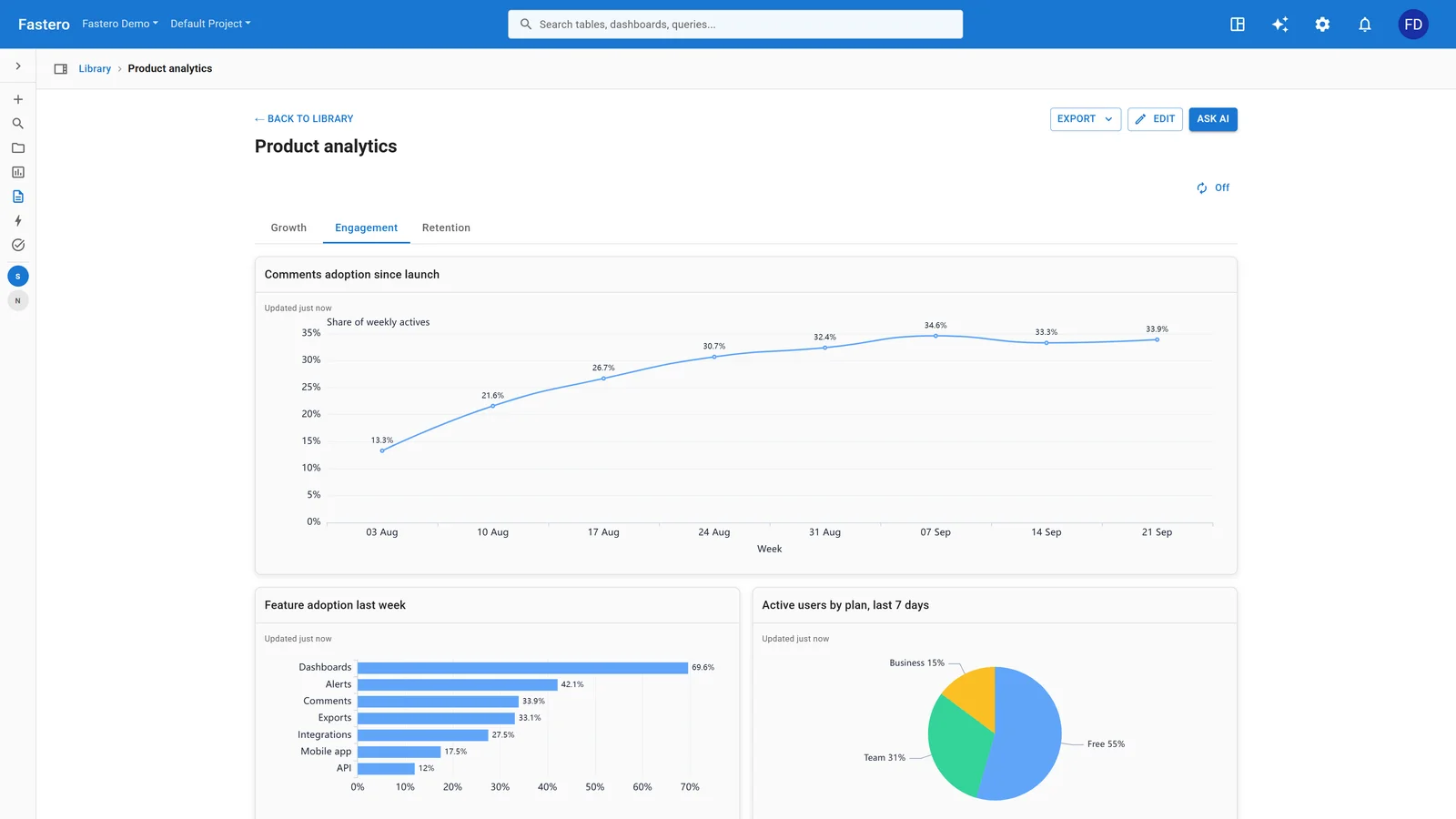
A dashboard in Fastero. Sample data.
Try Fastero free — or skip both — connect your database and ask questions in plain English. No credit card required.
Frequently asked questions
Can Metabase connect to the same databases as Superset?
Both support Postgres, MySQL, SQL Server, Redshift, BigQuery, Snowflake, and most major warehouses. Superset has a wider range of community-maintained drivers — anything with a SQLAlchemy dialect works. Metabase relies on JDBC drivers; the official list is shorter but covers the databases most teams use. If you rely on a less common database (Druid, Pinot, Trino, ClickHouse), check both projects' driver lists before committing.
Is Superset really free — what is the catch?
Superset is Apache 2.0 licensed with no paid tier — every feature ships in the open-source release. The "catch" is operational: you own the deployment, upgrades, scaling, and security patching. Preset charges for the convenience of not doing that. Metabase gates some features behind paid plans: row-level sandboxing, interactive embedding, SAML/SCIM SSO, and audit logs all require Pro ($85/mo+) or Enterprise.
Can I migrate dashboards between the two tools?
No direct migration path exists — both store dashboard definitions in proprietary metadata schemas. A migration means recreating dashboards manually. Under 20 dashboards — a day or two. Larger deployments — budget a sprint. Some teams script partial migration using both tools' APIs, but this requires custom development.
Which tool handles real-time data better?
Neither is built for sub-second real-time dashboards. Both execute queries against your database on page load or on a cache schedule. Superset's async query architecture and its native support for real-time OLAP engines (Druid, ClickHouse, Pinot, StarRocks) give it an edge for near-real-time use cases with refresh cycles of seconds to low minutes. Metabase relies on its caching layer and scheduled refreshes — minute-level freshness at best.
How do they handle alerts and scheduled reports?
Metabase: built-in alerting — set a threshold on any saved question and receive email or Slack notifications when the result crosses it. Scheduled dashboard subscriptions (PDF or CSV delivery on a cron) work out of the box.
Superset: scheduled report delivery (email or Slack screenshots) via Celery beat. It works, but setup requires configuring Celery, Redis, and either SMTP or a Slack webhook. For more on alert workflows, see our guide to automated SQL alerts.
Which is better for a startup with five people?
Metabase. Trivial setup, visual builder for non-technical co-founders, and Metabase Cloud at $85/month if you don't want to self-host. Superset's strengths — SQL Lab, horizontal scale, chart variety — don't outweigh its operational overhead at that team size.
Can I run both tools side by side?
Yes — they connect to the same databases and don't interfere with each other. Some teams run Metabase for business stakeholders and Superset for the data engineering team, both pointing at the same warehouse. The cost is maintaining two systems, but if your audience genuinely splits into SQL-fluent and SQL-averse, this is the pragmatic answer.
Should I self-host or use the managed option?
Self-host Metabase if you have basic Docker experience — the operational cost is near zero. Self-host Superset only if someone on the team is comfortable with Python deployments, Redis, and Celery. Otherwise, Metabase Cloud or Preset removes the infrastructure question. Our Looker Studio vs Metabase Cloud breakdown covers the self-host vs managed tradeoff in depth.
Related reading
- Tableau vs Metabase: Enterprise vs Open-Source BI — when a paid tool is worth it and when it isn't
- Superset vs Redash: Open-Source SQL Dashboards Compared — the Superset side of the three-way comparison
- How to Embed Analytics in Your SaaS Product — deep dive on embedding patterns both tools support
- AI Data Agent vs BI Tool: When to Stop Dragging and Start Asking — when a conversational interface beats a dashboard builder
Last updated: August 2026. Both tools ship frequently — check the Metabase releases and Superset releases for the latest.