

I've run both InfluxDB and TimescaleDB in production — InfluxDB for infrastructure monitoring (hundreds of hosts, millions of series), and TimescaleDB for business-event time-series that needed to JOIN against relational tables. They solve overlapping problems with fundamentally different philosophies, and the choice between them has gotten more interesting since InfluxDB 3.0 rewrote the entire storage layer.
Here's where I've landed after a few years with each.
The Fundamental Architectural Split
The single most important thing to understand: InfluxDB is a dedicated time-series database. TimescaleDB is PostgreSQL with time-series superpowers.
This isn't a superficial difference. It dictates everything — your deployment topology, your query patterns, your operational burden, and what happens when your requirements change six months from now.
InfluxDB sits as a separate system in your stack. Data flows in (usually via Telegraf), queries go out, and it does one thing well. Your application data lives elsewhere.
TimescaleDB is your Postgres. You can have a users table, an orders table, and a sensor_readings hypertable in the same database. One connection string. One backup strategy. Full JOINs between them.
Storage Engines: TSM vs Hypertables (and the 3.0 Revolution)
InfluxDB 1.x/2.x: TSM Engine
The original InfluxDB used the Time-Structured Merge Tree (TSM) — a custom storage engine optimized for time-series write patterns. Data is organized by measurement, tag set, and time. Writes go to a WAL, then get compacted into immutable TSM files sorted by time. It's fast for append-heavy workloads with time-range scans.
The trade-off: TSM struggled badly with high cardinality. If you had millions of unique tag combinations (think: per-customer metrics, per-container IDs in a Kubernetes cluster that scales aggressively), the index structures ballooned and query performance degraded. I hit this wall with about 2M active series on a moderately sized instance — the inverted index consumed more memory than the actual data.
InfluxDB 3.0: The IOx Rewrite
InfluxDB 3.0 is essentially a different database wearing the same brand name. It's a complete ground-up rewrite in Rust, built on Apache Arrow, DataFusion, and Parquet. The storage format is now columnar Parquet files. The query engine is DataFusion (Arrow-native). The old TSM engine is gone.
This changes the calculus significantly. Parquet gives you good compression, columnar scans are fast for aggregations, and the Arrow-native pipeline means better cardinality handling. But 3.0 is still maturing — some features from 2.x aren't fully ported, and the migration path from 2.x is non-trivial.
TimescaleDB: Hypertables on Postgres
TimescaleDB's approach is conceptually simpler: it auto-partitions your regular Postgres table by time into "chunks." Each chunk is a standard Postgres table under the hood. You interact with the parent hypertable using normal SQL, and the query planner knows to exclude chunks outside your time range.
On top of this, TimescaleDB adds:
- Compression: Older chunks get compressed into a columnar format. I've seen 10-20x compression ratios on metric data. Compressed chunks are still queryable — the engine decompresses on-the-fly.
- Continuous aggregates: Materialized views that auto-refresh. Define a rollup (e.g., hourly averages), and Timescale keeps it updated incrementally. This is how you handle "show me the last 90 days at 1-hour resolution" without scanning billions of raw rows.
- Retention policies: Automatic chunk dropping after a configurable period.
The storage is fundamentally Postgres heap storage (B-tree indexes, TOAST, etc.) with Timescale's chunking layer on top. Not as specialized as a purpose-built columnar format, but the Postgres ecosystem makes up for it — you get BRIN indexes, partial indexes, table partitioning tricks, and the entire pg extension catalog.
Fastero
Connect your database. Ask questions. Get dashboards.
Postgres, BigQuery, Snowflake, and 10+ sources — live-connected, AI-powered, no dashboard builder learning curve.
Try free →Query Languages: The Flux Saga
This is where the comparison has shifted most dramatically.
InfluxDB's query language history is messy:
- InfluxQL (1.x): SQL-like but limited. No JOINs, no subqueries, basic aggregation only. Fine for
SELECT mean(cpu) FROM metrics WHERE host = 'web01' AND time > now() - 1h GROUP BY time(5m). - Flux (2.x): A functional data scripting language. Powerful — pipes, transformations, custom functions. Also a completely proprietary language that nobody else uses. Learning curve is steep, tooling is sparse, and your queries aren't portable anywhere.
- SQL (3.0): InfluxDB 3.0 speaks standard SQL via DataFusion. Flux is being deprecated. This is a massive improvement for adoption, but it means Flux expertise is now a dead-end investment.
TimescaleDB: It's just SQL. Standard PostgreSQL SQL with some time-series helper functions (time_bucket(), first(), last(), timescaledb_experimental functions). Every SQL tool, ORM, BI platform, and developer on earth already knows the query language.
-- TimescaleDB: 5-minute average CPU by host, last hour
SELECT time_bucket('5 minutes', time) AS bucket,
       host,
       avg(cpu_usage) AS avg_cpu
FROM metrics
WHERE time > now() - interval '1 hour'
GROUP BY bucket, host
ORDER BY bucket DESC;
-- InfluxDB 3.0: Nearly identical now
SELECT date_bin('5 minutes', time) AS bucket,
host,
avg(cpu_usage) AS avg_cpu
FROM metrics
WHERE time > now() - interval '1 hour'
GROUP BY bucket, host
ORDER BY bucket DESC;The gap has narrowed enormously. The remaining difference is that TimescaleDB gives you the full SQL spec — CTEs, window functions, lateral joins, stored procedures, triggers. InfluxDB 3.0's SQL is DataFusion's subset, which is broad but not complete Postgres-level SQL.
The Cardinality Problem
High cardinality — lots of unique label/tag combinations — has historically been InfluxDB's Achilles heel. If you're monitoring a Kubernetes cluster where pods churn constantly, or tracking per-user metrics across millions of users, the old TSM index would buckle.
InfluxDB 3.0's Parquet-based storage handles this better (columnar encoding naturally compresses high-cardinality string columns), but it's still not free. Every unique combination of tag values is still a "series" conceptually, and query planning cost scales with the number of distinct series touched.
TimescaleDB doesn't have this problem in the same structural way. High cardinality means more distinct values in a column — Postgres handles this with indexes. A B-tree on a high-cardinality column works fine. The cost is in index size and maintenance, which Postgres has managed for decades. I've run 50M+ distinct series identifiers in TimescaleDB without special tuning beyond appropriate chunk intervals and index strategy.
Head-to-Head Comparison
| Aspect | InfluxDB 3.0 | TimescaleDB |
|---|---|---|
| Architecture | Standalone time-series DB (Rust, Arrow, Parquet) | PostgreSQL extension |
| Query language | SQL (DataFusion) + legacy InfluxQL | Full PostgreSQL SQL |
| Storage format | Columnar Parquet | Postgres heap + columnar compression |
| Cardinality | Better than 2.x, still a factor | Handles it natively (it's just indexes) |
| Mixed workloads | Time-series only | Time-series + relational in one DB |
| Collection agents | Telegraf (200+ plugins) | Any Postgres client, pg extensions |
| Compression | Parquet native (good) | Timescale columnar (10-20x typical) |
| Rollups | Downsampling tasks | Continuous aggregates (incremental) |
| JOINs with app data | Not practical (separate system) | Native — same DB |
| Ecosystem | Telegraf, Kapacitor, Chronograf, Grafana | Entire Postgres ecosystem (pgvector, PostGIS, etc.) |
| Managed cloud | InfluxDB Cloud (serverless pricing) | Timescale Cloud |
| Maturity of current version | 3.0 is relatively new (2024+) | Stable, years of production use |
| Operational complexity | Separate system to manage | It's your Postgres — one thing to operate |
| Write throughput | Very high (purpose-built) | High (needs tuning for extreme loads) |
| Best for | Pure metrics/IoT, infrastructure monitoring | Mixed time-series + relational analytics |
When I'd Pick InfluxDB
- Pure infrastructure monitoring: Hundreds of hosts, thousands of containers, standard system metrics. Telegraf's plugin ecosystem is genuinely excellent — 200+ integrations, most work out of the box. You point Telegraf at your infrastructure, it collects metrics, ships them to InfluxDB, done.
- IoT ingestion at scale: Millions of devices writing simple numeric measurements. InfluxDB's write path is optimized for this exact pattern.
- You don't need relational JOINs: If your time-series data is self-contained and you query it independently from your application data, the dedicated DB approach is cleaner.
- Grafana-centric monitoring stack: InfluxDB's Grafana integration is mature and well-documented.
When I'd Pick TimescaleDB
- You're already running Postgres: Adding an extension to your existing database is vastly simpler than adding a whole new database system to your infrastructure. No new backup strategy, no new connection pooling, no new monitoring.
- You need to JOIN time-series against relational data: "Show me order revenue over time, broken down by customer segment" requires joining your events table against your customers table. In TimescaleDB, this is a normal SQL query. With InfluxDB, you're exporting data to something else to do the join.
- Business analytics on time-series: Revenue trends, user activity patterns, funnel metrics over time — these almost always need relational context. TimescaleDB handles this natively.
- You want one database: Operational simplicity matters. Running, backing up, monitoring, and securing one database is less work than two.
- pgvector for ML alongside time-series: If you're storing embeddings for anomaly detection or similarity search alongside your time-series data, TimescaleDB gives you both in one system.
- Full SQL requirements: Window functions for moving averages, CTEs for complex transformations, lateral joins for time-series correlation — Postgres SQL is unmatched.
The Managed Cloud Question
Both offer managed options:
InfluxDB Cloud uses serverless pricing (pay per query, write, and storage). Good for variable workloads. Can get expensive if you run lots of heavy queries.
Timescale Cloud is instance-based pricing (pick a size, pay hourly). More predictable costs. You get a managed Postgres instance with Timescale pre-installed.
If you're evaluating purely on managed pricing, model your actual workload. Serverless pricing can be cheaper for bursty, low-query workloads. Instance pricing wins for steady, query-heavy analytics.
The 2026 Reality
The comparison has changed significantly from even two years ago. InfluxDB 3.0 moving to SQL and Parquet eliminates the Flux lock-in concern and brings much better analytical performance. But it also means InfluxDB 3.0 is a younger product — the 1.x/2.x ecosystem was battle-tested over many years, and 3.0 hasn't accumulated that same production mileage yet.
TimescaleDB's position has only strengthened. Postgres adoption keeps growing, the extension ecosystem keeps expanding (pgvector being the standout example), and Timescale's compression and continuous aggregates are mature and reliable.
My rule of thumb: if your time-series data exists in isolation from everything else (pure monitoring, pure IoT telemetry), InfluxDB 3.0 is a strong choice with a great collection ecosystem. If your time-series data gains meaning from its relationship to other business data — customer records, transactions, product events — TimescaleDB keeps everything in one place and lets SQL do what SQL does best.
Connecting Time-Series Data to Dashboards
Whichever you choose, you'll eventually need to build dashboards and alerts on top of the data. Fastero connects to both PostgreSQL (including TimescaleDB) and other data sources to build live KPI dashboards and automated reports — handy when your time-series data needs to tell a business story, not just a systems story.
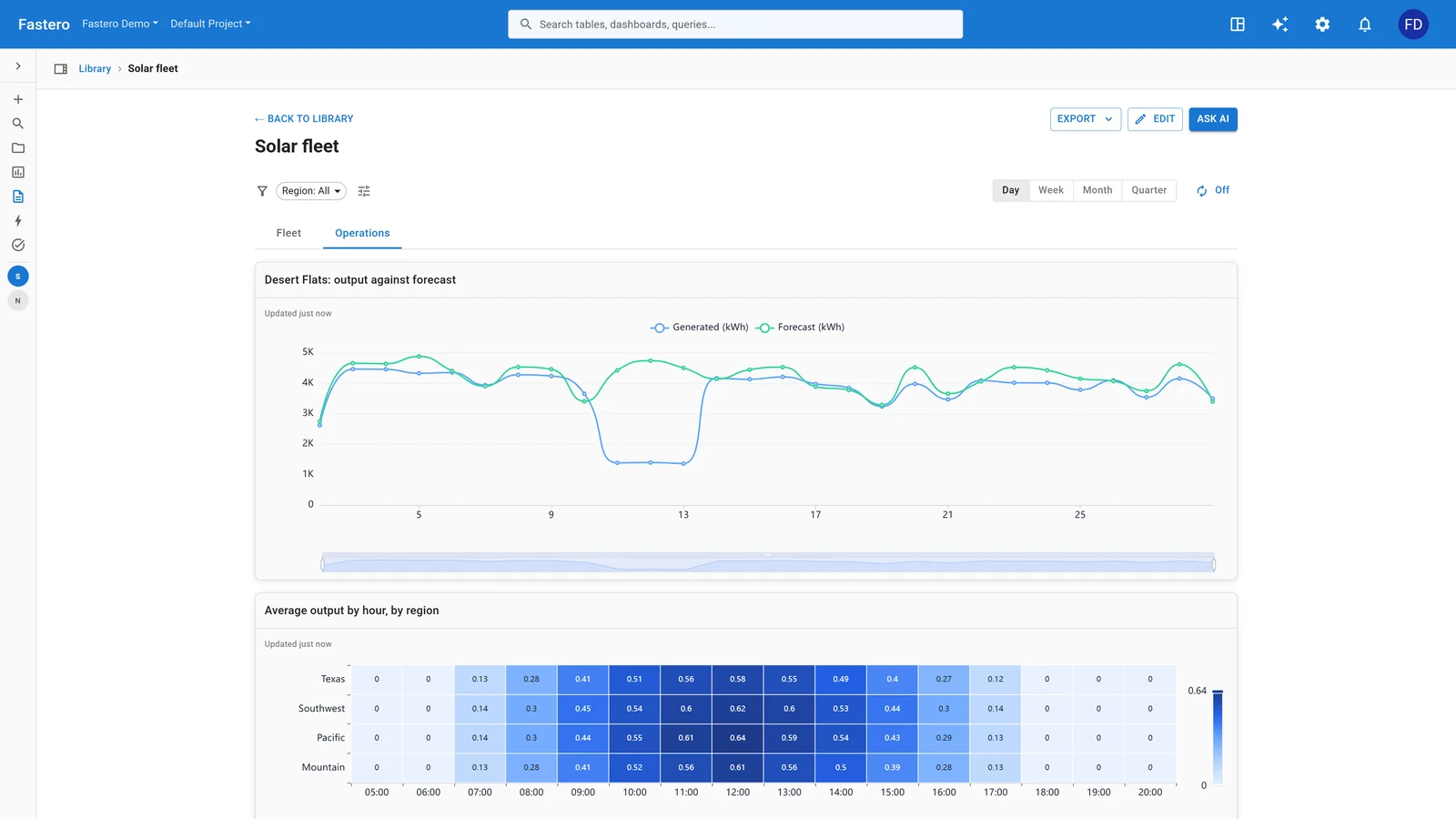
A dashboard in Fastero. Sample data.
Related reading:
- Best Real-Time Analytics Platforms (2025)
- ClickHouse vs TimescaleDB: Real-Time Analytics Compared
- How to Build a Live KPI Dashboard from Postgres
- How to Monitor Data Quality Without Monte Carlo
Try Fastero free — connect your data sources and set up real-time monitoring with triggers and alerts — ask questions in plain English, get answers in seconds. No credit card required.