
SQLite is the right choice when you need an embedded application database — config storage, mobile apps, local state. DuckDB is the right choice when you need to run analytical queries — aggregations, window functions, GROUP BY over millions of rows. They're both embedded, both serverless, both store data in a single file. But they solve fundamentally different problems, and picking the wrong one costs you either 100x in query speed or unnecessary complexity for a simple use case.
How are they different architecturally?
The core difference is how they store and read data.
SQLite uses row-oriented storage with B-tree indexes. When you write a row, all columns are stored together on disk. When you read a row by its primary key, SQLite finds it in one seek. This is exactly what you want for application workloads: insert a user, fetch that user by ID, update a single field.
DuckDB uses columnar storage with vectorized execution. Each column is stored separately, and the engine processes data in batches of vectors (typically 2048 values at a time) rather than row by row. When you run SELECT AVG(revenue) FROM sales, DuckDB reads only the revenue column — not customer_name, not address, not the other 30 columns you don't need.
Here's what that looks like in practice:
Row-oriented (SQLite):
┌──────────┬────────┬─────────┬──────────┐
│ Alice    │ 42     │ 2850.00 │ 2026-01  │  ← row 1 (all columns together)
│ Bob      │ 37     │ 1420.00 │ 2026-01  │  ← row 2
│ Carol    │ 29     │ 3100.00 │ 2026-02  │  ← row 3
│ Dave     │ 55     │  980.00 │ 2026-02  │  ← row 4
└──────────┴────────┴─────────┴──────────┘
  Reading SUM(revenue) → must scan ALL data

Columnar (DuckDB):
┌──────────┐ ┌────────┐ ┌─────────┐ ┌──────────┐
│ Alice    │ │ 42     │ │ 2850.00 │ │ 2026-01  │
│ Bob      │ │ 37     │ │ 1420.00 │ │ 2026-01  │
│ Carol    │ │ 29     │ │ 3100.00 │ │ 2026-02  │
│ Dave     │ │ 55     │ │  980.00 │ │ 2026-02  │
└──────────┘ └────────┘ └─────────┘ └──────────┘
  name         age        revenue      month
  Reading SUM(revenue) → reads ONLY the revenue column
For analytical queries that touch a few columns across many rows, columnar storage means DuckDB reads a fraction of the data. Combine that with vectorized execution (SIMD-friendly batch processing, no per-row function call overhead) and you get the 10-100x speed advantage.
Side-by-side comparison
| Feature | SQLite | DuckDB |
|---|---|---|
| Storage model | Row-oriented, B-tree | Columnar, vectorized |
| Best for | App data, config, mobile, small datasets | Analytics, aggregations, data science |
| Analytical query speed | Baseline | 10-100x faster on aggregations |
| Point lookups | Fast (B-tree seek by rowid) | Slower (must reconstruct row from columns) |
| File format support | Own .db format only (CSV import via CLI) |
Native Parquet, CSV, JSON, Excel read/write |
| SQL dialect | Quirky (dynamic typing, RIGHT JOIN added 3.39.0) | PostgreSQL-compatible, modern SQL |
| Concurrency | WAL mode: concurrent reads + one writer | Single writer, multiple readers |
| Library size | Tiny (< 1 MB) | Larger (~20 MB) |
| Language support | Everywhere (Python, Node, iOS, Android, every language) | Python, Node, R, Java, Rust, Go — growing |
| Maturity | 24 years, billions of deployments | 7 years, adopted fast |
| WASM support | Yes (sql.js, wa-sqlite) | Yes (duckdb-wasm) |
| Typing | Dynamic (any value in any column) | Strict, PostgreSQL-style |
| Window functions | Supported since 3.25.0 (2018) | Full support, highly optimized |
Fastero
Connect your database. Ask questions. Get dashboards.
Postgres, BigQuery, Snowflake, and 10+ sources — live-connected, AI-powered, no dashboard builder learning curve.
Try free →Can you show me the speed difference?
Here's the same analytical query running against a 10-million-row sales table. This is a typical "give me monthly revenue by region" aggregation — the bread and butter of business reporting.
import duckdb
import sqlite3
import time

# === Setup: 10M rows, same data in both databases ===
# (data generation omitted for brevity)

# --- SQLite ---
conn_sqlite = sqlite3.connect("sales.db")
start = time.time()
conn_sqlite.execute("""
    SELECT region,
           strftime('%Y-%m', sale_date) AS month,
           COUNT(*) AS num_sales,
           SUM(amount) AS total_revenue,
           AVG(amount) AS avg_sale
    FROM sales
    WHERE sale_date >= '2025-01-01'
    GROUP BY region, strftime('%Y-%m', sale_date)
    ORDER BY total_revenue DESC
""").fetchall()
sqlite_time = time.time() - start
# SQLite: 14.2 seconds

# --- DuckDB ---
conn_duck = duckdb.connect("sales.duckdb")
start = time.time()
conn_duck.execute("""
    SELECT region,
           DATE_TRUNC('month', sale_date) AS month,
           COUNT(*) AS num_sales,
           SUM(amount) AS total_revenue,
           AVG(amount) AS avg_sale
    FROM sales
    WHERE sale_date >= '2025-01-01'
    GROUP BY region, DATE_TRUNC('month', sale_date)
    ORDER BY total_revenue DESC
""").fetchall()
duck_time = time.time() - start
# DuckDB: 0.18 seconds (~79x faster)
The gap widens with data size. At 100 million rows, I've seen SQLite take over 3 minutes on queries where DuckDB finishes in under 2 seconds. At 1 billion rows, SQLite doesn't finish — it either runs out of memory or you give up waiting. DuckDB handles it because it spills to disk automatically and processes in batches.
For point lookups, the story reverses. SELECT * FROM users WHERE id = 42 on an indexed SQLite table returns in microseconds. DuckDB can do it, but it's not what the engine was optimized for.
When should I use SQLite?
SQLite belongs in your stack when:
- You need an application database. User sessions, preferences, local caches, app config. SQLite handles transactional workloads (ACID-compliant, WAL mode for concurrent reads) with zero operational overhead.
- You're building for mobile or edge. iOS and Android both bundle SQLite. It's the default storage for React Native, Flutter, and most mobile frameworks. DuckDB's mobile story is improving but not there yet.
- Your data fits in memory and queries are simple. Under a million rows with basic filters? SQLite is fine. The overhead of bringing in DuckDB isn't justified.
- You need maximum portability. SQLite runs on everything. Literally everything. Embedded systems, browsers (via WASM), microcontrollers, every OS, every language runtime. The library is under 1 MB.
- You're using it as a test database. Many teams use SQLite as a drop-in replacement for PostgreSQL or MySQL in their test suites. The SQL dialect differences can bite you, but for basic CRUD tests it works.
When should I use DuckDB?
DuckDB belongs in your stack when:
- You're running analytical queries. GROUP BY, window functions, CTEs with aggregations, HAVING clauses. Anything that scans many rows and computes summaries. This is where the 10-100x speed advantage materializes.
- You're working with files directly. DuckDB can query Parquet, CSV, JSON, and Excel files without importing them into a database first.
SELECT * FROM read_parquet('sales/*.parquet')scans a folder of Parquet files as if they were a table. Try doing that in SQLite. - You need a local analytics engine that speaks PostgreSQL SQL. DuckDB's SQL dialect is PostgreSQL-compatible.
DATE_TRUNC,GENERATE_SERIES,FILTERclauses,QUALIFY,EXCLUDE— modern SQL that makes Python wrangling unnecessary for many tasks. - You're building embedded analytics. If your product needs to crunch user data in-process without standing up a separate database server, DuckDB is the engine to embed. That's exactly how we use it at Fastero.
- You're replacing Pandas for data analysis. This is a whole topic on its own — I wrote a full comparison of DuckDB vs Pandas — but the short version is that DuckDB handles larger datasets, uses less memory, and runs SQL instead of method chains.
Can I use both together?
Yes, and a lot of teams do. The pattern I see most often:
- SQLite stores application data (users, sessions, config) in the production app.
- DuckDB runs analytical queries over exported data, log files, or Parquet archives for reporting and analysis.
They don't compete. SQLite is your OLTP engine. DuckDB is your OLAP engine. The fact that both are embedded and serverless means you can run both in the same process without any infrastructure.
DuckDB can even attach a SQLite database directly and query it:
INSTALL sqlite;
LOAD sqlite;
ATTACH 'app.db' AS app (TYPE sqlite);

-- Now query SQLite tables with DuckDB's analytical engine
SELECT department, AVG(salary), PERCENTILE_CONT(0.5) WITHIN GROUP (ORDER BY salary)
FROM app.employees
GROUP BY department;
This lets you run fast analytical queries against SQLite data without migrating anything. The data stays in SQLite for your application; DuckDB reads it when you need analytics.
What about concurrency and production use?
Neither database is designed for high-concurrency multi-user workloads. That's not what embedded means.
SQLite in WAL mode supports concurrent reads with a single writer. It handles moderate concurrency well — many production web apps use it successfully (Rails apps, Django sites, Litestream for replication). But if you need 50 concurrent writers, you need PostgreSQL or MySQL.
DuckDB has a similar model: one writer, multiple concurrent readers. It's designed for analytical workloads where one process is crunching data while others read results. It's not a replacement for PostgreSQL as a multi-user production database.
For production analytics serving multiple users, the common pattern is to run DuckDB on pre-computed Parquet files and cache the results. That's what most embedded analytics products do.
How Fastero uses DuckDB {#how-fastero-uses-duckdb}
We run DuckDB as the analytical engine inside Fastero. When you connect PostgreSQL, MySQL, MongoDB, or upload CSV/Excel files, the data gets pulled into DuckDB's columnar format for analysis. That's how we run cross-source joins — your Stripe transactions against your HubSpot deals against your uploaded spreadsheet — without requiring you to set up a data warehouse.
The combination matters: your source databases are great at storing and serving application data (that's their SQLite-like OLTP job). DuckDB is great at answering "show me revenue by customer segment, joined across three sources" in under a second (that's the OLAP job). Same architectural split as SQLite vs DuckDB, just at a different scale.
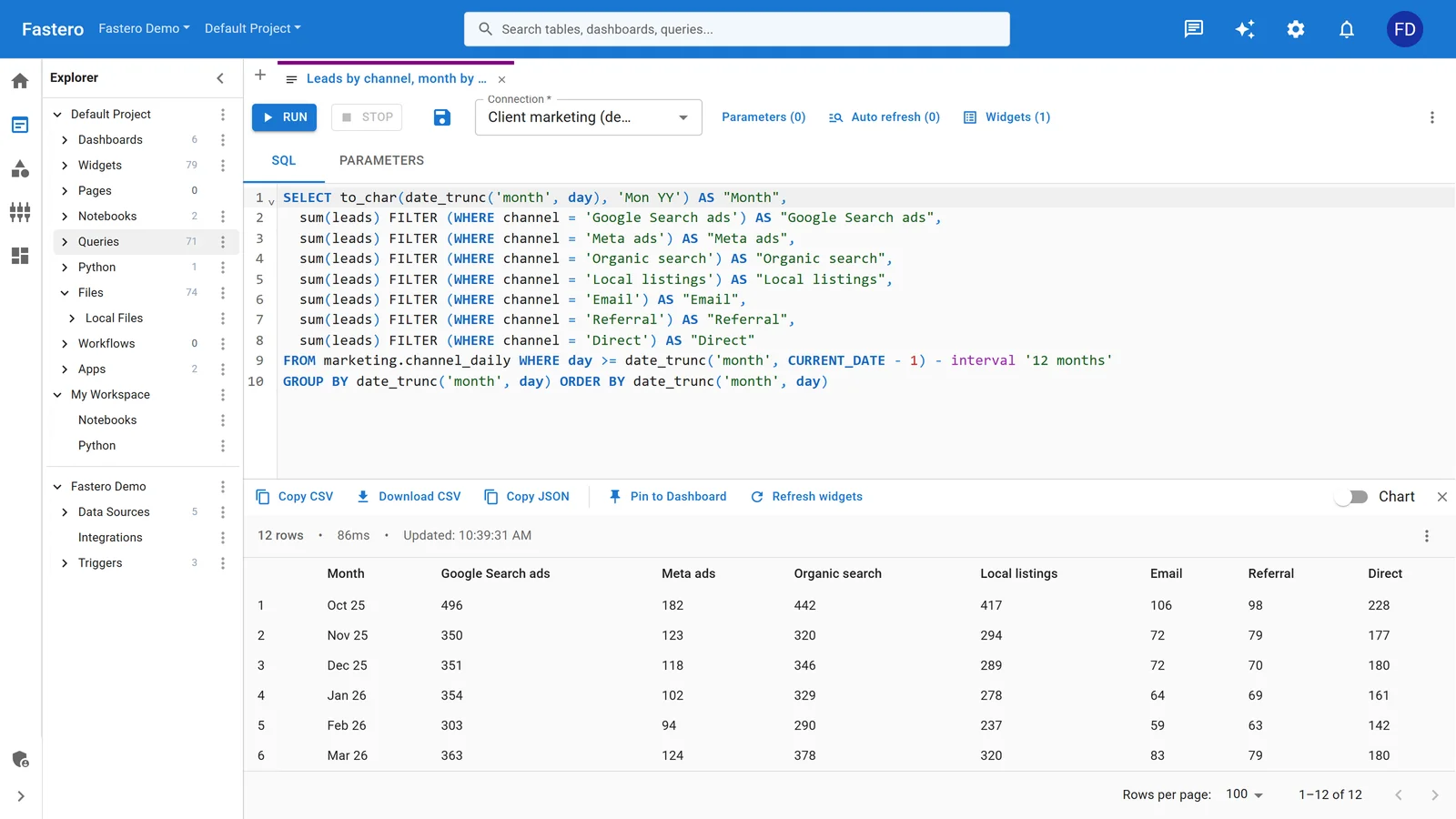
The SQL editor in Fastero. Sample data.
For the Python libraries that power this pipeline, DuckDB's ability to read Parquet natively is a big part of why the whole thing works without heavyweight infrastructure.
FAQ
Is DuckDB a replacement for SQLite?
No. They solve different problems. SQLite is a transactional database for application data. DuckDB is an analytical engine for running aggregations and reports. Replacing SQLite with DuckDB for a mobile app's local storage would be like using a forklift to carry groceries — technically possible, wrong tool. Most teams that adopt DuckDB add it alongside SQLite, not instead of it.
Is DuckDB faster than SQLite for all queries?
Not all. SQLite is faster for point lookups (fetch one row by primary key), small-table scans under a few thousand rows, and simple INSERT/UPDATE/DELETE operations. DuckDB's advantage shows up on analytical patterns: aggregations, GROUP BY, window functions, joins across large tables, and queries that touch many rows but few columns.
Can DuckDB handle production workloads?
It depends on what you mean by production. DuckDB runs analytical workloads in production at many companies — including Fastero — but it's not a multi-user transactional database. It's designed for workloads where one or a few processes crunch data. If you need concurrent writes from hundreds of users, use PostgreSQL. If you need fast analytical queries inside your application, DuckDB is a strong choice.
Should I use DuckDB or Polars for data analysis?
Different tools. Polars is a DataFrame library (like Pandas, but faster). DuckDB is a SQL database engine. If you think in SQL, use DuckDB. If you prefer method-chaining on DataFrames, use Polars. They use the same underlying memory format (Apache Arrow), so you can pass data between them without copying. Many data engineers use both in the same pipeline.
How mature is DuckDB compared to SQLite?
SQLite has 24 years of production use and is deployed on billions of devices. It's one of the most tested pieces of software ever written. DuckDB is 7 years old and has been production-ready since its 1.0 release in June 2024. It's maturing quickly — MotherDuck (the cloud version), plus adoption by companies like Google, Meta, and many data teams, have accelerated its ecosystem. But if you're evaluating risk: SQLite is a known quantity. DuckDB is proven but younger.
Try Fastero free — DuckDB-powered analytics across your databases. Connect PostgreSQL, MySQL, MongoDB, or upload files. No credit card required.