Excel to dashboard
Drop your Excel.
Get a real dashboard.
Upload a spreadsheet to a Fastero project. The AI reads every sheet, classifies the columns, and builds a live dashboard — KPIs, charts, summary, data preview — in seconds. Then you keep refining it in chat, share it as a link, or download it back as an .xlsx with your original sheets intact and a dashboard tab up front.
q1-revenue.xlsx
3 sheets · 4,210 rows · 12 columns
Q1 Revenue Dashboard
LiveRevenue
$847.2K
Customers
312
Avg deal
$2.7K
Revenue by month
How it works
Three steps from spreadsheet to live dashboard.
Drop the file in chat
Drag any .xlsx, .xls, or .csv into a Fastero project chat. Fastero reads every sheet — column types, dates, measures, dimensions — and detects what each column actually is.
A real dashboard appears
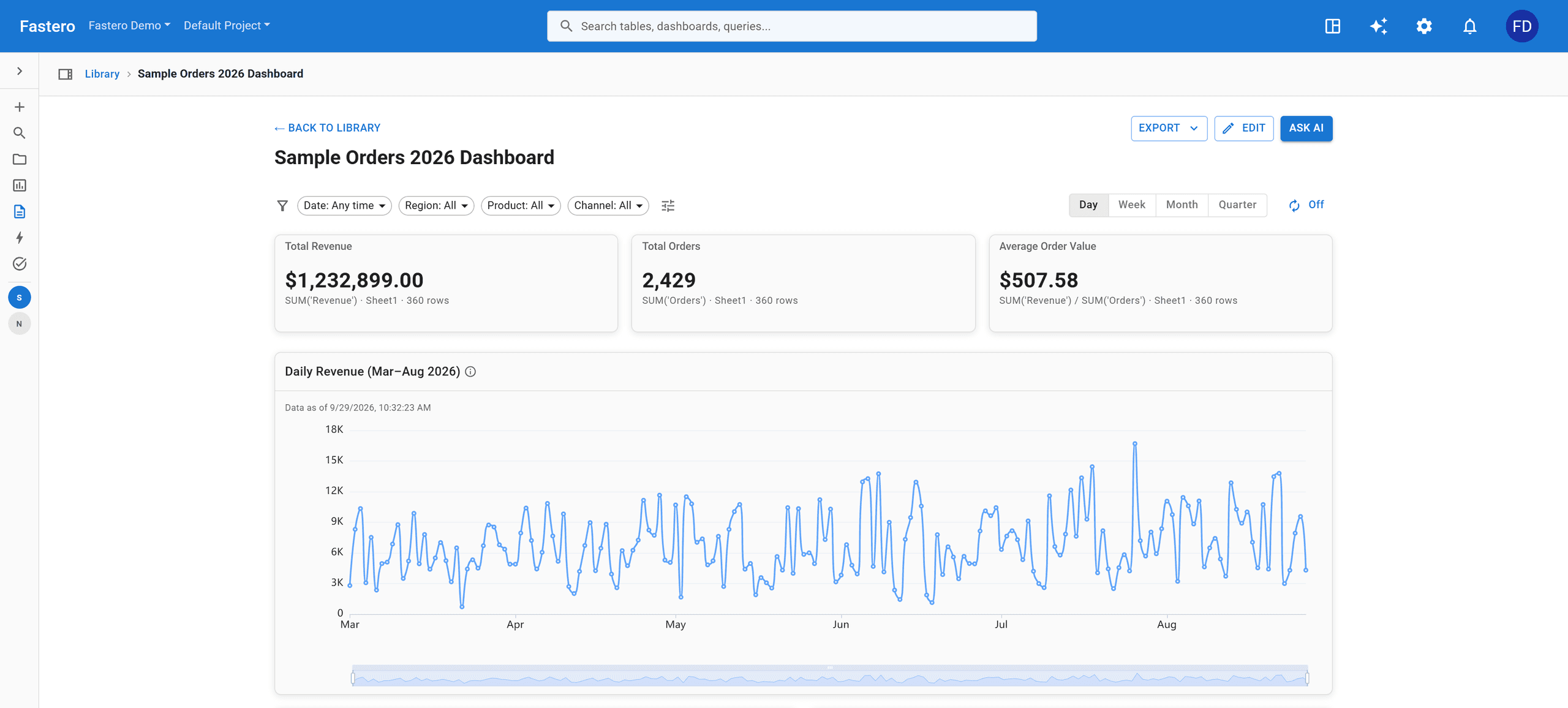
The AI calls create_dashboard_from_file and assembles a native Fastero dashboard with summary widgets, KPIs, charts, and a 100-row data preview — picked from the strongest sheets in the workbook.
Refine in plain English
"Group revenue by month, top 10 customers." The AI re-aggregates against the original spreadsheet and updates the widget. No SQL. No re-uploading. The file stays the source of truth.
What you get
Not a template. A dashboard that read your file.
Fastero analyzes up to three of the strongest sheets in your workbook and assembles up to ten widgets — sized and chosen based on what your data actually looks like.
Executive bullet summary
Fastero scans every sheet and writes a short readout — what the file contains, what changed, and which numbers stand out. The kind of paragraph you used to type yourself before sending the dashboard to your boss.
Numbers that matter, top of the board
Detected measures (revenue, count, avg deal size, etc.) become headline KPIs. No need to point at a column and click "make this a number" eight times.
Bar, time-series, and pie — chosen by intent
Time-series for date columns, bar for top-N dimensions, pie for share-of. The AI picks the type from the data shape, then you can swap or edit any of them in the chat.
A 100-row preview, queryable
Every dashboard ships with a clean preview of the underlying rows so reviewers can sanity-check the numbers without opening the file.
Beyond the first dashboard
Keep talking. The dashboard keeps improving.
Every widget is backed by your spreadsheet. Ask for a different grouping, a new chart, a top-N filter — Fastero re-aggregates the original rows and updates the dashboard. No re-uploading, no broken links.
"Filter to Q1 only and show revenue by week."
"Add a chart for top 5 customers by total spend."
"Group by product category, sum quantity, descending."
"Replace the bar chart with a pie of region share."
Each request triggers an aggregation against your original sheet. Widgets update in place.
Common questions
Things teams ask before they upload.
What file types are supported?
.xlsx, .xls, and .csv. Fastero reads multi-sheet workbooks and analyzes up to 3 of the strongest sheets when generating the dashboard.
Does the dashboard stay in sync if my data changes?
The dashboard is backed by the file you uploaded. Re-upload the latest version (or replace the file in the project) and the widgets refresh against the new rows.
Do I need to know SQL or Python?
No. Everything runs through the AI assistant — type what you want, get a dashboard back. SQL and Python are available in the workbench if you ever want them.
Can I edit the charts after generation?
Yes. The AI uses an aggregation tool that re-queries your original spreadsheet — you can change groupings, filters, top-N limits, and chart types in plain language.
Can I share the dashboard?
Yes. Every dashboard has a shareable link, with proper permissions, and can be embedded in your product or sent to stakeholders without giving them access to the file.
Can I get it back as an Excel file?
Yes — hit Download Excel on any dashboard. You get your own workbook back with every original sheet intact, plus a Dashboard tab of KPIs and native Excel charts at the front. Open it, email it, keep working in it offline.