 Fastero Dev Team
Superset and Tableau both produce dashboards, but they come from opposite ends of the BI market. Superset is an Apache-licensed project you self-host for free. Tableau is Salesforce's $75/user/month analytical platform with two decades of enterprise polish. The right choice depends on your budget, your team's SQL fluency, and how much governance you actually need.
How Do They Compare at a Glance?
| Feature | Apache Superset | Tableau |
|---|---|---|
| License | Apache 2.0 (free) | Commercial ($15–75/user/month) |
| Deployment | Self-hosted Docker or Preset (managed) | Tableau Cloud or Tableau Server |
| Chart types | 40+ (extensible via plugins) | Best-in-class library, 50+ |
| SQL support | SQL Lab — full browser IDE | Calculated fields, LOD expressions, optional custom SQL |
| Data modeling | Semantic layer (datasets + metrics) | Relationships, data blending, Hyper engine |
| Data prep / ETL | None built-in | Tableau Prep (visual ETL) |
| Access control | RBAC, row-level security, LDAP/SAML | Full governance suite, content certification |
| Learning curve | Moderate (SQL required for power use) | Steep (training typically required) |
| Collaboration | Dashboard sharing, role-based access | Workbooks, Stories, commenting, Tableau Cloud |
| AI features | Limited (community plugins) | Einstein Discovery, Ask Data, Tableau Pulse |
| Ecosystem | Python/Flask, Celery, SQLAlchemy drivers | Salesforce CRM, Einstein, Tableau Exchange |
| Managed option | Preset (free tier available) | Tableau Cloud |
| Embedding | Iframe + token auth | Tableau Embedded Analytics (separate product) |
Fastero
Connect your database. Ask questions. Get dashboards.
Postgres, BigQuery, Snowflake, and 10+ sources — live-connected, AI-powered, no dashboard builder learning curve.
Try free →What Does Each Tool Actually Do?
Apache Superset started at Airbnb around 2015 and is now a top-level Apache project. It is a browser-based BI platform built on Python/Flask with Celery for async queries, Redis for caching, and Postgres or MySQL for metadata. SQL Lab gives you a full SQL IDE in the browser — autocomplete, query history, result exploration, and one-click chart creation from any result set. The semantic layer lets you define reusable metrics and calculated columns on registered datasets, so "Monthly Revenue" means the same thing in every dashboard.
Tableau has been the industry benchmark for data visualization since 2003, now owned by Salesforce. Tableau Desktop is a thick-client authoring tool where analysts build workbooks using a drag-and-drop interface backed by Hyper, Tableau's in-memory columnar engine. Tableau Cloud and Tableau Server handle distribution, governance, and scheduling. The product's depth comes from twenty years of investment in visual analytics — LOD expressions, table calculations, data blending, and a chart library that covers everything from bullet charts to Sankey diagrams.
Which Tool Handles Visualization Better?
Tableau wins this category, and it is not close. The rendering is sharper, the chart types are more varied, and the level of customization is deeper. Treemaps, geographic maps with custom territories, small multiples, box plots with jittered points, dual-axis charts with independent scales — Tableau does all of this without plugins.
Superset ships 40+ chart types including deck.gl geospatial maps, heatmaps, chord diagrams, sunbursts, and treemaps. For standard reporting — bar, line, scatter, pivot, time-series — Superset is more than adequate. The plugin architecture means you can build custom visualizations in JavaScript if the defaults fall short. But the formatting controls are less granular than Tableau's, and the output rarely reaches "board-deck" polish without extra work.
If your analysts need presentation-quality visualizations that tell layered stories, Tableau is the tool. If your dashboards are operational — "what happened this week, broken down by region" — Superset covers it.
How Does SQL Support Differ?
Superset is SQL-first. SQL Lab is a genuine IDE: syntax highlighting, autocomplete that understands schema relationships, query history with search, multiple simultaneous tabs, cost estimation on supported databases, and a one-click path from result set to chart. For teams that think in SQL, this workflow is faster than any drag-and-drop interface.
Tableau is not SQL-first, but it speaks SQL. You can write custom SQL data sources, use Initial SQL to set session parameters, and push calculations down to the database. The real analytical power comes from LOD expressions and table calculations — a proprietary language that operates at the visualization level rather than the query level. LOD expressions can do things that are awkward or impossible in pure SQL, like computing aggregations at different granularities within a single chart.
The tradeoff: SQL is portable and your analysts already know it. LOD expressions are powerful but proprietary and require training. If your team's primary skill is SQL, Superset respects that skill. If you want analysts computing at the visualization level without writing queries, Tableau's calculation language earns its learning curve.
What About Self-Hosting vs Cloud?
Superset runs in Docker — typically 5–7 containers (web server, Celery workers, beat scheduler, Redis, Postgres, init). Configuration happens through superset_config.py, a Python file with feature flags, caching settings, and security options. A competent engineer can have a working instance in an afternoon. At scale, you tune Celery concurrency, configure result caching, and add workers. The managed option is Preset, built by Superset's creator, with a free tier.
Tableau offers Tableau Cloud (fully managed by Salesforce) or Tableau Server (self-hosted). Tableau Server is a multi-component deployment that requires dedicated infrastructure, a DBA for ongoing maintenance, and regular upgrade cycles. The operational overhead is real — extract refresh schedules, permission hierarchies, content certification workflows, server monitoring. Most teams that can afford Tableau choose Tableau Cloud to avoid the ops burden.
For teams without a dedicated infrastructure engineer, Superset's Docker deployment is dramatically simpler than Tableau Server. For teams that want zero ops, Preset and Tableau Cloud both work — but Preset's free tier means you can start without budget approval.
How Does Pricing Actually Break Down?
This is the widest gap between the two tools.
Superset: $0 self-hosted, unlimited users, full feature set. Preset managed starts with a free tier (up to 5 users) and scales to paid plans for teams. There are no feature gates on the open-source edition — row-level security, the semantic layer, all 40+ chart types, and the full API are included.
Tableau: Creator $75/user/month, Explorer $42/user/month, Viewer $15/user/month. A team of 5 Creators, 10 Explorers, and 20 Viewers runs $1,095/month — $13,140/year. That does not include Tableau Server infrastructure or Tableau Prep licensing.
At 100 users, the annual difference can exceed $50,000. Every new hire who needs dashboard access is $15–75/month on Tableau and $0 on self-hosted Superset. This cost structure changes how organizations use the tool: when access is free, everyone gets a login. When it costs $15/viewer, teams gate access.
The hidden cost of Tableau is not just the license. Training typically runs 2–5 days per Creator. Administration — managing extract refreshes, permissions, content organization — becomes a part-time or full-time role.
Shelf-ware is common: organizations buy 20 Creator seats, 12 get used regularly, and the other 8 cost $7,200/year for people who went back to Excel. Total cost of ownership for Tableau is typically 2–3x the license alone.
Which Handles Collaboration and Governance Better?
Tableau's governance stack is more mature. Content certification lets admins badge trusted data sources. Usage analytics show which dashboards get viewed and which are abandoned. Deployment pipelines support dev/staging/prod workflows. The audit trail is detailed. For organizations with compliance requirements — SOX, HIPAA, FedRAMP — Tableau's governance features satisfy auditors out of the box.
Superset has solid RBAC, row-level security, and integrates with OAuth, LDAP, and SAML. Dashboard-level and dataset-level permissions work. But content certification, lineage tracking, and usage analytics are not as deep. For teams under 50 people, Superset's access control is typically sufficient. For regulated enterprises, Tableau has years of head start.
On collaboration: Tableau has commenting on dashboards, Stories (sequential dashboard narratives for board presentations), and deep Salesforce integration for CRM-driven teams. Superset has dashboard sharing, alerts and reports (scheduled email/Slack delivery), and annotations.
Both work. Tableau's collaboration features assume enterprise workflows with non-technical stakeholders. Superset's assume technical teams that share SQL and dashboards.
Connect any database. Ask in plain English.
Connect database →How Do Learning Curves Compare?
Superset assumes you write SQL. If you do, the learning curve is short — SQL Lab is immediately familiar to anyone who has used DataGrip, DBeaver, or pgAdmin. The dashboard builder is point-and-click once you have a dataset registered. Non-SQL users hit a wall: there is no visual query builder comparable to Metabase's, and the chart configuration panels assume you understand dimensions, metrics, and filters.
Tableau requires real training. The interaction model — pills, marks cards, shelves, the distinction between dimensions and measures — is powerful but foreign to anyone who has not used it before. Most organizations budget 2–5 days of formal Tableau training per analyst. Once trained, Tableau users are fast. But the ramp-up cost is non-trivial, and it means casual users (sales managers, marketers) rarely self-serve on Tableau without help from an analyst.
The practical difference: a SQL-literate engineer can build a useful Superset dashboard on day one. A new Tableau user typically needs a week of training before they build anything independently.
What About Database and Ecosystem Support?
Superset connects to any database with a SQLAlchemy driver — Postgres, MySQL, Snowflake, BigQuery, Redshift, ClickHouse, Trino, DuckDB, and 30+ others. Adding a new database is a pip install and a connection string. The Python ecosystem means integrations with Airflow, dbt, and data engineering tooling are natural.
Tableau has 100+ native connectors including databases, cloud services, and SaaS platforms (Salesforce, Google Analytics, ServiceNow). The Salesforce integration goes deep — native CRM Analytics, Einstein Discovery for AI-powered insights, and bidirectional data flow without ETL. Tableau Exchange offers community-built connectors and accelerators. If your data lives in Salesforce, Tableau is not just a BI tool — it is an extension of your CRM analytics stack.
Both tools connect to the databases that matter. Superset's advantage is in the data engineering ecosystem. Tableau's advantage is in SaaS connectors and the Salesforce orbit.
When Should You Question Both Tools?
If your team spends more time building and maintaining dashboards than getting answers from them, the problem might not be which dashboard tool to pick. Both Superset and Tableau are query-then-render platforms — you decide what to ask, build the visualization, and share it. Every new business question becomes a new dashboard, and the dashboard count grows until someone's full-time job is keeping them working.
A growing number of teams in 2026 are asking whether the next ad hoc question needs a dashboard at all. Tools like Fastero take a different approach: connect your data sources, ask questions in plain English, and get answers on demand. Build a persistent dashboard only when a question recurs often enough to justify one. That model does not replace governed reporting — but it handles the long tail of one-off questions that would otherwise become yet another dashboard to maintain.
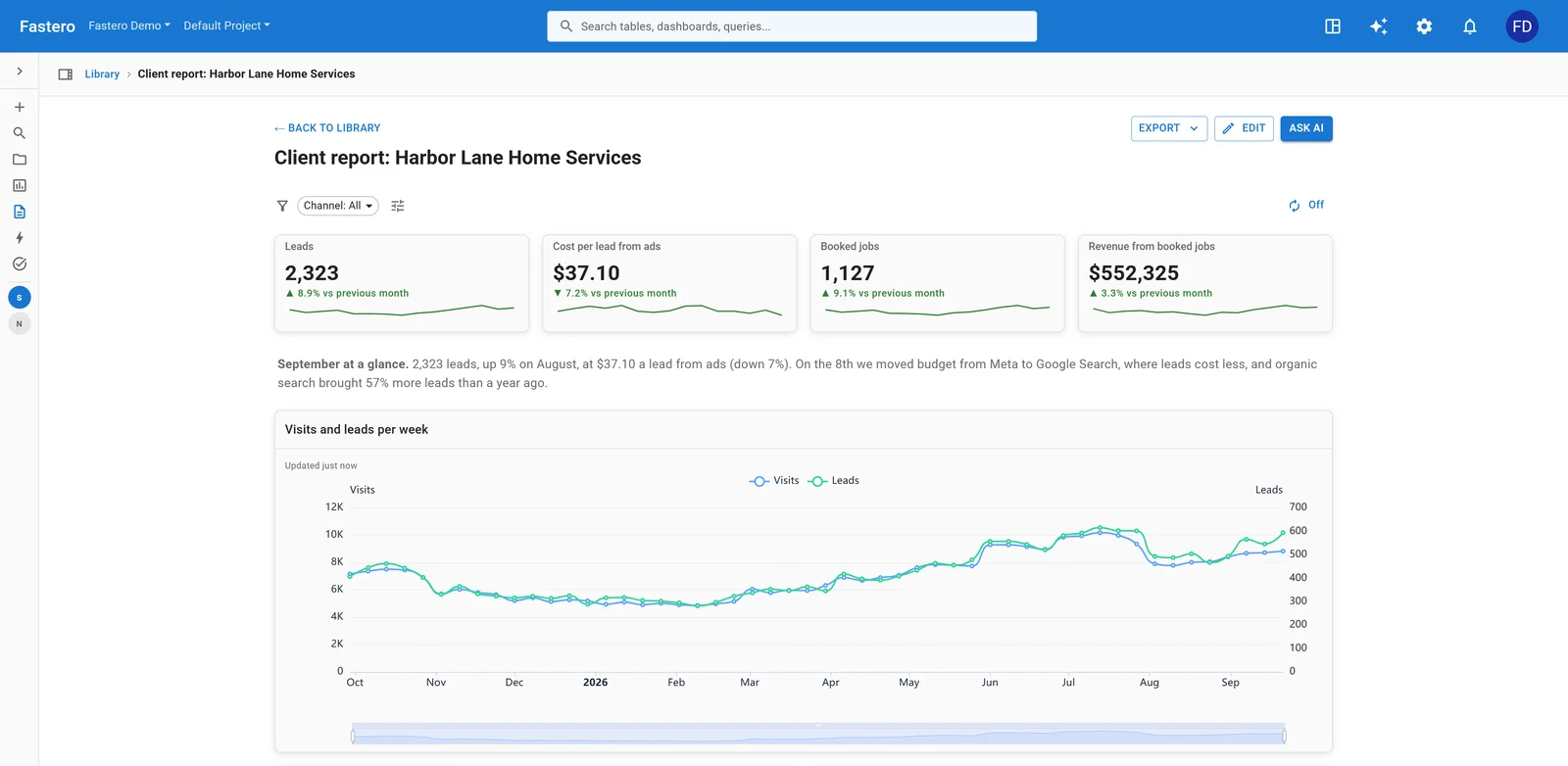
A dashboard in Fastero. Sample data.
How Should You Decide?
Do you need enterprise governance (SOX, HIPAA, FedRAMP)?
├── Yes ─→ Tableau
└── No
    ├── Is your team SQL-fluent?
    │   ├── Yes
    │   │   ├── Budget > $10k/yr for BI tooling?
    │   │   │   ├── Yes ─→ Evaluate both; Tableau for viz depth, Superset for cost
    │   │   │   └── No ─→ Superset
    │   │   └── Need Salesforce-native analytics?
    │   │       ├── Yes ─→ Tableau
    │   │       └── No ─→ Superset
    │   └── No (business users, drag-and-drop preferred)
    │       ├── Budget exists ─→ Tableau
    │       └── No budget ─→ Superset + training investment
    └── Unsure ─→ Start with Superset (free), switch if you hit a wall
Frequently Asked Questions
Can Superset replace Tableau entirely?
For SQL-fluent teams building operational dashboards, yes. Superset covers 80–90% of what most organizations use Tableau for — standard charts, filtered dashboards, scheduled reports, access control. The 10–20% gap is visualization polish, LOD expressions, data blending across sources, and Tableau Prep. If your analysts rarely use those features, you will not miss them.
Is Superset hard to set up?
Harder than Metabase (which is a single jar), easier than Tableau Server. A Docker Compose deployment takes an afternoon. Production tuning — caching, Celery workers, database connection pools, and superset_config.py settings — takes longer and benefits from Python/ops experience. Preset eliminates the ops burden entirely if you prefer managed hosting.
Does Tableau have a free tier?
Tableau Public is free but publishes all dashboards publicly — no private data, no access control. Tableau Cloud and Tableau Server require paid licenses. There is no free tier for private, self-service BI within the Tableau product line. This is a fundamental difference: Superset gives you the full product — including row-level security and role-based access — for $0.
Can I migrate from Superset to Tableau (or vice versa)?
There is no automated migration path in either direction. SQL queries transfer directly — SQL is SQL. But dashboard layouts, calculated fields, semantic layer definitions, and permission models need manual recreation. Parameterization syntax differs between the two platforms (Jinja templating in Superset vs Tableau parameters). A team with 20 dashboards can migrate in a week. Budget for it, but do not let migration cost lock you into the wrong tool.
Which tool has better AI features in 2026?
Tableau, by a significant margin. Einstein Discovery surfaces statistical drivers of metrics. Ask Data accepts natural language questions. Tableau Pulse pushes automated insights to users via Slack or email without requiring them to open a dashboard. Superset has community-developed plugins and experiments but no production AI layer. If AI-assisted analytics matters to you today, Tableau is ahead — though both tools lag behind purpose-built AI analytics platforms.
Should I use Superset or Metabase instead?
Different audiences. Metabase targets non-SQL business users with a visual query builder — click to group, filter, and chart. Superset targets SQL-literate teams who want a BI platform with a semantic layer and 40+ chart types. If your users write SQL, Superset. If they do not, Metabase. See our Superset vs Redash comparison for another open-source angle.
Related Reading
- Tableau vs Metabase: Enterprise vs Open-Source BI
- Looker Studio vs Tableau: Free vs Enterprise BI
- Power BI vs Tableau: Enterprise BI Compared
- Apache Superset vs Redash: Open-Source SQL Dashboards
Try Fastero free — skip the dashboard tool debate — connect your database and ask questions in plain English. No credit card required.