
Streamlit and Gradio both turn Python scripts into web apps. They are aimed at different jobs. Streamlit is for interactive data applications — dashboards, internal tools, analytical workflows. Gradio is for model interfaces — upload an image, get a classification, share the link. If you are choosing between them, the answer almost always depends on whether you are building a data app or shipping a model demo.
How do they compare at a glance?
| Dimension | Streamlit | Gradio |
|---|---|---|
| Primary use case | Data apps, dashboards, internal tools | Model demos, inference interfaces, chat UIs |
| Execution model | Reruns the script on each interaction; st.fragment reruns part of a page; widgets take on_change callbacks |
Event-driven: each component triggers its own function |
| Layout | Columns, tabs, sidebar, expanders, containers, multipage apps | Blocks (rows, columns, tabs) since 3.0; multipage apps with Blocks.route() |
| Charts | Native charts plus Plotly, Altair, Matplotlib and more | gr.Plot for Plotly, Matplotlib, Altair and Bokeh, plus native line, bar and scatter plots |
| Inputs | Sliders, date pickers, text, file uploads, camera, forms | Text, image, audio, video, file, sliders, date/time picker |
| Model-oriented components | None built in — use Python libraries | Image, audio and video components, a chatbot component |
| Database connections | st.connection: any SQLAlchemy database (Postgres, MySQL and more) and Snowflake, with caching |
None built in — use the database's Python library |
| Session state | st.session_state |
gr.State |
| Caching | @st.cache_data, @st.cache_resource |
@gr.cache |
| Built-in auth | st.login — any OpenID Connect provider, since 1.42 (Feb 2025) |
Password login via launch(auth=...), Sign in with Hugging Face, other OAuth providers |
| Free hosting | Streamlit Community Cloud | Hugging Face Spaces — now limited on free accounts (see below) |
| Free-tier limits | 690 MB–2.7 GB memory, up to 2 CPU cores; sleeps after 12 hours without visitors; one private app | Free CPU hardware is 2 vCPU / 16 GB and sleeps when unused; free accounts get at most 2 Gradio Spaces, on ZeroGPU |
| License | Apache 2.0 | Apache 2.0 |
Where Streamlit wins: data applications
Streamlit was built for data teams who need to put analysis in front of people who do not write Python. A sales dashboard. A financial model with interactive parameters. An internal tool that queries three databases and produces a report.
Three things make Streamlit the right choice for this:
Layout matters. An app someone uses every day needs columns, sidebars, tabs, containers and pages. Streamlit has all of these, and they are the core of the framework rather than an add-on.
Database connections. st.connection ships a SQL connection for any database SQLAlchemy supports — Postgres, MySQL and others — plus a Snowflake connection, with caching built in. BigQuery goes through Google's own client library. Gradio has no database layer at all: you write the connection code and manage it yourself.
The rerun model is intuitive for data work. Change a slider, the script reruns, the charts update. For dashboards and exploratory tools, that is exactly how you want it to behave, and you do not have to wire up callbacks to get there.
The cost of the rerun model is performance on heavy apps. By default every interaction reruns the whole script, so expensive queries need st.cache_data, long-lived clients need st.cache_resource, and st.fragment (generally available since Streamlit 1.37 in July 2024) lets you rerun just one part of the page. It is manageable, but it is something to design for.
We covered Streamlit's deployment story — auth, scheduling, always-on hosting — in our deployment guide. For how it compares to other dashboard frameworks, see Streamlit vs Grafana.
Fastero
Connect your database. Ask questions. Get dashboards.
Postgres, BigQuery, Snowflake, and 10+ sources — live-connected, AI-powered, no dashboard builder learning curve.
Try free →Where Gradio wins: model demos and inference
Gradio started in 2019 as an independent project with one job — let people try your model — and joined Hugging Face in December 2021. It still does that job in very little code:
import gradio as gr

def classify(image):
    # your model inference here
    return {"cat": 0.9, "dog": 0.1}

gr.Interface(fn=classify, inputs="image", outputs="label").launch()
A few lines plus your model function, and you have a working demo. Streamlit can do the same, but you build more of it yourself — the file uploader, the image handling, the output display.
Gradio's advantages for model work:
Model-oriented components. Image, audio and video inputs and outputs, and a chatbot component, are first-class. The chatbot alone saves real work compared to assembling a chat interface in Streamlit from st.chat_message and st.chat_input.
Hugging Face integration. Gradio is one of the built-in SDKs on Hugging Face Spaces, and "Sign in with Hugging Face" is a component.
Temporary sharing. share=True gives you a temporary public link — it expires after a week — without deploying anything. Useful for showing a colleague a model before it has a home.
Event-driven architecture. Each component fires its own event, so changing one input does not rerun the whole app — only the connected function executes. When a single prediction takes seconds, that matters.
Where they overlap
Both frameworks have grown toward each other.
Gradio Blocks added rows, columns, tabs and, more recently, multipage routing, a date/time picker and a data table with search and filtering. You can build a dashboard in Gradio. Its component library is still organised around model inputs and outputs, though, so a report-style app takes more assembly than it does in Streamlit.
Streamlit's chat elements (st.chat_message, st.chat_input) let you build chat interfaces. They are lower-level than Gradio's chatbot: more control, more code.
Both can do both. You can ship a model demo in Streamlit and a dashboard in Gradio. The question is which framework makes your specific job easier, not which one is capable of it.
Hosting: the free tiers have changed
The free options for both frameworks come with limits that matter the moment a team relies on the app.
| Hosting | Streamlit | Gradio |
|---|---|---|
| Free tier | Community Cloud: deploy from GitHub; 690 MB–2.7 GB memory; sleeps after 12 hours without visitors, and a visitor must click to wake it; one private app for invited viewers | Hugging Face Spaces: creating Gradio or Docker Spaces now requires a paid plan; free personal accounts can host up to 2 Gradio Spaces on ZeroGPU |
| Paid | No paid Community Cloud tier; managed platforms or self-hosting | Hugging Face PRO ($9/month) for personal accounts, Team or Enterprise for organizations; GPU hardware from $0.40/hour (single GPUs $0.40–$2.50/hour) |
| Auth | st.login in your app, or a platform's login |
launch(auth=...), Hugging Face sign-in, OAuth; public, protected or private Spaces |
| Stays awake | Not on Community Cloud; yes on managed platforms | Paid Spaces hardware does not sleep by default |
Note that Hugging Face has also deprecated its built-in Streamlit SDK: Streamlit apps on Spaces now go through the Docker template, which puts them on the paid side of that change.
For Streamlit, managed platforms like Fastero give you always-on hosting with org-level authentication, custom domains, and compute tiers up to 16 GB RAM — starting at $20/month. No cold starts, no sleeping, no infrastructure to manage. See Streamlit Community Cloud vs paid hosting for the full comparison.
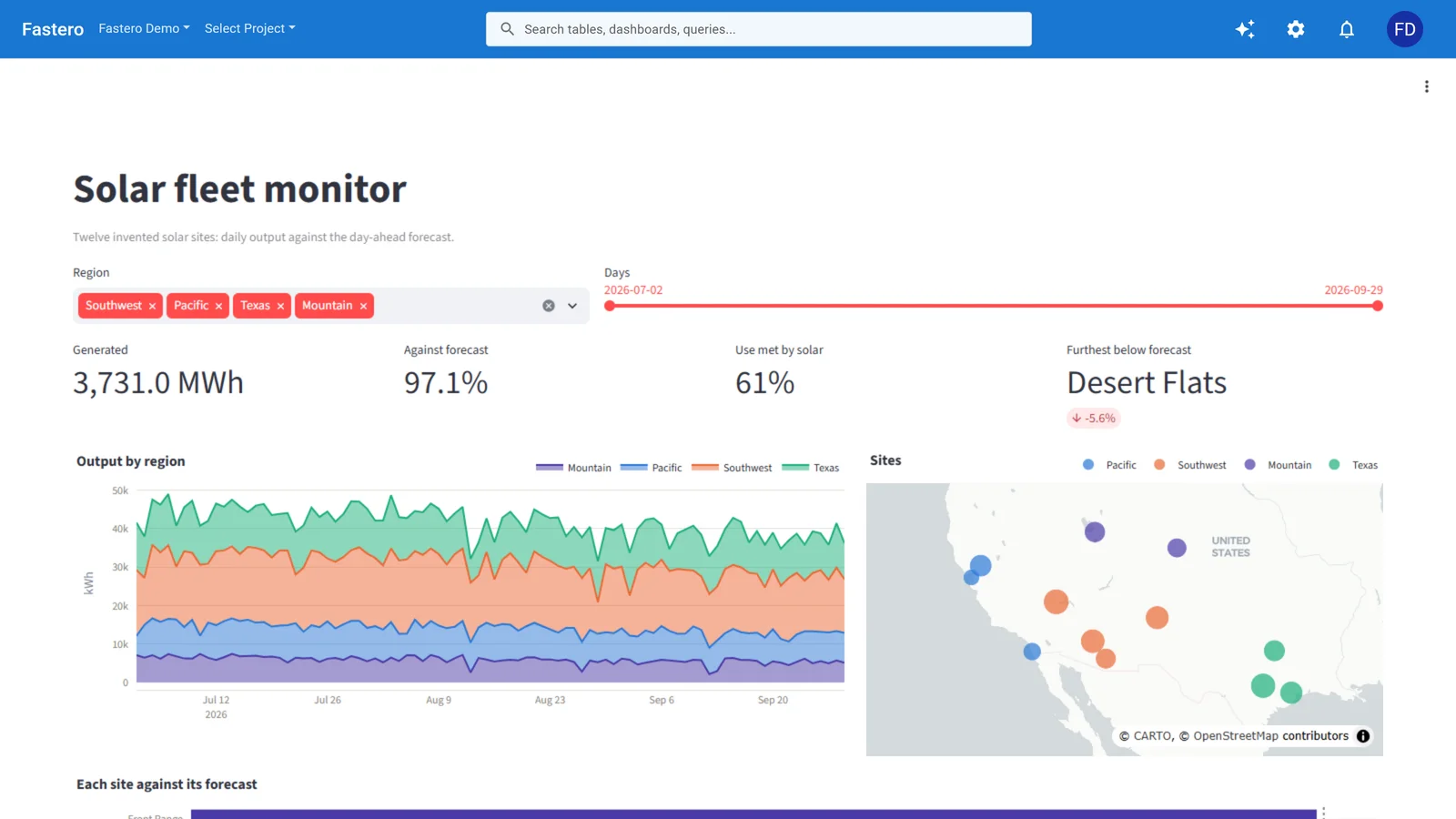
A Streamlit app running in Fastero, behind the team's login. Sample data.
For Gradio, Hugging Face's paid plans and hardware are the most direct path to production — persistent hardware, no sleep, and GPU access for inference-heavy models.
Decision framework
Build with Streamlit if:
- You are building a data app, dashboard, or internal tool
- Your app queries databases and displays results
- Layout and navigation matter — multi-page apps, sidebars, tabs
- Your audience is business users who need a polished interface
- You need authentication to restrict access
Build with Gradio if:
- You are shipping a model demo
- Input/output pairs are the core interaction — upload a file, get a result
- You want the fastest path from model to shareable demo
- You are publishing on Hugging Face
- You need GPU hardware for inference
Consider both if:
- You have a model that feeds a broader analytical workflow — Gradio for the model demo, Streamlit for the dashboard that consumes its output
The hosting question matters more than the framework
Most teams agonise over Streamlit vs Gradio and then deploy on a free tier that sleeps and cannot handle real use. The framework choice matters less than the deployment choice. A Streamlit app on Community Cloud that is asleep when your manager opens it on Monday morning — and asks them to click a button to wake it — loses more trust than picking the "wrong" framework and deploying it properly.
Pick the framework that fits your job. Then invest in hosting that keeps it running.
Sources
Checked on 27 September 2026:
- Community Cloud resources and sleep — docs.streamlit.io, Manage your app; private apps and invited viewers — Share your app
st.connection— Streamlit API reference;st.fragmentin 1.37.0 — 2024 release notes- Gradio auth and sharing — gradio.app, Sharing your app; multipage apps — gradio.app guide
- Gradio joins Hugging Face — huggingface.co/blog/gradio-joins-hf (21 December 2021)
- Spaces plans, hardware and free-account limits — Spaces overview, huggingface.co/pricing; Streamlit SDK deprecation — Spaces SDKs: Streamlit
Try Fastero free — deploy Streamlit apps with built-in auth, always-on hosting, up to 16 GB RAM, and custom domains. From $20/month. No credit card required.